

Introduction
This article shows how to use interactive sorting for an SSRS report.
Create a Report Server Project as in Figure 1.
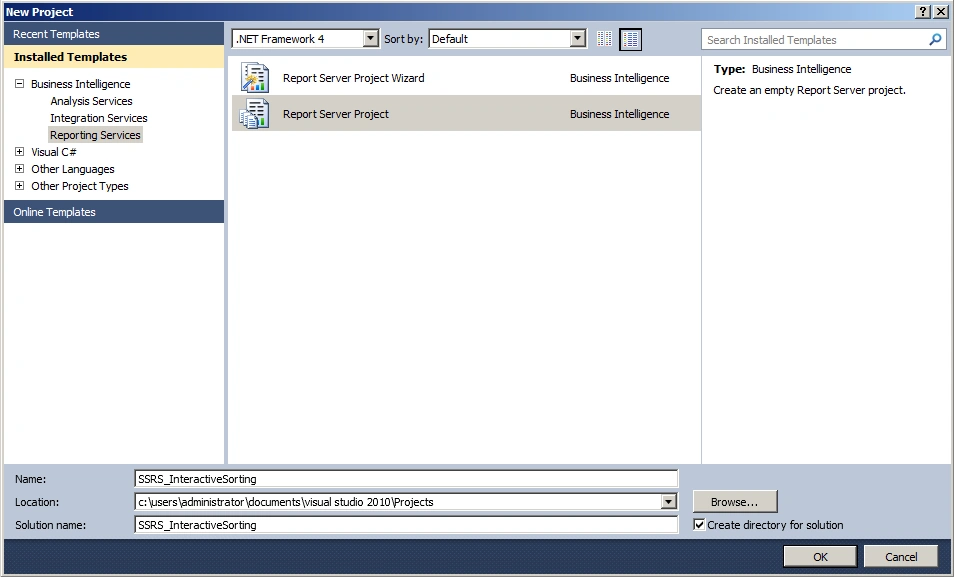
Figure 1: Report Server Project
Add a Data Source as in Figure 2.
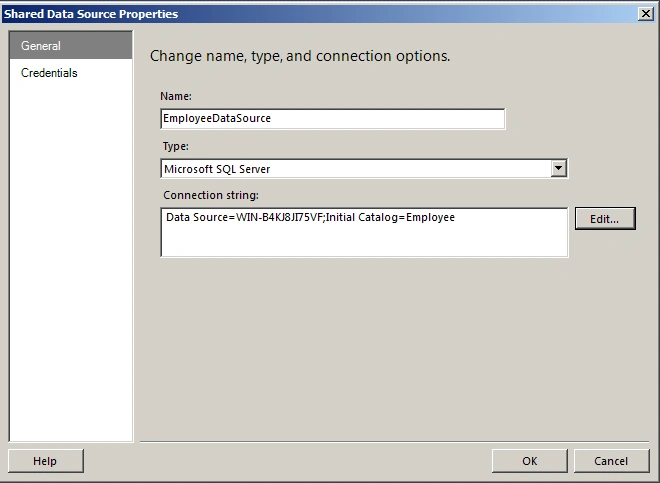
Figure 2: Data Source
Add a dataset as in Figure 3.
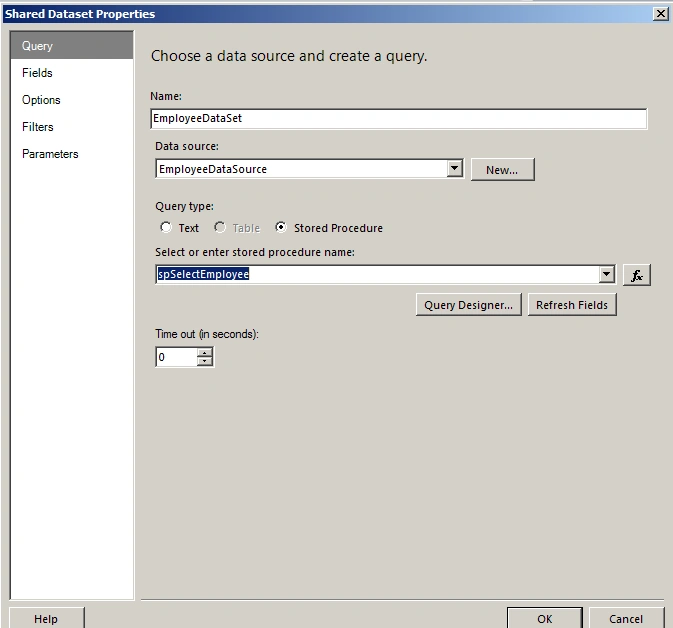
Figure 3: Shared Dataset
Add a report item as in Figures 4 and 5.
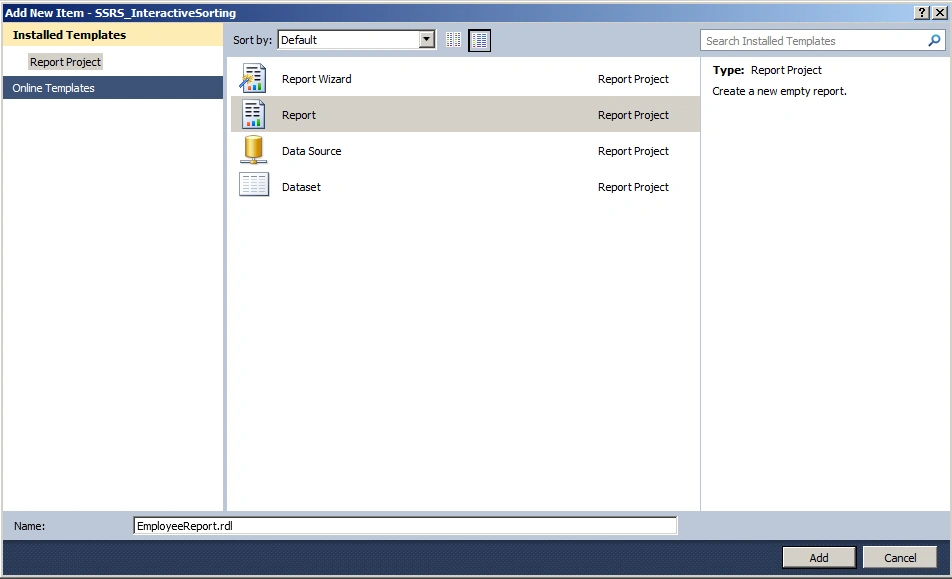
Figure 4: Report item
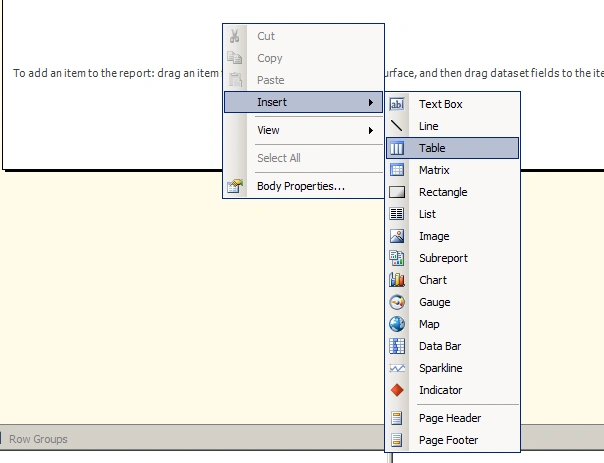
Figure 5: Insert table
Choose the Data Source as in Figure 6.
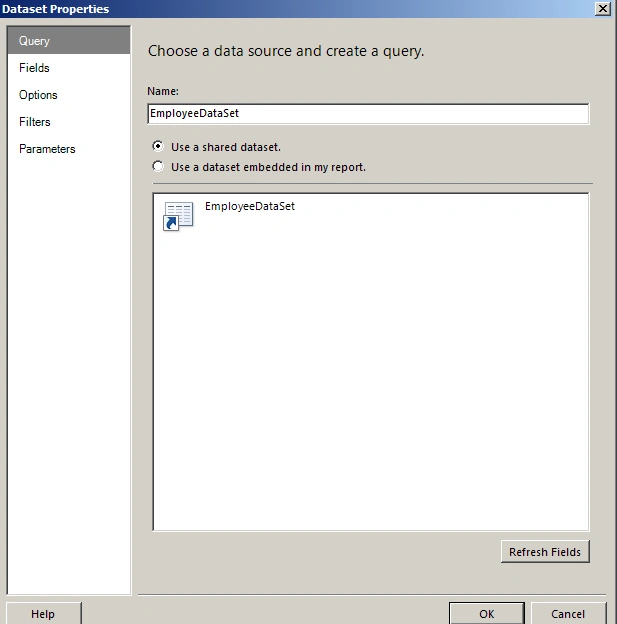
Figure 6: Datasource
Set up the table properties as in Figures 7 and 8.
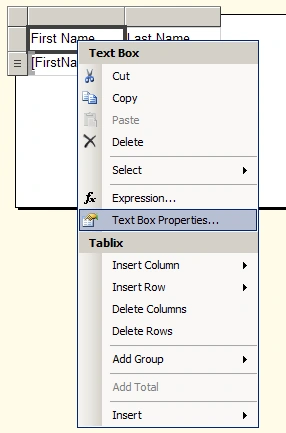 &;
&;
Figure 7: TableProperties
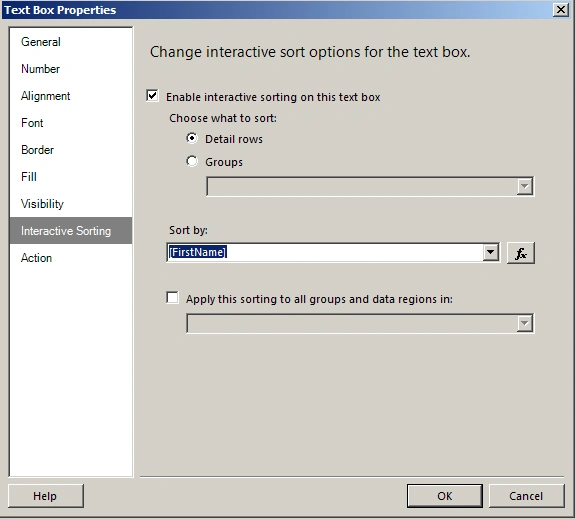
Figure 8: Interactive Sorting
The output of the report is as in Figure 9.
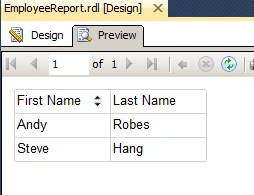
Figure 9: Sorting
Summary
In this article, we saw how to use interactive sorting for SSRS reports.
NitinPosted May 28, 2015, 1:02 PM
nice
Santhakumar MunuswamyPosted May 27, 2015, 3:20 PM
Thanks for nice one
Gowtham RajamanickamPosted May 27, 2015, 8:24 AM
this is great..
Sibeesh VenuPosted May 27, 2015, 5:56 AM
Good one.