

Introduction
A brief about Inter-App communications
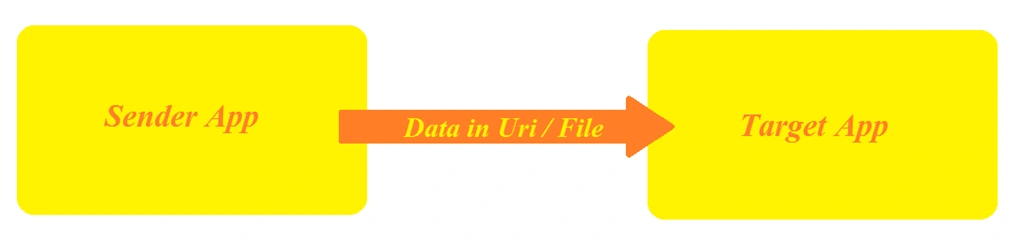
- Launcher.LaunchUriAsync( new Uri(“tamilapp:?ID=asrw6”));
- Launcher.LaunchFileAsync(commonFile);

- DataTransferManager.ShowShareUI();
There are ways to communicate with apps in the Windows 8 series but now the improved feature in Windows 10 UWP provides a more unique and secure way to transfer files or data between Apps.
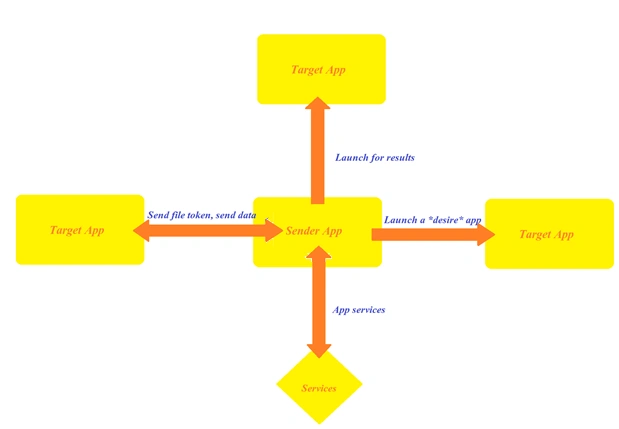 Used to send one specific publisher or app so the communication is made to specifically do something from an app to another. To invoke a specific app, use the package family name that is provided by stores that are globally unique. So using PackageFamilyName and Launcher URI can invoke an App.
Launch the desired app
- var options = new LauncherOptions();
- options.TargerApplicationPackageFamilyName = “24919.App”;
- var launcherUri = new Uri(“App:?AddUrl=http………com”);
- await Launcher.LaunchUriAsync(launchUri, options);
Send file token, send data
Used to send a file token or data to another app. Here the file that is about to send can convert the token with a value set and can send to a target app with Launcher URI and options with PackageFamilyName.
- var options = new LauncherOptions();
- options.TargerApplicationPackageFamilyName = “24919.App”;
- var fileToken = SharedStorageAccessManager.AddFile(TamilContext);
- ValueSet valueSet = new ValueSet();
- valueSet.Add(“Token”, fileToken);
- var launcherUri = new Uri(“App:?AddUrl=http………com”);
- await Launcher.LaunchUriAsync(launchUri, options, valueSet);
Launch for results
- var myQuery = new Uri(“TamilApp:”);
- await Launcher.QueryUriSupportAsync(myQuery, LaunchUri.LaunchUri);
- //With Family name of the package
- var myQuery = new Uri(“TamilApp:”);
- string name = “28019.TamilApp”;
- await Launcher.QueryUriSupportAsync(myQuery, LaunchUri.LaunchUri, name);
Apps services
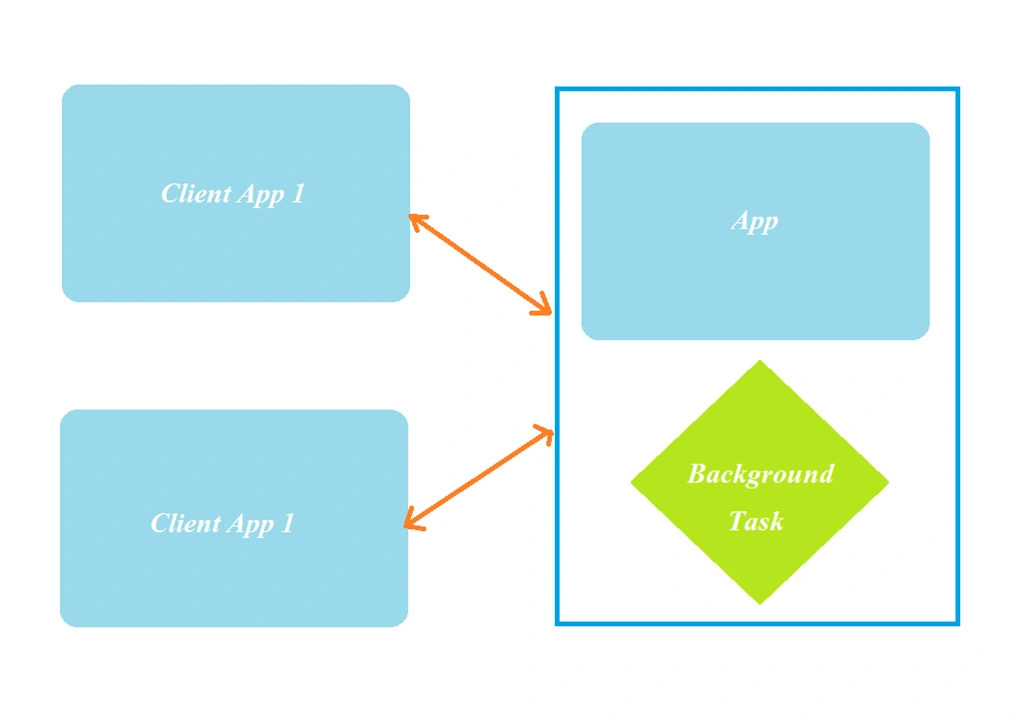
Step-by-step process to launch an App from another App
- Create a Windows Universal “Black Application” from the New Project dialog (Ctrl + Shift + N).
- Add a Button to launch a button when clicking on it using the following XAML code and C# Code.
- <Button Content=”Launch” Click=”Button_Click”/>
- private async void Button_Click(object sender, RoutedEventArgs e)
- {
- await Windows.System.Launcher.LaunchUriAsync(new Uri("iamtamilanselva:?data=12345"));
- }
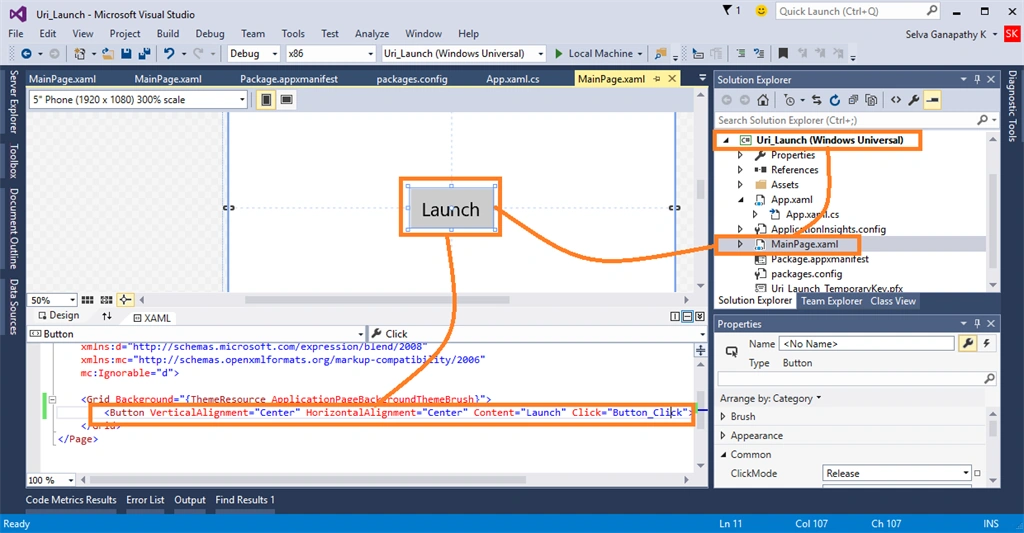
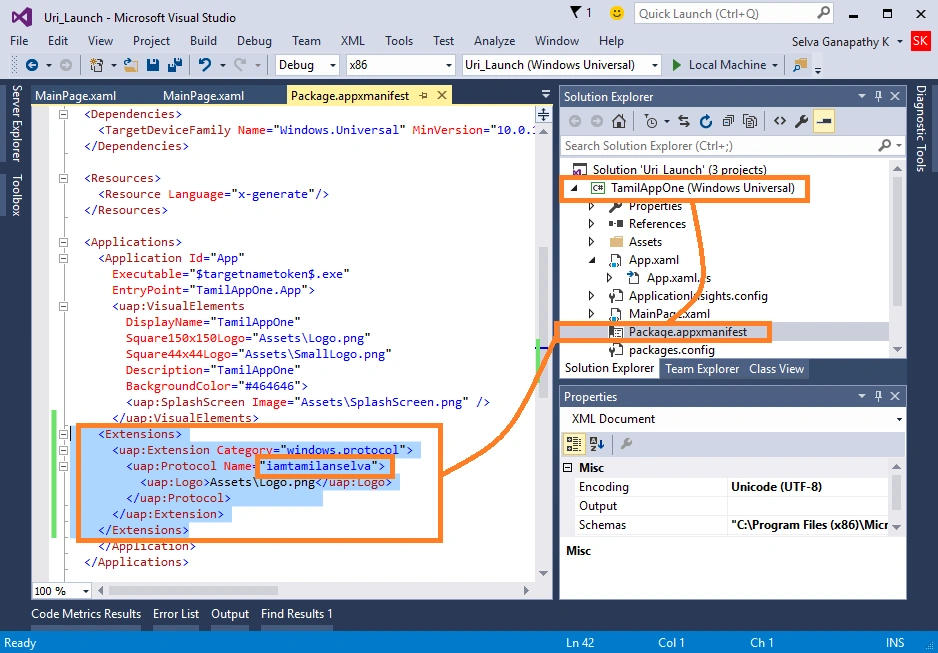
- Create a dummy App to launch and add a protocol ID in the Package Manifest as in the following tags.
- <Extensions>
- <uap:Extension Catefory=”windows.protocol”>
- <uap:Protocol Name=”iamtamilanselva”>
- <uap:Logo>Assests\Logo.png</uap:Logo>
- </iap:Protocol>
- </uap:Extension>
- </Extensions>
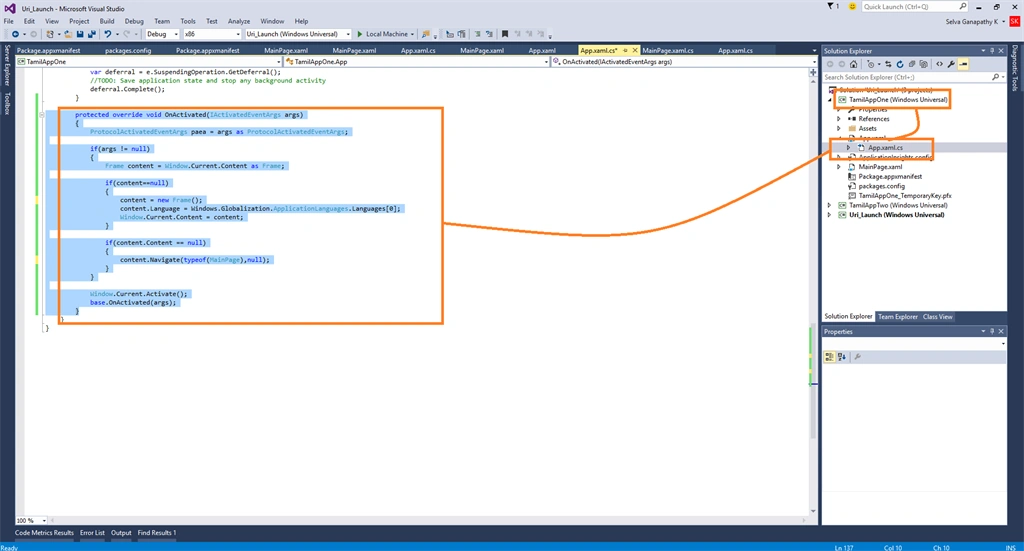
- Add content to the mainframe using the OnActivated method in the App.xaml.cs file using the following code snippet.
- protected override void OnActivated(IActivatedEventArgs args) {
- ProtocolActivatedEventArgs paea = args as ProtocolActivatedEventArgs;
- if (args != null) {
- Frame content = Window.Current.Content as Frame;
- if (content == null) {
- content = new Frame();
- content.Language = Windows.Globalization.ApplicationLanguages.Languages[0];
- Window.Current.Content = content;
- }
- if (content.Content == null) {
- content.Navigate(typeof(MainPage), null);
- }
- }
- Window.Current.Activate();
- base.OnActivated(args);
- }
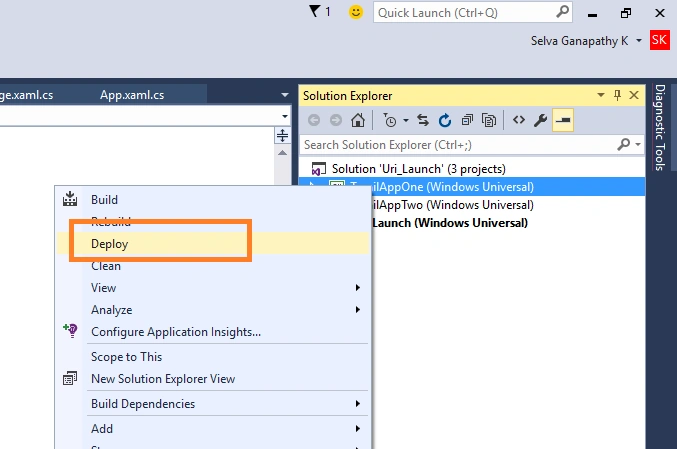
- Now deploy the dummy app that is about to launch by our main app.
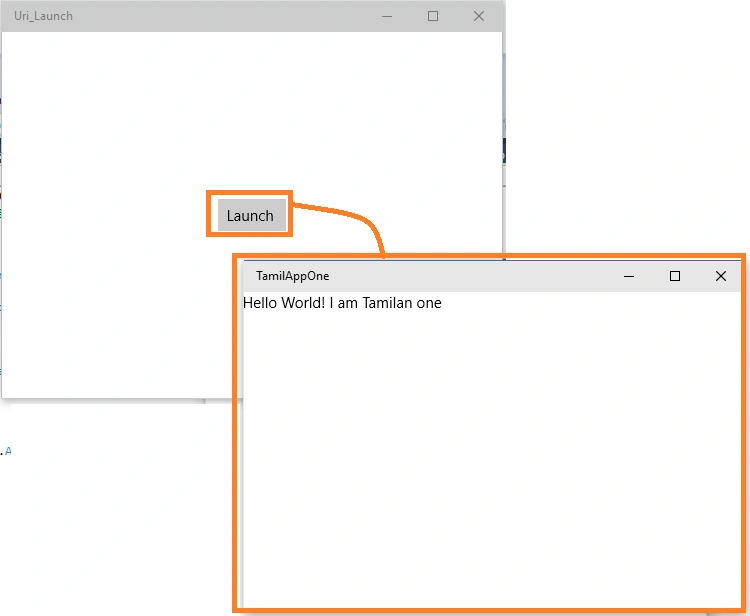
- Now run our main app “Uri_Launch” and click the Launch button, It launches our Dummy App “TamilAppOne”. That is:
What happens if we have two apps in the same Protocol name?

How can I avoid manual choosing on the app, when more apps contain the same protocol name?
- Windows.System.LauncherOptions opt = new Windows.System.LauncherOptions();
- opt.TargetApplicationPackageFamilyName = "5c2914c8-8190-4f3c-a064-9725339b8b14_p1rwhdjzffatw";
- await Windows.System.Launcher.LaunchUriAsync(new Uri("iamtamilanselva:?SomeData=123"),opt);
How can I get my app's Package Family Name?
- Windows.ApplicationModel.Package.Current.Id.FamilyName;
Summary
In this article, we learned about Inter-App Communications in Windows 10 UWP.
Charwaka ThupiliPosted Sep 24, 2015, 7:36 AM
For Those Need Video Demo Check Out https://rewards.msdn.microsoft.com/Challenge/7b4684c7-e12c-4894-bba6-546071c3103b