

Introduction
This short material will guide on the following integration points.
- Connecting to the SAP system via SAP .NET Connector (also called sapnco libraries)
- Access an RFC function from the SAP System and get the data.
- Exception handling.
For this Tech Tip will create a console application using C#.
SAP .Net connector
SAP .NET Connector 3.0 is the current version of SAP's development environment for communication between the Microsoft .NET platform and SAP systems. This connector supports RFCs and Web services. It allows developers to write different applications such as Webform, Windows form, or console applications in Microsoft Visual Studio.Net. With the SAP .NET Connector, a developer can use all common programming languages, such as Visual Basic. NET, C#, or Managed C++.
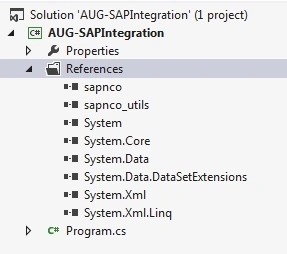
Step 1. Download the Sapnco libraries from the SAP official site and reference the Visual Studio project as shown below.
- sapnco.dll
- sapnco_utils.dll
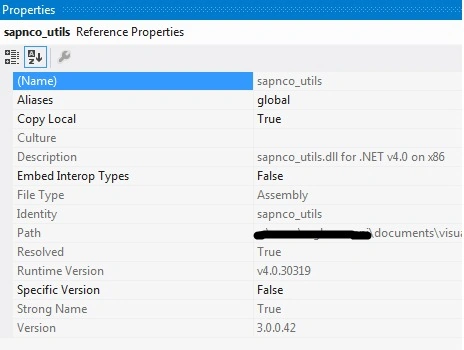
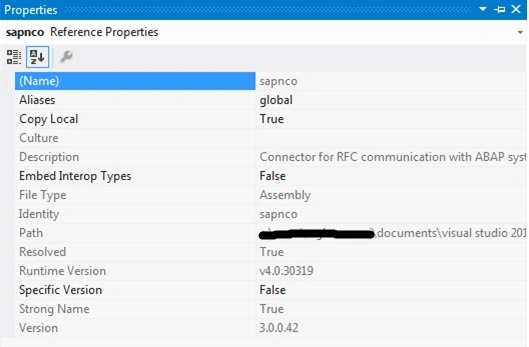
Spanco Library's details are as follows.
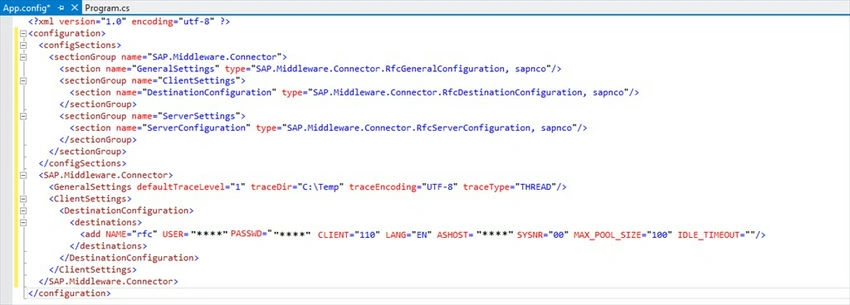
Step 2. Append the following to the app.Config.
Note. Provide the required IP and Credentials to connect to the target SAP System as received from the SAP team.
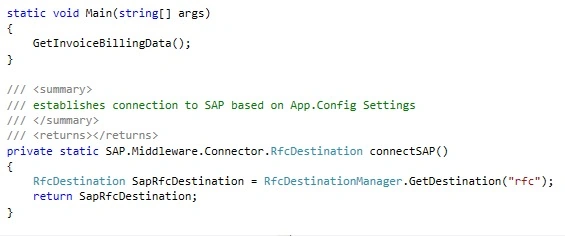
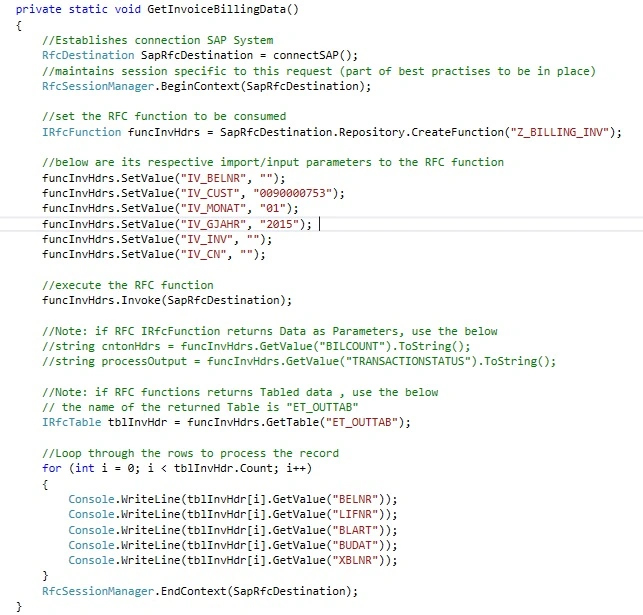
Step 3. This example will show how the program is accessed in getting the invoice details from the SAP system
The below methods will help to connect to the SAP System and access the RFC function by passing the necessary input and output parameters.
Note. In RFC Terms the input parameters are called import and output as export parameters.
Do request the SAP team to provide the RFC function name and its import, and export parameters which will help build the logic.
Step 4
- Build the solution and the following errors will hit.
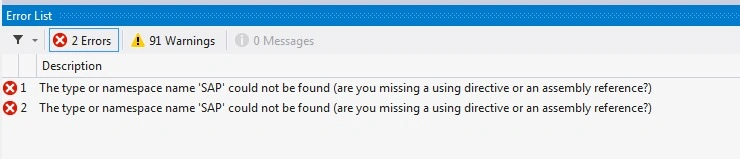
- Solution: as the Sapnco libraries support .Net 4.0, set the console application to Target Framework to 4.0.
- Again build the solution, it will be a successful one. On execution, another error will shoot up as below,
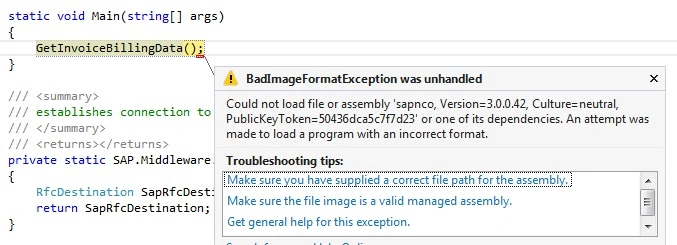
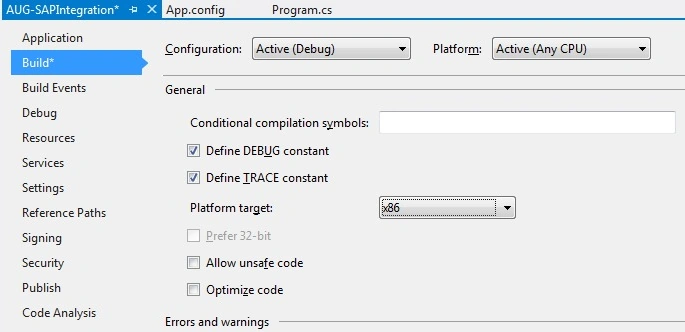
- Solution: sapnco libraries are available for (x86) and (x64) platforms. Here I have used a 32-bit library of sapnco whereas my laptop is x64.
- Set the following in project properties where the Platform target is x86. Now Execution will be successful.
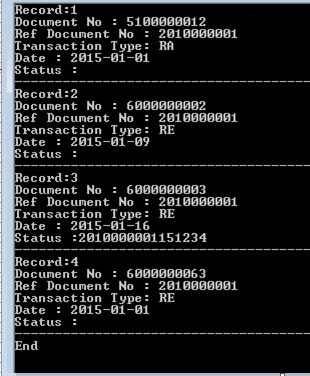
Step 5. Program Output.
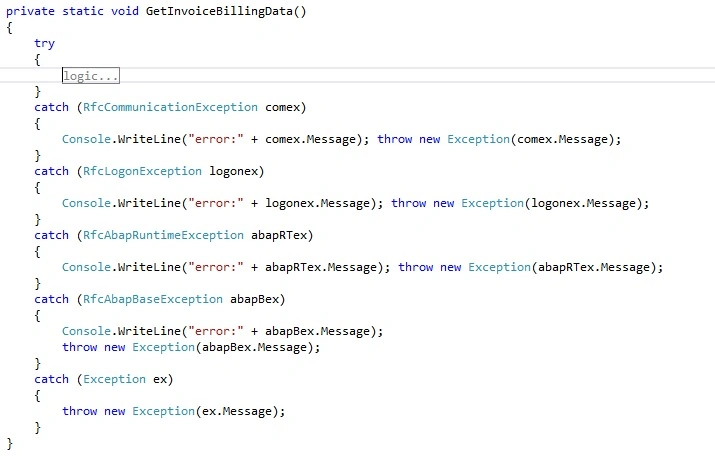
Step 6. Exception handling.
Apply the below try-catch blocks as below to handle exceptions.
Add On
- Consider the WCF service instead of a console application for the above example.
- The Web Service will be deployed in IIS.
- The following points to be kept in mind during configuration.
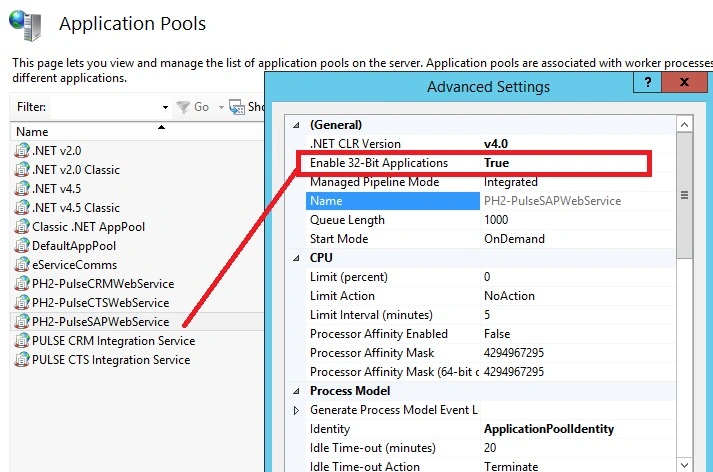
Since we used x86(32-bit) sapnco libraries, and servers in general x64 (64-bit) the following need to be applied to the application pool of the Web Application,
- Enable 32-Bit Application – Set to True (by default the value is false),
- Sapnco libraries require “Microsoft Visual C++ 2010 x86 Redistributable Setup”, do install this setup if Web Service throws issues.
Read more articles on .NET
Doug CoatesPosted Mar 13, 2021, 8:25 AM
HI we have successfully been using the SAP .NET Connector 3.0 for many years now and are make plans to move to OData connection, is there other tool that would replace the functionality of the NCo 3.0 after the support runs out next year December 31, 2022.
Rahul KumarPosted Oct 10, 2017, 8:36 AM
Hello am Getting Error in connectSAP() can u tell me that how to rectify
Antony StrungaPosted Sep 6, 2017, 4:30 AM
Hi, I tried your example but I get a "Cannot get destination rfc -- no destination configuration registred" error. Is it because of this line : "RfcDestination SapRfcDestination = RfcDestinationManager.GetDestination("rfc");" ?
Murali SPosted Sep 4, 2017, 8:56 AM
Hi ,while making the connection I am getting exception as Exception while running SAP connectorSystem.MissingFieldException: Field not found: 'SAP.Middleware.Connector.RfcTrace.defaultTraceLevel'. Help to us fix this issue.
Vikas KottariPosted Jul 26, 2017, 12:33 AM
I have a question, It is possible to access only RFC function or function module.Because my client gave me a t-code (IW39), using which they generate the report and I am supposed to access that report from SAP to .net. So Is it possible to retrieve data using t-codes in .net connector?
Delvechio LospiquousPosted Feb 15, 2017, 1:44 AM
Hi. I'm getting an error on functionInvHdrs.Invoke(SapRfcDestination). It says SAP.Middleware.Connector.RfcAbapException. Please let me know how I can fix it. Thanks
Rahul Kumar SaxenaPosted Apr 29, 2016, 6:45 AM
Good Show
Sonu ChaudharyPosted Apr 27, 2016, 8:02 AM
good one article
Bhuvanesh MohankumarPosted Apr 27, 2016, 3:02 AM
Good one
Bhavik PatelPosted Apr 26, 2016, 10:21 PM
useful article.