

Introduction
Installing Windows Server 2025 Preview lets you try out the new version of Microsoft’s server operating system before it’s officially released. This test version helps you explore new features and check how well it works. To install it, you need to download the preview, create installation media, and set it up on your server or virtual machine. This helps you get ready for the final release and make sure everything works well with the latest updates.
What is a Windows Server?
Windows Server is an operating system made by Microsoft for servers. It helps manage network resources, store data, and run applications for businesses and organizations. Windows Server includes tools for system management, security, and virtualization. It can perform different roles, such as managing user accounts, hosting websites, or running databases. Different versions, like Windows Server 2022 and Windows Server 2025, offer features suited to various business needs, making it a reliable platform for handling important server tasks.
What is Windows Server 2025 Preview?
Windows Server 2025 Preview is an early test version of the new Windows Server 2025 operating system. It lets users try out new features and see how it works before the final version is available. This preview helps IT professionals and developers test the system and get ready for the official release.
Step 1. Create a New Virtual Machine on VMware ESXi
- The following URL guides you on how to create a virtual machine on VMware ESXi.
- https://www.c-sharpcorner.com/article/creating-a-virtual-machine-on-esxi-host-with-vmware-web-client/
Step 2. Launch Your Virtual Machine
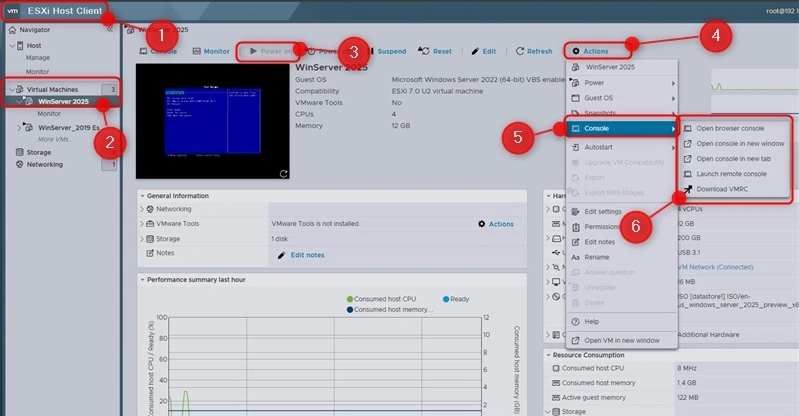
- Go to the VMware Host Client.
- Select your virtual machine.
- Power on the virtual machine.
- Click 'Action.'
- Select 'Console.'
- Choose a method to launch the virtual machine.
Step 3. Installing the Windows Server 2025 Preview Version"
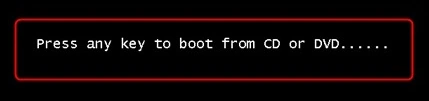
- Press any key to start the installation.
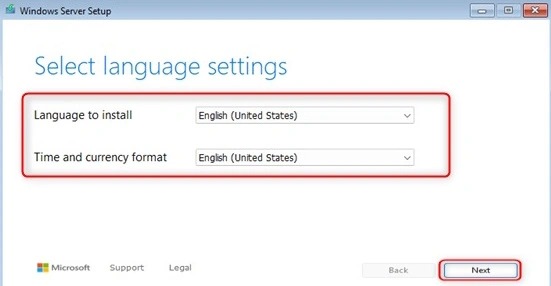
- Select the Language Time and Currency Format.
- Then click Next.
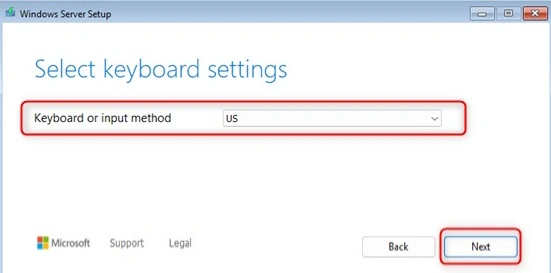
- Select the Keyboard setting.
- Then Click Next.
- Select 'Install Windows Server' and select the checkbox to agree to delete files, apps, and settings.
- Then click Next.
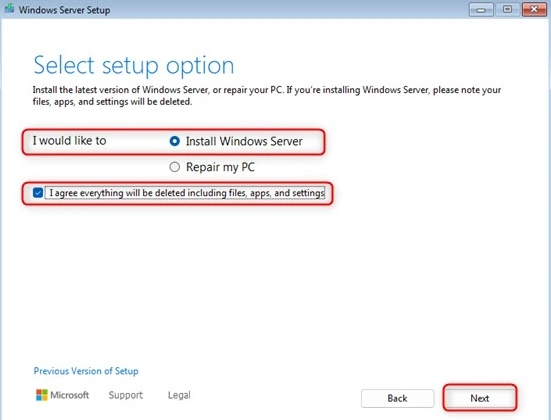
- Select 'Install Windows Server' and check the box to agree to delete files, apps, and settings.
- For demo purposes, select 'I don’t have a key.
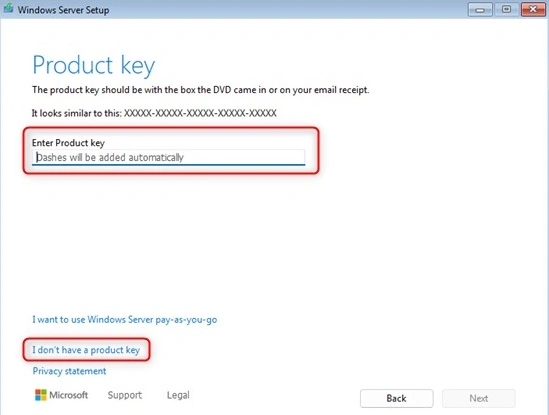
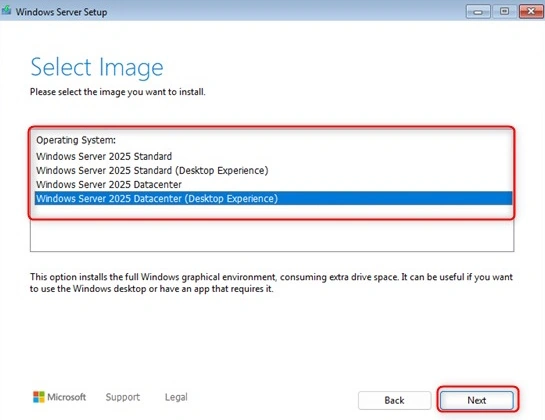
- Select The Image or choose the server edition to install
- (Choose the server edition based on your environment requirements.)
Windows Server 2022 Datacenter
- Purpose: For large-scale, highly virtualized environments.
- Interface: Server Core (minimal GUI).
- Features: Unlimited virtualization rights, and advanced features like Storage Spaces Direct.
Windows Server 2022 Datacenter: Desktop Experience
- Purpose: Same as Datacenter but with a full GUI.
- Interface: Includes a graphical desktop interface.
- Features: Same as Datacenter with added desktop experience for easier management.
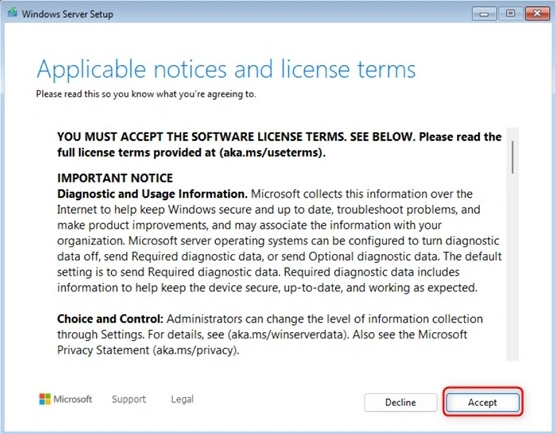
- Read and Accept the license terms.
- Click Create Partition.
- Select the Disk location to Install Windows Server.
- And then Click Next.
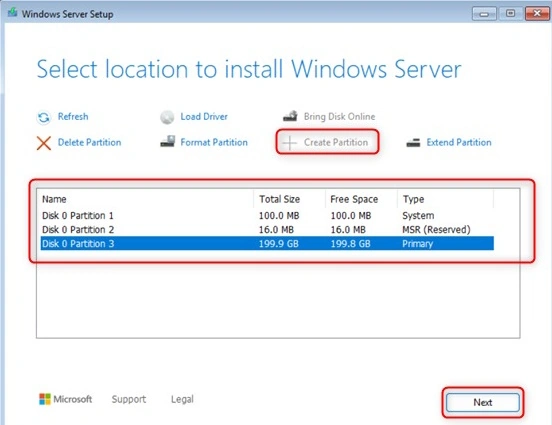
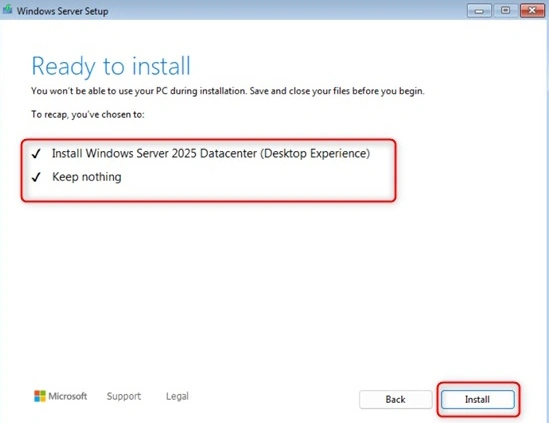
- The system is Ready to install the Windows Server 2025 Datacenter (Desktop Experience)
- Then click Install.
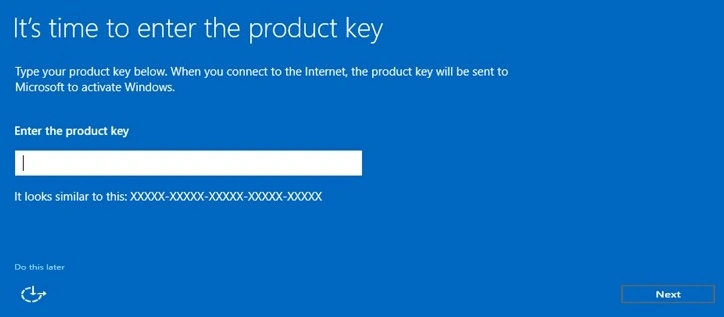
- Do you have the Product key enter and click Next.
- If not Click Do this later.
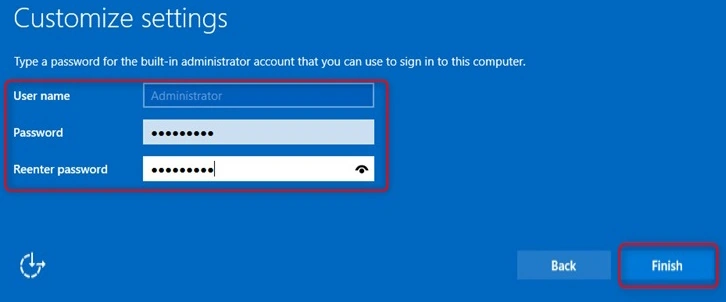
- Enter the password for the Administrator account to access the server.
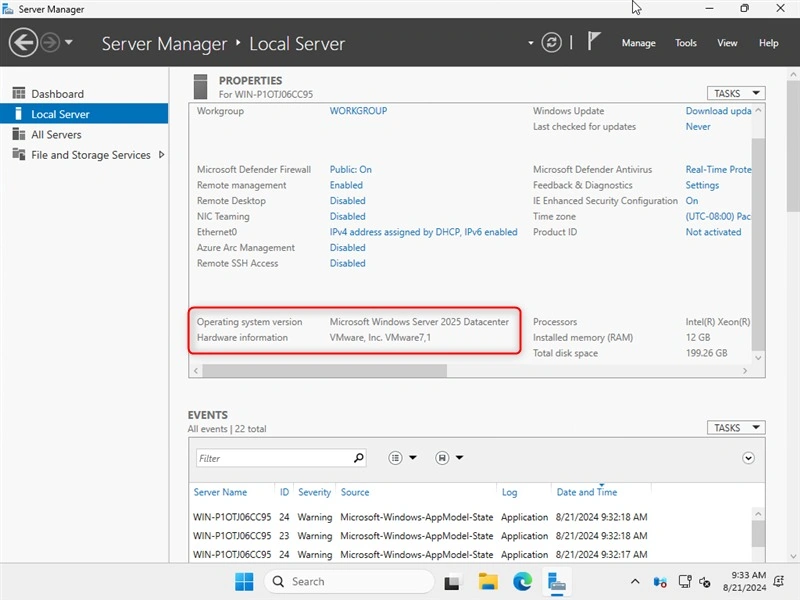
- Windows Server 2025 Preview was successfully installed.
Conclusion
The Windows Server 2025 Preview is an early version of Windows Server 2025. It’s released before the official version, so you can try out new features and see how it works. This preview helps you find any problems and check if it works with your current systems. It’s meant for testing and giving feedback to make sure the final version runs smoothly.
Join the conversation! Your thoughts help the community grow.