

The following exercise is all about the installation of Windows Server 2016-Nano Server. Open your PowerShell in the administrator privileges.
Step 1 Logging into Azure portal
- After opening PowerShell, run the following command to log into your Azure portal.
Login-AzureRmAccount
- Now, you will be prompted to enter your credentials. Enter them and login.
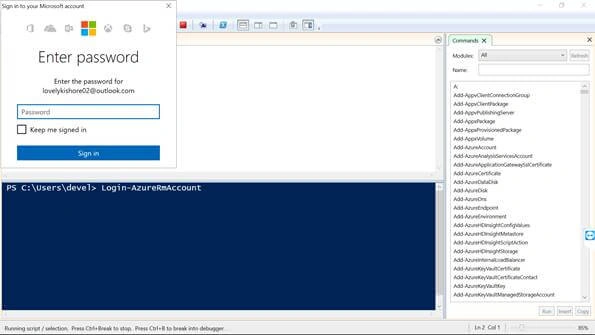
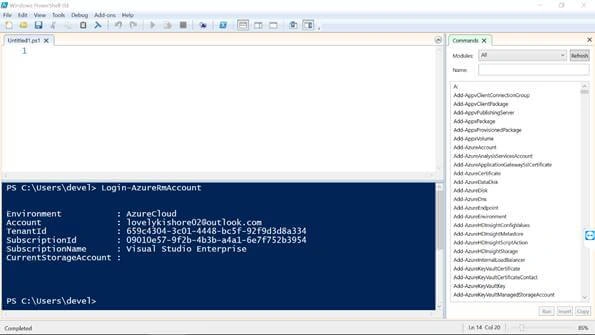
- The next step is to select the subscription. For selection of the subscription, run the following commands. Replace with the subscription name.
Select-AzureRmSubscription -SubscriptionName "Visual Studio Enterprise"
Step 2 Creation of Nano Server VM
- Now, create a new resource group in the same location in the following code.
New-AzureRmResourceGroup -Name “NanoServerAzurePS” -Location "South India"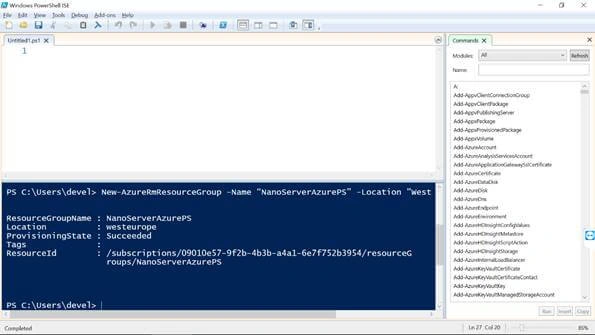
- The next step is the creation of key vault which will be used for managing your Nano Server. For creation of the Key Vault, execute the code.
New-AzureRmKeyVault -VaultName “CwtKeyVault” -ResourceGroupName “NanoServerAzurePS” -Location "South India" –EnabledForDeployment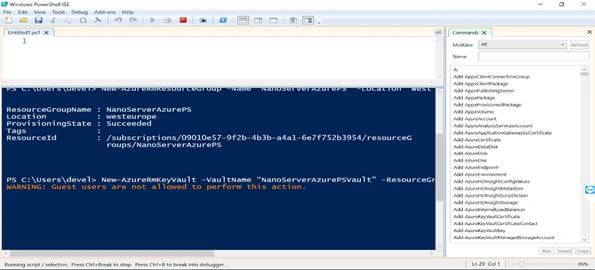
- By default, the subscription will not have access to the work with the Vault Service. The screenshots below give the steps.
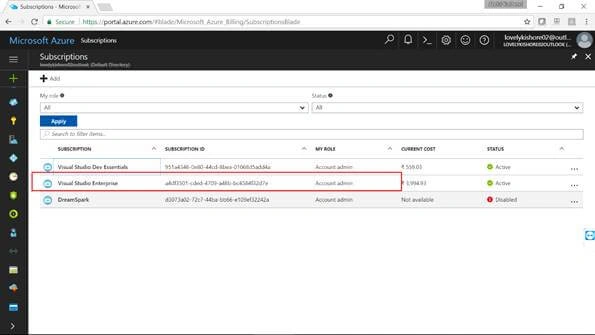
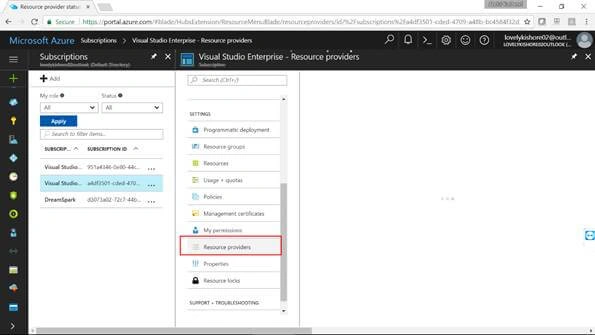
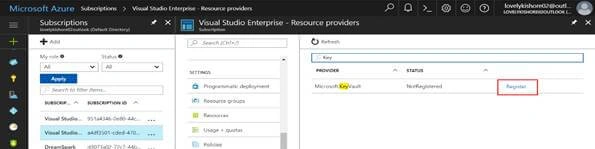

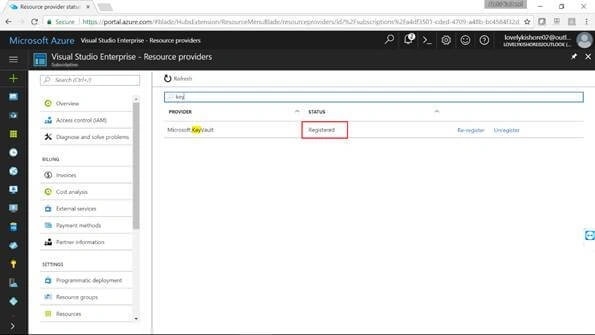
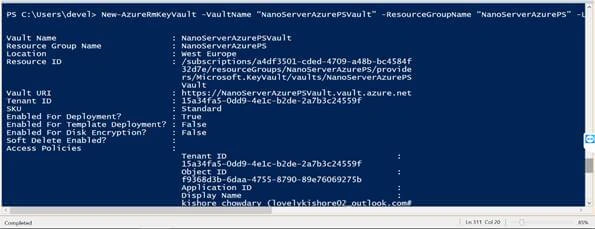
- Once the Vault gets created, you will see something like this.
- Now, the next step is to import some script that is given as some module. You can download it from the following link. Model Scripts.
- Paste the folder somewhere in your machine.
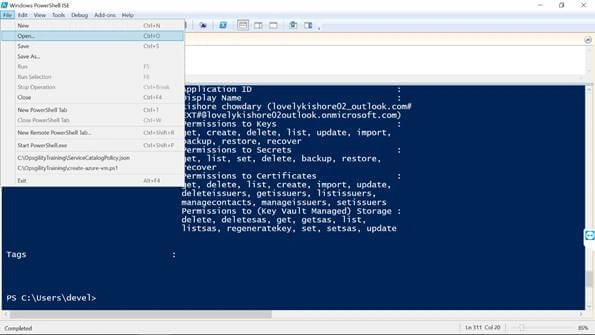
- Now, we need to open the JSON template named NanoServerAzureHelper which consists of the script to create your Nano Server.
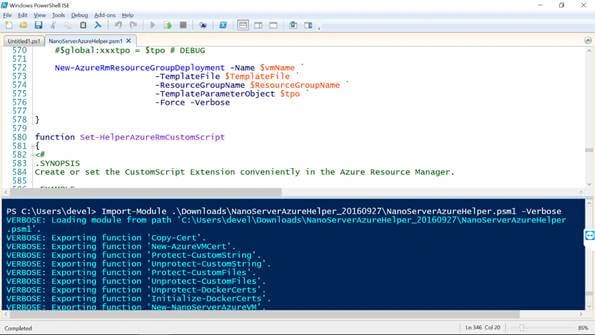
- The next step is to run the commandlet
Import-Module C:\NanoServerAzureHelper_20160927\NanoServerAzureHelper.psm1 –Verbose
Note
Replace the path with the path of the folder where you have pasted the model scripts.
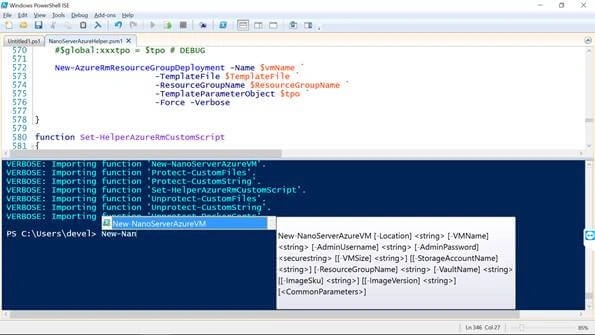
- Now, we will be creating our VM. For that, run the following command.
New-NanoServerAzureVM
- Now, you will be prompted to enter the Location, Rg name and Vault name. Enter all the names which you created previously and hit Enter.
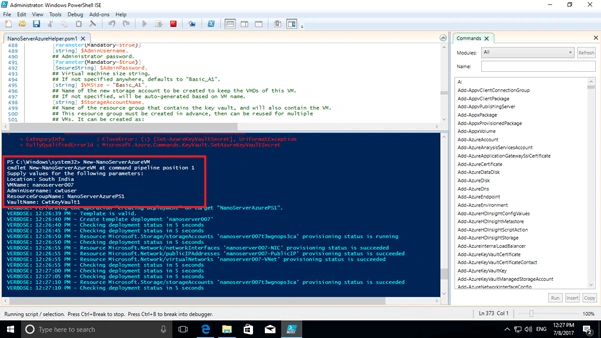
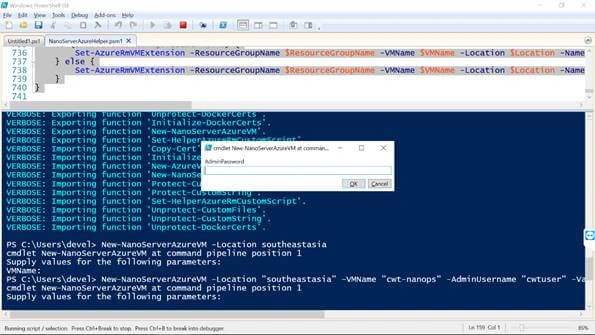
- Now you will be prompted to enter the password. Enter a password with lower and upper-case letters with a length of 8 to 15 characters.
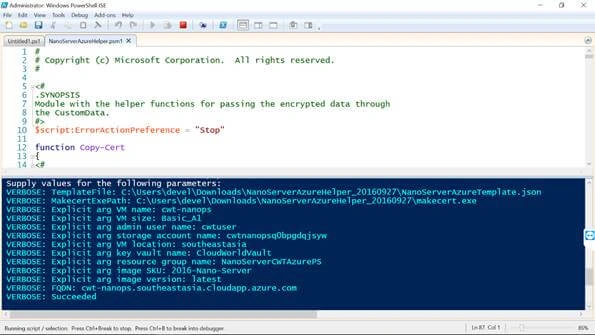
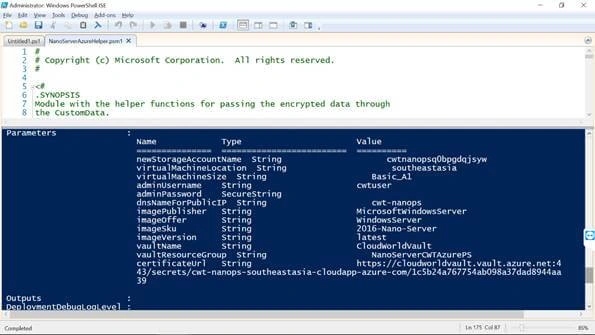
- You have to wait for some 5 to 10 minutes for your VM to get created. Once the VM gets created, you will get something like this.
Step 3 Connecting with Nano Server Using PowerShell
- Now we need to get the Public IP address of our Nano Server. For that run this command.
Get-AzureRmPublicIpAddress -ResourceGroupName "NanoServerAzurePS"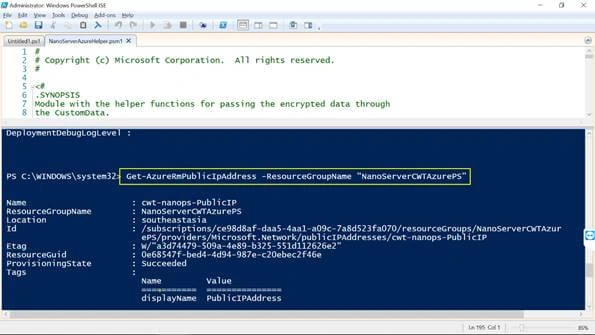
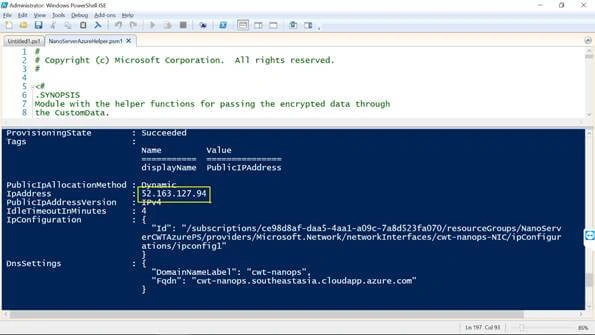
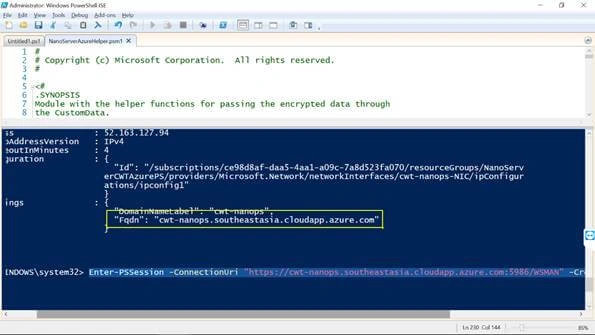
- Finally connect with your Nano Server using its domain name. You can find the Domain Name of the VM in the last line above image.
Enter-PSSession -ConnectionUri "https://nanoserver007.southindia.cloudapp.azure.com:5986/WSMAN" -Credential "~\cwtuser"
Note
Replace the URI with your VM URI.
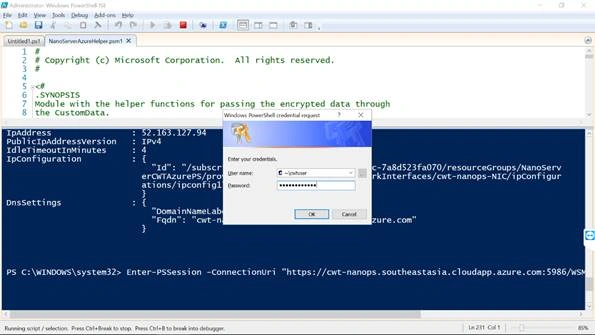
This is how you create a Nano Server VM using the PowerShell script. You will be now able to connect with your Nano Server through PowerShell and work with it.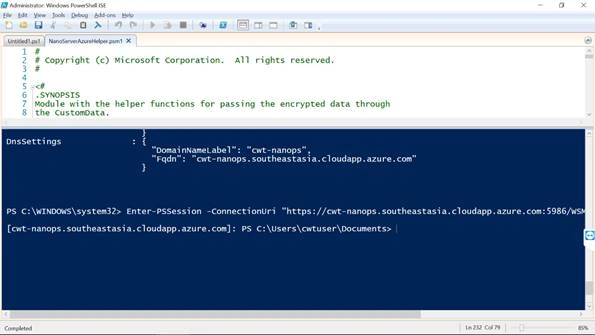
Vidyadharran GPosted Jul 30, 2017, 12:14 PM
Nice .... Thanks for sharing;)