

Exchange Server Pre-Requirements
Root Server: Need a Domain Controller (Active Directory Domain Service with DNS Server rule)
Member Server (Exchange Server): Part of AD domain (log in with credentials of domain administrator & need to be in the same IP range of Active Directory server)
Requirements for Exchange Server
- Intel or AMD-based 64-bit processor
- Minimum 128GB RAM for mailbox server for production environment and for edge transport 64GB
- For testing purposes, 8GB is the minimum required
- At least 30GB of free space to install Exchange 2019
System / OS requirement
- Windows Server 2019 / Windows Server 2019 Core Edition
Active Directory requirements
- All Domain Controllers in the forest must be running Windows Server 2012 R2or higher version of server OS
- Exchange server 2019 requires Active Directory forest functional level of 2012 R2 or higher
Software requirements
- .NET Framework 4.8 on Windows Server 2019
- Visual C++ Redistributable Package for Visual Studio 2013
- Install Unified Communications Managed API 4.0
Download and install IIS
IIS URL Rewrite 2.1 enables Web administrators to create powerful rules to implement URLs that are easier for users to remember and easier for search engines to find.
Step 1. Download and install all the required softwares.
Step 2. Run the following PowerShell commands to install Windows components before Exchange installation
Manually install required Windows components using powershell (Windows PowerShell Admin)
- Windows server media foundation feature & RSAT ADDS (Remote Server Administration Tools)
Install-WindowsFeature Server-Media-Foundation, NET-Framework-45-Features, RPC-over-HTTP-proxy, RSAT-Clustering, RSAT-Clustering-CmdInterface, RSAT-Clustering-Mgmt, RSAT-Clustering-PowerShell, WAS-Process-Model, Web-Asp-Net45, Web-Basic-Auth, Web-Client-Auth, Web-Digest-Auth, Web-Dir-Browsing, Web-Dyn-Compression, Web-Http-Errors, Web-Http-Logging, Web-Http-Redirect, Web-Http-Tracing, Web-ISAPI-Ext, Web-ISAPI-Filter, Web-Lgcy-Mgmt-Console, Web-Metabase, Web-Mgmt-Console, Web-Mgmt-Service, Web-Net-Ext45, Web-Request-Monitor, Web-Server, Web-Stat-Compression, Web-Static-Content, Web-Windows-Auth, Web-WMI, Windows-Identity-Foundation, RSAT-ADDS
Step 3. Download Exchange Server 2019 ISO file
https://www.microsoft.com/en-us/download/details.aspx?id=105180
Step 4. Mount the action server 2019 installation media (mount iso image)
Step 5. Manually prepare AD forest to support Action Server 2019 installation
Go to Windows PowerShell Admin and change the directory to the relevant drive (mounted path)
Extend the AD schema to support Exchange 2019 (Your account needs to be a member of schema admins and enterprise admins security groups)
- Powershell Commands to prepare schema
.\Setup.EXE /IAcceptExchangeServerLicenseTerms_DiagnosticDataON /PrepareSchema - Add Name for Exchange Organization
.\Setup.EXE /IAcceptExchangeServerLicenseTerms_DiagnosticDataOFF /PrepareAD /OrganizationName:"xxxxxxx"(If you have multiple Domains in the forest with multiple domain controllers between multiple sites, then you need to wait while Active Directory replicates the changes from this step to all domain controllers before proceeding. Use the wrap admin command line tool to check the progress of the replication)
- Prepare All Domains in the AD forest.
.\Setup.EXE /IAcceptExchangeServerLicenseTerms /PrepareAllDomains( Check Your account is a member Organization Management group which is in the Microsoft Exchange Security security group).
After successfully completing all the steps, install Exchange Server graphically.
Step 6. Right-click mounted exchange installation media and open
Step 7. Goto setup and Right click on setup, and Run as administrator
Step 8. Follow the below steps.
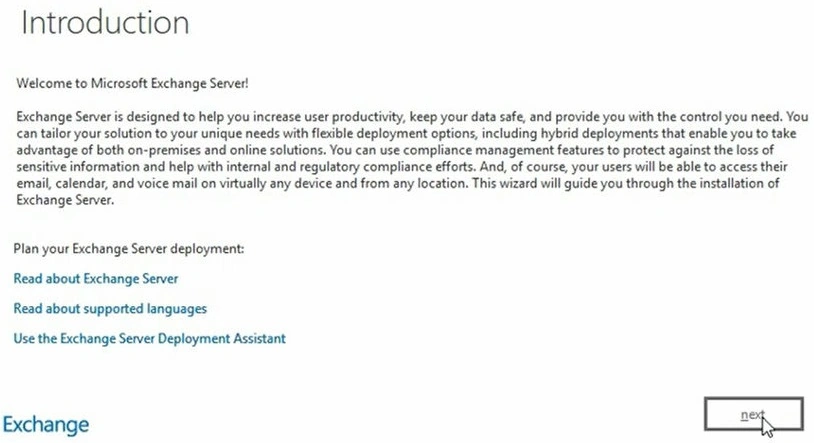
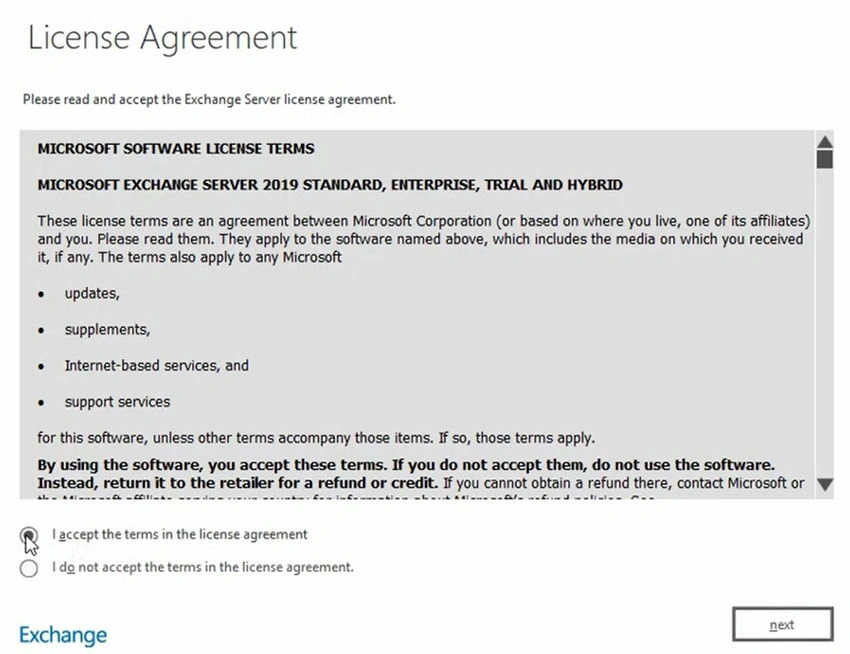
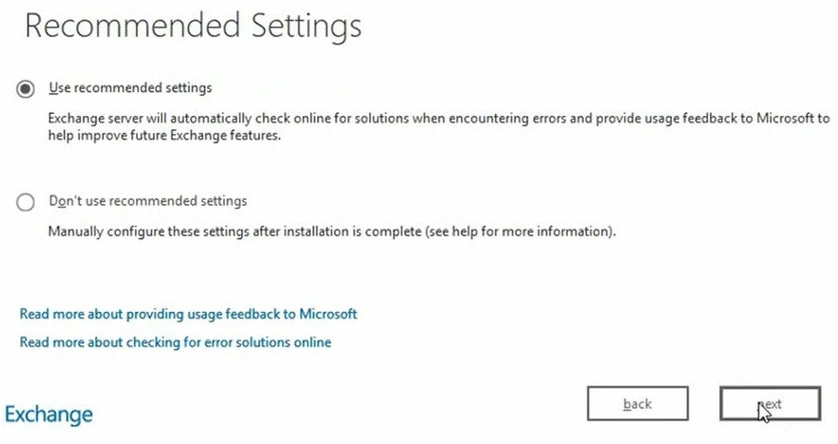
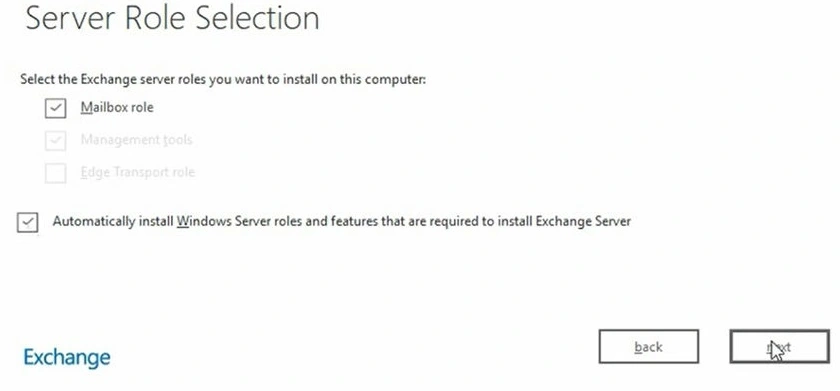
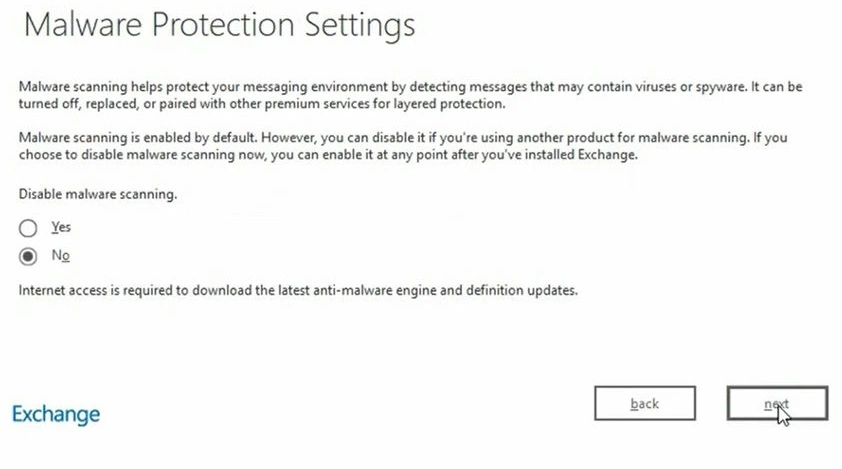
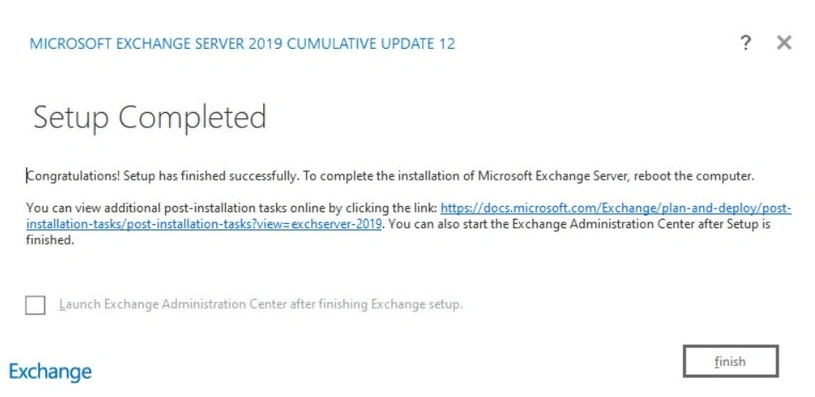
Steps 9. After installation Reboot.
Steps 10. Verify the installation of Exchange 2019 by opening the Exchange 2019 Admin Center.
- Open Exchange 2019 Admin Center - https://localhost/ecp
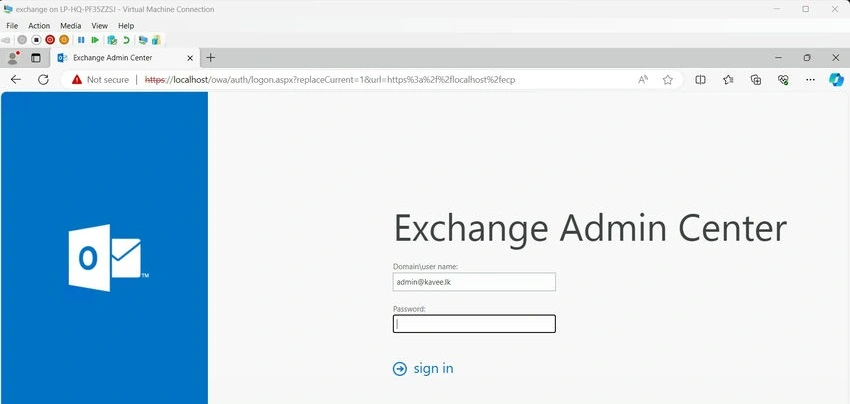
- Open Outlook - https://localhost/owa
Join the conversation! Your thoughts help the community grow.