

Introduction
This article explains inheritance and the Prototype Chain in JavaScript. JavaScript is a bit confusing for developers experienced in class-based languages (like Java or C++), since it is dynamic and does not provide a class implementation (although the keyword class is a reserved keyword and cannot be used as a variable name).
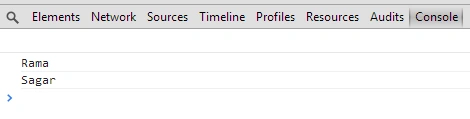
In this example, we will understand the concept of property and a prototype of a class. Have a look at the following example.
- <!DOCTYPE html>
- <html xmlns="http://www.w3.org/1999/xhtml">
- <head>
- </head>
- <body>
- <form id="form1" runat="server">
- <script>
- function student(name,surname) {
- //Property of student function
- this.name = name;
- this.surname = surname;
- }
- var p = new student('Rama','Sagar');
- console.log(p.name);
- console.log(p.surname);
- </script>
- </form>
- </body>
- </html>
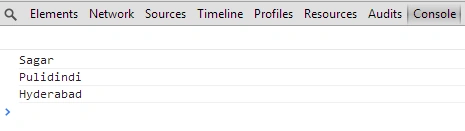
We can add an additional property of a function when the object is created. In this example we are adding a "place" property with a person object at run time. Here is a sample example.
- <!DOCTYPE html>
- <html xmlns="http://www.w3.org/1999/xhtml">
- <head>
- </head>
- <body>
- <form id="form1" runat="server">
- <script>
- function employee(name,surname) {
- //Property of employee function
- this.name = name;
- this.surname = surname;
- }
- var p = new employee('Sagar', 'Pulidindi');
- employee.prototype.place = "Hyderabad";
- console.log(p.name);
- console.log(p.surname);
- console.log(p.place);
- </script>
- </form>
- </body>
- </html>
In the following example, we will see inheritance in JavaScript. We will inherit a few properties of a function in another function.
- <!DOCTYPE html>
- <html xmlns="http://www.w3.org/1999/xhtml">
- <head>
- </head>
- <body>
- <form id="form1" runat="server">
- <script>
- function oil(name, type) {
- this.name = name,
- this.type = type
- }
- function localoil(name,type,location) {
- oil(name, type);
- this.location = location;
- }
- oil.prototype = localoil.prototype;
- localoil.prototype.ShowOils = function () {
- console.log("Name:- " + name);
- console.log("Type:- " + type);
- console.log("Location :- " + this.location);
- }
- var o = new localoil('Olive', 'Oil','kerala');
- o.ShowOils();
- </script>
- </form>
- </body>
- </html>

Ravi PatelPosted Apr 18, 2016, 6:03 AM
Nice explanation thanks