

Introduction
By default windows installation installs some features since they are auto-installed. But these features are mostly not used by users. Some of these are not important for users so that we are not aware of the features and functionality. Some services and extra features slow down the performance of our windows operating system.
Here are some steps to increase the performance of the Windows operating system.
Step 1
Firstly, open the System window using keyboard shortcut Windows key + Pause break key.
 After pressing both the keys a new system window opens.
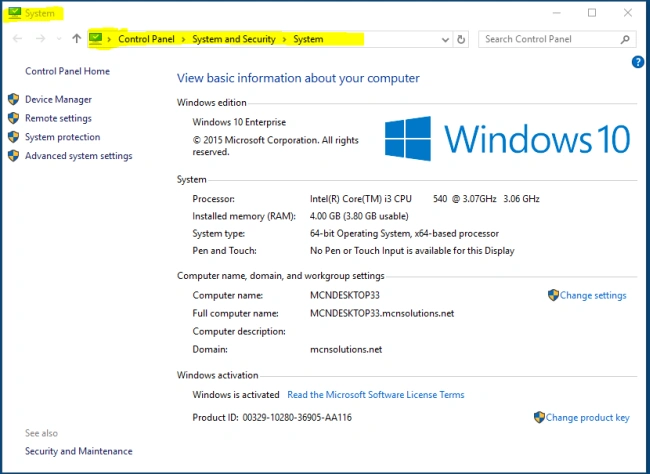 If your keyboard shortcut is not working then we can directly open the system window. Firstly, click on the start button or press the Windows key and type “System”, then press enter key. After these steps, a new system window opens as in the following screenshot.
After opening the system windows click on the Advanced System Property on the left side windows corner and a new pop-up window opens up called “System Property” windows like the following.
If your keyboard shortcut is not working then we can directly open the system window. Firstly, click on the start button or press the Windows key and type “System”, then press enter key. After these steps, a new system window opens as in the following screenshot.
After opening the system windows click on the Advanced System Property on the left side windows corner and a new pop-up window opens up called “System Property” windows like the following.
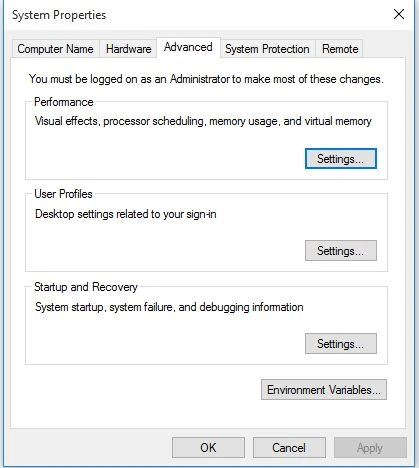 Next click on the “Settings...” button and a new pop-up window opens up as in the following screenshot:
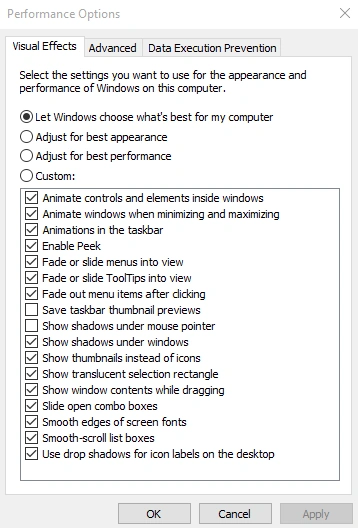 Click on the “Advanced” panel and open new pop-up window called “performance options” window and also click the Change button:
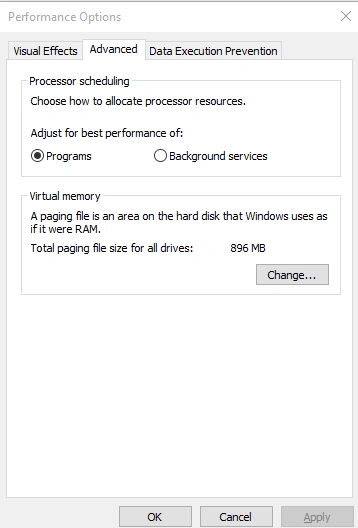 Click the “change button” and open a new “Virtual Memory” pop-up window.
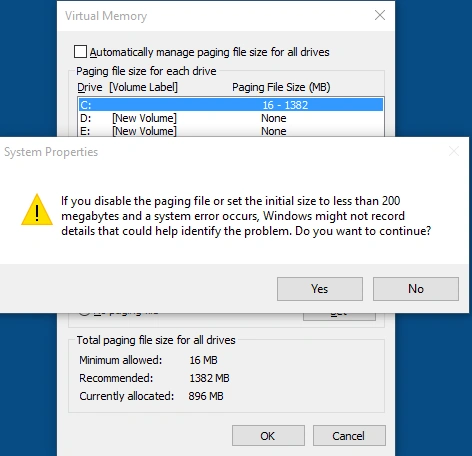
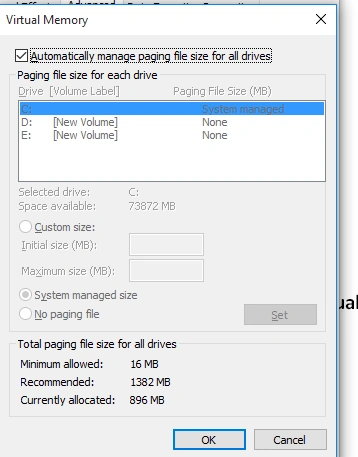 By-default automatically paging system is on which manage the paging file size from system drive like “C drive”. You can manage the custom size of the paging file system to increase the performance of the operating system. You can firstly remove the tick sign which is on like the following:
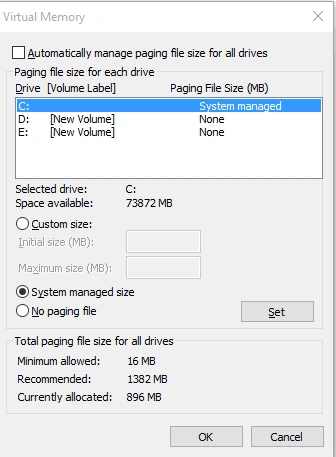 After removing the right tick sign all the auto features are in off form. Then click the “Custom Size” option button and set the initial size value in MB and Maximum Size of memory in MB. The size of paging is already declared by the administrator which is recommended by the operating system as in the following.
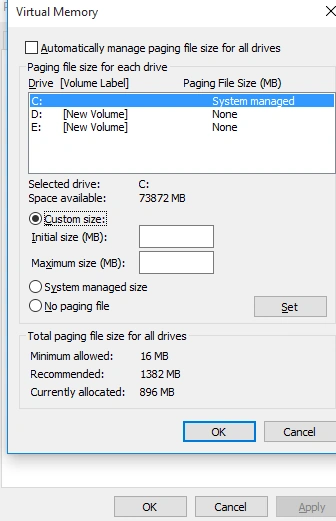 After doing these steps you can press the set button and open new permission windows having a “yes and no” button. Press the yes button.
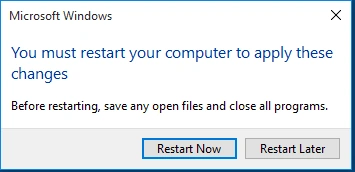
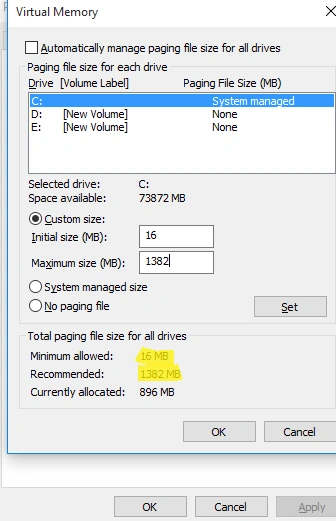 Finally, press OK and OK button again. After pressing the OK button a new window will automatically open.
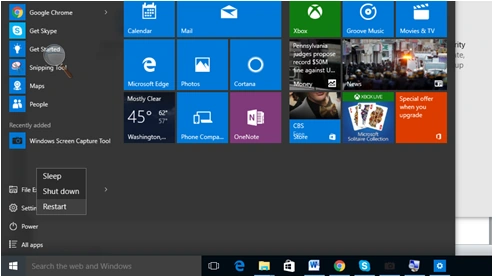
 And press the “Restart Now” button.
 Step 2
Shafat AhmadPosted Jan 9, 2016, 5:55 AM
Performance in terms of ?
Banketeshvar NarayanPosted Nov 21, 2015, 11:40 AM
Nice
Santhakumar MunuswamyPosted Nov 21, 2015, 9:26 AM
Good One
Sridhar SharmaPosted Nov 21, 2015, 2:10 AM
Thanks for sharing