

Problem Statement
In Azure Data Factory / Synapse, there are no dedicated functions under pipeline expressions equivalent to DATEDIFF.
So is it possible to reciprocate DATEDIFF in ADF / Synapse without the use of Dataflow?
What is DATEDIFF() Function?
The DATEDIFF() function returns the difference between two dates.
Syntax
DATEDIFF(interval, date1, date2)
| Date1 | Date2 | Interval | Output |
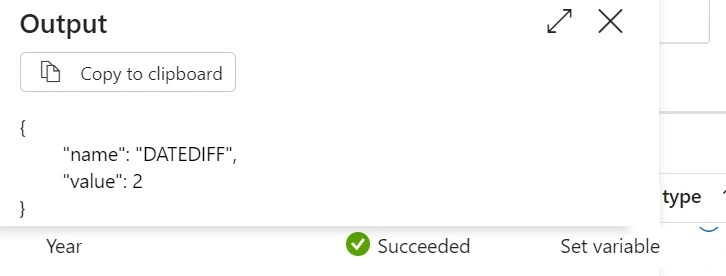
| 2015/08/25 07:00 | 2017/08/25 12:45 | Year | 2 |
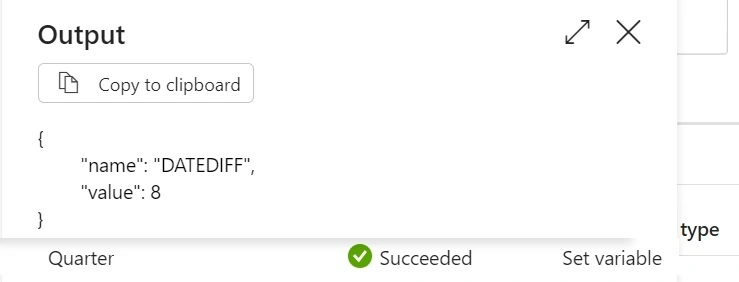
| 2015/08/25 07:00 | 2017/08/25 12:45 | Quarter | 8 |
| 2015/08/25 07:00 | 2017/08/25 12:45 | Month | 24 |
| 2015/08/25 07:00 | 2017/08/25 12:45 | Week | 104 |
| 2015/08/25 07:00 | 2017/08/25 12:45 | Day | 731 |
| 2015/08/25 07:00 | 2017/08/25 12:45 | Hour | 17549 |
| 2015/08/25 07:00 | 2017/08/25 12:45 | Minute | 1052985 |
| 2015/08/25 07:00 | 2017/08/25 12:45 | Second | 63179100 |
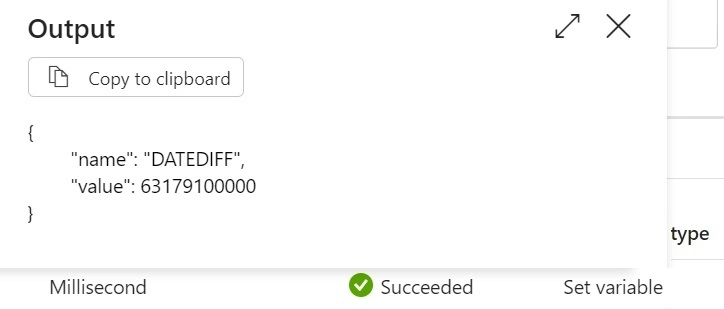
| 2015/08/25 07:00 | 2017/08/25 12:45 | MilliSecond | 63179100000 |
Prerequisites
- Azure Data Factory / Synapse
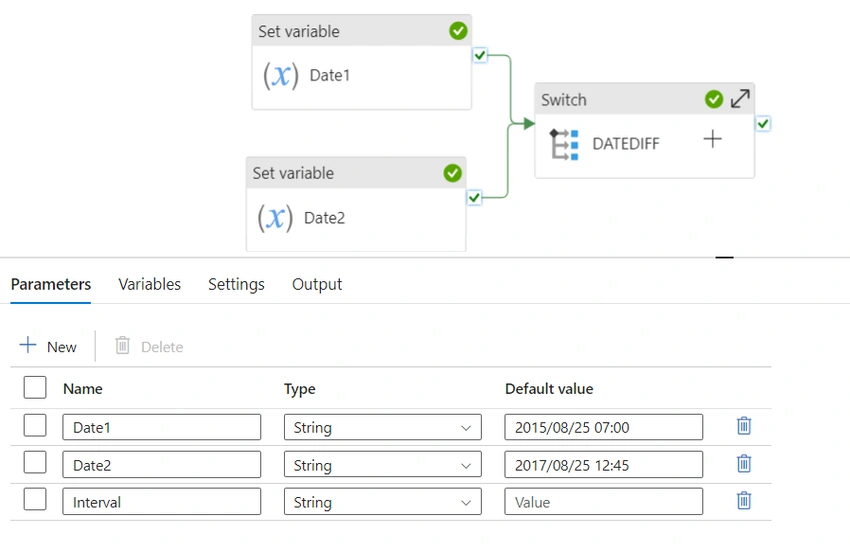
- Variables
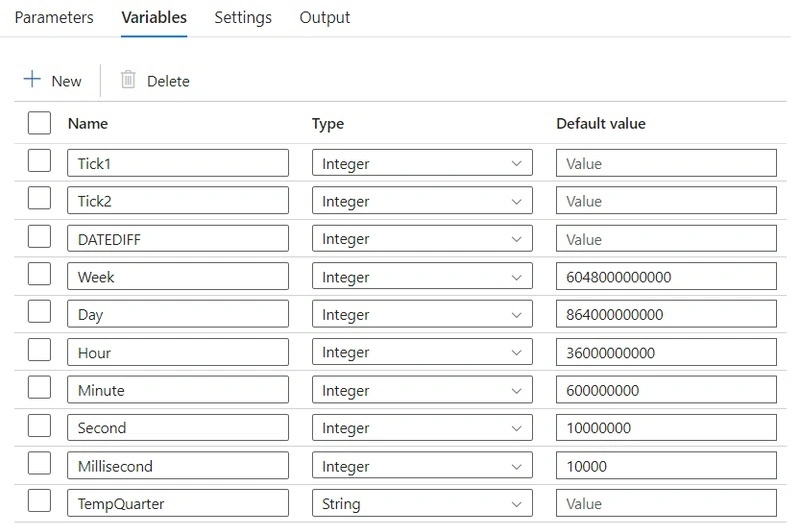
where Week, Day, Hour, Minute, Second, and Millisecond are variables with values for conversion from Tick to the named entity.- For most of the Intervals, we can use the tick function to work around this as we do not have an inbuild function to get the time difference between two variables
.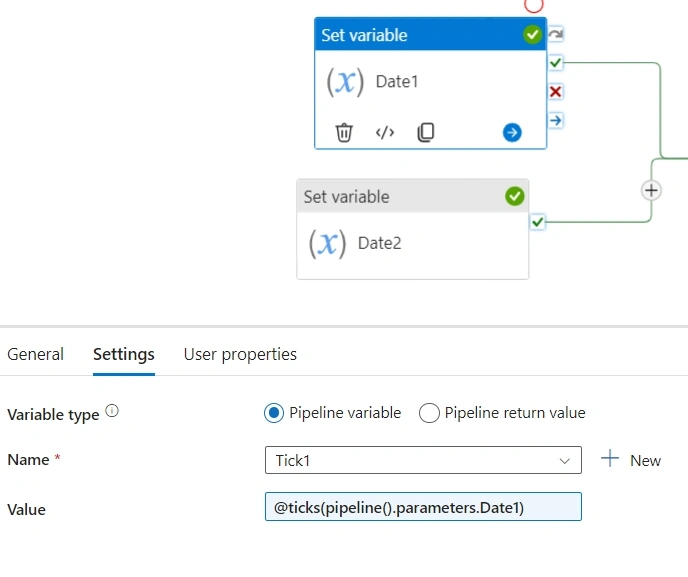
Value : @ticks(pipeline().parameters.Date1) - Similarly, for the Tick2 variable.
Use a SWITCH activity for every interval and have a Set Variable activity to do the necessary calculations depending on the interval value.Value : @ticks(pipeline().parameters.Date2)
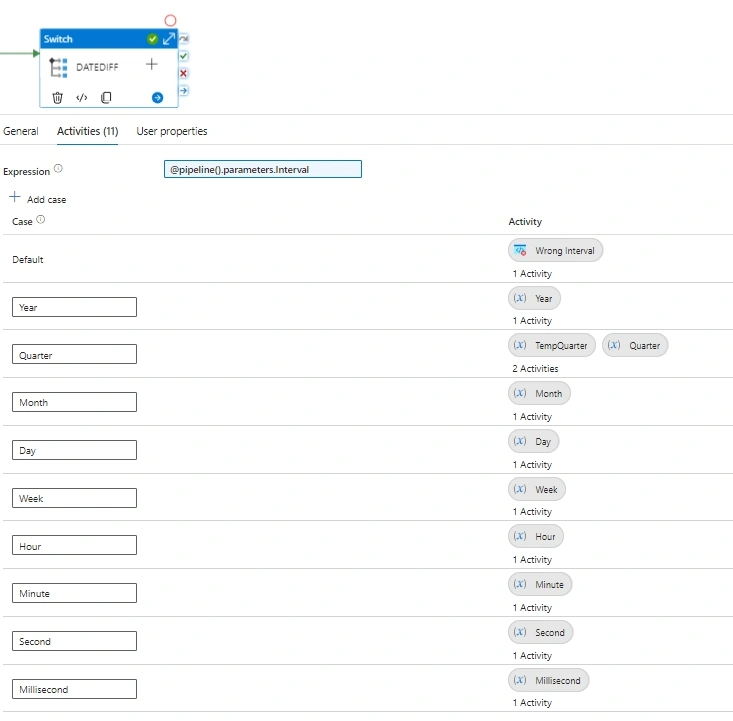
- Year
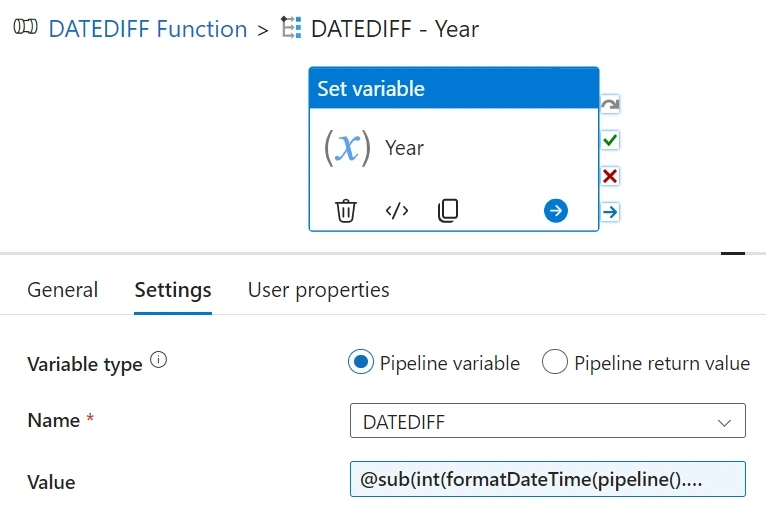
Value : @sub(int(formatDateTime(pipeline().parameters.Date2,'yyyy')),int(formatDateTime(pipeline().parameters.Date1,'yyyy'))) - Quarter: We would be leveraging the below logic for Quarter calculation.
=CEILING(((YEAR(Date2)*12+MONTH(Date2))-(YEAR(Date1)*12+MONTH(Date1)))/3,1) - The above logic would be split into 2 activities: the one highlighted in bold within the initial activity and the remaining aspect of CEILING in another activity, as there is no box function within the ADF pipeline expression to derive the CEILING value.
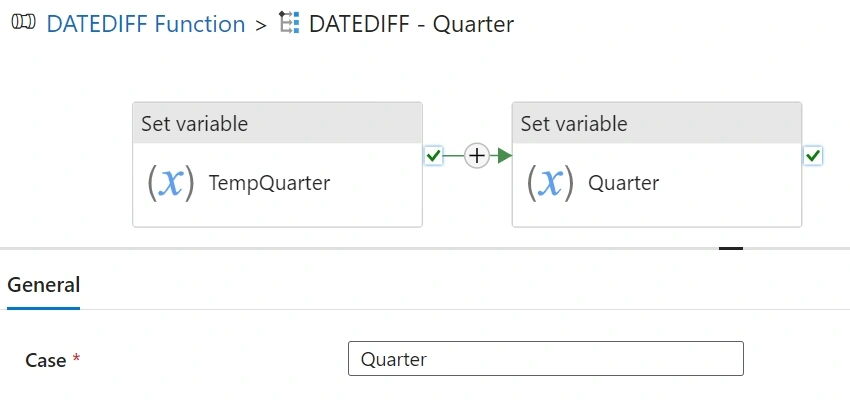
- Initial Expression: TempQuarter
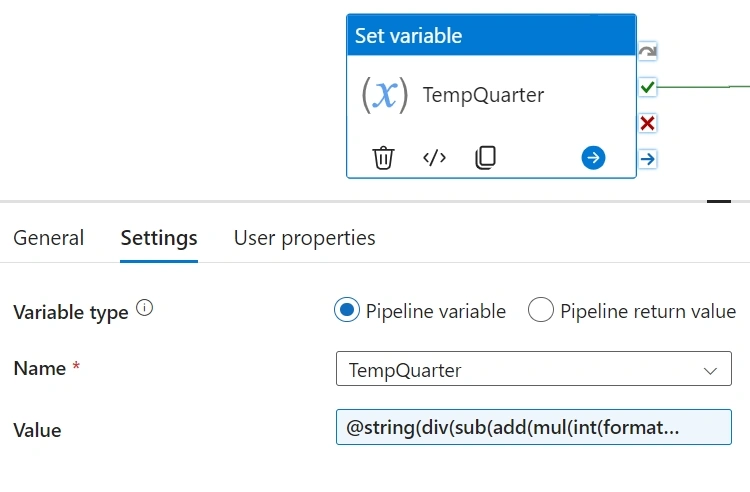
Value:
@string(
    div(
        sub(
            add(
                mul(
                    int(formatDateTime(pipeline().parameters.Date2,'yyyy')),
                    12
                ),
                int(formatDateTime(pipeline().parameters.Date2,'MM'))
            ),
            add(
                mul(
                    int(formatDateTime(pipeline().parameters.Date1,'yyyy')),
                    12
                ),
                int(formatDateTime(pipeline().parameters.Date1,'MM'))
            )
        ),
        3.0
    )
)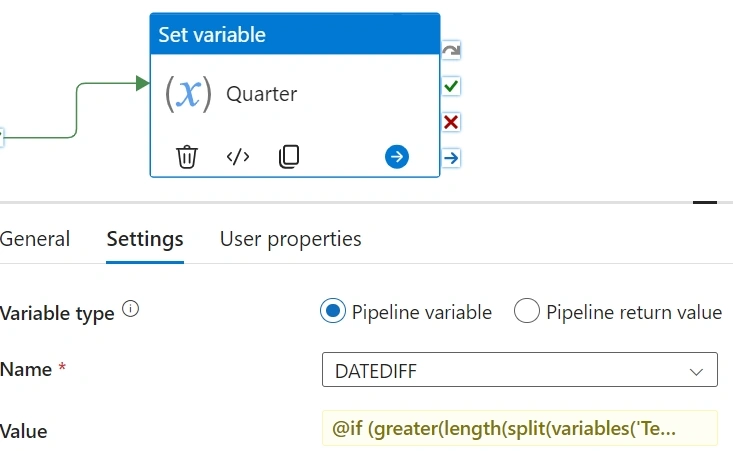
Value: @if( greater(length(split(variables('TempQuarter'), '.')), 1), if( greater(int(split(variables('TempQuarter'), '.')[1]), 0), if( less(float(variables('TempQuarter')), 0), string(split(variables('TempQuarter'), '.')[0]), add(int(split(variables('TempQuarter'), '.')[0]), 1) ), split(variables('TempQuarter'), '.')[0] ), int(variables('TempQuarter')) ) - Month: We would be leveraging the below logic for Monthly calculation.
((date2.Year - date1.Year) * 12) + date2.Month - date1.Month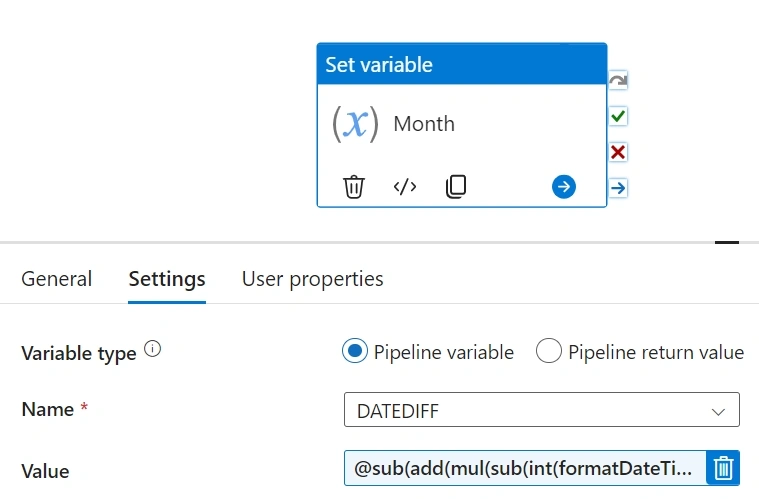
Value : @sub(add(mul(sub(int(formatDateTime(pipeline().parameters.Date2,'yyyy')),int(formatDateTime(pipeline().parameters.Date1,'yyyy'))),12),int(formatDateTime(pipeline().parameters.Date2,'MM'))),int(formatDateTime(pipeline().parameters.Date1,'MM'))) - Day: We would convert the Date to the Tick values and take a difference of the Tick values, post which would convert the Tick to the corresponding Day conversion value.
Value :
@div(sub(variables('Tick2'),variables('Tick1')),variables('Day'))
Similarly, we would do the same for the below intervals :
- Week
Value : @div(sub(variables('Tick2'),variables('Tick1')),variables('Week')) - Hour
Value : @div(sub(variables('Tick2'),variables('Tick1')),variables('Hour')) - Minute
Value : @div(sub(variables('Tick2'),variables('Tick1')),variables('Minute')) - Second
Value : @div(sub(variables('Tick2'),variables('Tick1')),variables('Second')) - Millisecond
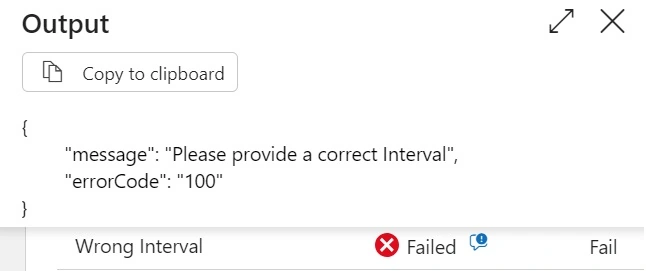
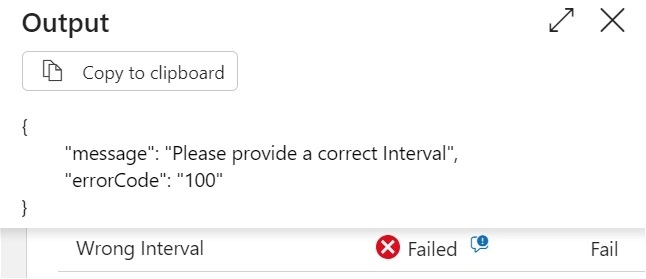
Value : @div(sub(variables('Tick2'),variables('Tick1')),variables('Millisecond')) - In case some random value ( or different Case-sensitive value) is provided in the Interval Parameter, Default SWITCH case.
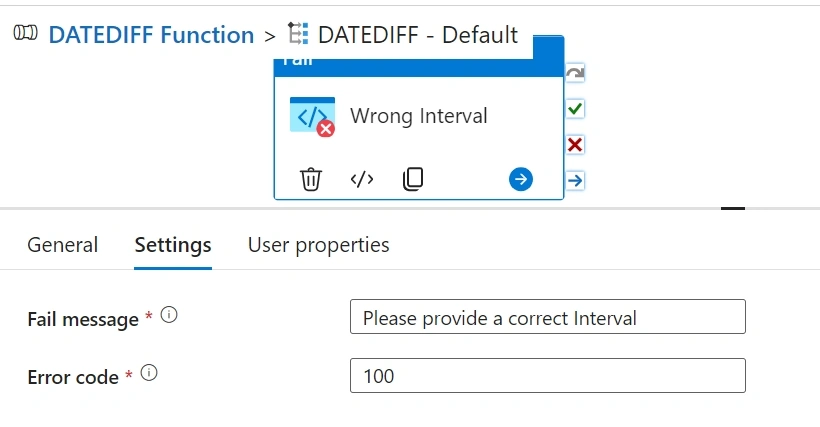
- Output. For the below Inputs.
Date1. 2015/08/25 07:00
Date2. 2017/08/25 12:45
- Year
- For most of the Intervals, we can use the tick function to work around this as we do not have an inbuild function to get the time difference between two variables
How to use Interval values?
Interval values, also known as value ranges, are a way to express uncertainty or variability in data. They represent a range of possible values rather than a single point, making them valuable in situations where precision is limited. Interval values, also known as value ranges, are a way to express uncertainty or variability in data. They represent a range of possible values rather than a single point, making them valuable in situations where precision is limited.
- Year
- Quarter
- MilliSecond
Different CASE or Different Value
Different CASE or different Value" is crucial for implementing conditional logic. This idea revolves around making decisions based on varying conditions or values. Different cases often lead to different outcomes or actions in a program. For instance, in a switch statement, different cases represent distinct scenarios, and the code within each case block executes when the corresponding condition or value matches. Whether it's branching logic in decision-making processes, handling user inputs, or managing various data states, the ability to handle different cases or values elegantly is fundamental to writing efficient and functional code.
- year
- Random values like 'yyyy'
Join the conversation! Your thoughts help the community grow.