

CACHING
Caching is a technique of storing frequently used data or information in a local memory, for a certain time period. So, next time, when the client requests the same information, instead of retrieving the information from the database, it will give the information from the local memory. The main advantage of caching is that it improves the performance by reducing the processing burden.
Caching is a technique of storing frequently used data or information in a local memory, for a certain time period. So, next time, when the client requests the same information, instead of retrieving the information from the database, it will give the information from the local memory. The main advantage of caching is that it improves the performance by reducing the processing burden.
Here, in this article, I will explain how to use caching in web API to improve its performance, by decreasing the response time. Here, I have created a web API project. I have a "DataController" and "GetData" action Method, as per the following.
- [AllowAnonymous]
- [Route("GetData")]
- public async Task<IHttpActionResult> getData()
- {
- Dictionary<object, object> obj = new Dictionary<object, object>();
- obj.Add("1", "Punjab");
- obj.Add("2", "Assam");
- obj.Add("3", "UP");
- obj.Add("4", "AP");
- obj.Add("5", "J&K");
- obj.Add("6", "Odisha");
- obj.Add("7", "Delhi");
- obj.Add("9", "Karnataka");
- obj.Add("10", "Bangalore");
- obj.Add("21", "Rajesthan");
- obj.Add("31", "Jharkhand");
- obj.Add("41", "chennai");
- obj.Add("51", "jammu");
- obj.Add("61", "Bhubaneshwar");
- obj.Add("71", "Delhi");
- obj.Add("19", "Karnataka");
- return Ok(obj);
- }
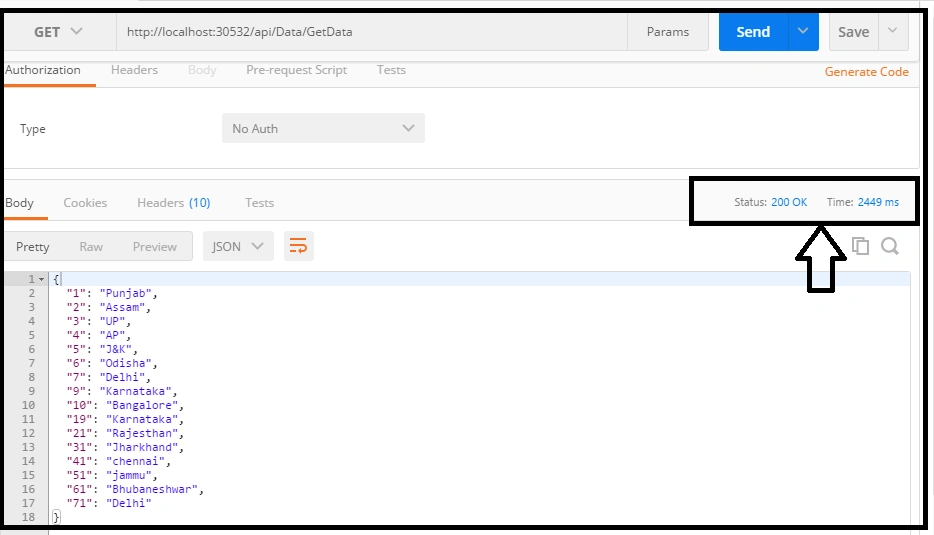
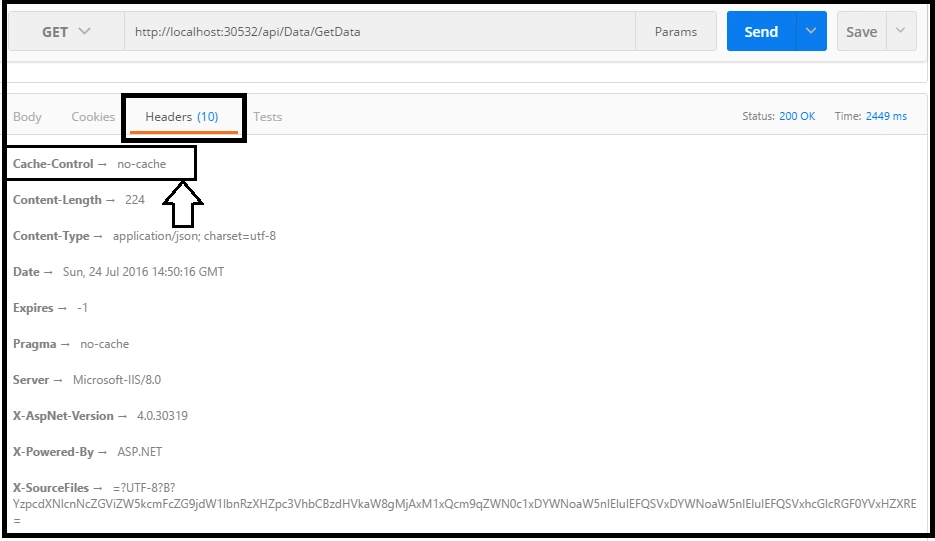
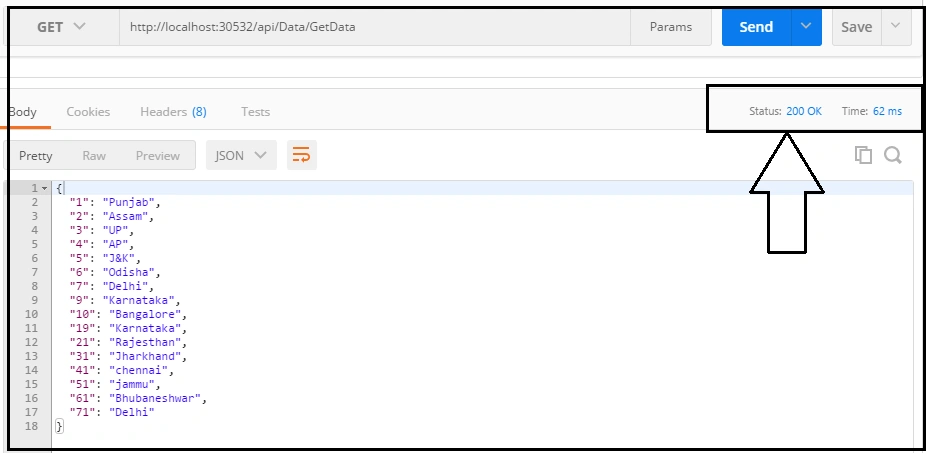
Now, if you check the Header section, you will get no-cache.
We can see that it takes around 2449 miliseconds as my response time.
Now, we will use caching and see how we can reduce the response time of this request. For this, we have to create a custom filter. Just add a new class and rename it, as shown in the image below.
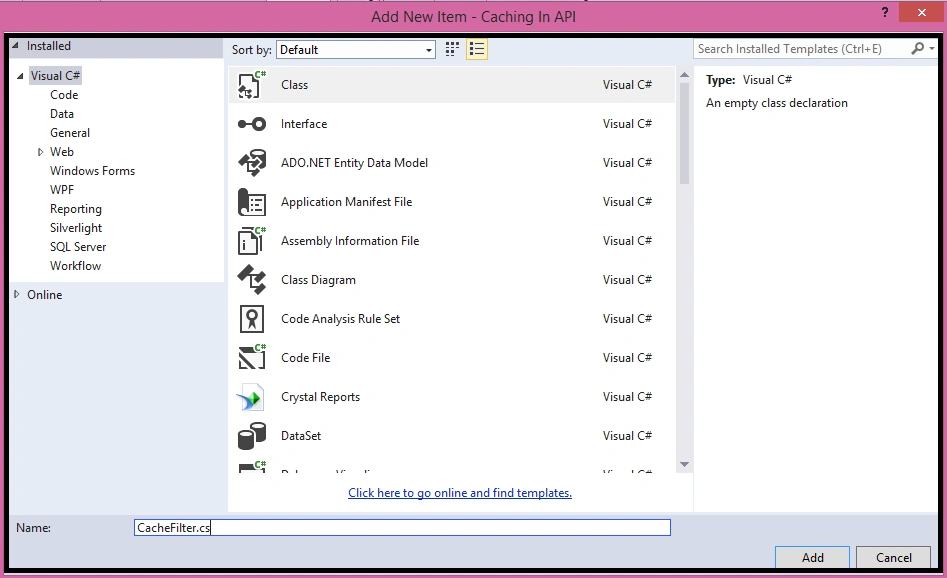
Now, inherit this class from "ActionFilterAttribute" .
- using System;
- using System.Collections.Generic;
- using System.Linq;
- using System.Net.Http.Headers;
- using System.Web;
- using System.Web.Http.Filters;
- namespace Caching_In_API
- {
- public class CacheFilter : ActionFilterAttribute
- {
- public int TimeDuration { get; set; }
- public override void OnActionExecuted(HttpActionExecutedContext actionExecutedContext)
- {
- actionExecutedContext.Response.Headers.CacheControl = new CacheControlHeaderValue
- {
- MaxAge = TimeSpan.FromSeconds(TimeDuration),
- MustRevalidate = true,
- Public = true
- };
- }
- }
- }
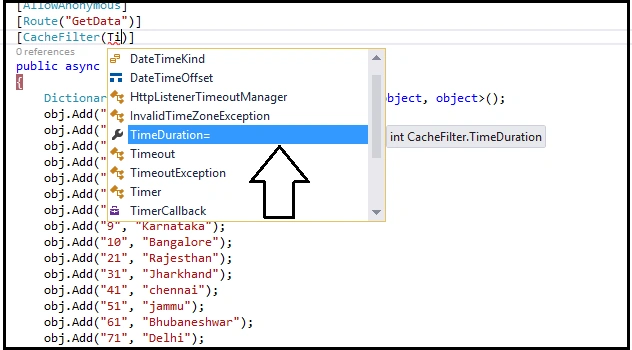
Here is my complete action method.
- [AllowAnonymous]
- [Route("GetData")]
- [CacheFilter(TimeDuration=100)]
- public async Task<IHttpActionResult> getData()
- {
- Dictionary<object, object> obj = new Dictionary<object, object>();
- obj.Add("1", "Punjab");
- obj.Add("2", "Assam");
- obj.Add("3", "UP");
- obj.Add("4", "AP");
- obj.Add("5", "J&K");
- obj.Add("6", "Odisha");
- obj.Add("7", "Delhi");
- obj.Add("9", "Karnataka");
- obj.Add("10", "Bangalore");
- obj.Add("21", "Rajesthan");
- obj.Add("31", "Jharkhand");
- obj.Add("41", "chennai");
- obj.Add("51", "jammu");
- obj.Add("61", "Bhubaneshwar");
- obj.Add("71", "Delhi");
- obj.Add("19", "Karnataka");
- return Ok(obj);
- }
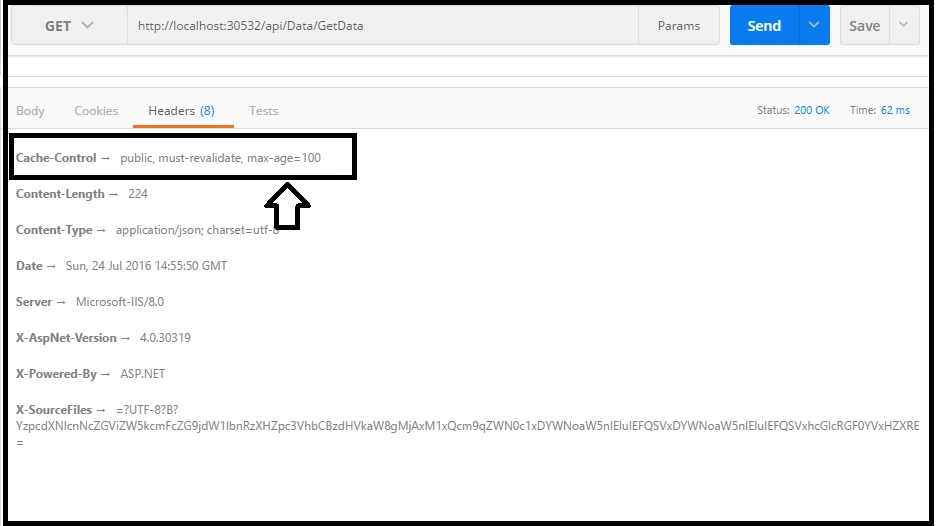
Now, if we check the header portion, we will see that the caching has been applied on it.
Thus, in this way, we can create a custom cache filter and apply it on the action method, in web API.
Thus, in this way, we can create a custom cache filter and apply it on the action method, in web API.
Ganesh GadekarPosted Jun 9, 2023, 8:14 AM
How caching ensure that we will get updated information suppose some one has changes data in back ground before cache expire and next get will get cached information and not updated one
Dominik CebulaPosted Feb 6, 2022, 9:10 PM
Recently I was thinking about using some REST API Cache techniques to Optimize Hybrid Cloud REST API Integrations. I have come-up with an idea that I have described on the following website https://rest-api-cache.com/ I have some prototype in mind and I am trying to check if there would be interest in the product like this. Not sure if this is a problem that many people have. I would love to hear your opinion.
jubula samalPosted Jul 1, 2021, 8:40 AM
Excellent article. keep it up
Prakash TripathiPosted Jun 20, 2019, 8:12 AM
It's good however can you update the arActionFilterAttributeticle or create a new one to use it in the api core?
R KumarPosted May 30, 2018, 3:46 PM
I dont think, Web API supports response caching like MVC Output caching https://rajeevdotnet.blogspot.com/2018/05/aspnet-web-api-caching.html
neeraj guptaPosted May 10, 2018, 3:56 AM
Totally wrong implementation even the code that he written not compiling even, he decorated the method with async which will not even compile without await.
Prosper NlootoPosted May 2, 2018, 3:23 AM
Great tutorial. Very helpful
ashesPosted Sep 8, 2017, 2:45 AM
Totally wrong implementation . This adds only a custom header to the output response and doesnt cache anything . Where is your OnActionExecuting method implementation where the actual caching would take place .
Manas MohapatraPosted Jul 26, 2016, 12:19 AM
Thanks, helpful one..
Prasanna MuraliPosted Jul 25, 2016, 9:19 PM
Nice share
kalu singh raoPosted Jul 25, 2016, 2:22 PM
Excellent