

Introduction
When we need to control traffic to our Azure virtual machines, we can configure Network Security Groups (NSG) or Azure Firewall. Azure Firewall is a Microsoft-managed Network Virtual Appliance (NVA). This appliance allows us to centrally create, enforce and monitor network security policies across Azure subscriptions and virtual networks. In this article, we will learn how to configure Azure Firewall.
Network Security Groups (NSG) features include
- Source
- Source port
- Destination
- Destination port
- Protocol
Azure Firewall features include
- Application Fully Qualified Domain Name (FQDN) filtering rules;
- FQDN tags;
- Service tags;
- Threat intelligence;
- Outbound Source Network Address Translation (SNAT) support;
- Inbound Destination Network Address Translation (DNAT) support;
- Multiple public IP addresses;
- Azure Monitor logging;
- Forced tunneling;
- Certifications.
Pre-request
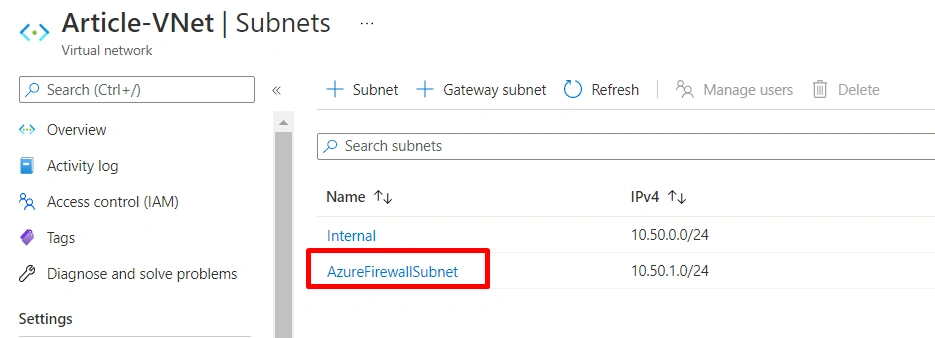
- Virtual Network with the subnet. The subnet name to be precisely “AzureFirewallSubnet.
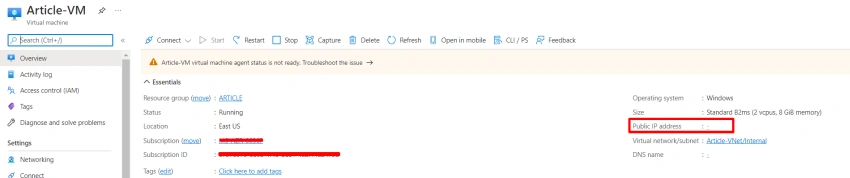
- Virtual Machine without a Public IP Address.
Step 1
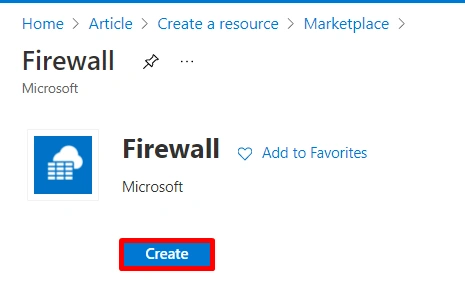
Search for “firewall” in the Search box, click on Firewalls, and click the Create button.
Step 2
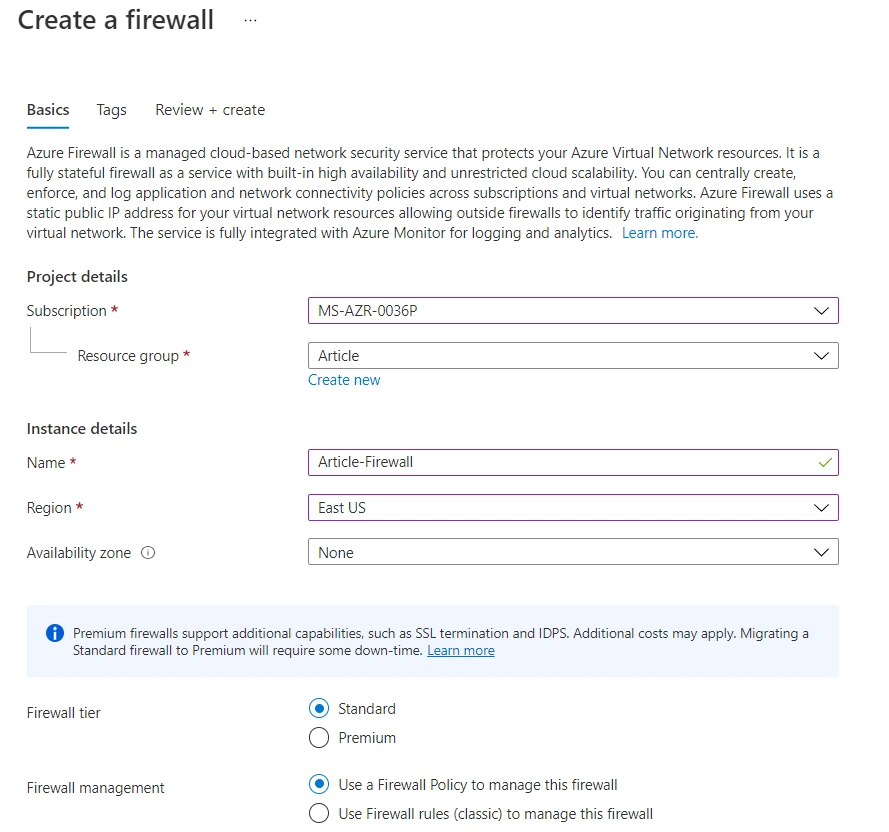
In the instance section, provide all the necessary values below.
- Name: Name of the Firewall
- Firewall tier: For testing purposes, we will select “Standard.”
- Firewall management: Use a Firewall Policy to manage this Firewall
Step 3
Create a new Firewall policy, select Add new.
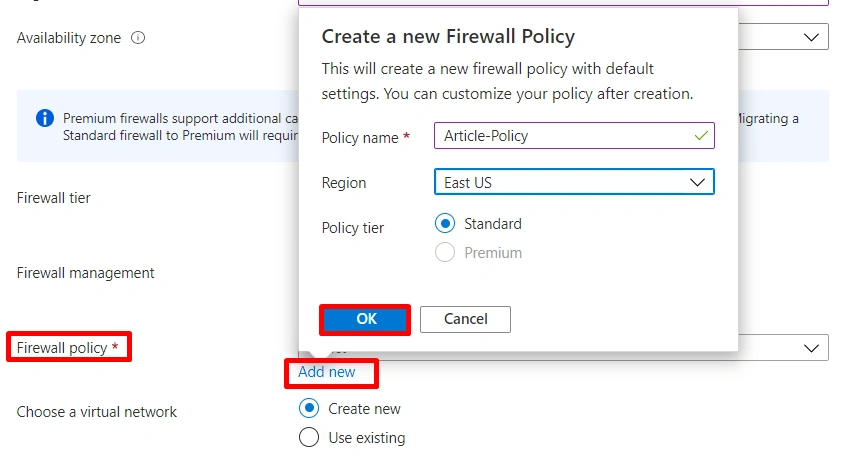
Step 4
Choose a Virtual network, select the existing and select the Virtual Network, create a new public IP address, and then click Ok.

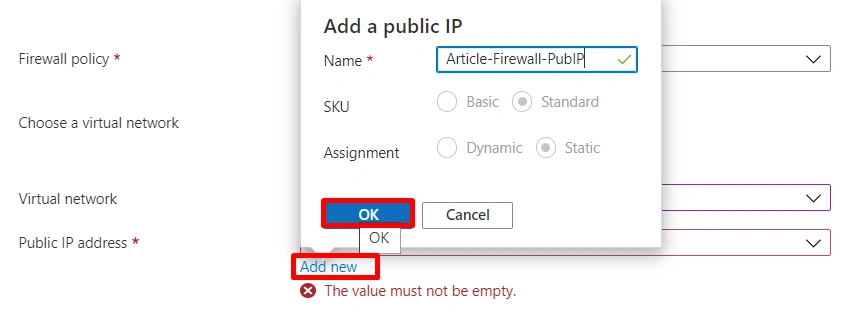
Step 5
Click Review + create button to start the deployment.
Step 6
Now we have successfully deployed the Azure Firewall in the Firewall, we can notice the Firewall Private IP, Firewall SKU, and the Firewall subnet.
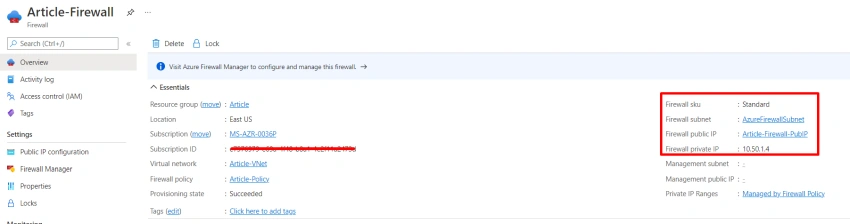
Summary
In this article, we learned how to deploy the Azure Firewall; in our next article, we will continue configuring the NAT rule, Application rule, and configure a route.
Hadshana KamalanathanPosted Oct 12, 2022, 1:42 AM
Nice Article!