

In my previous articles, I briefly explained about front-end frameworks and cross-platform applications with .NET Core 3. Now, I have decided to work on the most popular CKEditor with Angular, React, and VueJS.
What is an editor?
Editor is a term used to describe any amend or edit done to a virtual (online) document. For example, description, blog, article, and wiki content without copying or moving it offline to do the edit.
Why CKEditor?
- Written in ES6 with MVC architecture, custom data model, virtual DOM.
- Easy embedding of responsive images and media (videos, tweets).
- Custom output format: HTML and Markdown support.
- Boosts productivity with auto-formatting and collaboration.
- Extensible and customizable by design.
If you are a newbie for Angular, React, And VueJS, then you can find abstract explanation from the below links including installation and much more.
- ng new angularckeditor
- cd angularckeditor
Install the CKEditor 5 WYSIWYG editor component for Angular
- npm install --save @ckeditor/ckeditor5-angular
- npm install --save @ckeditor/ckeditor5-build-classic
Now, add CKEditorModule to your application module imports.
- import { CKEditorModule } from '@ckeditor/ckeditor5-angular';
- @NgModule( {
- imports: [
- CKEditorModule,
- // ...
- ],
- // ...
- } )
Import the editor build in your Angular component and assign it to a public property so it becomes accessible in the template.
- import * as ClassicEditor from '@ckeditor/ckeditor5-build-classic';
- @Component( {
- // ...
- } )
- export class MyComponent {
- public Editor = ClassicEditor;
- // ...
- }
Finally, use the <ckeditor> tag in the template to run the rich text editor
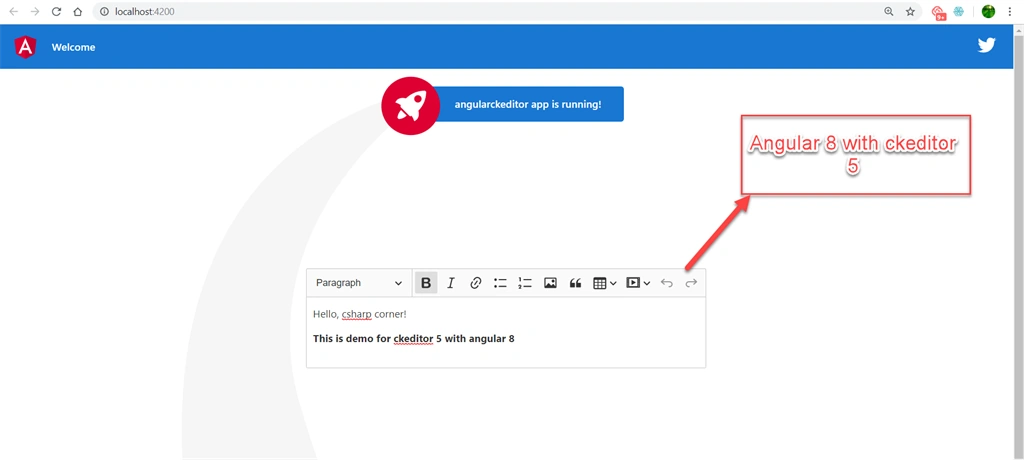
- <ckeditor [editor]="Editor" data="<p>Hello, csharp corner!</p><br/><br/> <b>This is demo for ckeditor 5 with angular 8</br>"></ckeditor>
Run your application and you can see output like below.
React
Create a new app by using the following command.
- npx create-react-app reactckeditor
- cd reactckeditor
Install the CKEditor 5 WYSIWYG editor component for React.
- npm install --save @ckeditor/ckeditor5-react @ckeditor/ckeditor5-build-classic
Use the <ckeditor> component inside your project.
- import React, { Component } from 'react';
- import CKEditor from '@ckeditor/ckeditor5-react';
- import ClassicEditor from '@ckeditor/ckeditor5-build-classic';
- class App extends Component {
- render() {
- return (
- <div className="App">
- <h2>Using CKEditor 5 build in React</h2>
- <CKEditor
- editor={ ClassicEditor }
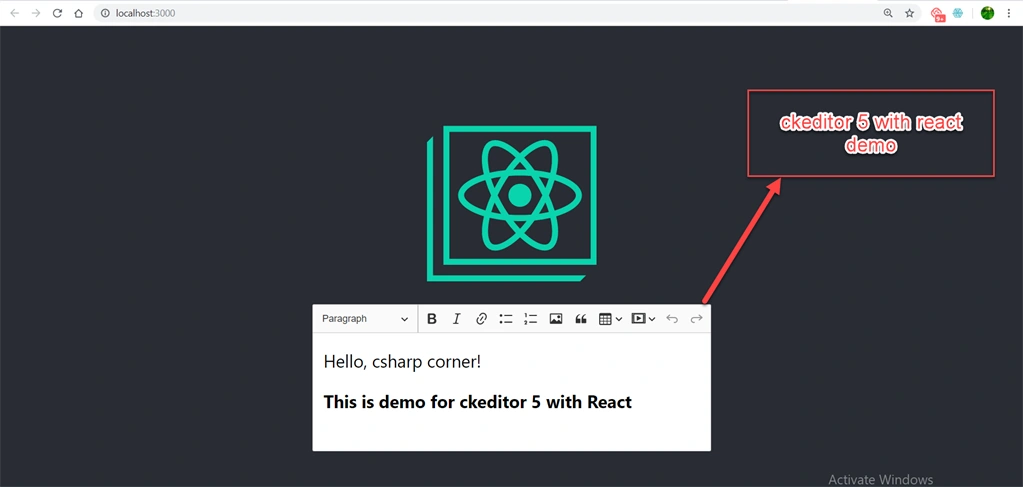
- data="<p>Hello, csharp corner!</p><br/><br/> <b>This is demo for ckeditor 5 with React</br>"
- onInit={ editor => {
- // You can store the "editor" and use when it is needed.
- console.log( 'Editor is ready to use!', editor );
- } }
- onChange={ ( event, editor ) => {
- const data = editor.getData();
- console.log( { event, editor, data } );
- } }
- onBlur={ ( event, editor ) => {
- console.log( 'Blur.', editor );
- } }
- onFocus={ ( event, editor ) => {
- console.log( 'Focus.', editor );
- } }
- />
- </div>
- );
- }
- }
- export default App;
Run your application and you can see the output like below.
Vue JS
Make two files - one is index.html and another one is index.js. In the root folder of those files, you have to add the following package using cmd.
- Install the CKEditor 5 WYSIWYG editor component for Vue.js
- <html>
- <head><link rel="stylesheet" href="normalize.css">
- <link rel="stylesheet" href="index.css">
- <script src="https://cdn.jsdelivr.net/npm/vue/dist/vue.js"></script>
- <script src="node_modules/@ckeditor/ckeditor5-build-classic/build/ckeditor.js"></script>
- <script src="node_modules/@ckeditor/ckeditor5-vue/dist/ckeditor.js"></script>
- </head>
- <body>
- <div class="center">
- <img class="hero-logo" src="https://vuejs.org/images/logo.png" alt="vue logo">
- <h2>VUE JS</h2>
- </div>
- <div id="app">
- <ckeditor :editor="editor" v-model="editorData" :config="editorConfig"></ckeditor>
- </div>
- <script src="index.js"></script>
- </body>
- </html>
- Vue.use( CKEditor );
- var app = new Vue({
- el: '#app',
- data: {
- editor: ClassicEditor,
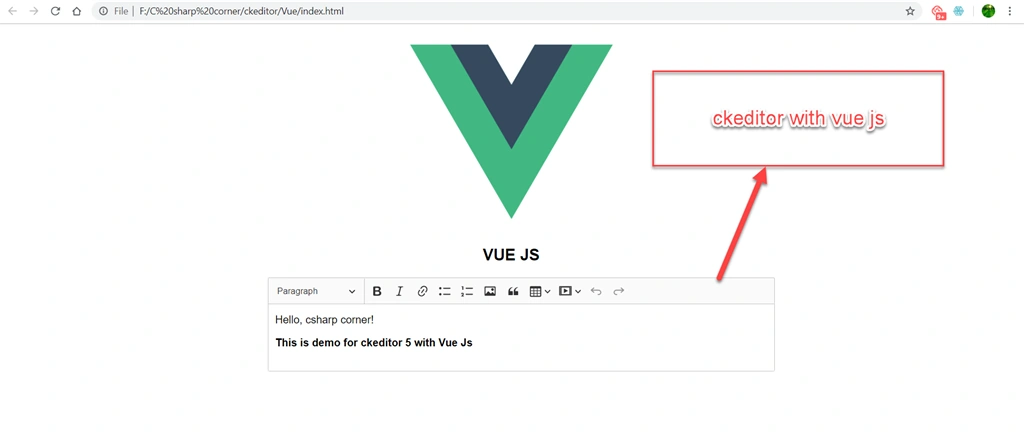
- editorData: '<p>Hello, csharp corner!</p><br/><br/> <b>This is demo for ckeditor 5 with Vue Js</br>',
- editorConfig: {
- // The configuration of the editor.
- }
- }
- });
Run your application and you can see an output like below.
Hope you guys learned something new. Keep learning!
Here are the links to my previous articles.
- Getting Started With Vue.js And .NET Core 3 (featured article)
- Getting Started With Ionic 4, Angular And .NET Core 3 (featured article)
- Getting Started With Ember Js And .NET Core 3 (featured article)
- .NET Core 3 - Building Background Job Using Coravel Library
- nopCommerce 4.20 - What's New, Changes And How To Upgrade
Rajesh PatilPosted Mar 26, 2020, 1:22 AM
Have you tried installing plugins like alignment.... etc.
Madhukumar G KPosted Oct 1, 2019, 12:34 AM
Nice article.. I have a question... It seems CKeditor5 will not support IE 11...have you tested in IE 11 browser?
Pankajkumar PatelPosted Oct 1, 2019, 12:30 AM
Nice article