

How to use ImageSwitcher in Android?
Please see the main activity xml file for the usage,
Now bind the controls to the java file on the onCreate(),
Next we need to implement the ViewFactory interface and override the makeView() to set the layout and image switcher properties each time while switching like the following.
Each time we are change the image in the ImageSwitcher this method will be called. Now go to the button and click and change the image according to some conditions. For that I declared a boolean variable, which will store the status of the image switched or not. See the button click listener below.
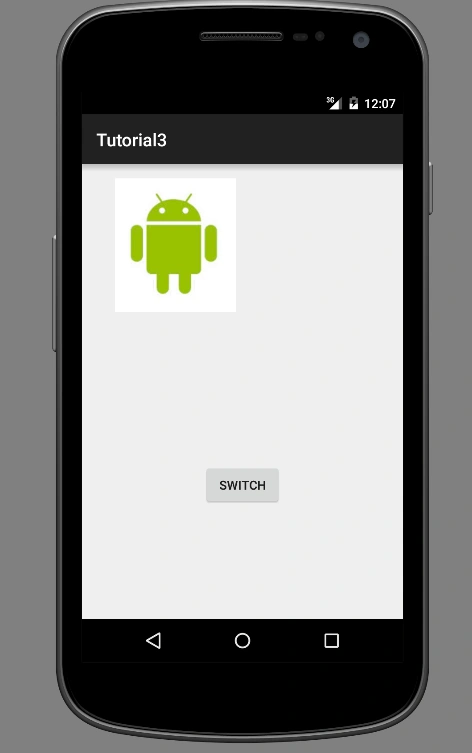
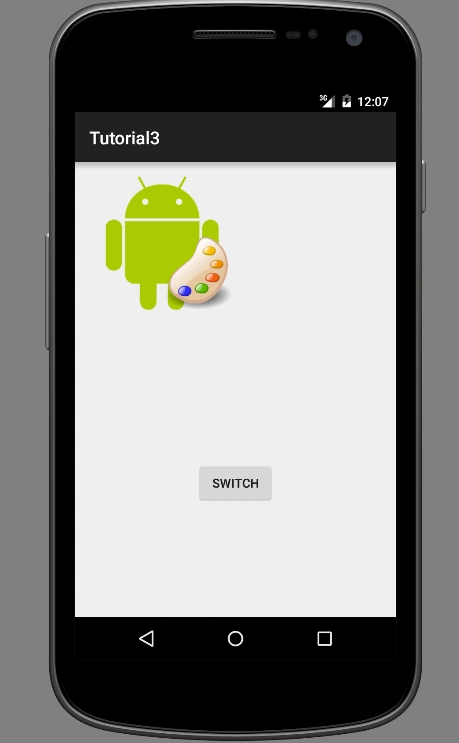
On the button click, it will check the boolean variable and change the image according to the boolean value. But the switching of the image will be very smooth, which is the main property of the Image Switcher. For that, I have added two images in the drawable folder. We need to call only the setImageResource each time to change the image in the Image Switcher. I did not set any images in the initial loading
- <RelativeLayout xmlns:android="http://schemas.android.com/apk/res/android"
- xmlns:tools="http://schemas.android.com/tools"
- android:layout_width="match_parent"
- android:layout_height="match_parent"
- android:paddingBottom="@dimen/activity_vertical_margin"
- android:paddingLeft="@dimen/activity_horizontal_margin"
- android:paddingRight="@dimen/activity_horizontal_margin"
- android:paddingTop="@dimen/activity_vertical_margin"
- tools:context=".MainActivity">
- <ImageSwitcher
- android:id="@+id/imageSwitch"
- android:layout_width="300dp"
- android:layout_centerHorizontal="true"
- android:layout_height="300dp" />
- <Button
- android:layout_width="wrap_content"
- android:layout_height="wrap_content"
- android:text="Switch"
- android:id="@+id/switchButton"
- android:layout_margin="20dp"
- android:layout_below="@+id/imageSwitch"
- android:layout_centerHorizontal="true" />
- </RelativeLayout>
- imageSwitcher = (ImageSwitcher) findViewById(R.id.imageSwitch);
- Button button = (Button) findViewById(R.id.switchButton);
- imageSwitcher.setFactory(new ViewSwitcher.ViewFactory() {
- @Override
- public View makeView() {
- ImageView myView = new ImageView(getApplicationContext());
- myView.setScaleType(ImageView.ScaleType.FIT_CENTER);
- myView.setLayoutParams(new ImageSwitcher.LayoutParams(300,300));
- return myView;
- }
- });
- button.setOnClickListener(new View.OnClickListener() {
- @Override
- public void onClick(View view) {
- if(isImageSwitched){
- imageSwitcher.setImageResource(R.drawable.android);
- isImageSwitched = false;
- }else{
- imageSwitcher.setImageResource(R.drawable.android_one);
- isImageSwitched = true;
- }
- }
- });
Please see the screen shots also...
Join the conversation! Your thoughts help the community grow.