
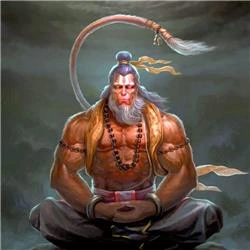
Image generation using AI has transformed modern applications in design, e-commerce, content creation, and automation. With OpenAI models (such as GPT-4o and DALL·E), Azure OpenAI, and .NET 8, developers can build powerful image-generation systems using simple APIs. This article explains how image generation works, how to integrate it with .NET, common use cases, best practices, and interview-ready concepts.
1. What Is AI Image Generation?
AI image generation is the process of creating new images from text instructions (prompts).
Modern models such as DALL·E, Stable Diffusion, and GPT-4o convert natural language into high-quality images by understanding your scene description.
Capabilities
Generate new images from text
Modify or extend existing images
Change styles (photorealistic, 3D, illustration)
Remove/replace objects
Upscale or improve quality
2. Tools Available for Image Generation in .NET
1. OpenAI / Azure OpenAI Image API
Supports:
Text-to-Image
Image editing
Image variations
NuGet package:
dotnet add package OpenAI
2. Third-party models (Stable Diffusion, Midjourney APIs)
Useful when:
You need local/on-prem image generation
GPU-based custom workflows
3. Custom models with ONNX Runtime
For enterprise offline image synthesis.
3. Setting Up Image Generation in .NET
First install the official OpenAI package:
dotnet add package OpenAI
Then initialize the client:
using OpenAI;

var client = new OpenAIClient("your_api_key");
4. Generate Images from Text (Text-to-Image)
This is the most common use case.
var result = await client.Images.GenerateAsync(new ImageGenerationRequest
{
    Prompt = "A futuristic city skyline at sunset with flying cars",
    Size = "1024x1024",
    Model = "gpt-image-1"
});

var imageBytes = Convert.FromBase64String(result.Data[0].B64Json);
await File.WriteAllBytesAsync("city.png", imageBytes);
Explanation
Model: "gpt-image-1" or latest
Prompt: Natural-language description
Size: 256x256, 512x512, 1024x1024
Result is Base64 encoded, saved as PNG
5. Image Editing in .NET (Add / Modify Content)
You can edit existing images by providing:
Base image
Mask image (transparent area = editable)
New prompt
Example: Replacing the background of a product image.
var baseImage = await File.ReadAllBytesAsync("product.png");
var maskImage = await File.ReadAllBytesAsync("mask.png");

var response = await client.Images.EditAsync(new ImageEditRequest
{
    Image = baseImage,
    Mask = maskImage,
    Prompt = "Replace the background with a clean white studio backdrop",
    Size = "1024x1024"
});

var edited = Convert.FromBase64String(response.Data[0].B64Json);
await File.WriteAllBytesAsync("output.png", edited);
6. Create Image Variations
Useful in:
Logo generation
Different styles of same object
Marketing content variations
var original = await File.ReadAllBytesAsync("logo.png");

var variation = await client.Images.CreateVariationAsync(new ImageVariationRequest
{
    Image = original,
    Size = "512x512"
});

var output = Convert.FromBase64String(variation.Data[0].B64Json);
await File.WriteAllBytesAsync("logo_variation.png", output);
7. Real-World Use Cases
1. E-commerce
Auto-generate product images
Change backgrounds
Create color variations
Social media previews
2. Marketing and Design
Banner images
Thumbnails
Posters
Animated storyboard frames
3. App & Game Development
Character avatars
Environment concept art
Texture generation
4. Automation
Generate dozens of images dynamically through .NET APIs
Auto-generate visuals for reports
8. Architecture for Image Generation in .NET
Pattern 1: REST API Microservice
ASP.NET Core MVC or Minimal API
Expose
/generate-image,/edit-imageendpointsCan scale independently
Works well with frontend apps (React, Angular, MAUI)
Pattern 2: Background Task Worker
Queue requests
Generate images in background job
Use Hangfire, Azure Functions, or WorkerService
Pattern 3: Hybrid RAG + Image Generation
Search metadata for design descriptions
Generate images automatically
Useful in content automation platforms
9. Best Practices
Use meaningful long prompts
Always compress or resize for storage
Cache generated images to reduce cost
Validate user prompts to avoid misuse
Limit max image-size for performance
Avoid blocking UI threads; use async
Conclusion
Integrating AI-based image generation into .NET applications is now straightforward. With simple APIs, you can generate complex visuals, automate design workflows, and build creative tools directly within .NET. As .NET continues evolving, image generation will play an increasingly important role in enterprise automation, marketing, and end-user applications.
Join the conversation! Your thoughts help the community grow.