

In last two articles we have discussed about how to load an image in our windows form and how to re size that image see this:
Now we will discuss that how we can crop an image
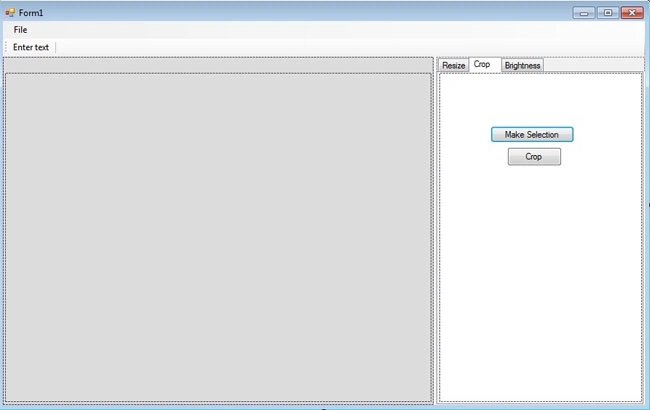
Design form like this view:
In
crop tab there are one two button one is 'Make selection' and other for 'Ok'.
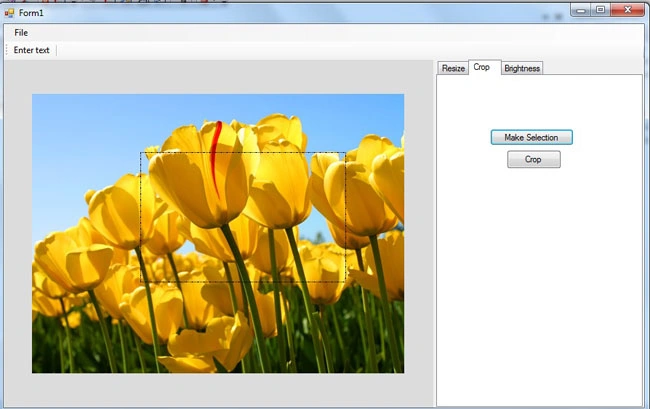
For cropping an image we will need to define region that is need to crop,in this article we will use rectangle for defining such area or region
When we click on 'MakeSelection' button and after that draw a rectangle on picturebox with the help of mouse.
Code for draw rectangle:
Declare some private variables for finding cursor location and define drawing objects
Dim cropX As Integer
Dim cropY As Integer
Dim cropWidth As Integer
Dim cropHeight As Integer
Dim oCropX As Integer
Dim oCropY As Integer
Dim cropBitmap As Bitmap
Public cropPen As Pen
Public cropDashStyle As Drawing2D.DashStyle = Drawing2D.DashStyle.DashDot
We will use mousedown And mouse move event for doing this. we will need to implement this code on mouse down event:
If e.Button = Windows.Forms.MouseButtons.Left Then
Cursor = Cursors.Cross
cropX = e.X
cropY = e.Y
cropPen = New Pen(color.Black, 1)
cropPen.DashStyle = DashStyle.DashDotDot
End If
PictureBox1.Refresh()
In above code there are two variables are using one is cropX for x position of the rectangle location and another is cropY for y position. cropPen is the object of pen class with pensize and pencolor.
And write this code on mouse move event
If PictureBox1.Image Is Nothing Then Exit Sub
If e.Button = Windows.Forms.MouseButtons.Left Then
PictureBox1.Refresh()
cropWidth = e.X - cropX
cropHeight = e.Y - cropY
PictureBox1.CreateGraphics.DrawRectangle(cropPen, cropX, cropY, cropWidth, cropHeight)
End If
On mouse event
we can find cursor position with the help of event arg e so we can easily
determine rectangle's width and height. and use drawrectangle method. On above
code cropPen determines the color, size and other styles of rectangle,cropx is x
coordinate of upperleft corner of rectangle, y is y coordinate of upperleft
corner of rectangle and cropWidth,cropHeight are width and height of rectangle
respectively.
Code for crop:
Dim rect As
Rectangle = New Rectangle(cropX, cropY,
cropWidth, cropHeight)
'First we define a rectangle with the help of already calculated points
Dim OriginalImage As Bitmap = New Bitmap(PictureBox1.Image, PictureBox1.Width, PictureBox1.Height)
'Original image
Dim _img As New Bitmap(cropWidth, cropHeight) ' for cropinf image
Dim g As Graphics = Graphics.FromImage(_img) ' create graphics
g.InterpolationMode = Drawing2D.InterpolationMode.HighQualityBicubic
g.PixelOffsetMode = Drawing2D.PixelOffsetMode.HighQuality
g.CompositingQuality = Drawing2D.CompositingQuality.HighQuality
'set image attributes
g.DrawImage(OriginalImage, 0, 0, rect, GraphicsUnit.Pixel)
PictureBox1.Image = _img
In above code I have mentioned commit you can use this for better understanding.
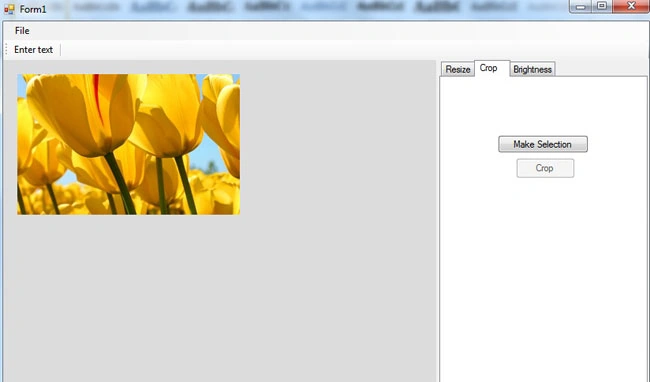
So I think now we can cropping any image easily with the help of this scenario.
Thanks.
Justin RulePosted Nov 15, 2012, 9:24 AM
How can you make the crop rectangle draw in a square only?