

HTML5 Web Storage
HTML5 Web Storage, also known as DOM Storage, is a way to preserve state on either the client or server, making it much easier to work against the stateless nature of HTTP.
Browser Support
Web storage is supported in all major browsers such as Internet Explorer 8+, Firefox, Opera, Chrome, and Safari.
Note: Internet Explorer 7 and earlier versions, do not support web storage.
Web Storage Strengths and Weaknesses
Strengths
- Apps can work both online and offline.
- An easy API to learn and use.
- Has the ability to hook into browser events, such as offline, online, storage change.
- It has less overhead than cookies; no extra header data is sent with browser requests.
- It provides more space than cookies so increasingly complex information can be kept.
Weaknesses
- Data is stored as a simple string; manipulation is needed to store objects of differing types, such as booleans, objects, ints, and floats.
- It has a default 5MB limit; more storage can be allowed by the user if required.
- It can be disabled by the user or systems administrator.
- Storage can be slow with complex sets of data.
HTML5 Web Storage Methods
- setItem(key,value): adds a key/value pair to the sessionStorage object.
- getItem(key): retrieves the value for a given key.
- clear(): removes all key/value pairs for the sessionStorage object.
- removeItem(key): removes a key/value pair from the sessionStorage object.
- key(n): retrieves the value for a key.
Setting a Key/Value
There are two different methods for setting the information in sessionStorage:
- sessionStorage.setItem('someKey','someValue');
- sessionStorage.someKey = 'someValue';
Getting a Value
There are two methods to retrieve a key/value pair as well:
- sessionStorage.getItem('someKey'); //returns 'someValue'
- sessionStorage.someKey; //returns 'someValue'
Removing a Key/Value
What we need to do is to provide the key to the removeItem method, as in the following:
- sessionStorage.removeItem('someKey');//returns 'undefined' for someKey
- Clearing Storage
- sessionStorage.clear(); //everything gone!
HTML5 Web Storage Properties
HTML5 Web Storage has the following properties:
- Constructor Returns a reference to the constructor of an object.
- Length Retrieves the length of the key/value list.
- RemainingSpace Retrieves the remaining memory space, in bytes, for the storage object.
Advantages of Web Storage in comparison to Cookies
Web storage can be viewed simplistically as an improvement of cookies.
- With HTML5, web pages can store data locally within the user's browser. Earlier, this was done with cookies. However, Web Storage is more secure and faster.
- Like cookies, Web developers can store per-session or domain-specific data as name/value pairs on the client using Web Storage. However, unlike cookies, Web Storage makes it easier to control how information stored by one window is visible to another.
- , Unlike cookies, data stored in Web Storage remains on the client and is never transferred to the server. Cookies, in contrast, are sent back and forth between the browser and the server with each HTTP request. In other words, in Web Storage, the data never leaves the browser.
- Web Storage also offers significantly more disk space than cookies. Cookies can store only 4 kilobytes (KB) of data. This byte total can be one name/value pair of 4 KB, or it can be up to 20 name/value pairs that have a total size of 4 KB recommending a minimum of 4096 bytes per cookie. By comparison, Web Storage provides roughly 10 megabytes (MB) for each storage area.
- Functionally, client storage areas are quite different from cookies. Web Storage doesn't transmit values to the server with every request as cookies do, nor does the data in a local storage area ever expire. And unlike cookies, it is easy to access individual pieces of data.
- The side effect of cookies is that they are always sent with every HTTP request resulting in more data being sent over the wire.
The two types of Web Storage Objects to store the data is:
- localStorage
- sessionStorage
Web Storage data is, in both cases, not available between different browsers. For example, storage objects created in Firefox cannot be accessed in Internet Explorer, exactly like cookies.
You can add data to either server (session) storage or a local (client memory) storage by using Web Storage.
localStorage
localStorage is kept even among browser sessions. It is used to store the data locally. It stores the data with no expiration date, in other words if the browser is closed then it will not delete the data and we can view the data any time and even after a year.
- Long term data persistence.
- The local storage object spans multiple windows and persists beyond the current session.
- Values put into localStorage are shared across all windows from the same origin.
- Data is stored on the client. Behaving similarly to cookies, values persist beyond when the browser's session ends.
Example of localStorage
- <!DOCTYPE html>
- <html lang="en" xmlns="http://www.w3.org/1999/xhtml">
- <head>
- <meta charset="utf-8" />
- <title>HTML5 Web localStorage</title>
- <script>
- function clickCounter() {
- if (typeof (Storage) !== "undefined") {
- if (localStorage.clickcount) {
- localStorage.clickcount = Number(localStorage.clickcount) + 1;
- }
- else {
- localStorage.clickcount = 1;
- }
- document.getElementById("result").innerHTML = "You have clicked the HTML5 button " + localStorage.clickcount + " time(s).";
- }
- else {
- document.getElementById("result").innerHTML = "Sorry, your browser does not support web storage...";
- }
- }
- </script>
- </head>
- <body>
- <p>
- <button onclick="clickCounter()" type="button">HTML5</button></p>
- <div id="result"></div>
- <p>Click the HTML5 button to see the counter increase.</p>
- <p>Close the browser tab (or window), and try again, and the HTML5 button will continue counting with previous result.</p>
- </body>
- </html>
Output
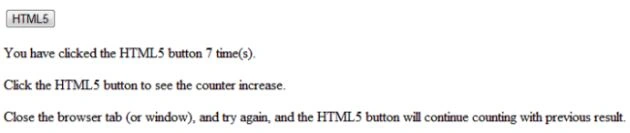
sessionStorage
It also stores the browser's data locally, but it is for a limited period (for one session). When we close the browser, it will automatically delete the stored data and we can't see the browser's stored data again.
The Session Storage is designed for scenarios where the user is carrying out a single transaction, but could be carrying out multiple transactions in different windows at the same time. A common use case could be a shopping basket that persists across page views but is emptied when the user closes the browser window.
- Short term data persistence.
- Once the browser's session ends (window/tab closed), sessionStorage ends.
- Values put into sessionStorage are only visible in the window/tab that created them.
- Data is stored on the server.
Example of sessionStorage
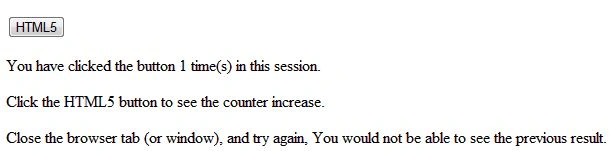
Output
Difference between localStorage and sessionStorage
| Local | Session |
| Local storage exists until it is removed or expired. So if the browser is closed, the information will still be there when the browsers reopened. It's also available across multiple tabs | Session storage is only available for the lifetime of a specific tab or window.once that window is closed, the information stored is erased |
Security Features
Security is important to all aspects of development, such as where malicious users can gain access to sensitive information or cause damage.
Please be aware that using Web Storage is really not more secure than cookies. In any case, do not store sensitive data (like words and credit card numbers) on the client-side, nor send this kind of data to the client.
Web Storage is more public than cookies, and you'll need to take special precautions to ensure security if Web Storage isn't compromised by attackers.
DNS spoofing attacks
Because of the potential for DNS spoofing attacks, one cannot guarantee that a host claiming to be in a certain domain really is from that domain. To mitigate this, pages can use TLS. Pages using TLS can be sure that only the user, software working on behalf of the user, and other pages using TLS that have certificates identifying them as being from the same domain, can access their storage areas.
Cross-directory attacks
Different authors sharing one hostname, for example, users hosting content on geocities.com, all share one local storage object. There is no feature to restrict access by pathname. Authors on shared hosts are therefore recommended to avoid using these features, as it would be trivial for other authors to read the data and overwrite it.
Even if a path-restriction feature was made available, the usual DOM scripting security model would make it trivial to by this protection and access the data from any path.
Implementation risks
The two primary risks when implementing these persistent storage features are letting hostile sites read information from other domains, and letting hostile sites write information that is then read from other domains.
Letting third-party sites read data that is not supposed to be read from their domain causes information leakage, For example, a user's shopping wishlist on one domain could be used by another domain for targeted advertising; or a user's work-in-progress confidential documents stored by a word-processing site could be examined by the site of a competing company.
Letting third-party sites write data to the persistent storage of other domains can result in information spoofing, which is equally dangerous. For example, a hostile site could add items to a user's wishlist; or a hostile site could set a user's session identifier to a known ID that the hostile site can then use to track the user's actions on the victim site.
Jin NecesarioPosted Aug 17, 2019, 7:32 PM
Nice article.