

Facts About SVG
- The main challenging drawing program for SVG is FLASH.
- Flash depends on other technologies like XSL and DOM. In that case, SVG plays a role like an open source drawing program.
- SVG images are scalable, zoomable and can be printed with high quality at any resolution.
- SVG files are complete XML files, so it can be easily developed with the help of HTML and Basic XML knowledge.
- SVG can be created with any text editor, but Inkscape is a more convenient drawing program for it.
How to Code SVG?
An SVG image begins with <svg> tag and closing with </svg> tag. Make sure all the elements in SVG can be closed properly because it is written in XML.
Example 1 - DRAW A CIRCLE
Let’s draw a circle with SVG element,
Firstly, to draw any shape we need to create an SVG element with two attributes: width and height.
- <html>
- <head>
- <title> Draw a Circle Using SVG</title>
- </head>
- <body>
- <svg width=”1050” height=”1050”>
- </svg>
- </body>
- </html>
Still there is nothing going to be applied on an output screen.
Add a <circle> tag,
- <html>
- <head>
- <title> Draw a Circle Using SVG</title>
- </head>
- <body>
- <svg width="2050" height="2050">
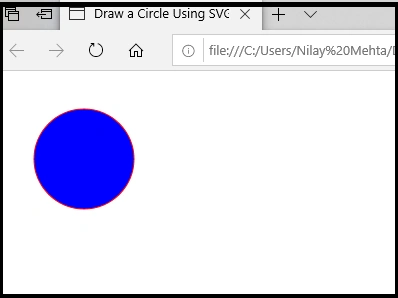
- <circle cx= "80" cy="80" r="50" fill="blue" stroke="red"/></svg>
- </body>
- </html>
Note
In SVG file there is every element and any attribute can be animated.
In this code, there are a few attributes which are new for us,
- cx:x coordinate, cy:y coordinate, r:radius , fill, stroke
- cx: it defines the center of the circle from the right of the screen
- cy: it defines the center of the circle from the top the screen
- r: it is the radius of the circle
- fill: it is used to color the circle
- stroke: it is used to give an outline to the circle.
Output
Note
With the use of<ellipse> element, we can create an oval shape.
Example 2 - DRAW A RECTANGLE
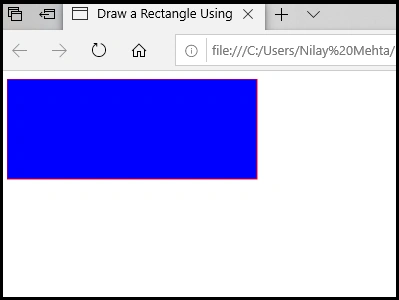
In this example, we will see two more attributes of the rectangle shape: width and height. It defines the width and height of the rectangle.
Add a <rect> tag,
Let’s draw a rectangle with SVG element,
- <html>
- <head>
- <title> Draw a Rectangle Using SVG</title>
- </head>
- <body>
- <svg width="2050" height="2050">
- <rect width="250" height="100" fill="blue" stroke="red"/></svg>
- </body>
- </html>
Output
Example 3 - DRAW A ROUNDED RECTANGLE
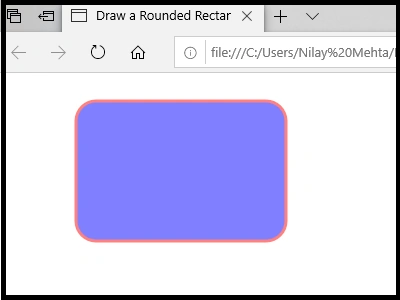
In the previous example, we have seen attributes of rectangle shapes: width and height. It defines the width and height of the rectangle. Now, we will see two more attributes: rx: horizontal radius and ry: vertical radius, to draw rounded corners of the rectangle.
Add a <rect> tag,
Let’s draw a rounded rectangle with SVG element,
- <html>
- <head>
- <title> Draw a Rounded Rectangle Using SVG</title>
- </head>
- <body>
- <svg width="2000" height="2000">
- <rect x="70" y="20" rx="20" ry="20" width="210" height="140"
- style="fill:blue;stroke:red;stroke-width:3;opacity:0.5" />
- </svg>
- </body>
- </html>
Output
Note
With the help of <rect> element we can also draw a square shape.
Example 4 - DRAW A LINE
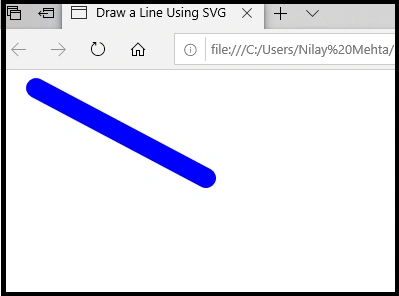
To draw a line on a screen we have to focus on the coordinates of the screen with the measurements: (x1,y1) these are the start coordinates of the line, and (x2,y2) are the end coordinates of the line.
Add a <line> tag,
Let’s draw a line with <line> SVG element,
- <html>
- <head>
- <title> Draw a Line Using SVG</title>
- </head>
- <body>
- <svg width="500" height="500">
- <line x1="30" y1="10" x2="200" y2="100"
- style="stroke:#0000ff; stroke-linecap:round; stroke-width:20" />
- </svg>
- </body>
- </html>
Output
Example 5 - DRAW A POLYLINE
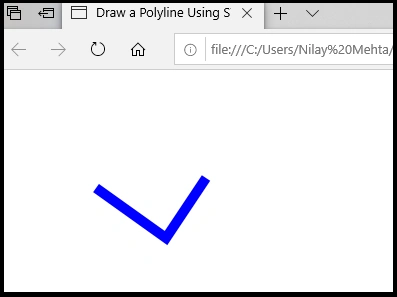
Polyline is a shape that is built from multiple lines. Polyline seems like a check sign. In this element, we will introduce an attribute point: which is polyline’s coordinates.
Add a <polyline> tag,
Let’s draw a polyline with <polyline> SVG element,
- <html>
- <head>
- <title> Draw a Polyline Using SVG</title>
- </head>
- <body>
- <svg width="2000" height="2000">
- <polyline style="fill:none;stroke:blue;stroke-width:10;stroke-linejoin:miter"
- points="90 110, 160 160, 200 100" />
- </svg>
- </body>
- </html>
Output
Example 6 - DRAW A STAR
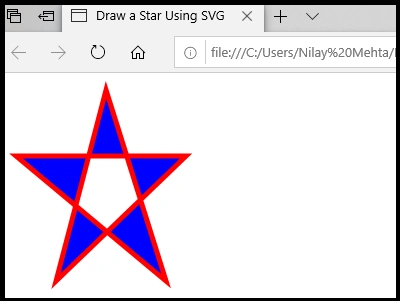
As we saw in the previous SVG <ployline> element, with the help of Points of the <polygon> element we can create a star shape according to our assumptions and requirements of choices. Again Points are the coordinates of the star.
Add a <polygon> tag,
Let’s draw a star with <polylgon> SVG element,
- <html>
- <head>
- <title> Draw a Star Using SVG</title>
- </head>
- <body>
- <svg width="2000" height="2000">
- <polygon points="100,9 50,200 180,75 10,75 160,200"
- style="fill:blue;stroke:red;stroke-width:5;fill-rule:evenodd;" />
- </svg>
- </body>
- </html>
Output
Summary
In this article, we learned about the HTML Graphics: SVG with different shapes using the different elements of SVG.
References
https://www.w3schools.com/html/html5_svg.asp
https://www.w3schools.com/graphics/svg_intro.asp
Ankur MistryPosted Nov 21, 2019, 10:42 AM
Good stuff, thanks for sharing
Onkar SharmaPosted Oct 19, 2019, 12:43 AM
Nice article, and nice explanation of new feature of html5... ..