

Introduction
We are describing the MySQL functions: mysql_get_client_info, mysql_get_client_version and mysql_get_host_info functions.
mysql_get_client_info
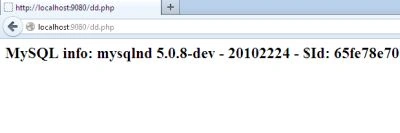
The "mysql_get_client_info()" function gets the MySQL client information.
Syntax
The syntax of mysql_get_client_info is:
|
string mysql_get_client_info ( void ); |
- Returns the MySQL client version number on success, or FALSE on failure.
- mysql_get_client_info() returns a string that represents the client library version.
Example
<?php
//print the client library version
echo "MySQL client info: %s\n", mysql_get_client_info());
?>
Output
mysql_get_client_version
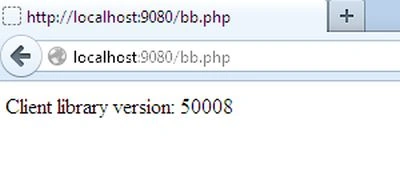
The "mysql_get_client_version()" function returns the client version number as an integer.
Syntax
|
int mysqli_get_client_version ( mysqli $link ); |
Example
<?php
printf("Client library version: %d\n", mysqli_get_client_version());
?>
Output
Example for Server information
<?php
$mysqli = new mysqli("localhost", "root", "");
/* check connection */
if (mysqli_connect_errno()) {
printf("Connect failed: %s\n", mysqli_connect_error());
exit();
}
/* print server version */
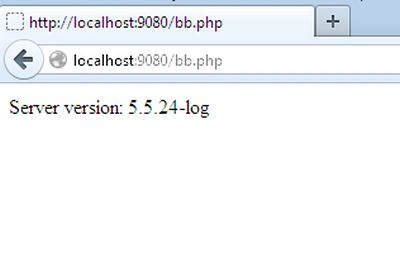
printf("Server version: %s\n", $mysqli->server_info);
/* close connection */
$mysqli->close();
?>
Output
mysql_get_host_info
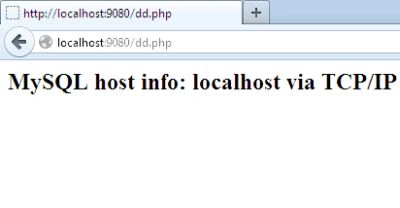
This "mysql_get_host_info()" function gets information about the MySQL host.
Syntax
The syntax of mysql_get_host_info is:
|
string mysql_get_host_info ( ( [resource_link_identifier]) ); |
- Returns a string describing the type of connection in use, including the server host name or FALSE on error.
- mysql_get_host_info() returns a string describing the type of connection in use for the connection link identifier, including the server host name. If link identifier is omitted then the last connection opened will be used.
Example
<?php
//print the server host information
printf("MySQL host info: %s\n", mysql_get_host_info());
?>
Output
Join the conversation! Your thoughts help the community grow.