

Introduction
In this article, we will learn about how to use JavaScript function in Angular Applications. We can better understand this step by step.
Step 1
Create Angular Application with the use of following command
ng new javascriptfunctionuseAngularApp
Step 2
Create one Javascript file inside App Folder
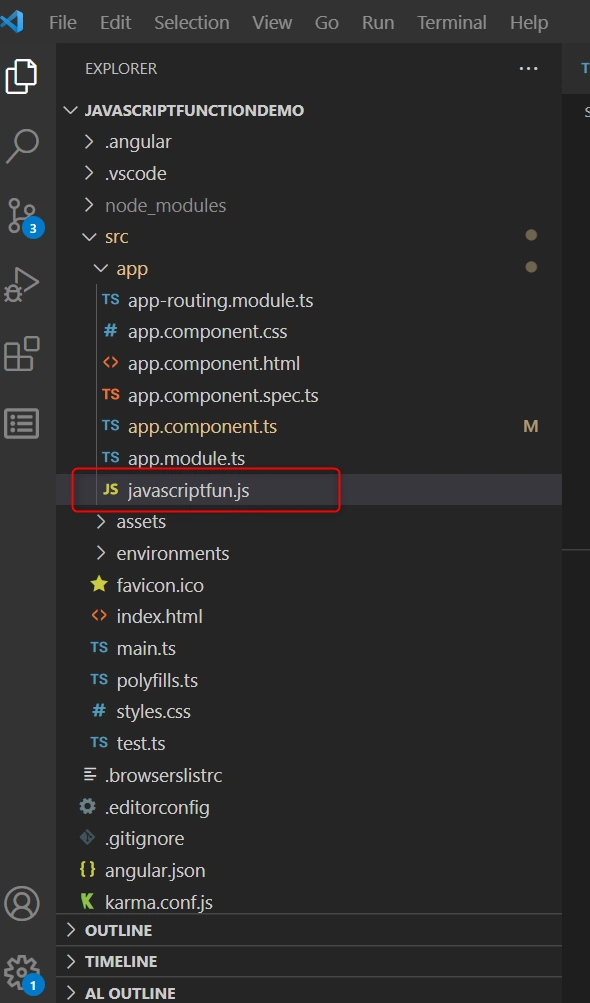
Step 3
Write one Function in Javascriptfun.js file like this
EXPORTS keyword is used to write any function it can use in typescript file,
exports.callJSFun=function(){
    console.log("Hello Call JS Function From TypeScript ");
}
Step 4
Call function in Typescript File Like
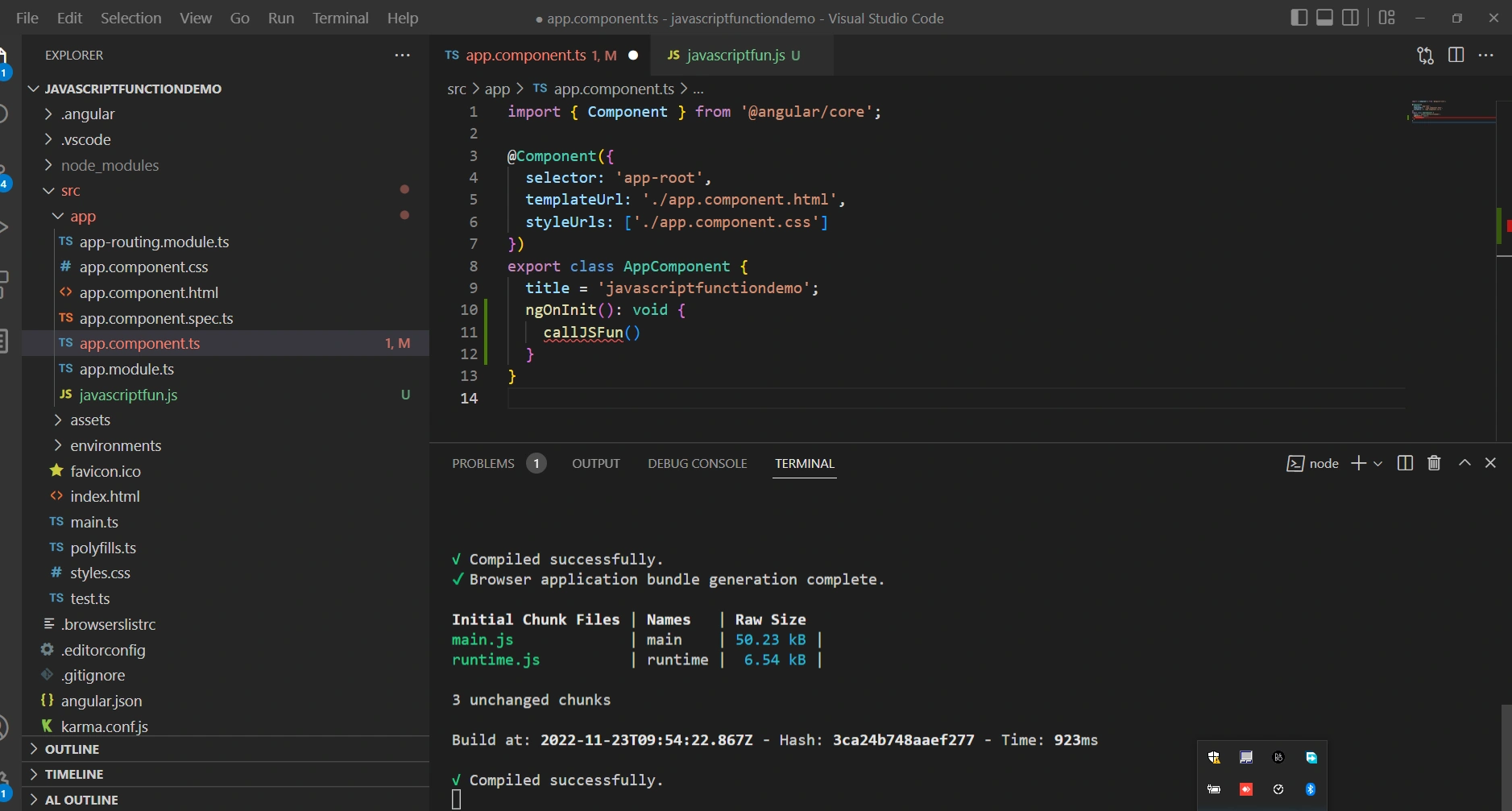
1. inside AppComponent add ngOnInit() method inside Call Javascript function like this
2. Import javascript file. ( import {callJSFun} from '../app/javascriptfun.js'; )
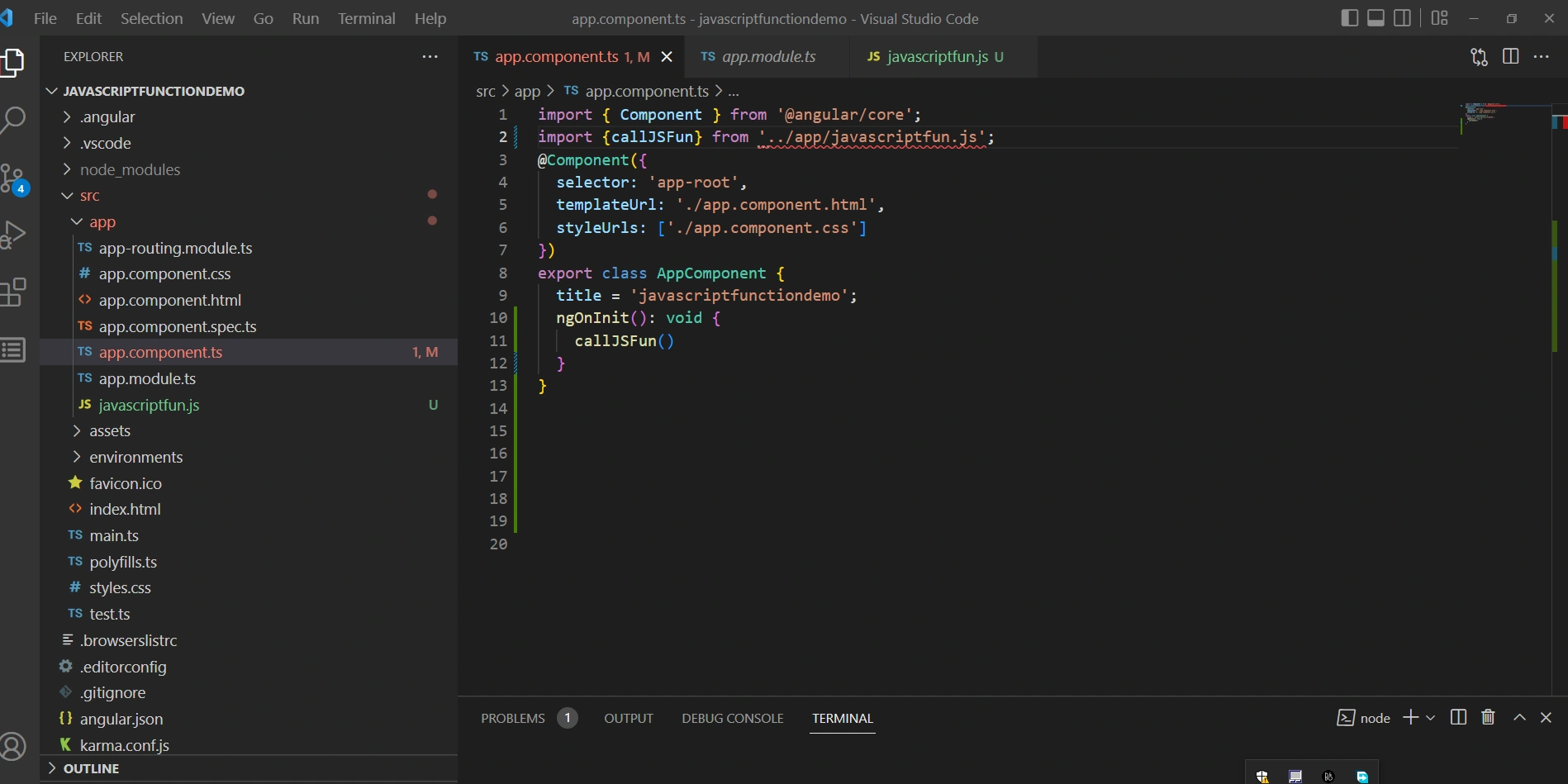
Could not find a declaration file for module '../app/javascriptfun.js'. 'd:/bhavesh/ddd/demo/javascriptfunctiondemo/src/app/javascriptfun.js' implicitly has an 'any' type.ts(7016)
View Problem Error so it can be resolved in the next step.
3. If you don't like this behavior and want to suppress errors when values are implicitly typed as any, set the noImplicitAny option to false in your tsconfig.json file.
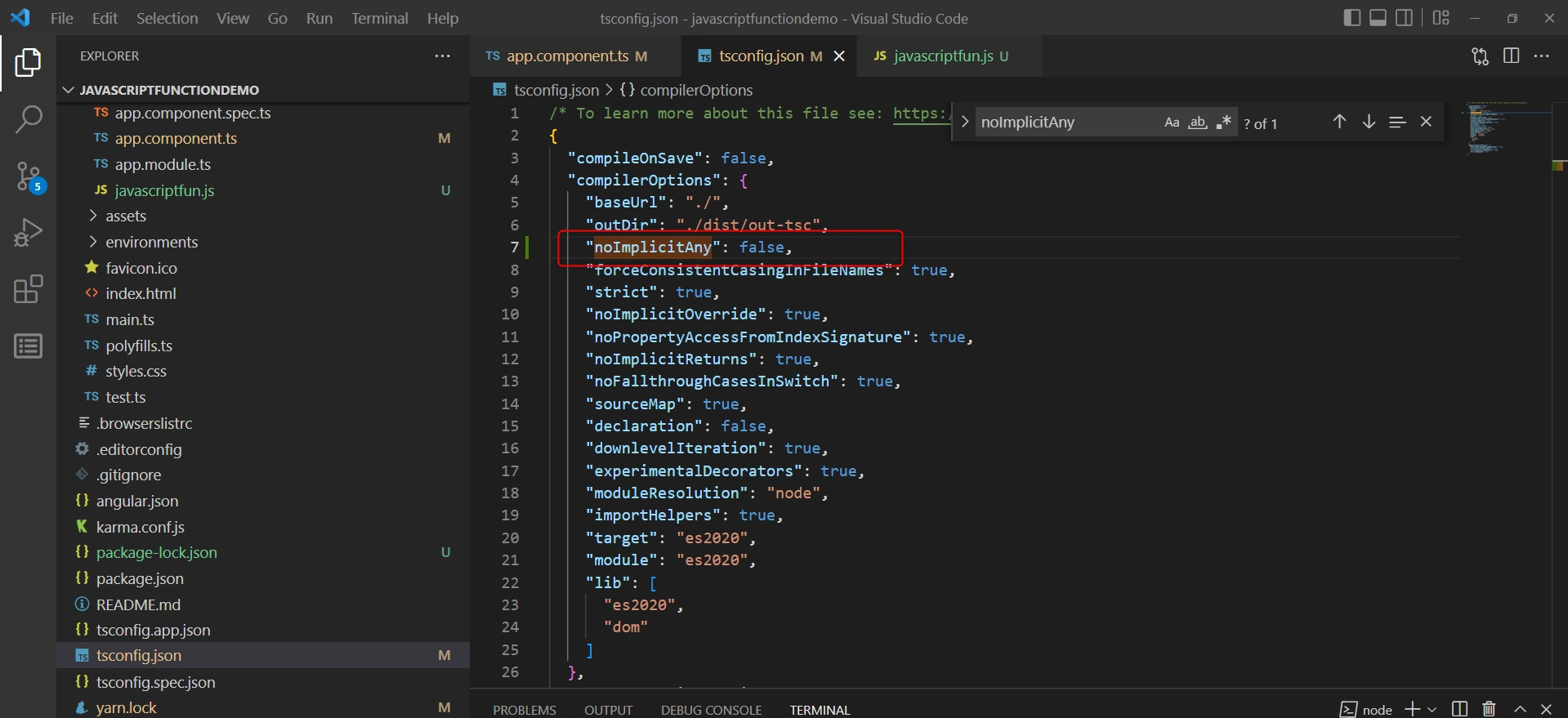
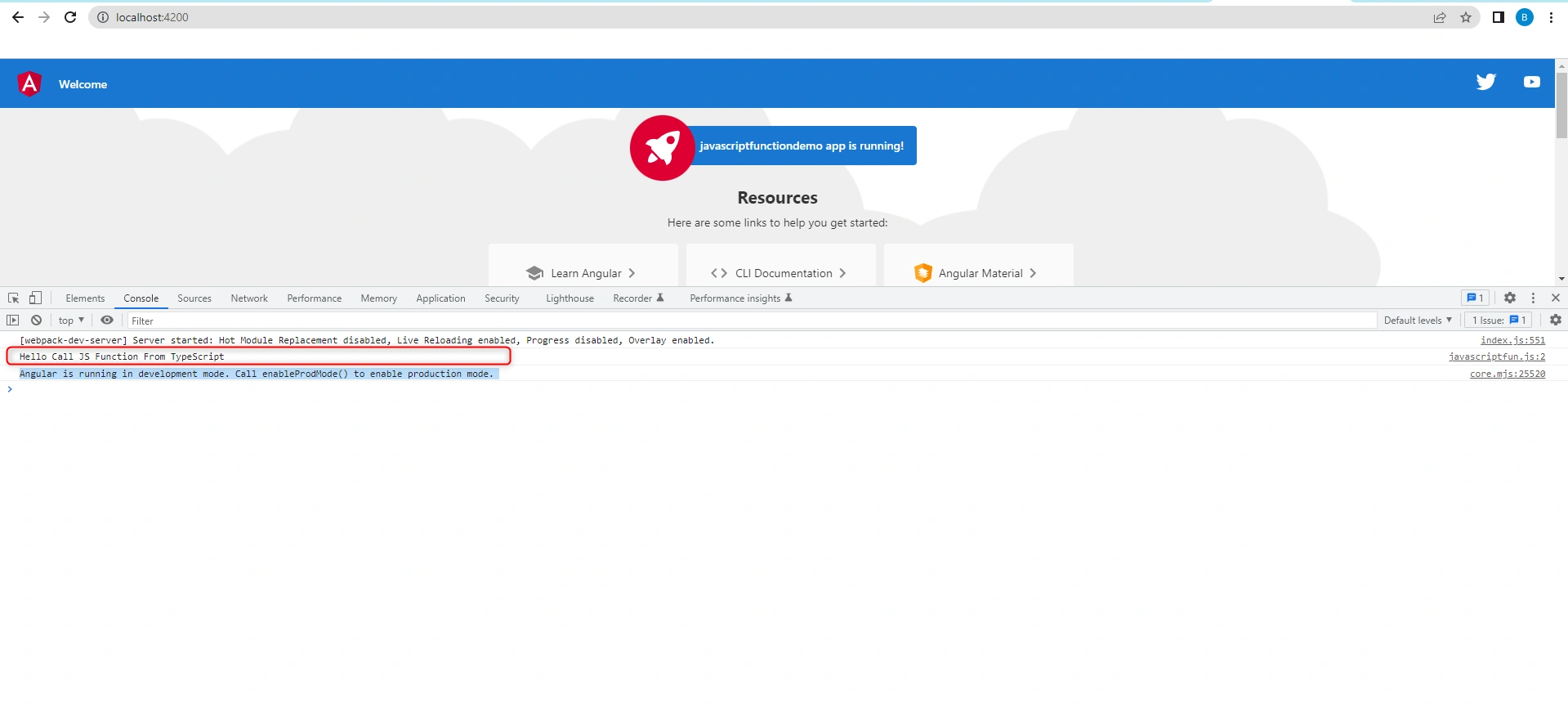
Error is resolved and Javascript function is called in console like
Conclusion
Nowadays some applications require the JavaScipt function. So this article is very helpful for calling the JavaScript function
Enjoy Coding !!!!
We have got the response. Fantastic! The JavaScript function used in Angular Application is working as expected.
Thank you for reading my article. Please leave your comments in the comment box below.
Uday DodiyaPosted Nov 25, 2022, 6:18 AM
Good content keep it up brother
Trupti MakwanaPosted Nov 24, 2022, 9:45 AM
Very easy and very useful for add JavaScript file in angular application.