

Introduction
Data binding means to transfer (pass) information between two components. Component.ts files or component.html file data binding means to display data on the server using only a few properties of the data. In other words, we can say that data binding displays large data using small parts of the data. That means that data binding helps save the developer time.
Types of data binding
- String interpolation data binding
- Property binding
- Event binding
- Two-way data binding
String interpolation
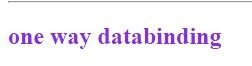
Interpolation is used to display component data in the view template with double curly braces. We can display all kinds of data in the view string, number, array, list, etc. Interpolation is used for one-way data binding. Interpolation moves data in one direction from our component to HTML elements. Write a variable name in the TS file, put some value on the variable, and then copy the variable name and paste it to the double curly braces like this:
<h2> {{variable name}}</h2>
Now, I take a variable and put the value through one-way data binding. Then, I copy this variable and go to the HTML component.
component.ts
- import { Component } from '@angular/core';
- @Component({
- selector:'databinding',
- templateUrl:'./databinding.html'
- })
- export class databindingcomponent{
- oneway:string="one way databinding";
- }
component.html
- <h2>{{oneway}}</h2>
Property binding
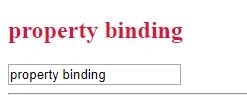
Property binding is also known as one-way data binding. In property binding, we define a Variable property to a field (<input tag>, or image URL(img src=” img url”> . Property binding transfers the data component to the template, which is the variable we take in the component.ts file.
Now go to the component.ts file and write some code:
component.ts
- import { Component } from '@angular/core';
- import { usermodel } from '../model/usermodel';
- @Component({
- selector:'databinding',
- templateUrl:'./databinding.html'
- })
- export class databindingcomponent{
- application:String=" property binding";
- }
- <input type="text" [ngModel]="application">
Event binding
Event binding is the other type of data binding. Angular provides event Data binding to perform an event from a keyboard event and a mouse button event.
Angular provides us with other types of binding, i.e., event binding, which is used to handle the events raised from the DOM like button click, mouse movement etc. Let’s understand this with the help of an example.
An event performed by the keyboard now goes to the component.ts page. Write the following code and save:
component.ts
- import { Component } from '@angular/core';
- import { usermodel } from '../model/usermodel';
- @Component({
- selector:'databinding',
- templateUrl:'./databinding.html'
- })
- export class databindingcomponent{
- event:string="chaman gautam";
- three="Event binding";
- }
Now go to the HTML page and write the code:
component.html
- <h2 class ="spen" style="color: salmon">{{three}}</h2>
- <input type="text" [(ngModel)]="three" value="save">
Without performing the event picture, it shows like this:
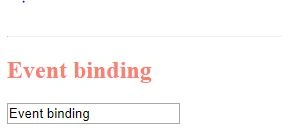
After performing the event picture, it shows like this:

We saw that when we change the textfield, our value will be changed on the display. This event shows a keyboard event.
mouse event
Go to the component.ts page and write the code:
- import { Component } from '@angular/core';
- import { usermodel } from '../model/usermodel';
- @Component({
- selector:'databinding',
- templateUrl:'./databinding.html'
- })
- export class databindingcomponent{
- objuser:usermodel=new usermodel();
- oneway:string="one way databinding";
- application:String="property binding"
- event:string="chaman gautam";
- three="Event binding";
- savedata(){
- alert();
- console.log("application")
- }
- }
- <h2 class ="spen" style="color: royalblue;">Event binding with mouse click</h2>
- <input type="button" (click)="savedata()" name="value" value="save">
Without performing a mouse event, the image shows this:
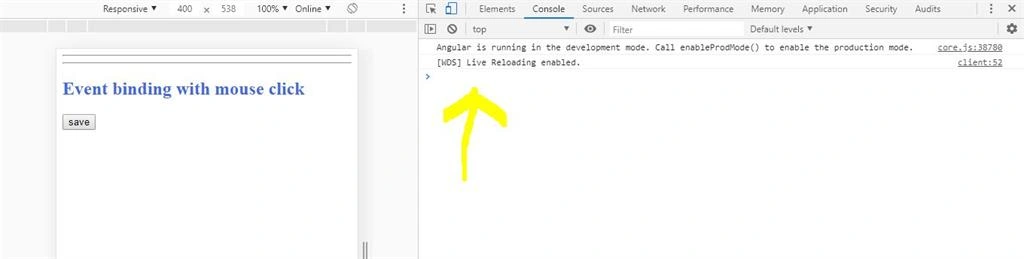
After pressing the button, the event shows like this:
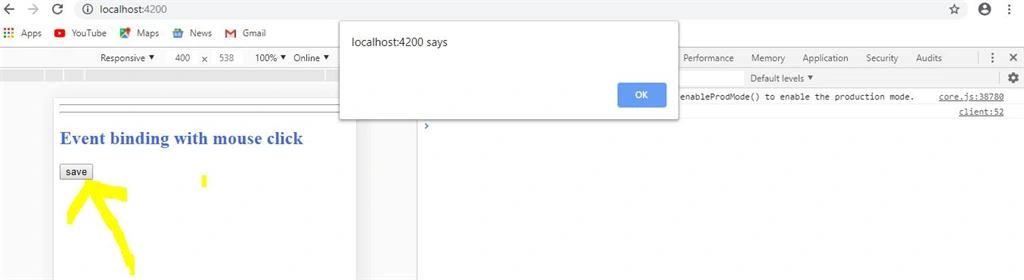
Now after pressing the OK button, the image shows like the following:
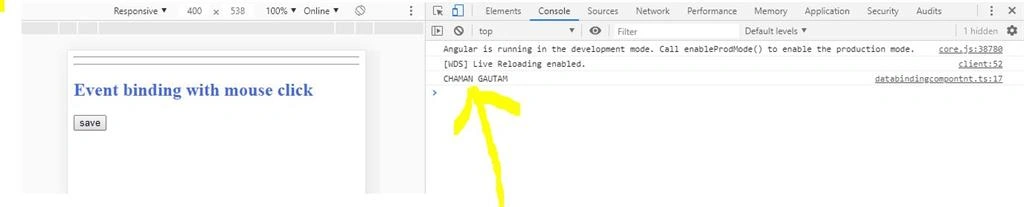
You can see with these events that our variable value will be displayed on the console. This event shows the mouse event.
Two-way data binding
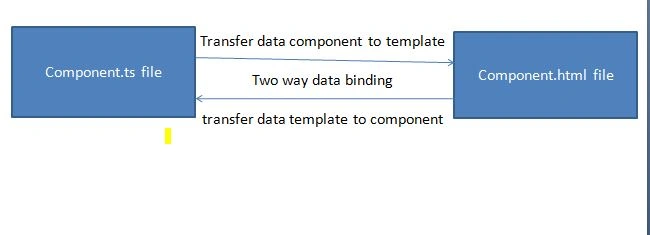
Two-way property binding is another good way to bind data in Angular. Angular provides for two-way data binding. In two-way data, binding data is transferred on both sides, component side to the template side and template side to the component side. Any changes are shown on the template.
Two-way data binding is the transfer of data between components. It's shown like this:
Deepak NagarPosted Feb 29, 2020, 8:18 AM
Nice article chaman
Sourav Kumar DasPosted Dec 9, 2019, 11:25 PM
Nice useful article.
Onkar SharmaPosted Dec 7, 2019, 10:49 AM
Very informative article and very well explained...