

Introduction
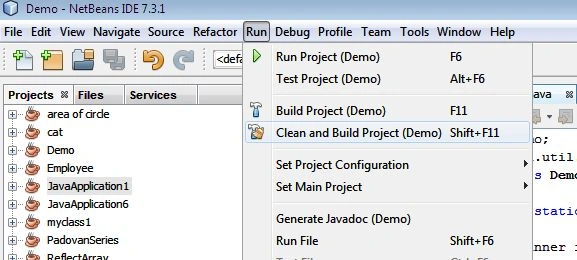
We can share our Java programs with our friends so that they can also run them. We can do that by making a JAR file of our program. This can be easily done by NetBeans. When we make a program in NetBeans and select the "Run" menu from the top and then select "Clean and Build Project" then NetBeans will create a "dist" folder that will contain the JAR file of the specific program. Using the NetBeans IDE we can do this in the following manner.
Step 1
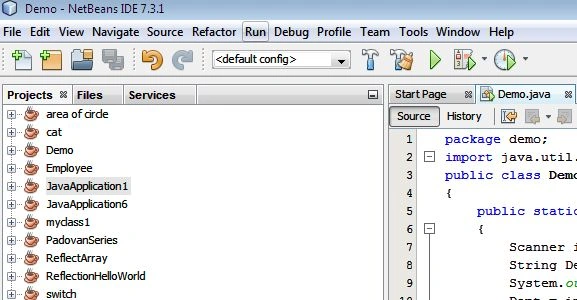
Make a program in NetBeans IDE and then go to the "Run" menu.
Step 2
In Run menu select "Clean and Build Main Project".
Step 3
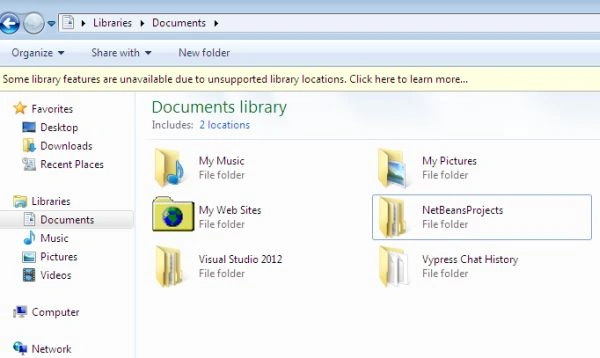
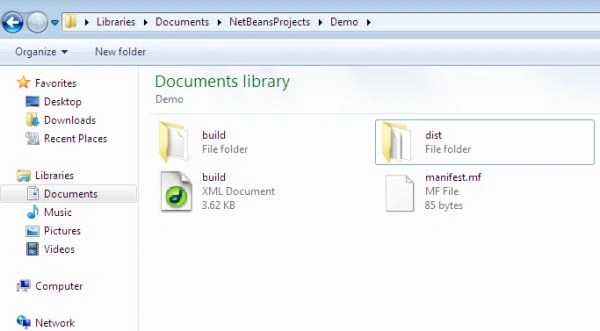
Go to "My Documents" in your computer and select the "NetBeansProjects" folder.
Step 4
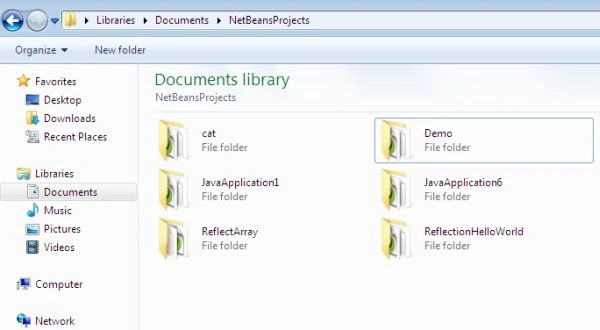
In the NetBeansProject folder select your program, like "Demo".
Step 5
Inside your program's folder select "dist".
Step 6
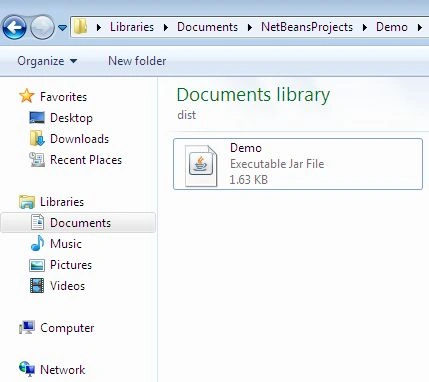
Inside the dist folder there is the "JAR file" of your program that is sharable.
Summary
This article explained how to share your program with your friends by creating a JAR file of your program.
Join the conversation! Your thoughts help the community grow.