

What is Amazon DynamoDB?
Amazon DynamoDB is a fully managed, serverless NoSQL database that provides fast and reliable performance at any scale. It allows you to store and retrieve large amounts of data with ease, without the need to worry about infrastructure management. DynamoDB automatically handles tasks like hardware provisioning, software patching, and database scaling, making it ideal for applications that require high availability and low-latency access to data.
Some key features of DynamoDB
- NoSQL Database: Supports flexible schemas.
- Fast and Scalable: Handles high request rates with low latency.
- Fully Managed: AWS takes care of maintenance and scaling.
- Serverless: You pay only for the read/write capacity and storage you use.
Setting Up DynamoDB
To get started with DynamoDB, follow these steps.
Step 1. Sign in to AWS.
Log in to your AWS Management Console. If you don’t have an account, create one at aws.amazon.com.
Step 2. Access the DynamoDB Service.
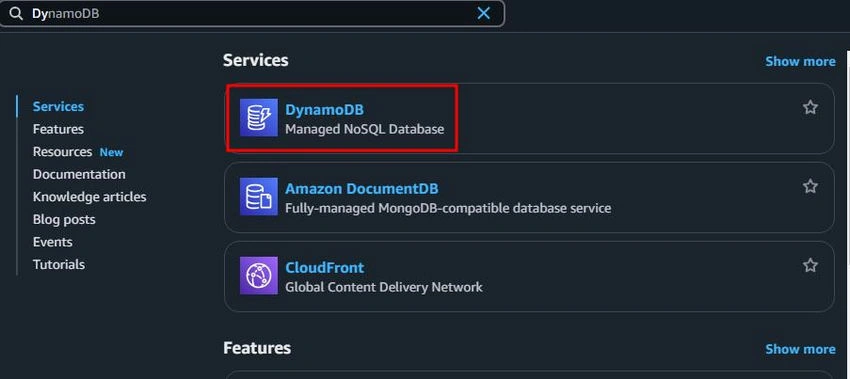
Navigate to the DynamoDB service in the AWS Management Console by searching for DynamoDB in the search bar or selecting it from the list of services.
Step 3. Create a Table.
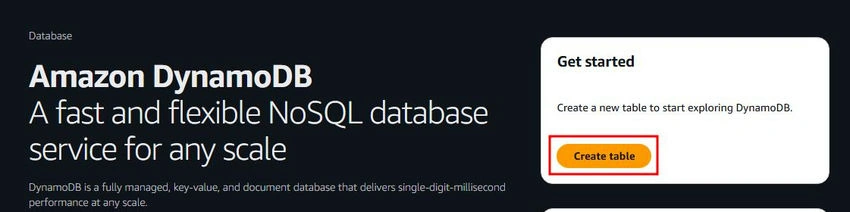
A table in DynamoDB is where your data is stored. Here’s how to create one.
- Click on the Create Table button.
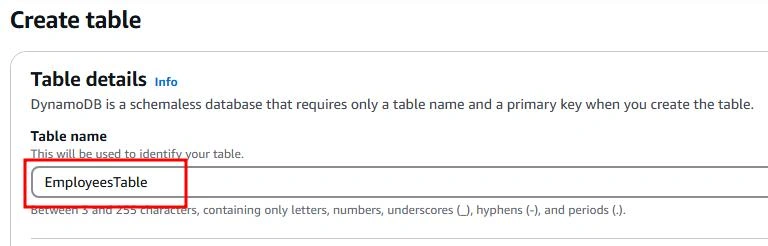
- Enter a Table Name.
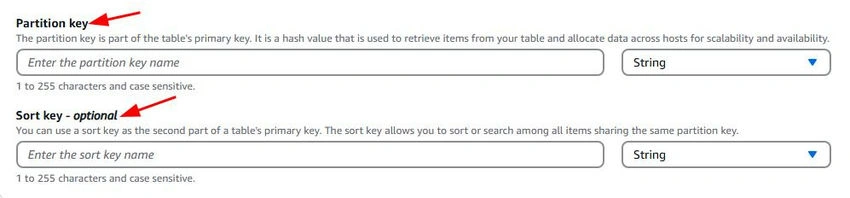
- Define a Primary Key: The primary key can be a single attribute (partition key) or a combination of two attributes (partition key and sort key).
- Click Create Table to finish.

Step 4. Add Data to Your Table.
Once the table is created, you can add data manually or programmatically. To add data manually.
- Select your table from the console.

- Go to the Explore Table items tab.

- Click Create Item.
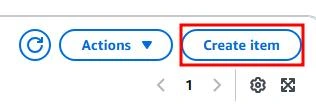
- Enter your data and create it.
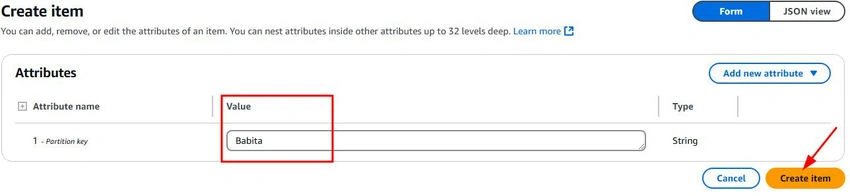
Step 5. Querying Data.
DynamoDB allows you to query and scan your data efficiently.
- Query: Retrieve specific items by using the primary key.
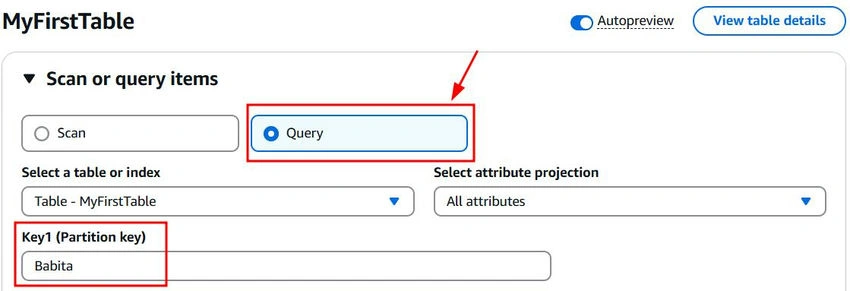
- Scan: Retrieve all items in a table (useful for small datasets).
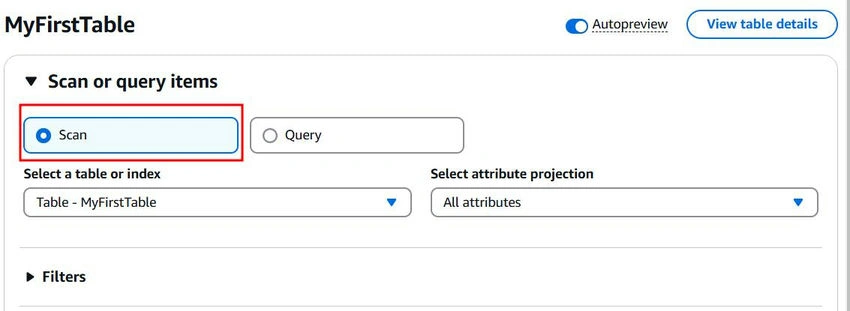
You can use the AWS SDKs or CLI to perform these operations programmatically.
Why Use DynamoDB?
Here are a few reasons to choose DynamoDB.
- Performance: DynamoDB offers single-digit millisecond response times, making it ideal for real-time applications like gaming, IoT, and e-commerce.
- Flexibility: Store structured or semi-structured data without worrying about fixed schemas.
- Global Availability: DynamoDB supports global tables, allowing you to replicate your data across multiple AWS regions for better availability and disaster recovery.
Conclusion
Amazon DynamoDB is a powerful and easy-to-use NoSQL database that can help you build scalable and reliable applications. With its serverless nature and rich set of features, you can focus on your application logic while AWS handles the heavy lifting.
Start exploring DynamoDB today and see how it can simplify your data management needs.
Join the conversation! Your thoughts help the community grow.