

Step 1. Download a dataset in your system in the format of Excel sheets.
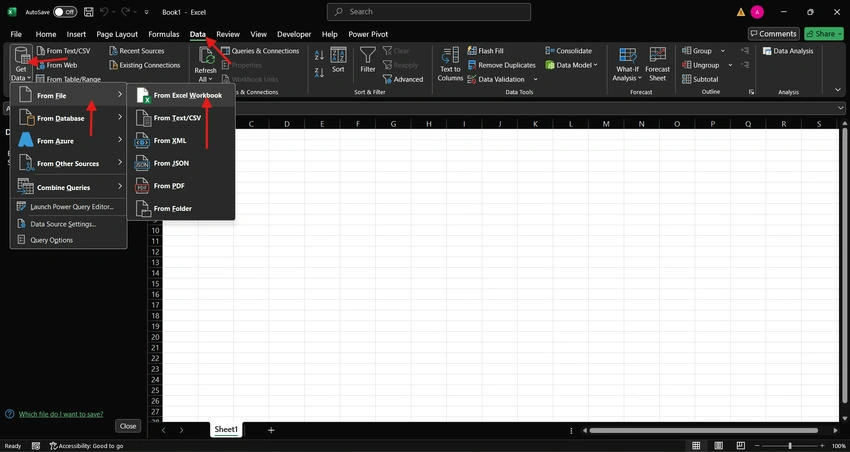
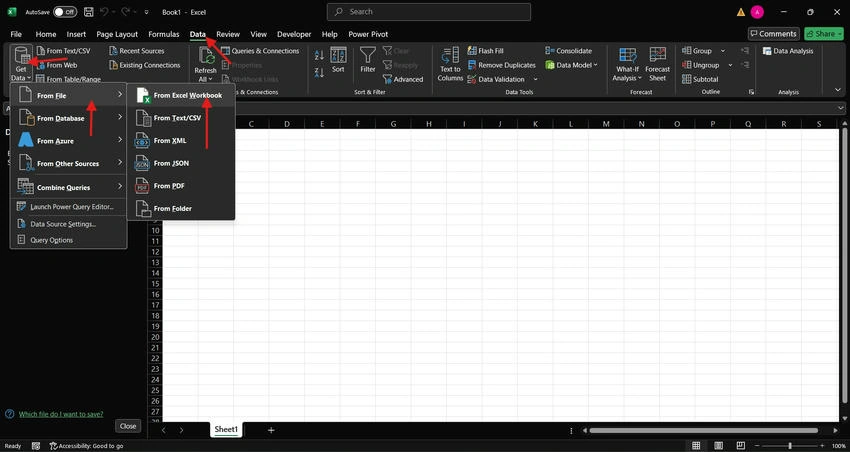
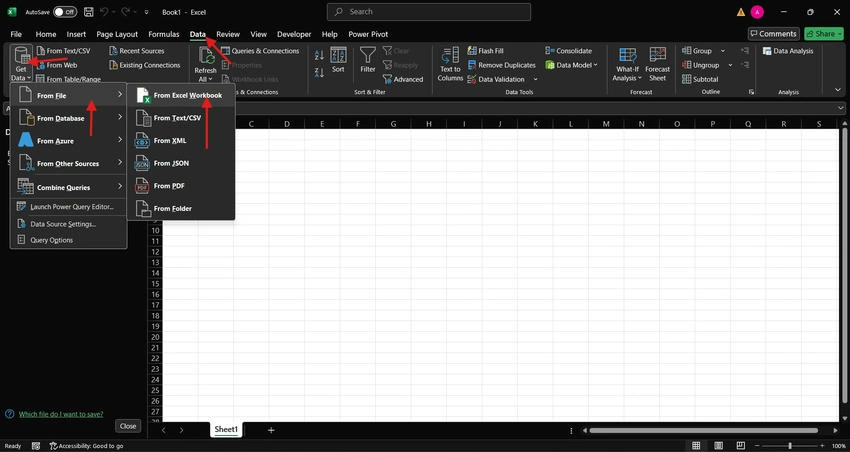
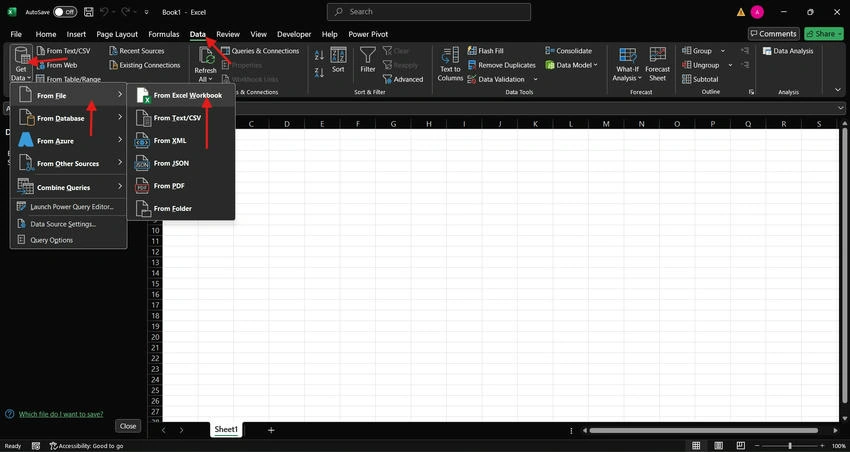
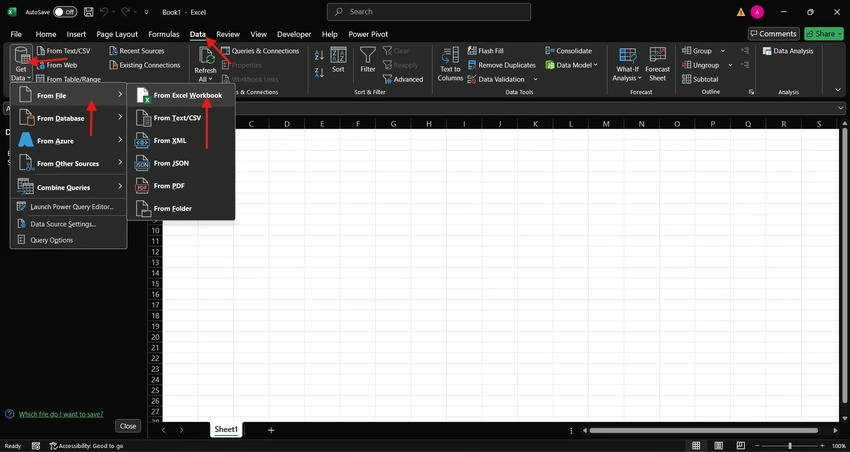
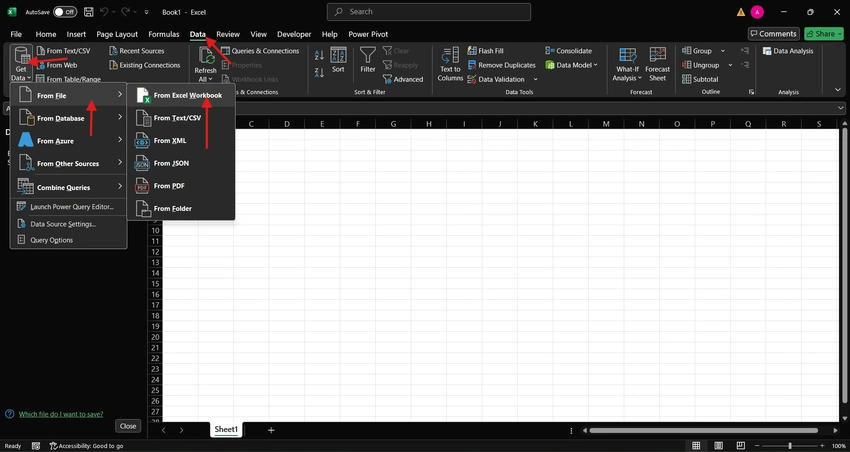
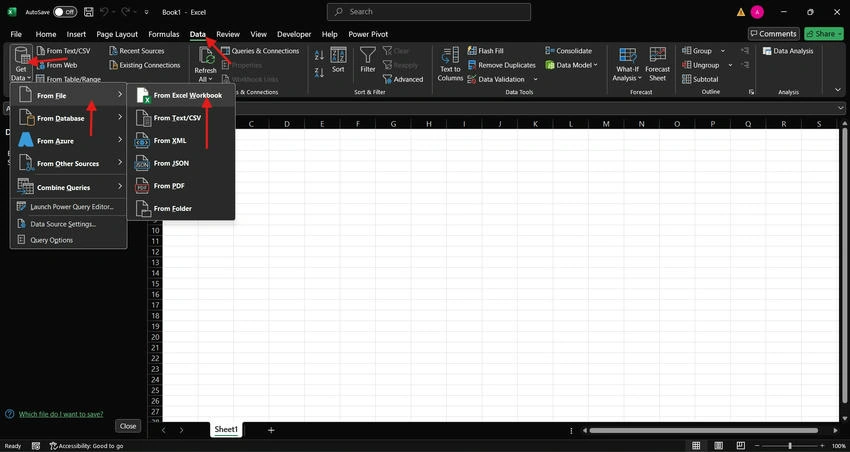
Step 2. In Excel open the Data tab from Ribbons and click on Get Data -> From File -> From Excel workbook.
Step 3. Select the data and click on import. Choose a table that needs to open.
Step 4. A dialogue box will appear showing details of the table. Click on Transform data.
It will be opened in Power Query as we are going to clean and transform our data. But it need to be done with all tables in the dataset (if all tables are needed).
Step 5. Click on the Close and Load tab.
There are 2 options available.
- Close and Load: While choosing an option table will be opened in Excel.
- Close and Load To: While choosing this options provide varieties of other options like- Table, Pivot Table, Pivot Chart, and Only create connection.
Step 6. Choose Create Connection. ( We chose this because we need to load multiple datatables in the Power Query)
If you loaded any table mistakenly, go to the Close and Load option and click Close and Load, it will move to Excel, then select all table cells click on the right-side panel where that table name appears, right-click on it and click on Load to, A dialogue box will appear to click on create connections and tick mark the " Add this data to the Data Models" and click OK, it will disappear.
Step 7. Import all the tables by using the same steps and it will appear on the right-side panel in Excel and left at the Power Query.
Step 8. Click on any table from the right panel, a dialogue box will appear, and click on Edit. It will direct you to Power Query.
Join the conversation! Your thoughts help the community grow.