

Introduction
Spring Tool Suite (STS) is an integrated development environment (IDE) based on Eclipse, designed specifically for Java development with a focus on Spring Boot applications. Installing STS is straightforward, and it provides a feature-rich environment for developing, testing, and deploying Spring Boot projects.
Step 1. Check Prerequisites
Before installing Spring Tool Suite (STS) for Spring Boot development, make sure you have the following prerequisites in place.
- Java Development Kit (JDK): Ensure you have JDK 8 or later installed on your system. STS requires JDK to run Java applications.
- Operating System: STS is compatible with Windows, macOS, and Linux operating systems. Make sure you have a supported operating system.
- Internet Connection: You need an internet connection to download the STS installer and any additional components during the installation process.
- Disk Space: Ensure you have enough free disk space to accommodate the STS installation and any projects you will be working on.
- System Requirements: Check the system requirements specified by the STS version you are installing to ensure your system meets the minimum hardware and software requirements.
Step 2. Download STS: Visit the official Spring Tool Suite website (https://spring.io/tools) and click on the "Download STS" button for Windows Users.
Step 3. Choose the Package Select the appropriate package based on your operating system (Windows, macOS, or Linux) and download the installer file.
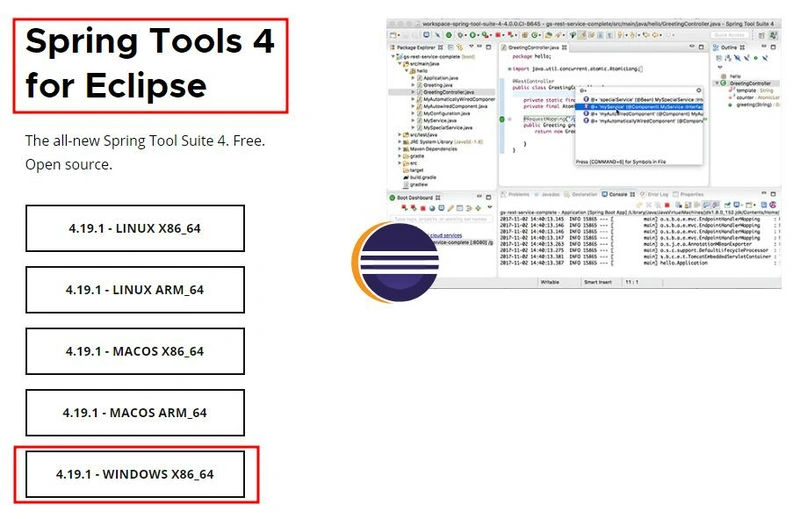
Step 4. Extract the .jar file and install the STS.
spring-tool-suite-4-4.19.1.RELEASE-e4.28.0-win32.win32.x86_64.self-extracting -> sts-4.19.1.RELEASE -> Double-click on the SpringToolSuite4.exe.
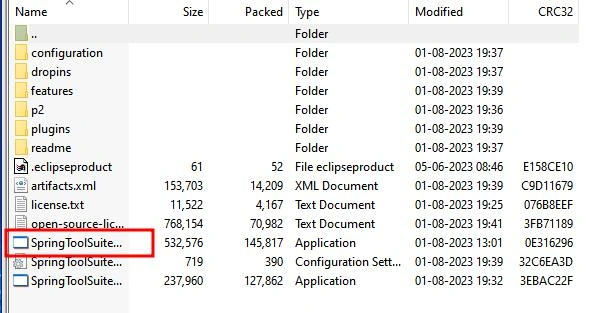
Step 5. Run the Installer For Windows: Double-click the downloaded .exe file to run the installer.
-
Launch STS: After the installation is complete, launch STS by clicking on the STS icon from the Start menu (Windows) or Applications folder (macOS).
-
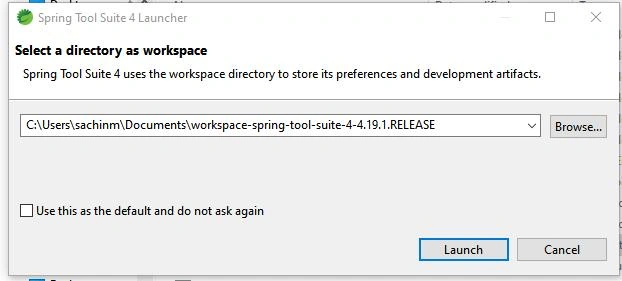
Set Workspace Location: When STS starts, it will prompt you to set the workspace location.
Step 6. Complete Installation STS will initialize and be ready for use. You have successfully installed the Spring Tool Suite for Java development.
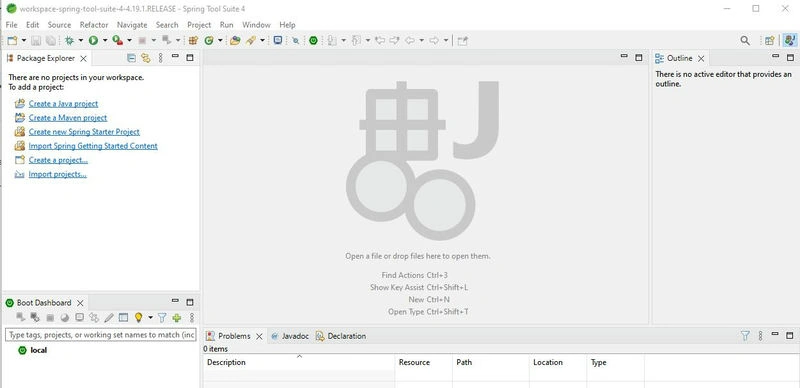
Now, you can start developing Spring Boot applications using the powerful features and tools provided by Spring Tool Suite.
Conclusion
Installing Spring Tool Suite (STS) is a straightforward process that enables developers to set up a robust integrated development environment (IDE) for Java and Spring Boot projects. By ensuring the prerequisites, such as having JDK installed, an internet connection, and sufficient disk space, users can smoothly download and run the STS installer. With STS up and running, developers can take advantage of its feature-rich environment to develop, test, and deploy Spring Boot applications efficiently. Installing STS empowers Java developers to leverage the powerful tools and capabilities offered by the IDE, facilitating a seamless development experience.
Join the conversation! Your thoughts help the community grow.