

In this article I’ll share small details about how to include regions when we work in TypeScript in Visual Studio code.
Background
By default, I couldn’t add region as we do in Visual studio 2017 for C# programming. I want all my commented Code in one region in my .ts file, so that it won’t be visible all the time.
Since I am new to TypeScript I was not sure how to add regions, so by Googling I found that in the Visual Studio marketplace there is a tool available called “JavaScript Regions”. This tool is freely available and for Visual Studio 2017.
Log in to Visual Studio Marketplace https://marketplace.visualstudio.com/, in the search box search for “JavaScript” as shown below,
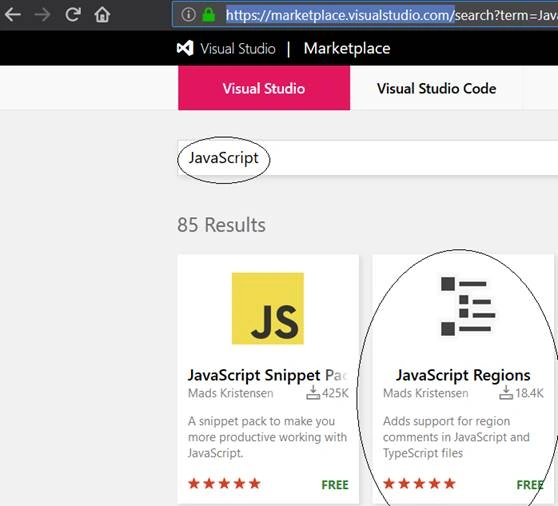
Or we can directly also go with the URL here.
Once we are on the above URL, we can download the “JavaScript Regions” and it will download “JavaScript Regions v1.1.3” Microsoft Visual Studio Extension (.vsix) file.
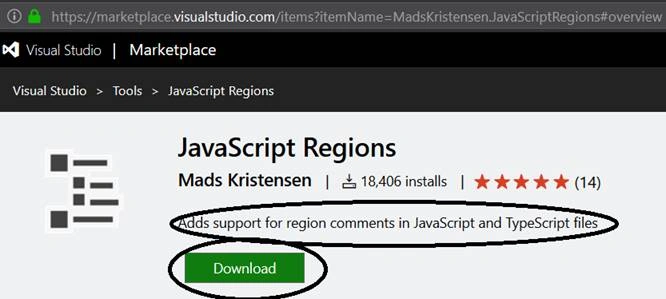
Double click on the downloaded files and it will start installing. It will ask for products for which we want to install this extension as:
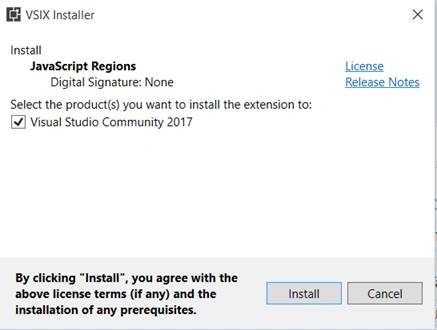
Since I am using Visual studio Community 2017 edition it asks me to install the extension for it as shown in the above figure 3. Once I clicked on the “Install” button it will start installing as shown below in figure 4.
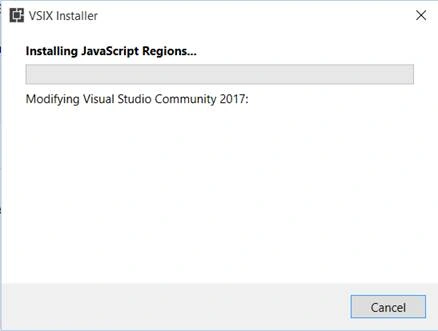
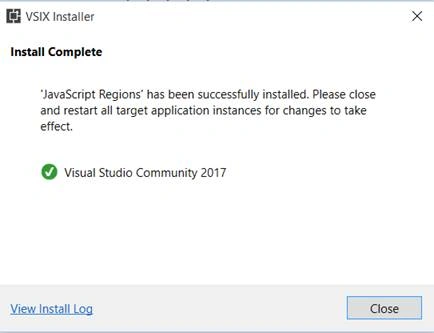
On successful installation, “Install Complete” dialog will appear as shown below in figure 5.
I restarted Visual Studio and it worked like a charm. In my typescript file a “region” snippet is showing in IntelliSense as:
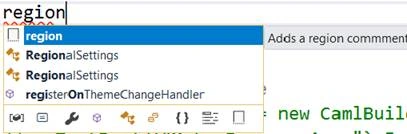
Figure 6: Visual Studio - TypeScript file - region snippet in IntelliSense
Once I hit the tab on the “region” IntelliSense adds the region snippet as:
- // #region <name of my region>
- // #endregion
This is a very good tool to simply add regions in my TypeScript file so I shared it with you.
Thanks for reading.
E NielsenPosted Feb 25, 2021, 11:14 PM
Yeah Visual Studio allows that as well. But how to use a command to collapse all the //#regions (only)? No one seems to know the answer to that one.
Rushi MehtaPosted Oct 16, 2018, 10:29 PM
Thanks for sharing such a wonderful article