

Introduction
Geolocation means recognizing or identifying the user’s location or any device’s location by the use of various data collection mechanisms. Most of the time these types of services use GPS devices or network routing addresses. Geolocation varies in support of various devices. Some browsers support geolocation while some don’t. So it can’t be said confidently that geolocation is always possible for a web application.
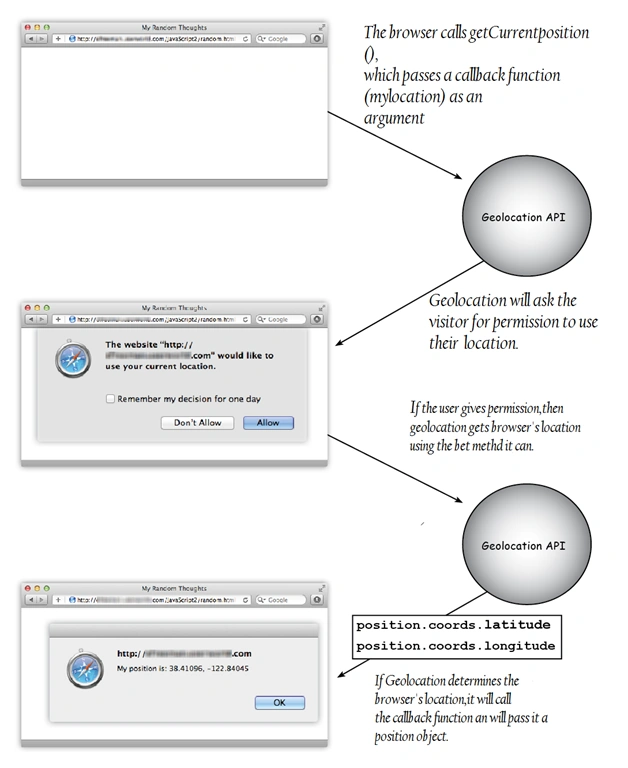
Figure: Geolocation Diagram
What is the Geolocation API?
Applications of using Geolocation in your Browser/Apps
In the case of mobile phones, it is very easy to determine the location as mobile devices directly access the position of the cell towers it’s talking to and finds your actual location.
In the case of basic apps, permission is always asked whether to allow fetching your location. This opt-in is often used in native apps.
Taxi Booking: Cab Booking apps have made it easier for communicating from one place to another. It provides many mapping and geolocation features.
Such as
- The app identifies the Device Location
- It provides driving directions.
- Highlights the Direction Route. You can see how to reach the tour destination.
- It works collaboratively with various other mapping software.
By including Geolocation in your browser you can share your company's location in various map sharing apps to enhance your business.
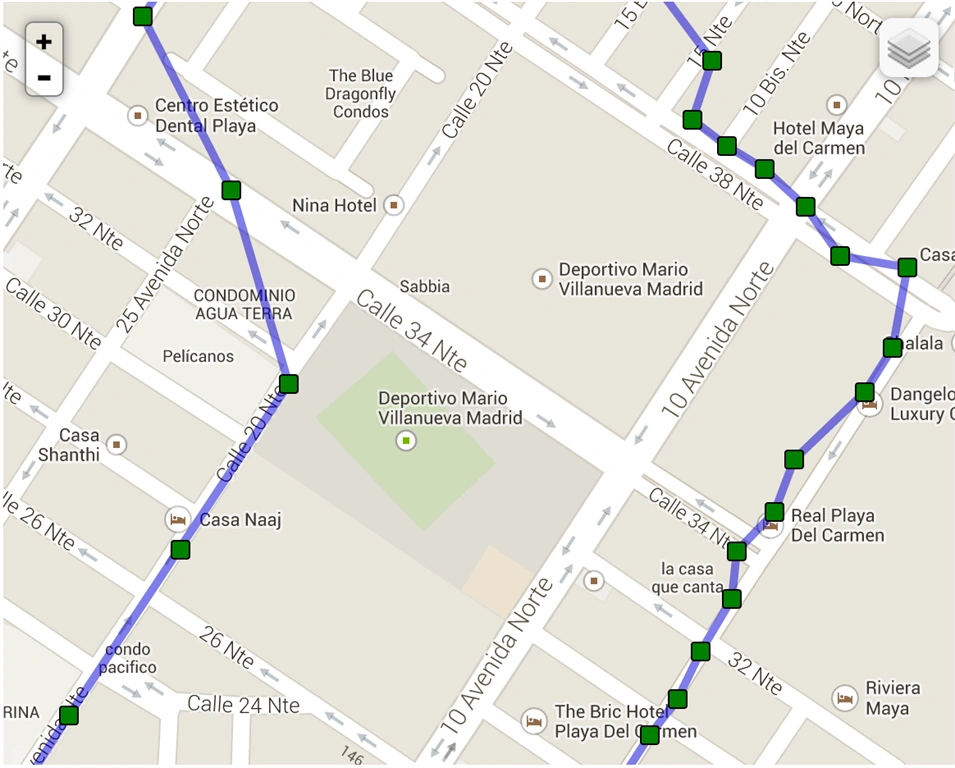
Figure: Routes
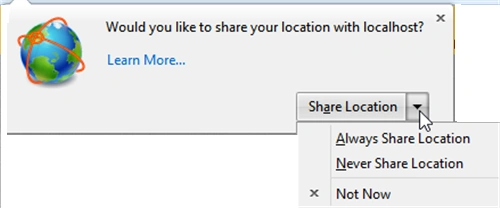
Figure: Asking Permission to share Location
Browsers Support
- Firefox 3.5+
- Chrome 5.0+
- Safari 5.0+
- Opera 10.60+
- Internet Explorer 9.0+
- iPhone 3.0+
- Android 2.0+
How to work with the Geolocation API?
It is very simple to use the Geolocation API. First of all, check which browsers support geolocation functionality.
If your browser supports Geolocation then you have to access navigator. geolocation object which provides the method and determines the user location. It depends on the method that you call on the geolocation object whether you need to just fetch the location data or you want to keep it monitoring continuously.
A callback function is also created to support the method which you call. A callback function is a function that you pass by reference to an object. The Geolocation API defines an interface used to get location information of the visitor. Using this API we will be returning Latitude and Longitude of the current user.
In mobile devices, with the use of a GPS Chip, we can access information more easily now. Check If Browser Supports HTML5 GeoLocation API by writing the following lines of code. By using the navigator. geolocation object, we can access the Geolocation API to call the method getCurrentPosition. You can say GPS/Geolocation is a Gold mine for Data Analysis. By the use of this, you can track any place, person, etc.
Demo Script
- <html>
- <head>
- <title>Geolocation</title>
- <script type = “text/javascript”>
- function init() {
- alert(“Ready to be Loaded”);
- }
- <script>
- <body onload = “init() ;”>
- <h1>Your current position</h1>
- <p id = “mylocation”></p>
- </body>
- </script>
- </script>
- </head>
- </html>

Figure: Output of the above-written code in my localhost
- <script type = “text/javascript”>
- function init() {
- if(navigation.geolocation){
- document.getElementById(“mylocation”).innerHTML = “Ready to fetch Information”;
- }
- else{
- document.getElementById(“mylocation”).innerHTML = “Browser doesn’t support geolocation feature”;
- }
- }
Note: In the above code, mylocation is the paragraph id.
This accepts three parameters:
- Success callback function
- Error Callback function
- Position Options
Here we will be using success callback functions as we need something to happen only when the API successfully returns the position of the User.
The above code is written to find the longitude and latitude of the current user. After we have found the latitude and longitude of the user, we can apply co-ordinates to the Google Map API to display the location.
Now next step is to include Google Map’s JavaScript file to our page so that the longitude and latitude can be applied to the Google Map
Code: Position
- var cords = new google.maps.LatLng(position.coords.latitude, position.coords.longitude);
- var options = {
- zoom: 15,
- center: coords,
- mapTypeControl: false,
- navigationControlOptions:
- {
- style: google.maps.NavigationControlStyle.SMALL
- },
- mapTypeId: google.maps.MapTypeId.ROADMAP
- };
- var map = new google.maps.Map(document.getElementById(“mapcontainer”), options);
- Var marker = new google.maps.Marker(
- {
- position: coords,
- map: map,
- title: ”you are here”
- });
Now as you are seeing in the above code, we have taken a variable named ‘coords’ and in this variable, we have created a new method to find out the exact latitude and longitude position of the visitor.
Next to it, we have written some functions to implement that method. The above lines of code display the coordinates of the user/visitor and will place a marker on this exact position.
We will place the above code snippet to our application so that the Google Map will be added to a div with an ID of ‘mapcontainer’.
- <script type="text/javascript" src="http://maps.google.com/maps/api/js?sensor=true"></script>
- function success(position) {
- var mapcanvas = document.createElement('div');
- mapcanvas.id = 'mapcontainer';
- mapcanvas.style.height = '400px';
- mapcanvas.style.width = '600px';
- document.querySelector('article').appendChild(mapcanvas);
- var cords = new google.maps.LatLng(position.coords.latitude,position.coords.longitude);
- var options = {
- zoom: 15,
- center: coords,
- mapTypeControl: false,
- navigationControlOptions:{
- style: google.maps.NavigationControlStyle.SMALL
- },
- mapTypeId: google.maps.MapTypeId.ROADMAP
- };
- var map = new google.maps.Map(document.getElementById(“mapcontainer”),options);
- Var marker = new google.maps.Marker({
- position: coords,
- map: map,
- title: ”you are here”
- });
- if (navigator.geolocation) {
- navigator.geolocation.getCurrentPosition(success);
- }
- else {
- error('Geo Location is not supported');
- }
- </script>
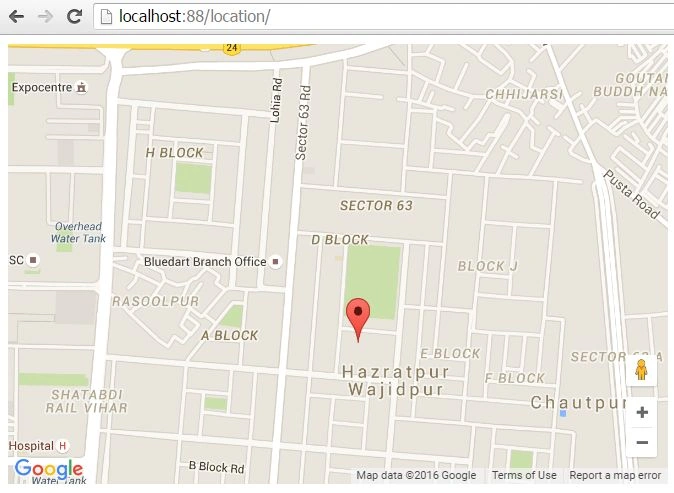
Figure: Geolocation
Conclusion
I hope you find this article useful.
Gabe TPosted Jul 2, 2020, 6:05 PM
Wow, this came in super handy for me today :D! It was so easy to follow and use as a reference. Thank you very much for putting this together and for updating the code for 2020 :D! Keep up the great work!
SubashPosted Aug 2, 2016, 1:50 AM
Nice
Kantesh SinhaPosted Jun 21, 2016, 12:48 AM
Thank you very much for the appreciation.:)
Kuppurasu NagarajPosted Jun 6, 2016, 12:07 PM
Nice Sharing..
Kuppurasu NagarajPosted Jun 6, 2016, 12:06 PM
Nice Sharing..
Sonu ChaudharyPosted Jun 6, 2016, 9:48 AM
good one...
RajaPosted Jun 6, 2016, 12:33 AM
Nice Article....
Debasis SahaPosted Jun 6, 2016, 12:22 AM
Good One..
Vignesh ManiPosted Jun 3, 2016, 9:37 AM
Nice
Praveen SreeramPosted Jun 3, 2016, 6:59 AM
Very nice
Thiruppathi RPosted Jun 3, 2016, 6:28 AM
Great Share..
Kantesh SinhaPosted Jun 3, 2016, 5:58 AM
Thanks to all of you
Guest UserPosted Jun 3, 2016, 3:32 AM
good one
RajaPosted Jun 3, 2016, 2:07 AM
Nice Article....
Gowtham KPosted Jun 3, 2016, 12:12 AM
Good One
Kantesh SinhaPosted Jun 2, 2016, 11:57 PM
thank u bhushan sir
Kantesh SinhaPosted Jun 2, 2016, 11:57 PM
Thanks vivek
Bhushan SinghPosted Jun 2, 2016, 11:28 PM
good
Vivek SharmaPosted Jun 2, 2016, 3:02 PM
Very nice article kantesh : )