

Introduction
In recent years, the field of artificial intelligence has made significant advancements in generating realistic and creative images. One such breakthrough is the development of DALL-E, a neural network model created by OpenAI. DALL-E has the remarkable ability to generate high-quality images from textual prompts. By feeding it a descriptive sentence or a specific prompt, DALL-E can produce unique and imaginative images that correspond to the given text.
DALL-E and its capabilities
DALL-E is an AI model that combines the power of generative adversarial networks (GANs) and transformers. Trained on a massive dataset comprising a wide range of images, DALL-E has learned to understand the relationship between text and visual representations. This enables it to generate highly detailed and diverse images based on textual descriptions. The model's capabilities go beyond mere replication of existing images. DALL-E can imagine entirely new objects, scenes, and concepts that do not exist in the training data. This makes it a valuable tool for artists, designers, and researchers seeking to explore and materialize their creative ideas.
Importance of generating images from text prompts
The ability to generate images from text prompts has numerous practical applications and benefits. Here are a few reasons why it is an important and valuable tool
-
Creative expression: DALL-E empowers individuals to translate their textual ideas or descriptions into visual forms. It provides a medium for creative expression and helps bridge the gap between language and imagery.
-
Concept visualization: Sometimes, it can be challenging to convey complex or abstract concepts through words alone. By generating images from text prompts, DALL-E allows for more intuitive and effective visualization of ideas, making them easier to understand and communicate.
-
Design and prototyping: Designers and product developers can leverage DALL-E to quickly generate visual prototypes based on textual descriptions. This expedites the design iteration process and facilitates better collaboration between designers and stakeholders.
-
Artistic exploration: Artists can use DALL-E to fuel their imagination and discover new visual concepts. By experimenting with different prompts, they can unlock novel artistic directions and expand their creative horizons.
-
Data augmentation: Image generation from text prompts can augment existing image datasets for various machine-learning tasks. By generating additional synthetic images, DALL-E can enhance training data and improve the performance of computer vision models.
In the following sections, we will explore how to utilize the DALL-E API in Python to generate captivating images based on text prompts.
What is DALL-E API?
DALL-E API is a powerful tool that allows developers to generate images from text prompts using the DALL-E model. Understanding the API and its capabilities is crucial for effectively harnessing the image generation capabilities of DALL-E. In this section, we will provide a brief overview of the DALL-E API, discuss the tools and resources required for its usage, and explain the authentication process for obtaining API keys. The DALL-E API provides a straightforward interface for interacting with the DALL-E model. It allows developers to send text prompts to the API and receive corresponding generated images as the output. The API encapsulates the complex underlying architecture and computational processes, enabling users to focus on utilizing the generated images for their specific applications.
Required Tools and Resources for Using the API
To use the DALL-E API effectively, there are a few essential tools and resources that you will need.
-
Python: The DALL-E API is designed to be used with Python, so ensure that you have Python installed on your system. You can download and install Python from the official Python website.
-
API Documentation: Familiarize yourself with the official documentation provided by OpenAI for the DALL-E API. The documentation contains detailed information about API endpoints, request parameters, and response formats. It serves as a valuable reference throughout the development process.
-
Development Environment: Set up a suitable development environment for your Python projects. You can use popular integrated development environments (IDEs) like PyCharm, Visual Studio Code, or Jupyter Notebook, or simply work with a text editor and the command line.
-
API Key- To access the DALL-E API, you need to obtain an API key. The key allows authentication and ensures that only authorized users can access the API. We will discuss the authentication process in the next section.
Authentication Process and Obtaining API Keys
The authentication process for the DALL-E API involves obtaining an API key from OpenAI. Follow these steps to acquire your API key.
-
Sign up for an OpenAI account: If you haven't done so already, visit the OpenAI and sign up for an account. You may need to provide some basic information and agree to the terms and conditions.
-
Access the API documentation: Once you have an account, navigate to the DALL-E API documentation provided by OpenAI. The documentation will guide you through the API key request process.
-
Request an API key- In the API documentation, you will find instructions on how to request an API key. Follow the specified steps, which may involve filling out a form or making a request through OpenAI's platform.
-
Receive and store your API key- After submitting your request, OpenAI will review it and, if approved, provide you with an API key. Make sure to securely store your API key, as it grants access to the DALL-E API.
Once you have obtained your API key, you can start using the DALL-E API and generating images from text prompts.
In the next section, we will guide you through the process of setting up your development environment for working with the DALL-E API and Python.
Setting up the Development Environment
Setting up the development environment is an essential step before we can start generating images from text prompts using the DALL-E API. In this section, we will cover the installation of necessary Python libraries and dependencies, configuring the API client for communication with DALL-E, and importing the required modules and packages.
Installing necessary Python libraries and dependencies
To begin, make sure you have Python installed on your system. You can download and install Python from the official Python website.
Once Python is installed, open your terminal or command prompt and execute the following commands to install the required libraries and dependencies.
pip install openai
pip install numpy
pip install Pillow
The openai library provides the necessary tools to interact with the DALL-E API. numpy is a widely used library for numerical computations, and Pillow is a library for handling image-related tasks.
Configuring the API client for communication with DALL-E
To use the DALL-E API, you must obtain your API key from OpenAI. Follow these steps to configure the API client
- Step 1: Visit the OpenAI and log in to your account.
- Step 2: Navigate to the API section or search for the DALL-E API.
- Step 3: Follow the instructions provided to create an API key.
- Step 4: Once you have the API key, store it in a secure location, as we will use it in our code.
Importing required modules and packages
Now that we have installed the necessary libraries and obtained our API key let's import the required modules and packages into our Python script. Open your preferred Python editor or create a new Python file and add the following lines of code.
import openai
import numpy as np
from PIL import Image
The openai module provides the interface for communicating with the DALL-E API. We import numpy as np to conveniently reference it in our code, and we import the Image class from PIL (Python Imaging Library) for working with images.
With the necessary libraries and modules imported, we are now ready to proceed to the next steps of generating images from text prompts using the DALL-E API.
Preparing the Text Prompt
Before generating images using the DALL-E API, it's crucial to prepare a suitable text prompt that effectively conveys the desired image concept. Here are the steps to follow for preparing an appropriate text prompt.
Choosing a Suitable Text Prompt
-
Be clear and specific: Select a text prompt that accurately describes the image you want to generate. The prompt should convey the necessary details, such as objects, attributes, and relationships.
-
Keep it concise: While being specific is important, try to keep the prompt concise. Long and complex prompts may result in unexpected or less coherent image outputs.
-
Consider the context: Think about the context in which the image will be generated. If there are any specific requirements or constraints, make sure to incorporate them into the text prompt.
Guidelines for Formulating Effective Prompts
-
Use descriptive language: Choose words that vividly describe the desired image. Include adjectives, nouns, and verbs that capture the essential characteristics and attributes of the objects or scenes you want to generate.
-
Consider visual details: Think about the visual details you want to emphasize in the image. Include specific visual attributes, such as colors, shapes, sizes, textures, or patterns, to guide the image generation process.
-
Think creatively: Experiment with different prompts and explore various combinations of words to achieve the desired result. Don't be afraid to think outside the box and use imaginative language to convey your concept effectively.
Preprocessing the Text for Optimal Results
To improve the quality and relevance of the generated images, it's important to preprocess the text prompt before making the API request.
-
Remove unnecessary information: Eliminate any irrelevant or redundant information from the prompt. Focusing on the essential details helps the model better understand the intended image concept.
-
Check for spelling and grammar: Ensure that the text prompt is free from spelling mistakes and grammatical errors. These errors can potentially confuse the model and lead to undesired image outputs.
-
Consider syntactic structure: Pay attention to the sentence structure and syntax of the text prompt. Formulate the prompt in a way that is grammatically correct and coherent to enhance the model's comprehension.
-
Handle special characters: If your prompt includes special characters or symbols, ensure they are correctly encoded or handled to prevent any issues during the API request.
By following these guidelines and preprocessing steps, you can optimize the text prompt for generating more accurate and relevant images using the DALL-E API. Remember to iterate and experiment with different prompts to explore the full creative potential of the model.
Generating Images from Text Prompts
To generate images from text prompts using the DALL-E API, you can follow the step-by-step instructions outlined below.
Step-by-step instructions for making API requests
-
Import the necessary libraries and modules in your Python script.
import requests import json -
Set up the base URL for the DALL-E API endpoint.
url = "https://api.openai.com/v1/images/generations" -
Prepare the headers for the API request, including your API key.
headers = { "Content-Type": "application/json", "Authorization": "Bearer Your_api_key" } -
Define the data containing your text prompt and any additional parameters.
data = { "prompt": "A cute baby sea otter", "n": 1, "size": "1024x1024" } -
Send the API request and receive the response.
response = requests.post(url, headers=headers, data=json.dumps(data)) -
Extract the JSON data from the response.
rsult_data = response.json()
Handling response data and extracting generated images
-
Check the response status code to ensure the request was successful.
if response.status_code == 200: # Continue processing the response data else: # Handle any errors or issues with the API request print("Error: ", response.status_code) -
Extract the generated images from the response data.
images = result_data["data"] -
Iterate through the images and process or display them as desired.
for image in images:
    image_url = image["url"]
Customizing parameters for image generation
-
Adjust the image size by specifying the size parameter in the API request payload.
data = { "prompt": "Your text prompt here", "n": 1, "size": "512x512" # Adjust the desired width and height } -
OpenAI provides images in two formats url and b64_json.
By following these instructions and customizing the parameters as needed, you can generate images from text prompts using the DALL-E API and Python. Remember to handle the response data appropriately and experiment with different prompts and settings to achieve desired results.
Advanced Techniques and Tips
In addition to generating images from text prompts, several advanced techniques and tips can enhance your experience with the DALL-E API. These techniques allow you to have more control over specific image features, leverage DALL-E's advanced capabilities, and address potential limitations and challenges.
Using prompts to control specific image features (color, composition)
When generating images from text prompts, you can influence specific image features by formulating prompts that target those features. For example, if you want to control the color of the generated image, you can include color-related keywords in your prompt. Similarly, if you want to influence the composition or style of the image, you can include relevant instructions or descriptions.
Here are a few examples
- Controlling color: Specify color-related terms in your prompt, such as "a vibrant red flower" or "a grayscale cityscape."
- Influencing composition: Describe the desired composition or arrangement of objects, such as "a group of birds flying in a V shape" or "a landscape with a prominent mountain in the foreground."
- Directing style: Include instructions for a particular artistic style, such as "a Picasso-inspired portrait" or "a photo-realistic still life painting."
By experimenting with different prompts and adjusting the language, you can guide DALL-E to generate images that align with your desired specifications.
Leveraging DALL-E's advanced capabilities (e.g., combining multiple prompts)
DALL-E's advanced capabilities allow you to combine multiple prompts to achieve more complex and specific results. By using multiple prompts, you can provide additional context and refine the image generation process. Here are a few techniques for leveraging DALL-E's advanced capabilities
- Prompt combination: Combine multiple prompts into a single text input. For example, you can concatenate prompts like "a fluffy cat" and "playing with a ball of yarn" to generate an image of a cat engaged in play.
- Prompt conditioning: Use prompts sequentially to guide the image generation process. For instance, you can first specify the object you want to generate and then provide additional prompts to refine its appearance or behavior.
- Prompt interpolation: Experiment with interpolating between different prompts. By gradually transitioning between two prompts, you can explore a range of images that bridge the concepts represented by those prompts.
These advanced techniques allow you to exercise more control and creativity over the generated images, pushing the boundaries of what DALL-E can produce.
Handling limitations and potential challenges
While the DALL-E API is a powerful tool for generating images from text prompts, it also has certain limitations and potential challenges that you should be aware of
- Vocabulary limitations: DALL-E may not recognize or understand certain uncommon or highly specific terms. It is advisable to stick to more general and widely used language when formulating prompts to ensure better results.
- Interpretation variance: DALL-E's interpretation of prompts can sometimes be subjective. Different prompts may yield variations in the generated images. It is important to experiment with different phrasings and prompts to explore the full range of possibilities.
- Response time: Generating images using the DALL-E API can take some time, depending on the complexity of the prompt and the API's current workload. Patience is essential when waiting for image responses.
By understanding these limitations and challenges, you can adjust your approach and expectations accordingly, leading to a more efficient and satisfying experience with the DALL-E API. Remember, the key to mastering these advanced techniques and overcoming challenges is through experimentation and exploration. Have fun with the process and unleash your creativity to unlock the full potential of the DALL-E API.
Here are some sample code snippets that demonstrate how to generate images from text prompts using the DALL-E API in Python
import requests
import json

# Define the API endpoint and your API key
api_url = "https://api.openai.com/v1/images/generations"
api_key = "Your_Api_Key"

# Prepare the headers and payload for the API request
headers = {
    "Content-Type": "application/json",
    "Authorization": f"Bearer {api_key}"
}

data = {
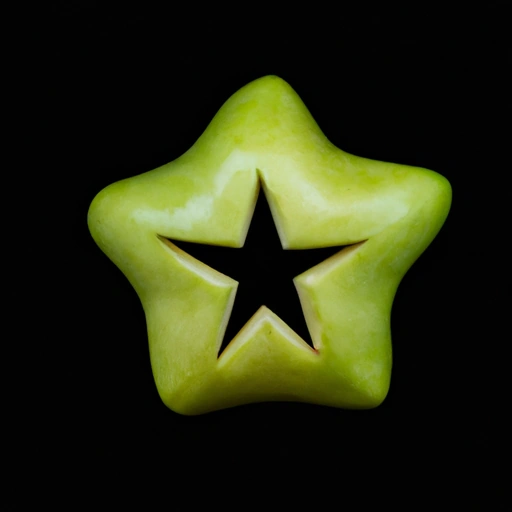
    "prompt": "A green apple in the shape of a star",
    "n": 1,
    "size":"512x512"
}

# Make the API request
response = requests.post(api_url, headers=headers, data=json.dumps(data))

# Handle the response and extract the generated image
if response.status_code == 200:
    response_data = response.json()
    image_url = response_data["data"][0]["url"]
    print("Generated image URL:", image_url)
else:
    print("Failed to generate image:", response.text)
In the above code snippet, you need to replace <your-api-key> with your actual DALL-E API key. The code sends a POST request to the DALL-E API endpoint with the desired text prompt and the number of images to generate. It then extracts the URL of the generated image from the response.
Output
Generated image URL: https://oaidalleapiprodscus.blob.core.windows.net/private/org-aqJSpEf7McN1y16B5hhFnSqL/
user-hK06yuUzgH6DGAw3kayX4JwG/
img-zDbj0nBtZGHmNRaE4zMbmaWG.png?
st=2023-06-23T05%3A33%3A25Z&se=
2023-06-23T07%3A33%3A25Z&sp=r&sv=
2021-08-06&sr=b&rscd=inline&rsct=image/
png&skoid=6aaadede-4fb3-4698-a8f6-
684d7786b067&sktid=a48cca56-e6da-484e-a814-9c849652bcb3&skt=
2023-06-22T23%3A50%3A14Z&ske=
2023-06-23T23%3A50%3A14Z&sks=b&skv=
2021-08-06&sig=lvKS6TJftUDdzt5Al4qLnqniZGOyiAyduG5XIKbxd10%3D
Now copy the URL and paste it into the web browser, and it will show you the image as follows; your image will be different than mine.
Real-World Examples
Let's explore a few real-world examples to demonstrate how the code can be used to generate images from text prompts.
Example 1
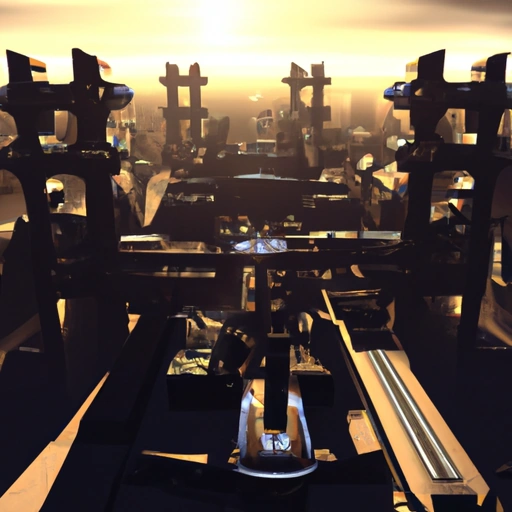
"A futuristic city at sunset"
data = {
    "prompt": "A futuristic city at sunset",
    "num_images": 1
}

# Make the API request and handle the response
# ...
Output
Example 2
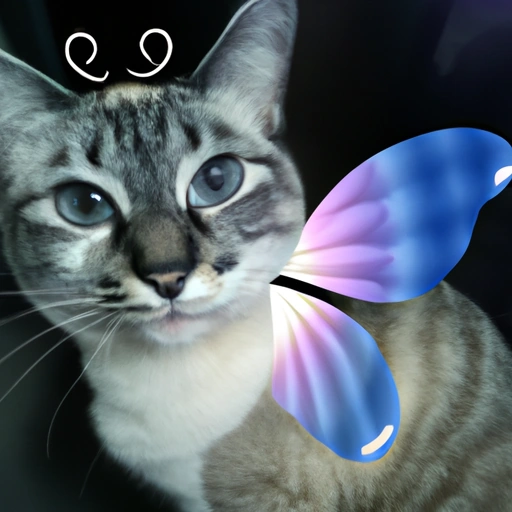
"A cat with butterfly wings"
data = {
    "prompt": "A cat with butterfly wings",
    "num_images": 1
}

# Make the API request and handle the response
# ...
Output
Example 3
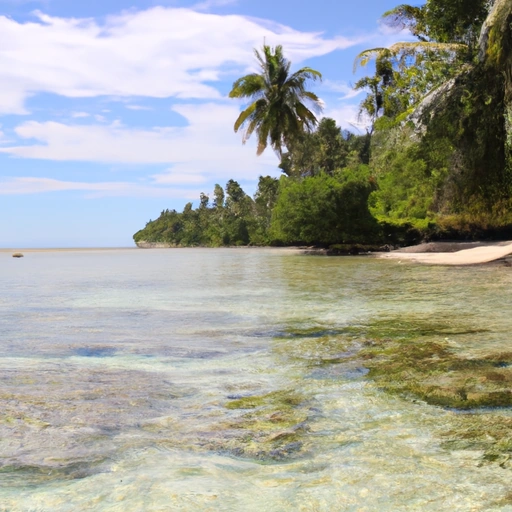
"A beach with palm trees and crystal-clear water"
data = {
    "prompt": "A beach with palm trees and crystal-clear water",
    "num_images": 1
}

# Make the API request and handle the response
# ...
Output
Conclusion
The DALL-E API offers a fascinating way to generate images from text prompts. Its ability to translate textual descriptions into unique and visually compelling images opens up exciting possibilities in various domains. Delve into the world of DALL-E, experiment with different prompts, and witness the remarkable results firsthand. The creative potential of DALL-E is vast, and by exploring the API, you can unlock new avenues of innovation and artistic expression.
FAQs
Q. What is DALL-E?
A. DALL-E is a neural network model developed by OpenAI that can generate high-quality images from textual prompts. It combines generative adversarial networks (GANs) and transformers to understand the relationship between text and visual representations.
Q. What can DALL-E generate?
A. DALL-E can generate diverse and detailed images based on textual descriptions. It can create new objects, scenes, and concepts that don't exist in the training data, making it a valuable tool for creative expression, concept visualization, design, art, and data augmentation.
Q. How can I access the DALL-E API?
A. To access the DALL-E API, you need to obtain an API key from OpenAI. You can sign up for an OpenAI account, access the DALL-E API documentation, follow the instructions to request an API key, and securely store it for authentication.
Q. How do I set up the development environment for the DALL-E API?
A. Setting up the development environment involves installing necessary Python libraries like openai, numpy, and Pillow. You must also configure the API client with your API key and import the required modules and packages in your Python script.
Vinay AyinapurapuPosted Aug 2, 2023, 3:45 AM
Nicely written Punar..