

Introduction
In this article, we will see how we can deploy an Angular application on Firebase. It is very simple and straightforward.
Deploy an Angular application on Firebase
1) Make sure you have Firebase account. If not, create a Firebase account here: https://firebase.google.com/
2) Create a GitHub account and create one repository as well. Sample repository: https://github.com/PranamBhat/angular-firebase-hosting
3) Create a new Angular application using this command
ng new angular-firebase-hosting
4) cd angular-firebase-hosting
5) ng serve --open
6) Create a GitHub Repository and add your code in GitHub Repository.
7) Go to https://console.firebase.google.com/u/0/
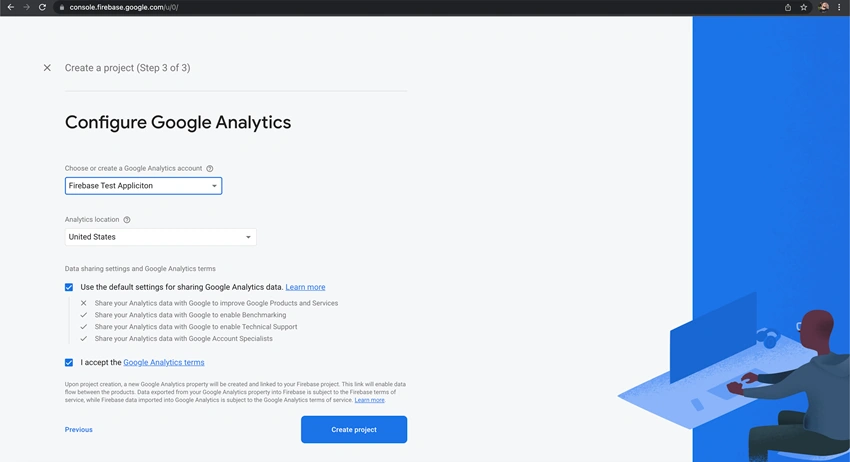
8) Click on "Add Project" and name it as "Firebase Test Application"
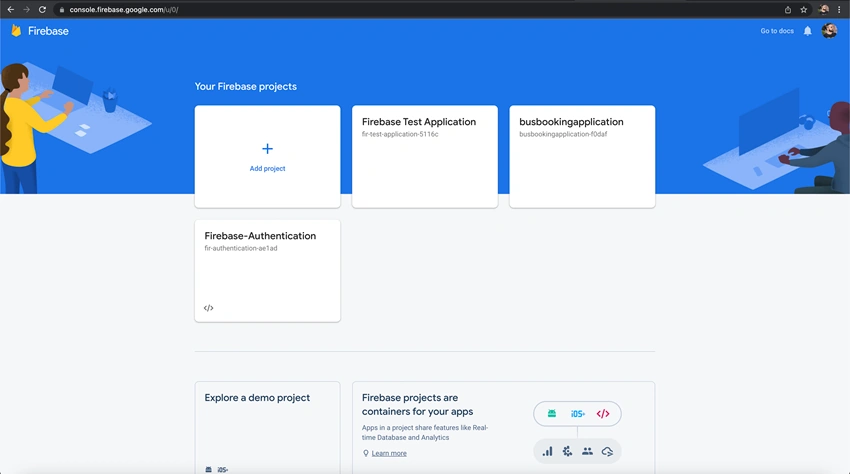
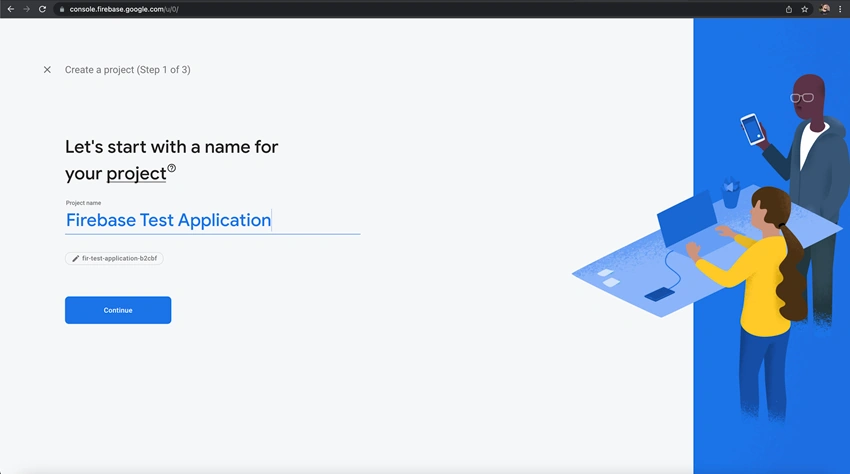
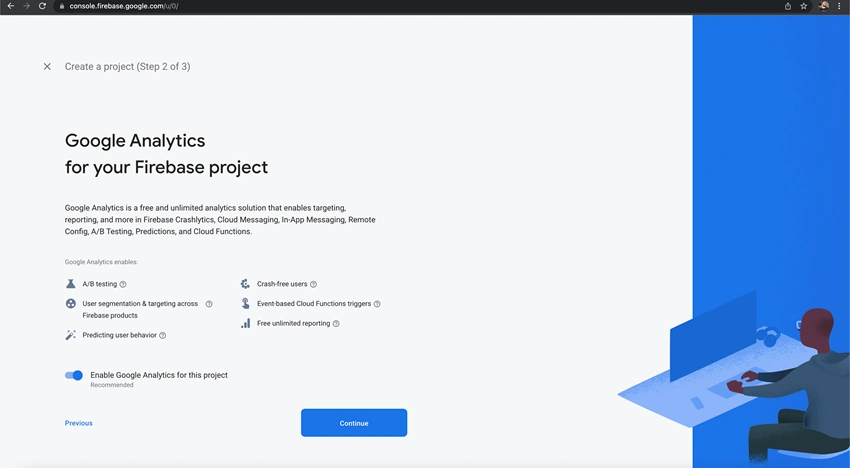
9) Click on "Select an account" and "Create a new account". Give some account name.
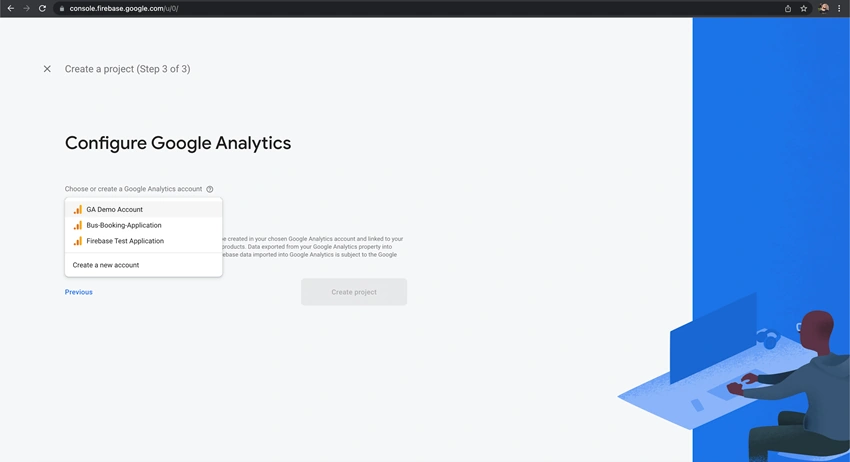
10) Chose "Analytics location". Select "I accept the Google Analytics terms" and click on "Create project".
11) Go to Angular CLI and run this command.
npm install -g firebase-tools
If there is any error, then run with sudo.
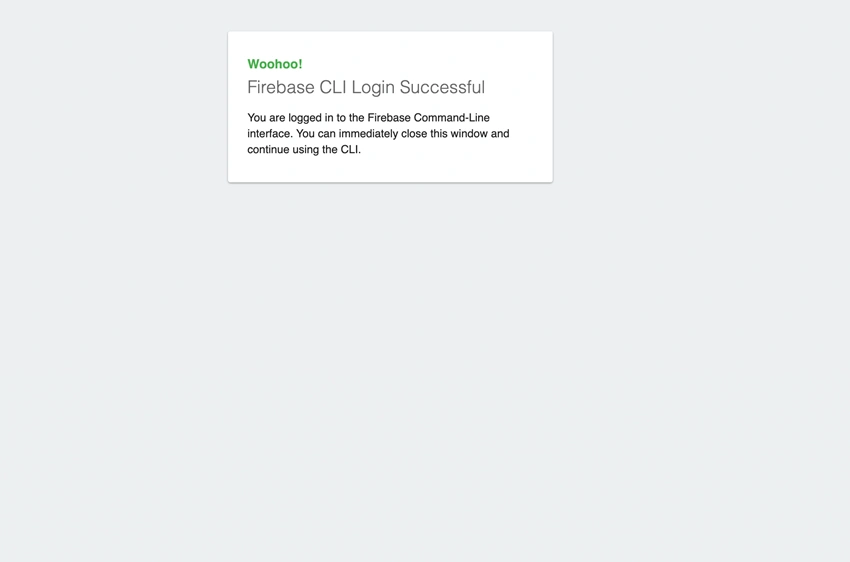
12) firebase login
13) firebase init
14) It will prompt with a couple of questions. Answer them carefully.
- What do you want to use as your public directory?
Give "dist/project-name" In my case, it is : dist/angular-firebase-hosting
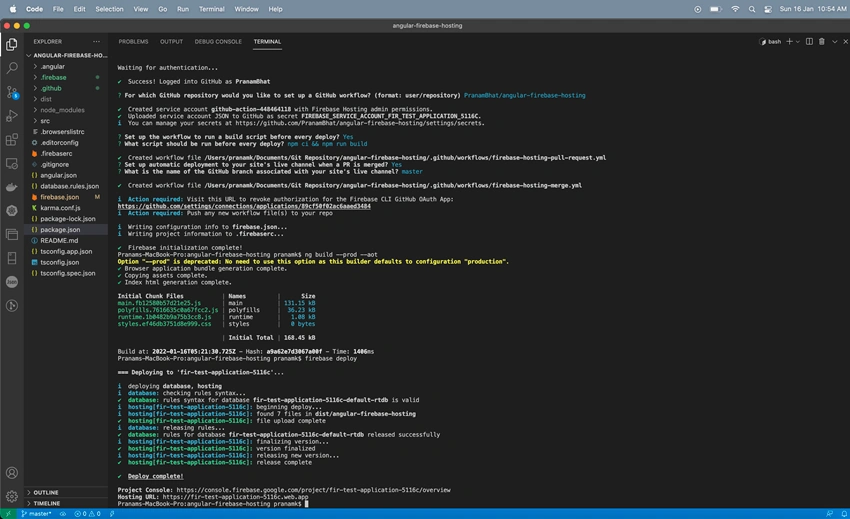
- Configure as a single-page app (rewrite all urls to /index.html)? Yes
- Set up automatic builds and deploys with GitHub? Yes
- File dist/angular-firebase-hosting/index.html already exists. Overwrite? Yes
- For which GitHub repository would you like to set up a GitHub workflow? (format: user/repository)
- Give your GitHub username followed by repository name. In my case : PranamBhat/angular-firebase-hosting
- Set up the workflow to run a build script before every deploy? Yes
- What script should be run before every deploy? npm ci && npm run build
- Set up automatic deployment to your site's live channel when a PR is merged? Yes
- What is the name of the GitHub branch associated with your site's live channel? master
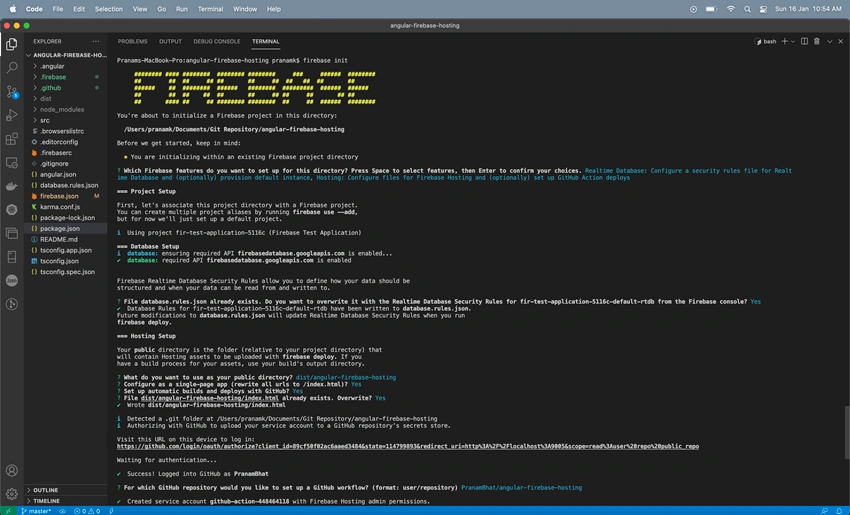
15) Now the Firebase initialization is complete!
16) Execute this command,
ng build --prod --aot
firebase deploy
17) That's all. Now the Deployment is completed!
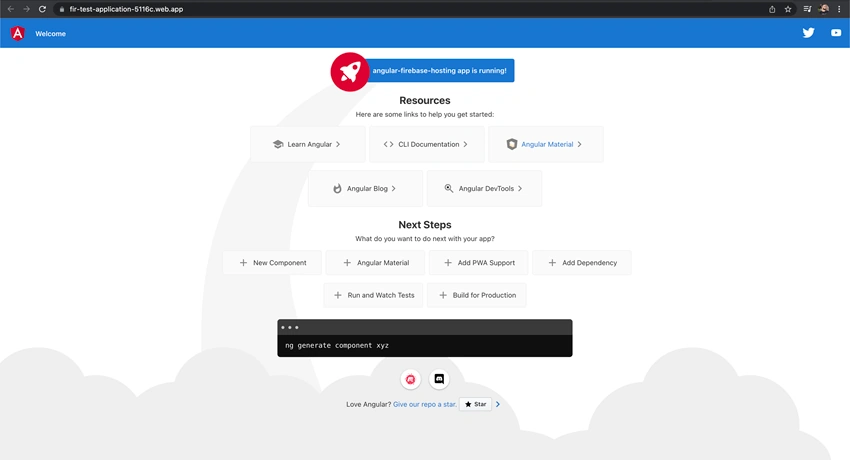
18) Open the "Hosting URL" to see the hosted application on Firebase.
Conclusion
In this article, we have learned to deploy an Angular application on Firebase with a step by step guide. Hope you liked it. Give a thumbs up and share it with your friends and network. Thank you.
Reference: https://github.com/PranamBhat/angular-firebase-hosting
olivermodePosted Aug 16, 2022, 4:00 AM
When using "firebase deploy", there's a question: What do you want to use as your public directory? this question is default set public, but in fact the angular project "ng build" build output is in ".\dist\<your project name>", so I need to answer ".\dist\<your project name>" to correctly upload file to firebase host. you can see each time deploy upload how many files, in firebase console page