

Introduction
In this article, I will show you how to customize a blogger cursor properly and easily.
Why do I customize the blogger cursor?
There are a couple of reasons why you might customize the cursor on your Blogger site.
Visual Appeal and Brand Identity
- Stand Out: A custom cursor can add a unique touch to your blog, making it more visually interesting and memorable for visitors.
- Themed Cursors: You can design a cursor that complements your blog's theme or niche. For example, a fashion blog might use a cursor shaped like a high heel, while a gaming blog might use a controller icon.
- Brand Cohesion: If you have a logo or mascot, you could create a cursor that incorporates that element, subtly reinforcing your brand identity.
Engagement and User Experience
- Interactive Element: A creative cursor can add a layer of interactivity to your blog. Visitors might find it fun to see the cursor change as they hover over different elements.
- Highlight Calls to Action: You could use a custom cursor to draw attention to specific buttons or links, potentially increasing click-through rates.
It's Important to Consider
- Balance is Key: While a custom cursor can be a nice touch, it shouldn't be too distracting or difficult to see. A simple and well-designed cursor is more likely to enhance the user experience.
- Mobile Compatibility: Make sure your cursor customization translates well to mobile devices, as a significant portion of blog traffic comes from smartphones and tablets.
Overall, customizing your Blogger cursor can add a touch of personality and potentially improve the user experience for your visitors.
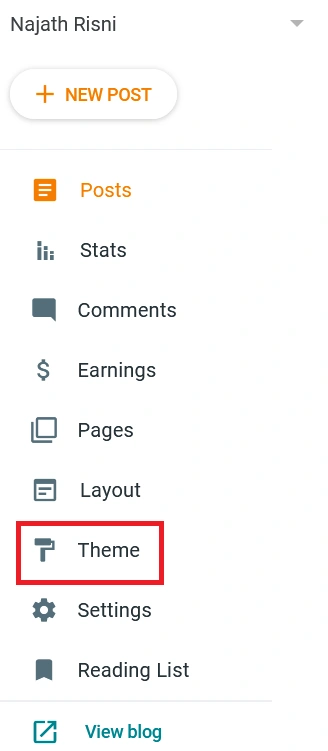
Step 1. On your blogger dashboard click “theme”.
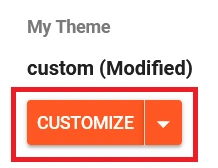
Step 2. Click “customize”.
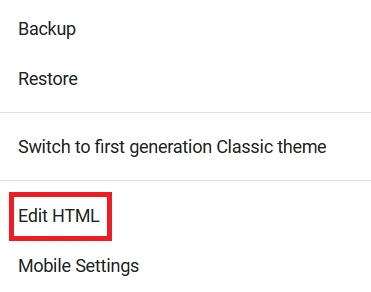
Step 3. Click “edit html”.
Step 4. Find “</body>” after past the cursor code before “</body>”, you can change the image also by changing the “cursor URL”.
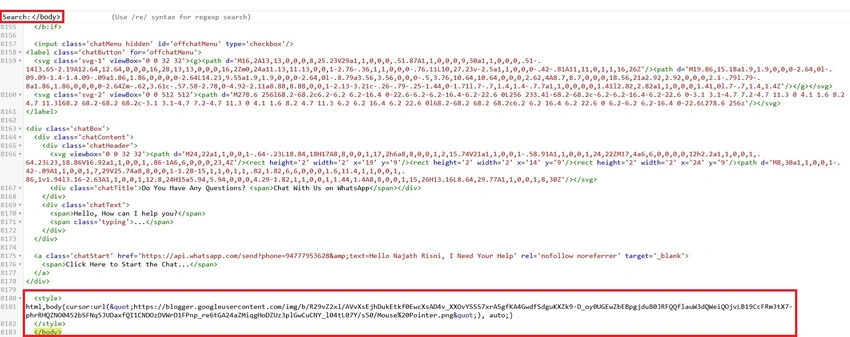
Note. Here I attached cursor code in this article.
Step 5. Click the “save icon”.
Conclusion
In this article, we all clearly understand how to customize the blogger cursor in the proper method and easiest way. If there is clarification regarding this topic, feel free to contact me.
Join the conversation! Your thoughts help the community grow.