

Creating a custom trigger in Dynamics 365 Marketing's real-time journeys enables you to respond instantly to specific customer actions or events, enhancing engagement and personalization. Here's a step-by-step guide to creating and integrating a custom trigger.
We have 2 triggers
- Custom Trigger
- Record-Related Trigger
1. Custom Trigger
A custom trigger is a manually created event that is fired when an external system, app, or process sends a signal to Dynamics 365.
Key Features
- Used for external events (e.g., website visits, form submissions, app interactions).
- Requires an external system (such as Power Automate or an API call) to send data to D365.
- Can include custom attributes (e.g., event name, location, time).
- Provides more flexibility in defining the conditions that trigger the journey.
Example Use Cases
- A customer logs into a mobile app, triggering a welcome journey.
- A user subscribes to a newsletter via an external website.
- A lead scans a QR code at an event.
2. Record-Related Trigger
A record-related trigger is automatically triggered when a specific Dataverse record (e.g., Contact, Lead, Opportunity) is created or updated.
Key Features
- Used for internal CRM-based events (e.g., contact updates, case creation).
- Works without external systems—it triggers based on Dataverse changes.
- Can only track changes for one table (entity) at a time.
- More structured—good for standard CRM workflows.
Example Use Cases
- A new lead is created in D365, triggering a follow-up email.
- A customer case status changes to “Resolved,” triggering a feedback survey.
- An opportunity is marked as ‘Won’, starting a thank-you email journey.
Step 1. Login to CRM.
- Go to the Marketing Module
- Select Real-time journeys
- Select the Trigger
- Click the +New Trigger ribbon button.
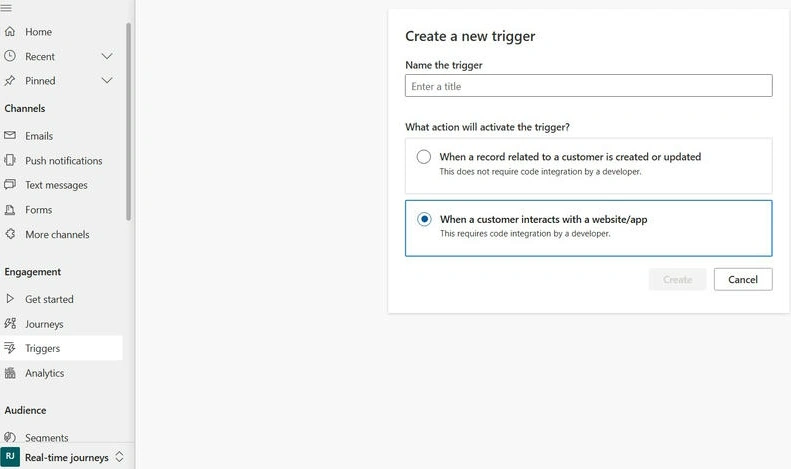
Step 2. Name the trigger: Test Custom Trigger.
- Select when a customer interacts with a website/app
- Click the Create button.
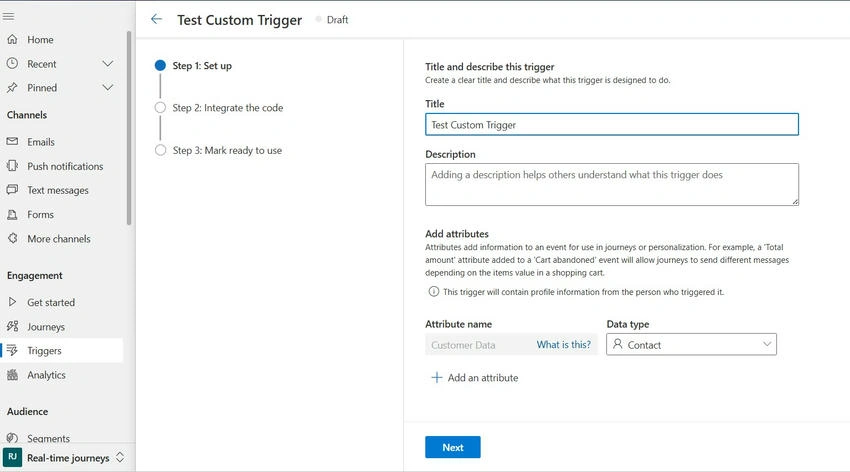
Step 3. Select Contact in Data Type and click the Next button.
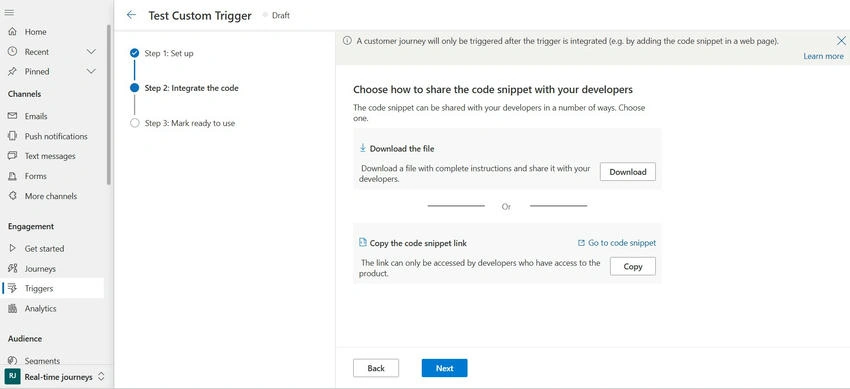
Step 4. Click the Next button.
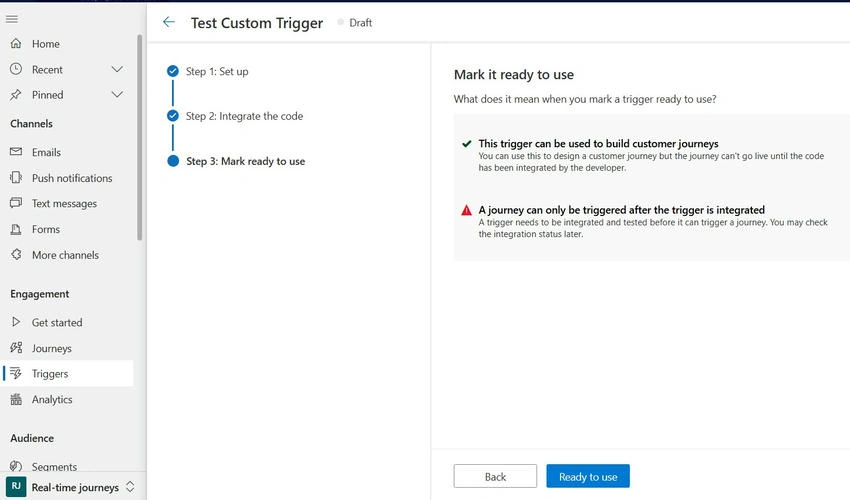
Step 5. Click the Ready to Use button.
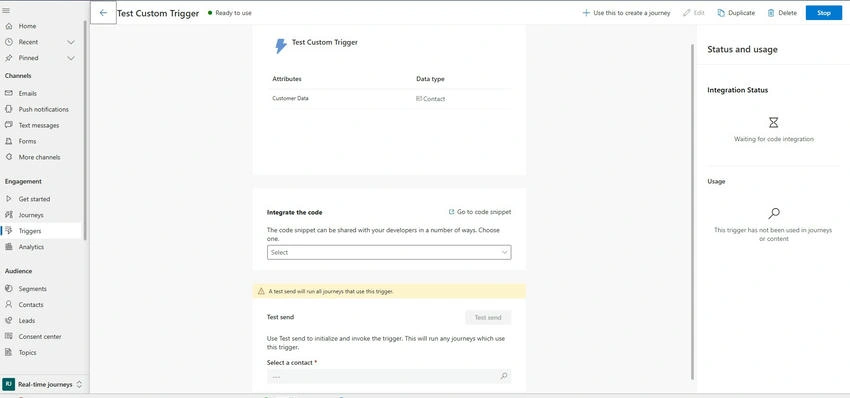
Step 6. The name of the trigger can be checked with below Screenshot.
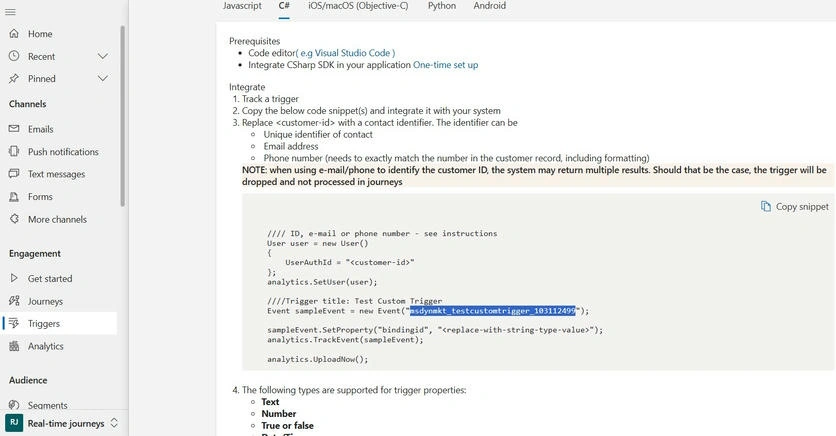
Trigger Name: msdynmkt_testcustomtrigger_103112499
For C#
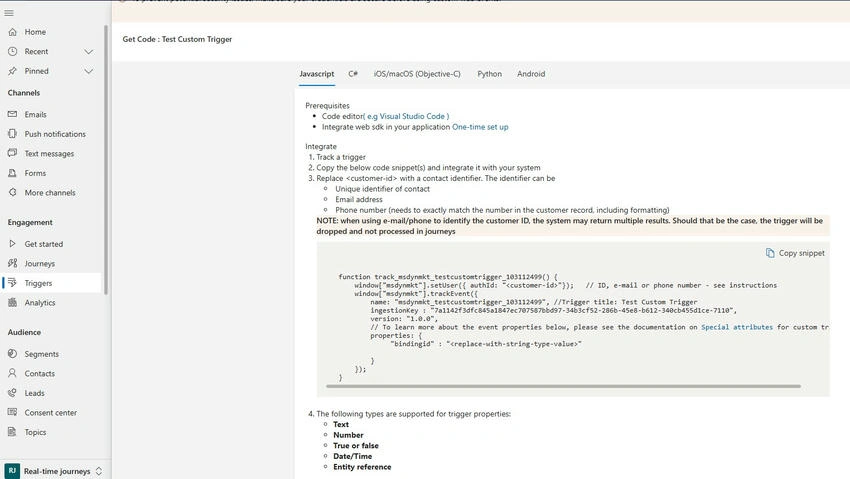
For Java Script
Code
using Microsoft.Xrm.Sdk;
using Microsoft.Xrm.Sdk.Query;
using System;
using System.Globalization;
using System.Net;
using System.Reflection;

namespace IMSDynamicsWebhooks.Trigger
{
    public class TriggerService
    {
        private readonly IOrganizationService Service;

        public TriggerService(IOrganizationService service)
        {
            Service = service;
        }

        public const string MarketingTrigger = "msdynmkt_testcustomtrigger_103112499";

        public void ExecuteTrigger(Entity contact, string marketingTrigger)
        {
            DateTime currentDateTime = DateTime.Now;
            OrganizationRequest customTrigger = new OrganizationRequest
            {
                RequestName = MarketingTrigger
            };

            customTrigger.Parameters.Add("msdynmkt_bindingid", contact.Id.ToString());
            customTrigger.Parameters.Add("msdynmkt_signaluserauthid", contact.Id.ToString());
            customTrigger.Parameters.Add("msdynmkt_signalingestiontimestamp", currentDateTime);
            customTrigger.Parameters.Add("msdynmkt_signaltimestamp", currentDateTime);
            customTrigger.Parameters.Add("msdynmkt_profileid", contact.Id.ToString());

            Service.Execute(customTrigger);
        }
    }
}
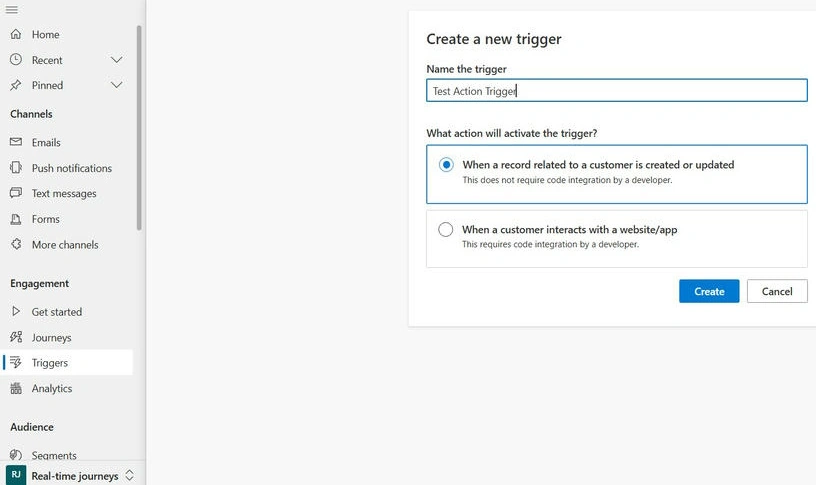
Step 7. Record-related Triggers can be created like below screenshot.
Join the conversation! Your thoughts help the community grow.