

React is a JavaScript library for building user interfaces. The great advantage of using react is that React runs on the browser, not on the server, things happen instantly as they happen in the user's browser. We don't have to wait for the server response to get a new page and to render something new. React is based on components. React was developed by Facebook in 2011.
Some interesting points about React
- React allows one-way data binding; i.e., it is a unidirectional data flow. One way data binding means any changes we made in the model, then it will reflect in the view.
- React uses a virtual DOM, by using virtual DOM, we can change any element very quickly without rendering the whole DOM, that enhances the application performance.
- React uses JSX.
- If we talk about the MVC framework, then React is used for only V (i.e. View).
React provides us with the following features,
- Reusable Component
React is component-based, so we can break our projects into small components and reuse them anywhere. - Uses Virtual DOM
React uses a virtual DOM. By using virtual DOM, we can change any element very quickly without rendering the whole DOM, that enhances the application performance. - React Native is a framework created to develop native mobile apps using JavaScript.
- SEO friendly
- Easy to create UI test cases
- It renders quickly when it comes to displaying a lot of components.
- Debugging is getting easy with specialized Chrome extensions such as "React Developer Tools" and "Redux Developer Tools".
Install React on Machine
Now, after going through the basic introduction about React, we move towards how we can install React in our machine. For installation, the React in our machine goes through the following steps :
Install node.js from nodejs.org. Use the below link,
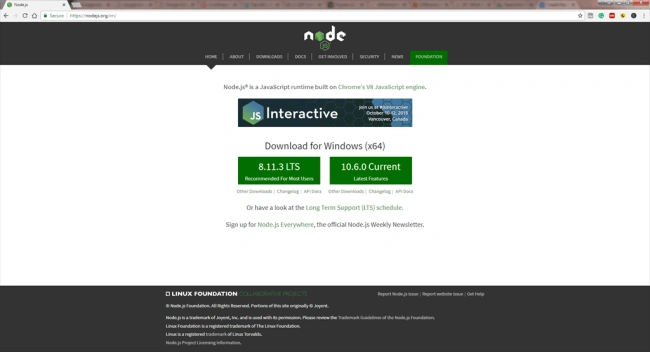
After installing node, open node js command prompt and write the following command
- npm install create-react-app -g
Now, to create a project in react just write the following command.
- create-react-app projectname
Suppose, if we create a project named "first-app" then we will use the above command like this:
- create-react-app first-app
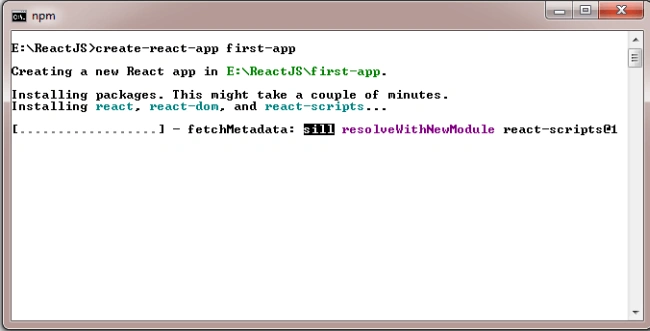
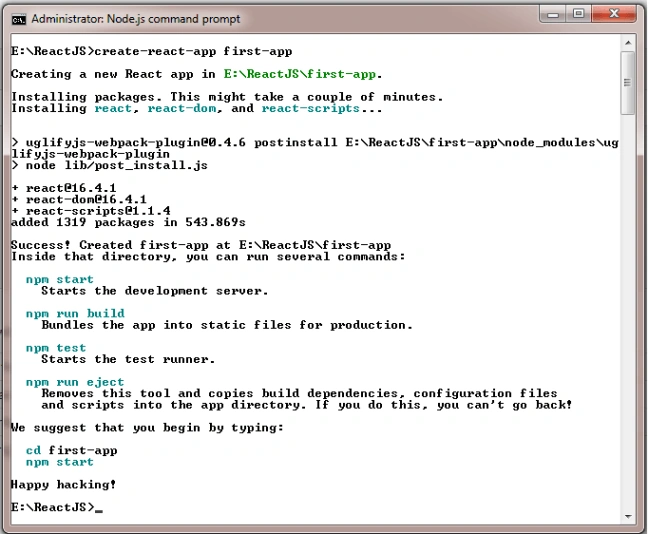
After creating the project, go to this project directory and run the project using the below command
- npm start

A point to be remembered at the time of project creation is that the project name should be in small letters, otherwise, it will show an error, like this:
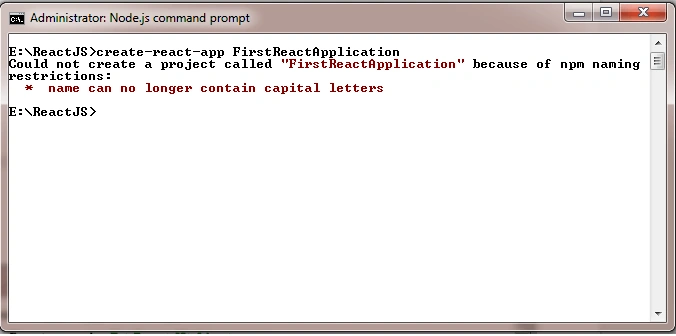
I hope after reading this article you understand how we can install and create a project in React.
Hadshana KamalanathanPosted Aug 26, 2018, 11:42 AM
Thanks for sharing
Khumana RamPosted Aug 24, 2018, 2:13 AM
Great post for beginners.... well done
Deepak VermaPosted Aug 24, 2018, 1:50 AM
Great article............keep it up :)