

Introduction
Python has the capability to makes code optimize and make everything easy to create so we can create a mini calculator in python very easily and in just 13 to 14 line code. We use IDLE (python 3.5) to create this project.
Let's go,
Now, we start creating our calculator step by step.
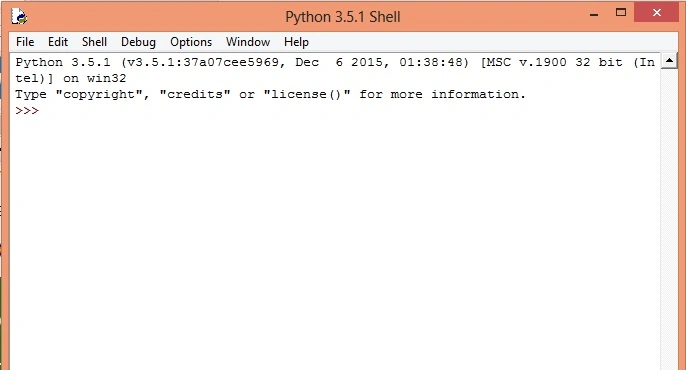
Step 1: Open IDLE (python 3.5). After launching IDLE(python 3.5) a window is visible as in the following screenshot:
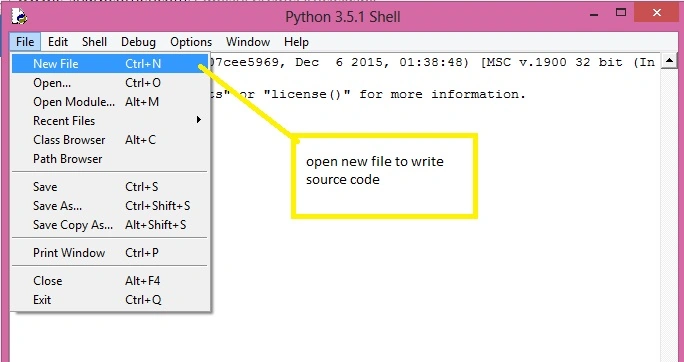
 Open a new file for write our source code (shown in picture),
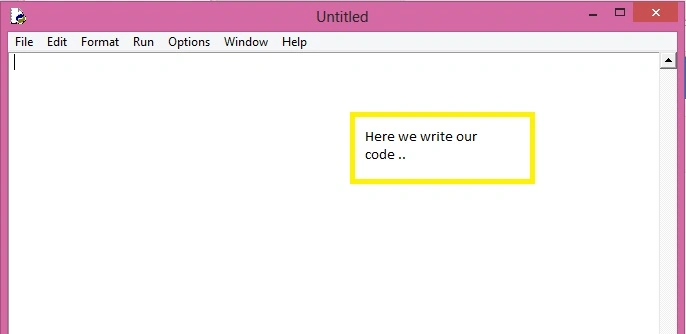
 The new file is open and ready to write our code....(shown in picture),
 Step 2: write our source code
Firstly, we have to do import all module (namespace) used in this project,
We shall move further, now we define a function that execute our expression and read value from text box.
Step 2: write our source code
Firstly, we have to do import all module (namespace) used in this project,
We shall move further, now we define a function that execute our expression and read value from text box.
- from tkinter import * # this module contains graphic function
- from math import * #this module contains mathematics function
- def calculate(event):
- l.configure(text = "Result: " + str(eval(e.get())))
- str() is used to type casting.
- eval() is used to execute our expression and return result.
- get() return text from Entry(text box) in string format
l is instance of label configure() is use to configuration label. After defining a function, we have to create a windows form,
Window form is created and add some controls and call our function "calculate",
- w = Tk() # create instance
- w.geometry("300x300") # set size of form
- w.title("calculator") #set title
- Label(w, text="Enter Your Expression:").pack() #define label and bind with form
- e = Entry(w) # define text box
- e.bind("<Return>", calculate) #calling calculate
- e.pack() #bind text box with window form
- l = Label(w) #here define label to shoe our result
- l.pack()
- w.mainloop()
- from tkinter import *
- from math import *
- def calculate(event):
- l.configure(text = "Result: " + str(eval(e.get())))
- w = Tk()
- w.geometry("300x300")
- w.title("calculator")
- Label(w, text="Enter Your Expression:").pack()
- e = Entry(w)
- e.bind("<Return>", calculate)
- e.pack()
- l = Label(w)
- l.pack()
- w.mainloop()
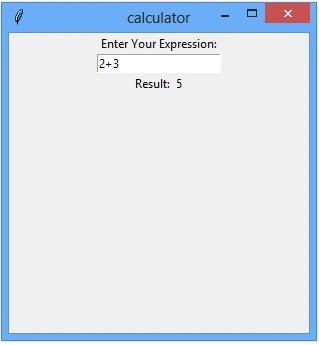
Run our project (press F5) and output looks like. (shown in picture).
Enter expression: 2+3
Ajay MalikPosted May 7, 2016, 12:10 AM
Tq
Vignesh ManiPosted May 6, 2016, 5:02 PM
nice