

Introduction
It is very easy to create a GUI in Python as compared to other programming languages.
We can create a GUI in IDLE (python 3.5) and Visual Studio 2015 using the python programming language
First, we know how to create GUI in IDLE(python 3.5) step by step
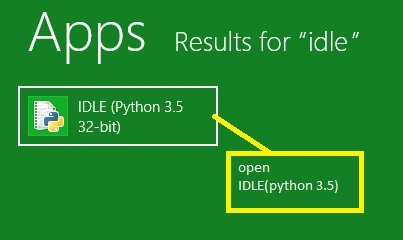
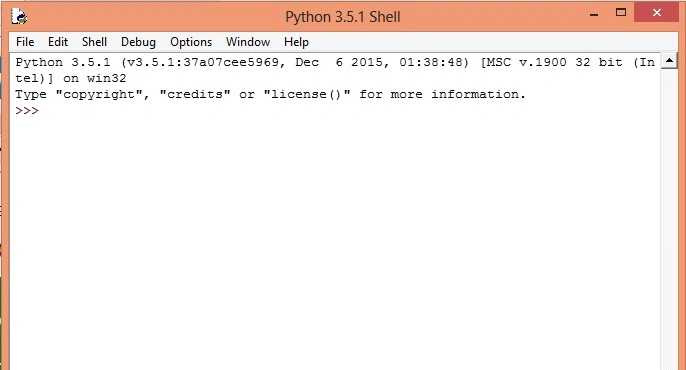
Step 1: Open IDLE (python 3.5) (shown in picture),
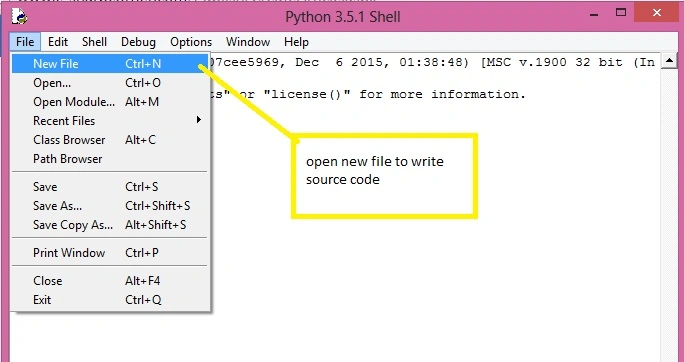
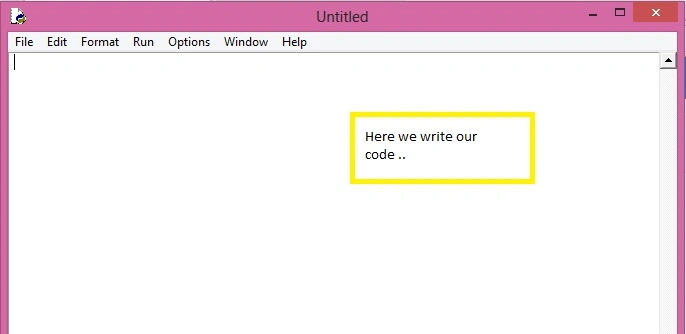
Step 2:
In python we create GUI using tkinter module, tkinter has some functions for creating GUI and setting properties of our windows form.
So we import tkinter module in our program. (shown in picture),
from tkinter import*
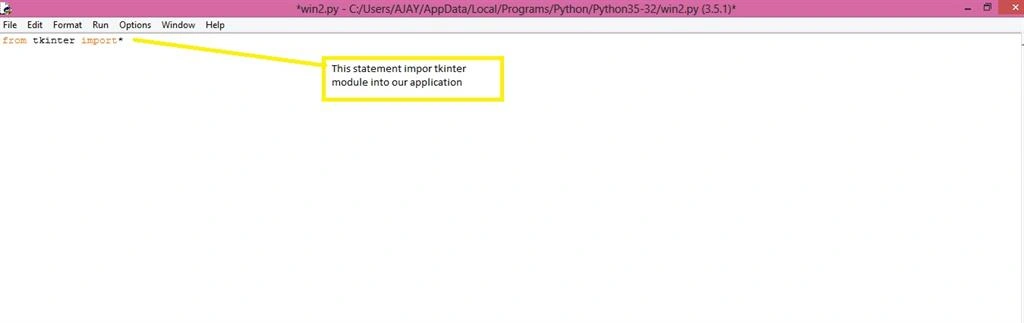
Now all functions of tkinter are imported and ready to use. Firstly we are creating an instance of tkinter.
obj=Tk() #creating instance of tkinter
Now instance is created and gives title and dimensions to our windows form.
- obj.title("c# corner") # set title of our window form
- obj.geometry("300x300") #set dimension of form
Inserting text into our window form
- wintext = Text(obj)
- wintext.insert(INSERT, "Hello.....")
- wintext.insert(END, "welcome to c# corner.....")
Now bind our text to window form and call mainloop.
- wintext.pack()
- obj.mainloop()
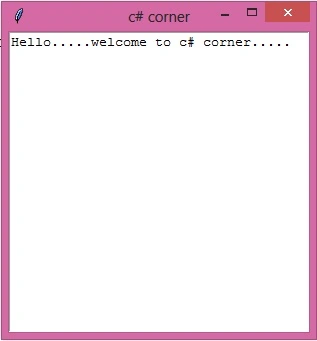
Finally our window form is created and our source code is,
- from tkinter import*
- obj=Tk()
- obj.title("c# corner")
- obj.geometry("300x300")
- wintext = Text(obj)
- wintext.insert(INSERT, "Hello.....")
- wintext.insert(END, "welcome to c# corner.....")
- wintext.pack()
- obj.mainloop()
run our application (press F5) or click on the run->run the module.
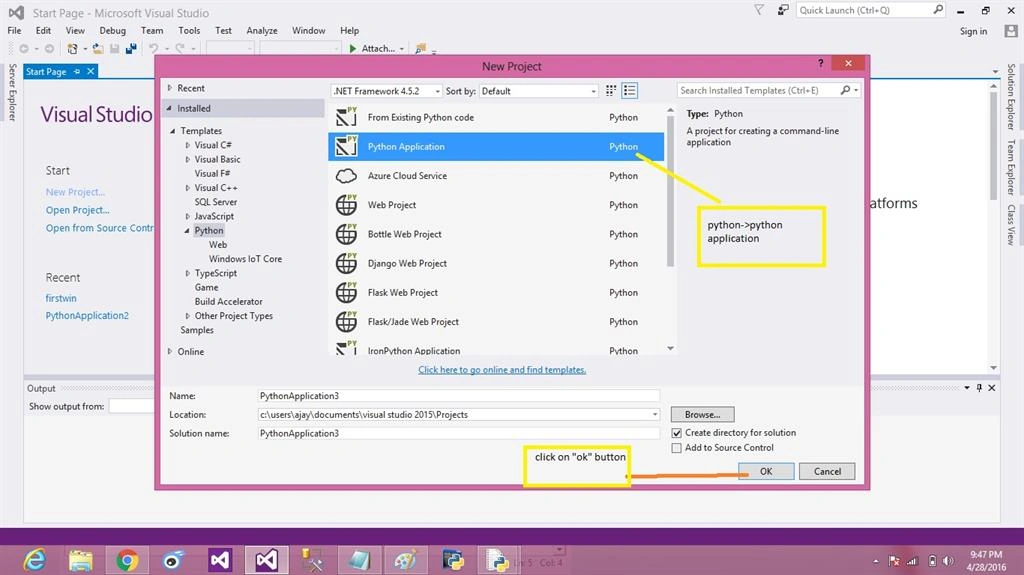
Step 1: Creating new project of python in visual studio (shown in picture below),
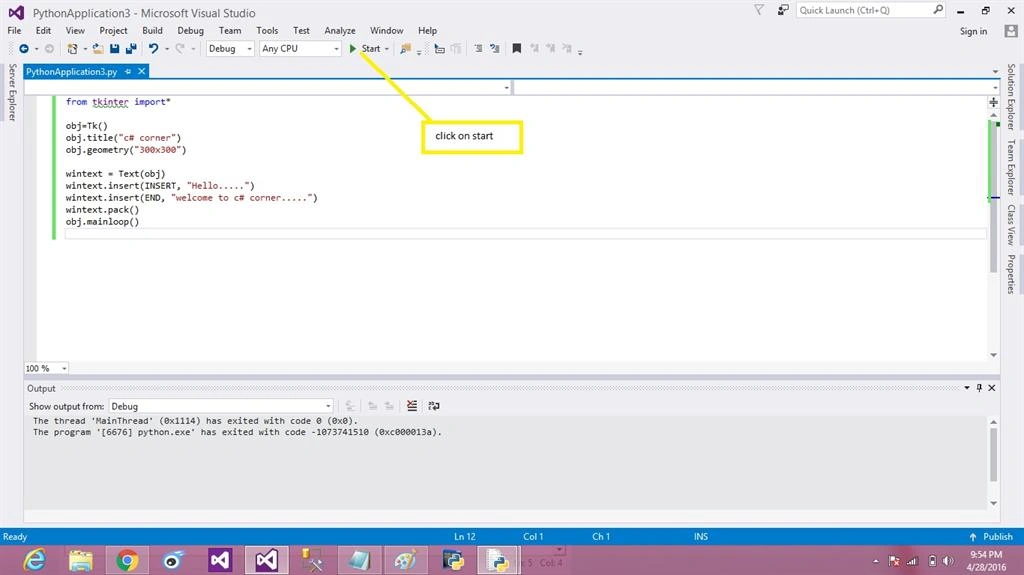
Write same code (shown in picture below),
- from tkinter import*
- obj=Tk()
- obj.title("c# corner")
- obj.geometry("300x300")
- wintext = Text(obj)
- wintext.insert(INSERT, "Hello.....")
- wintext.insert(END, "welcome to c# corner.....")
- wintext.pack()
- obj.mainloop()
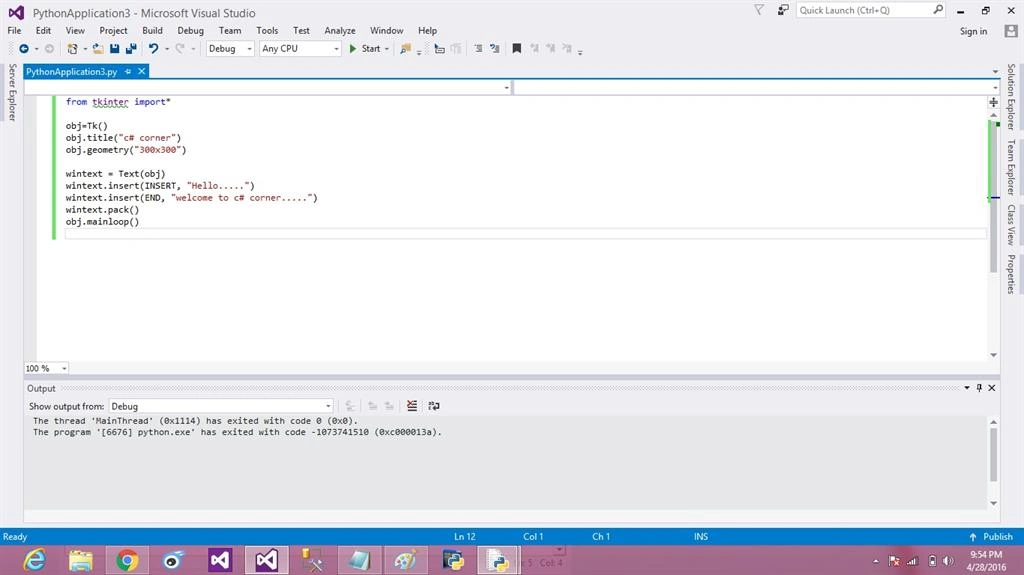
Debug and start our application (shown in the picture below),
Our application (output):
Read more articles on Python:
Koshila SenadhiraPosted Dec 1, 2022, 11:20 AM
Interesting Article!
adnan anjumPosted May 6, 2018, 10:29 AM
I need the more knowledge related to tkinter
Ajay MalikPosted May 3, 2016, 11:39 AM
Thank u
Amit DavePosted May 3, 2016, 10:31 AM
Keep up the Good work!
Ajay MalikPosted May 2, 2016, 9:09 AM
thank u Sonu Chaudhary
Sonu ChaudharyPosted May 2, 2016, 5:58 AM
Thanks for sharing
Ajay MalikPosted May 1, 2016, 9:19 AM
Tq
Vignesh ManiPosted Apr 30, 2016, 12:49 PM
Nice