

Introduction
This article explains how to create an editable notepad in Java.
Description
The main purpose for designing this type of notepad is to show how to make a notepad that enables us to cut, copy, paste and select all the text. For the development of this notepad we need to use the following procedure.
Step 1
Import the following packages:
- import java.awt.event.*;
- import javax.swing.*;
Create a MenuBar, MenuItem, TextArea and Menu as in the following:
- public class EditableNotepadEx implements ActionListener
- {
- JFrame frm;
- JMenuBar mnubr;
- JMenu fileMenu, editMenu, helpMenu;
- JMenuItem cutItem, copyItem, pasteItem, selectAll;
- JTextArea txtarea;
Create a frame and sub-menu bar items, like cut, copy, paste and Select All. The following frame contains cut, copy, select and paste in the edit menu bar.
- EditableNotepadEx()
- {
- frm = new JFrame();
- cutItem = new JMenuItem("cutItem");
- copyItem = new JMenuItem("copyItem");
- pasteItem = new JMenuItem("pasteItem");
- selectAll = new JMenuItem("selectAllItem");
Create and add a menu bar and sub bar items in the frame and set the bounds as in the following:
- copyItem.addActionListener(this);
- cutItem.addActionListener(this);
- selectAll.addActionListener(this);
- pasteItem.addActionListener(this);
- mnubr = new JMenuBar();
- mnubr.setBounds(5, 5, 400, 40);
- fileMenu = new JMenu("File");
- editMenu = new JMenu("Edit");
- helpMenu = new JMenu("Help");
- editMenu.add(cutItem);
- editMenu.add(copyItem);
- editMenu.add(pasteItem);
- editMenu.add(selectAll);
- mnubr.add(fileMenu);
- mnubr.add(editMenu);
- mnubr.add(helpMenu);
- txtarea = new JTextArea();
- txtarea.setBounds(5, 30, 460, 460);
- frm.add(mnubr);
- frm.add(txtarea);
- frm.setLayout(null);
- frm.setSize(500, 500);
- frm.setVisible(true);
Create an actionPerformed method to perform several actions, such as cut, copy, paste and selectAll depending on the user's click.
- public void actionPerformed(ActionEvent ae)
- {
- if (ae.getSource() == cutItem)
- txtarea.cut();
- if (ae.getSource() == pasteItem)
- txtarea.paste();
- if (ae.getSource() == copyItem)
- txtarea.copy();
- if (ae.getSource() == selectAll)
- txtarea.selectAll();
- }
Display the editable notepad by creating a main function.
- public static void main(String[] args)
- {
- new EditableNotepadEx();
- }
The following is the complete Code.
EditableNotepadEx.java
- import java.awt.event.*;
- import javax.swing.*;
- public class EditableNotepadEx implements ActionListener
- {
- JFrame frm;
- JMenuBar mnubr;
- JMenu fileMenu, editMenu, helpMenu;
- JMenuItem cutItem, copyItem, pasteItem, selectAll
- JTextArea txtarea;
- EditableNotepadEx()
- {
- frm = new JFrame();
- cutItem = new JMenuItem("cutItem");
- copyItem = new JMenuItem("copyItem");
- pasteItem = new JMenuItem("pasteItem");
- selectAll = new JMenuItem("selectAllItem");
- copyItem.addActionListener(this);
- cutItem.addActionListener(this);
- selectAll.addActionListener(this);
- pasteItem.addActionListener(this);
- mnubr = new JMenuBar();
- mnubr.setBounds(5, 5, 400, 40);
- fileMenu = new JMenu("File");
- editMenu = new JMenu("Edit");
- helpMenu = new JMenu("Help");
- editMenu.add(cutItem);
- editMenu.add(copyItem);
- editMenu.add(pasteItem);
- editMenu.add(selectAll);
- mnubr.add(fileMenu);
- mnubr.add(editMenu);
- mnubr.add(helpMenu);
- txtarea = new JTextArea();
- txtarea.setBounds(5, 30, 460, 460);
- frm.add(mnubr);
- frm.add(txtarea);
- frm.setLayout(null);
- frm.setSize(500, 500);
- frm.setVisible(true);
- }
- public void actionPerformed(ActionEvent ae)
- {
- if (ae.getSource() == cutItem)
- txtarea.cut();
- if (ae.getSource() == pasteItem)
- txtarea.paste();
- if (ae.getSource() == copyItem)
- txtarea.copy();
- if (ae.getSource() == selectAll)
- txtarea.selectAll();
- }
- public static void main(String[] args)
- {
- new EditableNotepadEx();
- }
- }
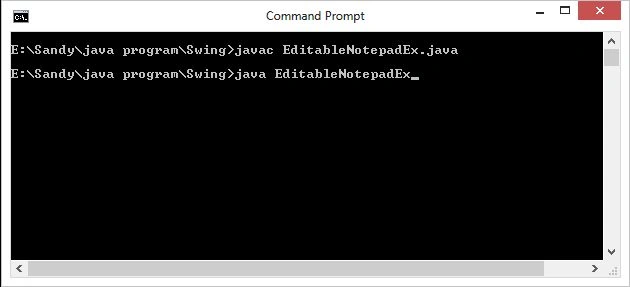
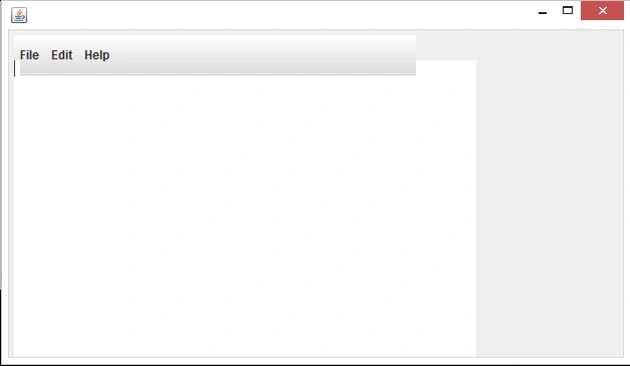
After pressing enter, a new window is generated called notepad (in which we can write text) that contains file, edit and a help button.
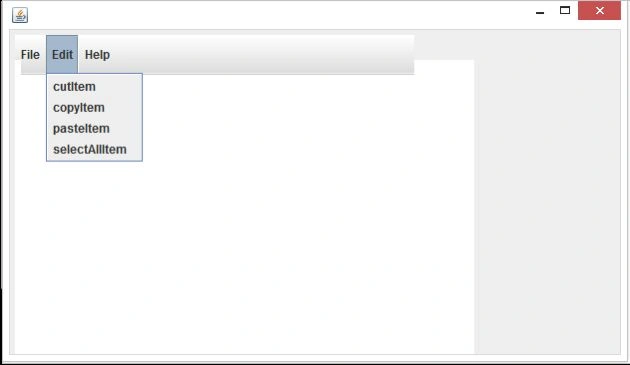
When we click on the edit button we have four choices; through that we can cut, copy, paste and selectAll of our text in the notepad.
Join the conversation! Your thoughts help the community grow.