

You can see my previous articles for creating Azure Website:
Prerequisites
- Facebook Developer Account
- Azure account
Now let's get started with the following steps:
Create a Facebook API Key
Sign in to the online Facebook Developer Account.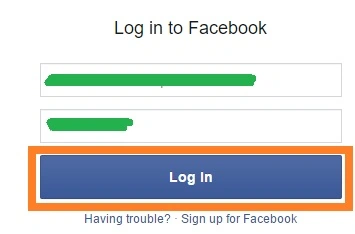
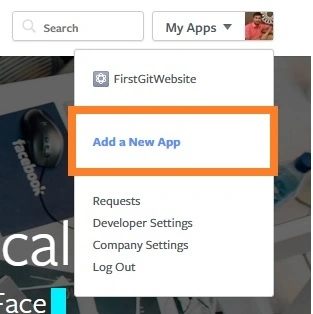
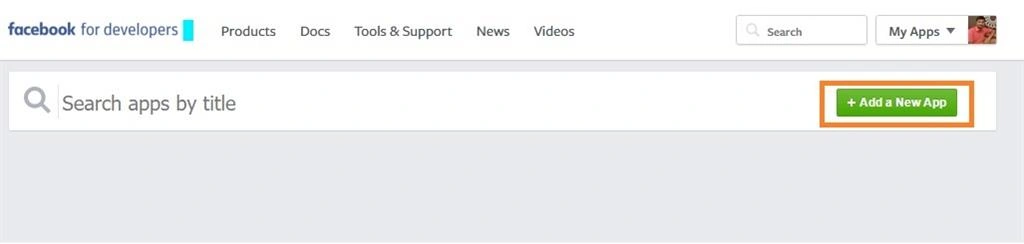
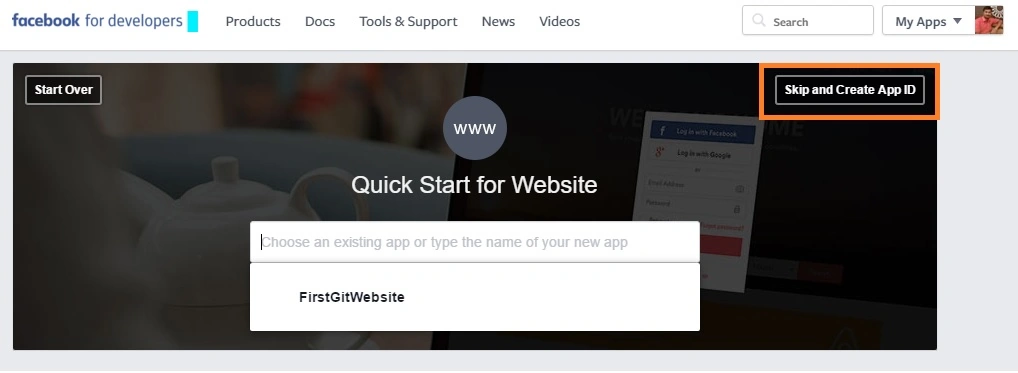
After entering your account Click My Apps > Add a New App > Website > Skip and Create App ID.
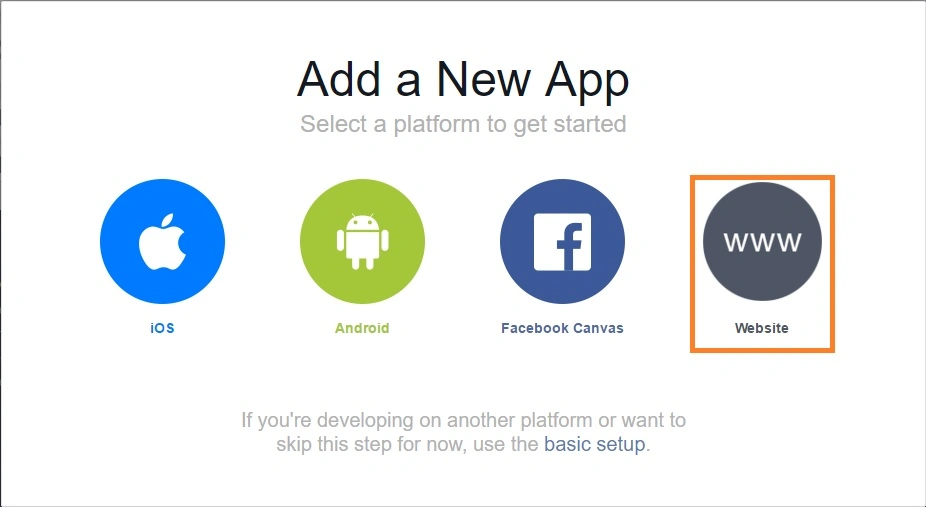
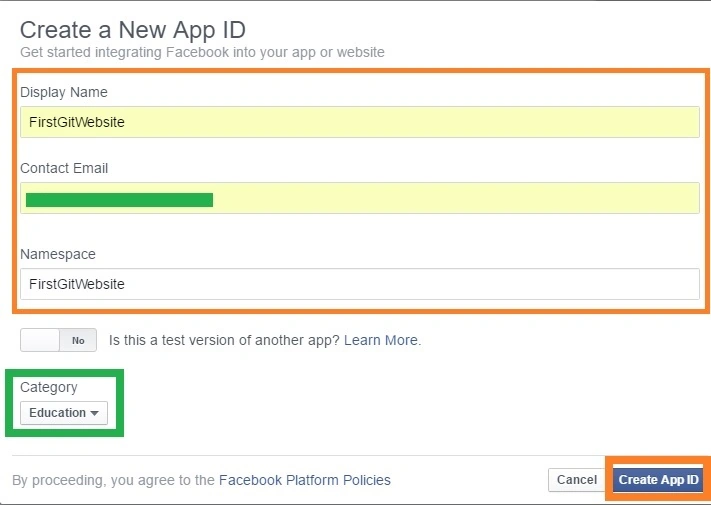
In Display Name, enter a unique name for your app, Select a Category for your app, then click Create App ID.
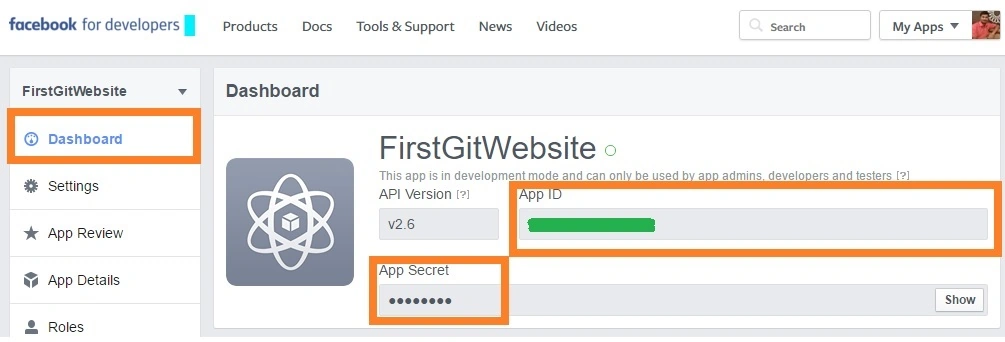
After some time you will get a developer dashboard for your new Facebook app and get your own Facebook API Key.
Configure Azure Websites Authentication/Authorization
Sign in to the online Microsoft Azure Portal. Then in your web app's blade in the Portal, click Settings > Authentication/Authorization, and make sure that App Service Authentication is On.
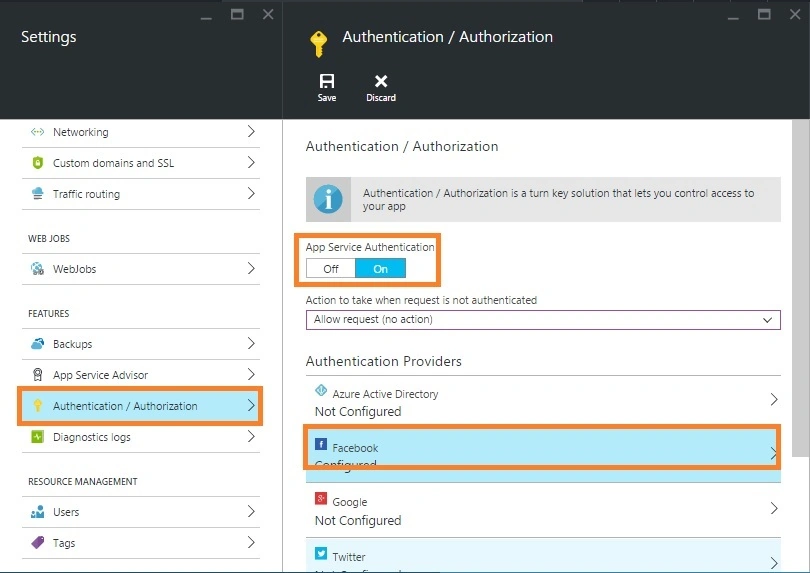
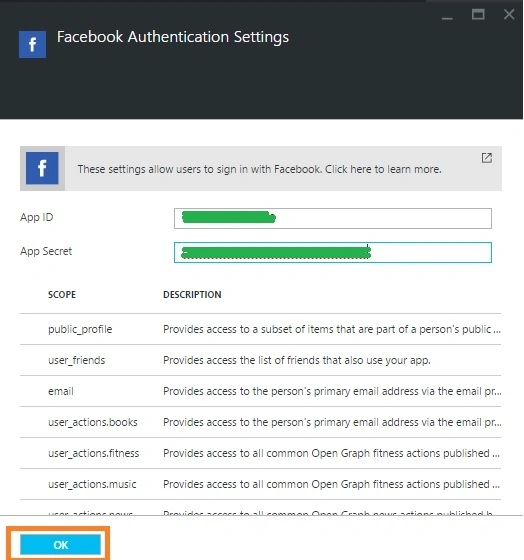
Click Facebook Option, Copy from Facebook Developer Account and paste in the App ID and App Secret values which you obtained previously then click OK.
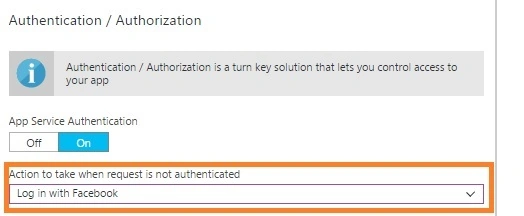
Then we set Action to take when request is not authenticated to Facebook for access to your site to only users authenticated by Facebook.
Now you will get and be ready to use Facebook for authentication in your app.
Read more articles on Azure:
Prasanna MuraliPosted May 10, 2016, 10:37 AM
Nice
Rahul Kumar SaxenaPosted Apr 29, 2016, 6:47 AM
Good Show
Bhavik PatelPosted Apr 26, 2016, 10:28 PM
nice
Vivek KumarPosted Apr 25, 2016, 2:56 PM
Good one
Gowtham RajamanickamPosted Apr 25, 2016, 10:01 AM
good article..
Vignesh ManiPosted Apr 25, 2016, 8:13 AM
Nice one sir