

We'll start working on our first Blazor project. In actuality, we'll make two Blazor projects. One uses client-side hosting, and the other uses server-side hosting. After that, we will run both projects to compare where and how they operate.
We will learn the distinctions between the two hosting types along with the benefits and drawbacks of each along the road.
Missing Blazor WebAssembly app template
The beta version of client-side blazor, commonly known as blazor WebAssembly, is still active. Therefore, you won't discover a Blazor WebAssembly App template when trying to create a Blazor project in Visual Studio 2022. Instead, you'll only find a Blazor Server App template.
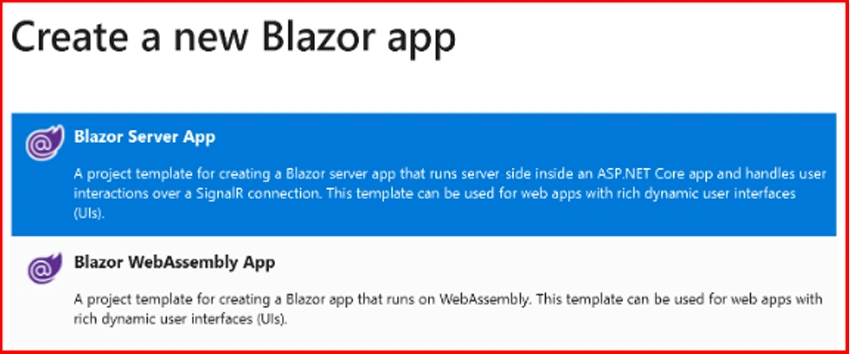
To install the Blazor WebAssembly App template, use the command below.
dotnet new --install Microsoft.AspNetCore.Blazor.Templates::3.1.0-preview4.19579.2
This command can be run from the command line or the Package Manager Console in Visual Studio.
Blazor hosting models
The two hosting models available with Blazor are Blazor WebAssembly (client-side hosting model) and Blazor Server (Server-side hosting model)
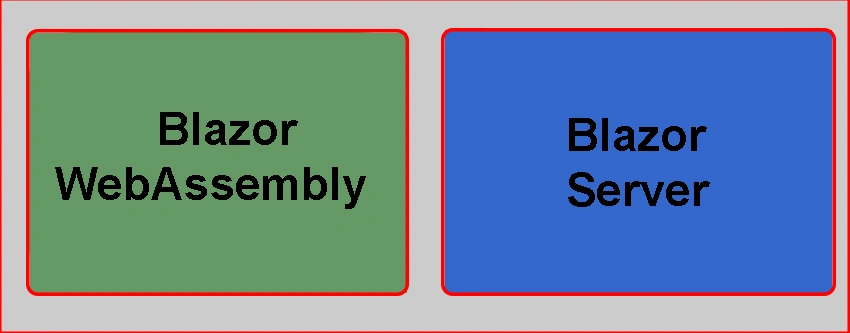
Use the Blazor WebAssembly template to construct a Blazor application with a client hosting model and the Blazor Server App template to develop a Blazor application with a server hosting model, as indicated by the template names.
Blazor server Vs Blazor WebAssembly
The project structure and layout vary little between the two project kinds.
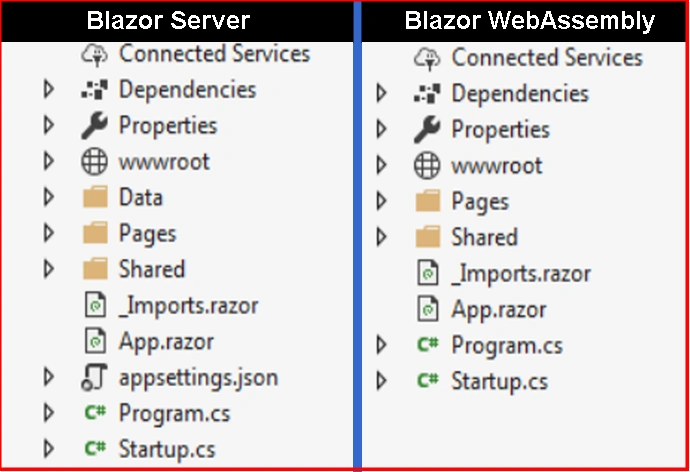
We shall go into detail about each of these files and folders later.
Multiple Startup projects can be configured in Visual Studio
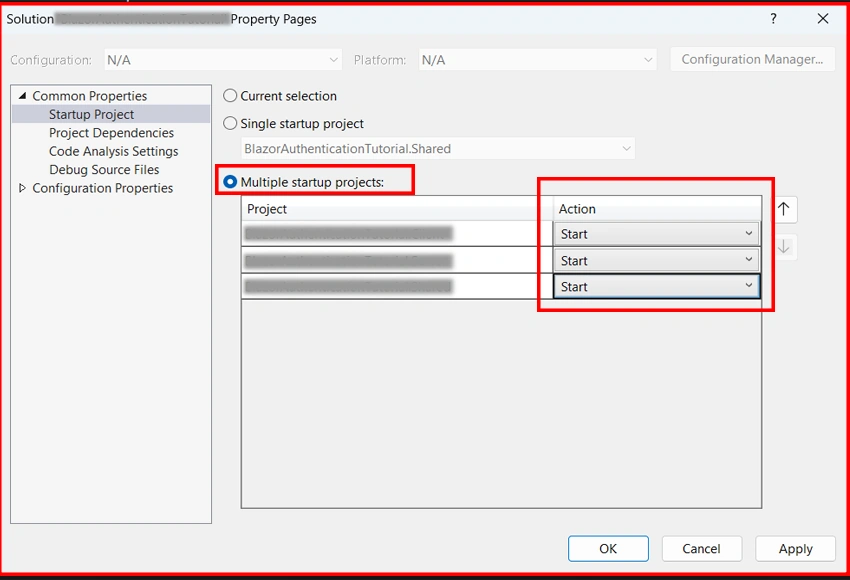
In Visual Studio, we can set up many projects to be StartUp projects. The steps are as follows.
Set Startup Projects by right-clicking in the Solution Explorer on the solution name.
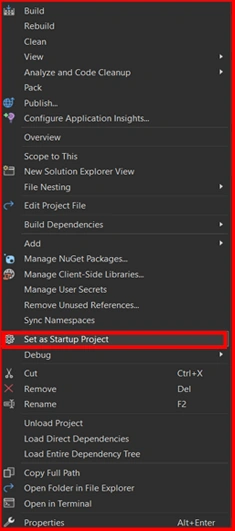
Select the radio button for multiple startup initiatives. For each project you want to set up as a startup project, choose Start from the Action dropdown list.
Blazor WebAssembly Hosting Models
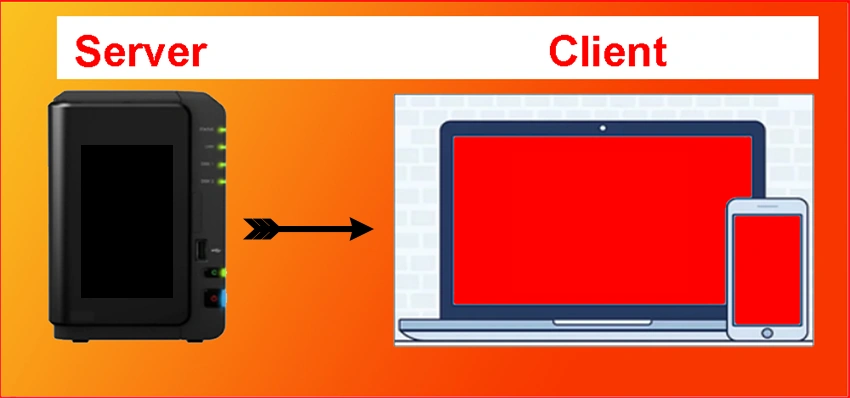
This hosting strategy uses WebAssembly to run the programme directly in the browser. The compiled application, its dependencies, and the .NET runtime are all downloaded to the client browser from the server as a result. Without a server connection, a Blazor WebAssembly programme can run fully on the client, or it can optionally be configured to communicate with the server through SignalR or web API requests.
Benefits of the Blazor WebAssembly Hosting Model
A Blazor WebAssembly software can run entirely on the client's computer. So, once the application has been downloaded, a server connection is not necessary. This implies that your server does not need to be online always.
The client receives work that was previously on the server. The resources and capacities of the client are being utilised.
The application can be hosted without a full-fledged ASP.NET Core web server. All we need is a server somewhere that can send the programme to the client browser. This means that we can host the application on our own server somewhere on the internet, in the cloud, on Azure as a static website, or even on a CDN Content Delivery Network.
The Disadvantages of Blazor WebAssembly Hosting
- The first request is normally more time consuming because the full app, its dependencies, and the.NET runtime must be downloaded to the client browser. Remember that only the first request takes longer than usual. When that same client returns to the programme, it normally starts quickly because the browser caches the files.
- Because the app operates fully on the client browser, it is limited to the browser's capabilities.
- Capable client hardware and software are required depending on the nature of the application. A browser with WebAssembly support, for example, is required from a software standpoint.
Hosting Model for Blazor Server
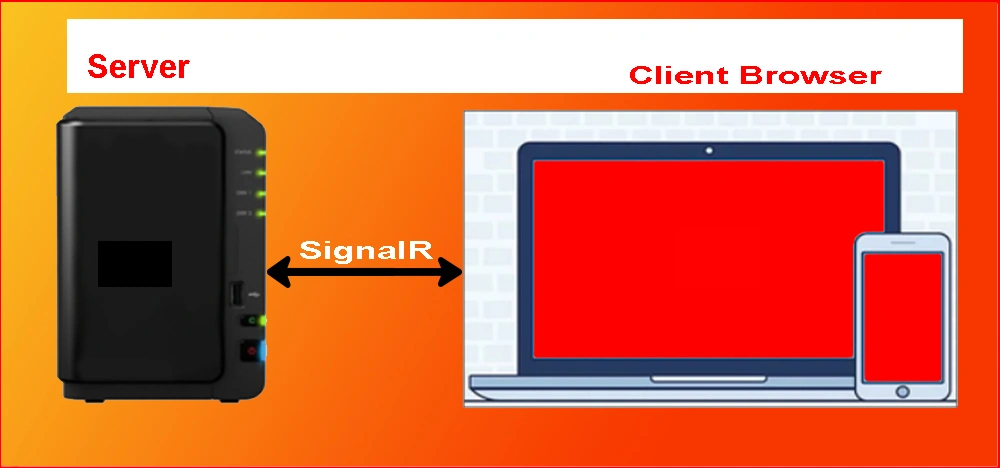
The programme is performed on the server in this hosting model. A SignalR connection is created between the client and the server. When a client event occurs, such as a button click, the information about the event is communicated to the server over the SignalR connection. The server processes the event, and a diff (difference) is calculated for the output HTML. The complete HTML is not provided to the client again; only the difference is sent via the SignalR connection. The browser then updates the user interface. The programme feels faster and more responsive to the user because only the diff is used to update the UI.
Advantages of Blazor Server Hosting Model,
- The app loads substantially faster because the download size is much smaller than that of a Blazor WebAssembly app.
- Because the app runs on the server, it may fully utilise the server's capabilities, including the use of any.NET Core compliant APIs.
- To utilise the app, all the client needs is a browser. Browsers that do not support WebAssembly can also be utilised.
- Because the app's.NET/C# code is not served to clients, it is more secure.
The disadvantages of Blazor Server hosting are as follows,
- The application must be hosted on a full-fledged ASP.NET Core server. It is not possible to use serverless deployment scenarios such as serving the app via a CDN.
- An active server connection is always required. This implies that the server must be operational 24 hours a day, seven days a week. If the server is unavailable, the programme will not function.
- Because every user interaction requires a round trip to the server, latency is typically higher when compared to Blazor WebAssembly hosting.
- Scalability can be difficult, especially for apps with a large number of users, because the server must manage multiple client connections and client state. However, by combining Azure SignalR Service with a Blazor Server app, we can address the scalability issue. This service enables the use of a Blazor Server. By enabling a large number of concurrent SignalR connections, this service enables a Blazor Server programme to scale extremely effectively.
Summary
I hope you understood model-hosting in Blazor.
Join the conversation! Your thoughts help the community grow.