

Context
We need to send an email to each user containing all the applications they have created. We will proceed by grouping the applications by user.
Steps
To achieve this, we have created a table called "User Application" that contains all the applications created in an environment.
| UserEmail | Application Name |
| [email protected] | TEST DEV - TEST FHR - Merge REC 4 |
| [email protected] | TEST DEV - TEST FHR - MERGE REC 8 |
- Create an instant flow
- List the rows of the table "User Application"
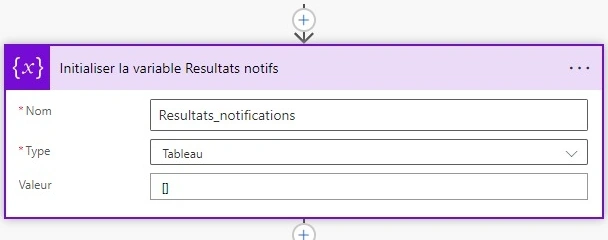
- Initialize the variable 'Notifications Results' as an array.
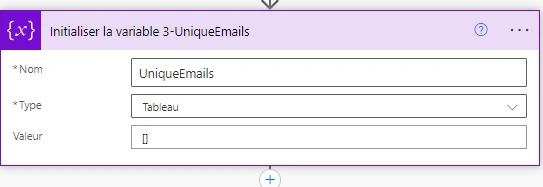
- Initialize the variable 'Unique Emails' as an array.
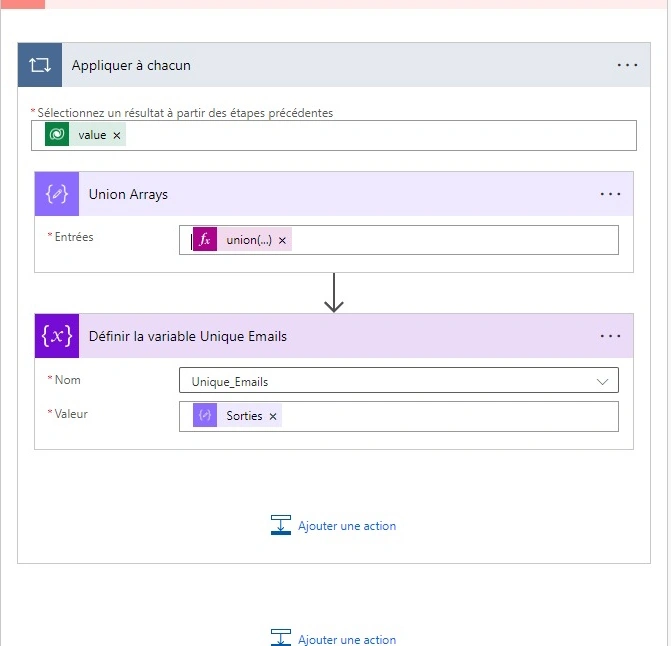
- In an 'Apply to Each', add the Compose operation and the following expression.
union(variables('Unique_Emails'), createArray(item()?['UserEMail'])) - Set the variable 'Unique Emails' to the output of the Compose.
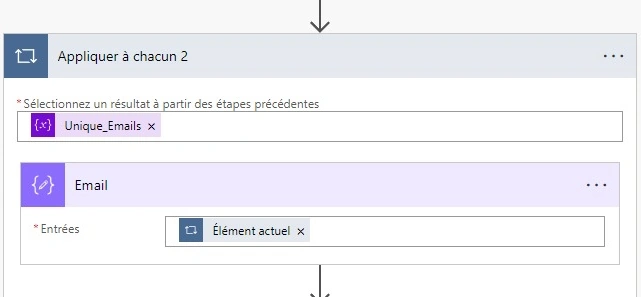
- Add a new 'Apply to Each' with the variable 'Unique Emails' to process its content.
- Add a compose action with the current item.
- Now we want to collect all the applications created by each user.
- Add a filter action: from the "User Application" value.
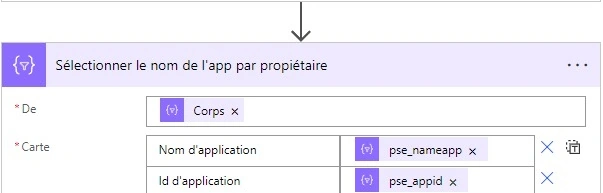
equals(item()?['UserEmail'], outputs('Email')) - Add a select action to grab the EMAIL User and the application name.
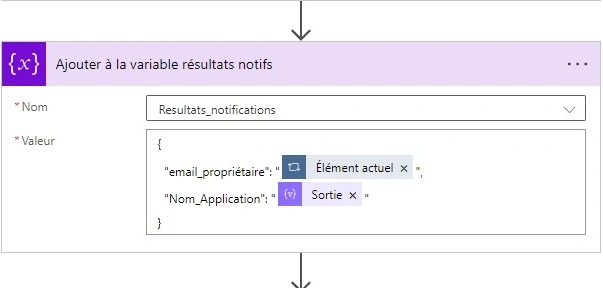
- Add to the array variable 'Notifications resultats' the Email User and AppName.
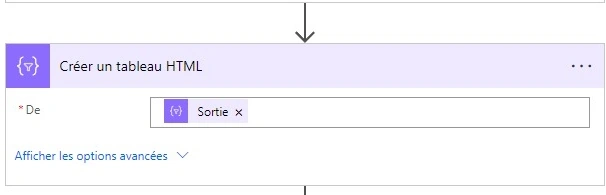
- Create an HTML table with the variable content as input.
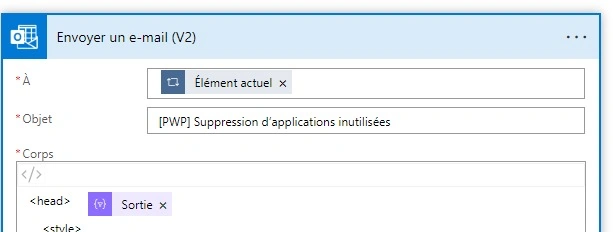
- Send an e-mail to each user and add the html table to the body of the email.
- Each user will receive an email with an HTML content table.

Join the conversation! Your thoughts help the community grow.