

Here, we are going to perform one GET operation in Web API, using Visual Studio 2013.
If you want to know the overview of Web API, then please read my previous article on Overview of Web API.
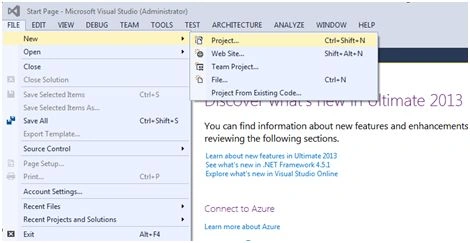
Open the Visual Studio -> Click File from top menu -> New -> Project.
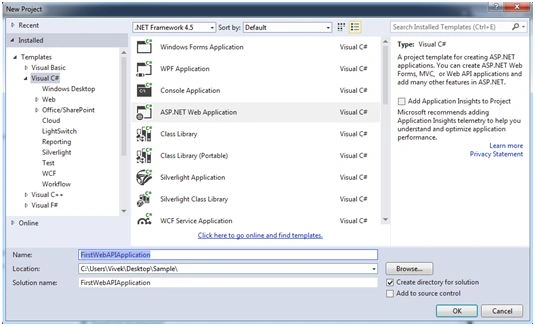
Choose ASP.NET Web Application from New project Window and give the name as “FirstWebAPIApplicaion” and click OK button, as shown below:
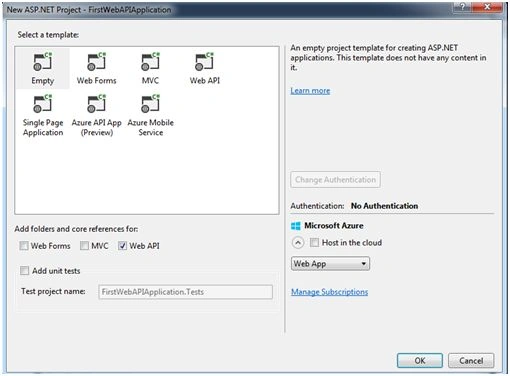
Select a template as empty and select Web API from the checkbox given below and then click OK button, as shown below:
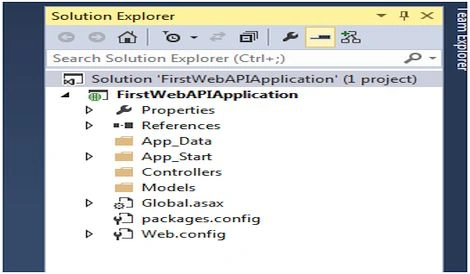
We will get the project structure, as shown below:
Now, we will add student model in the model folder, as shown below:
In Solution Explorer, right click on the model folder -> Add - > Class
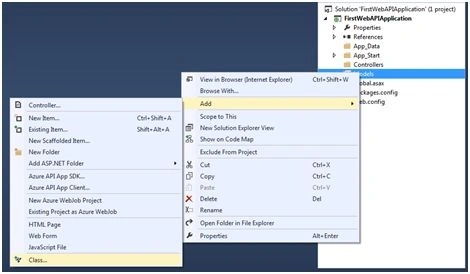
Enter the class name as Student.cs in “Add New Item” dialog box and click Add, as shown below:
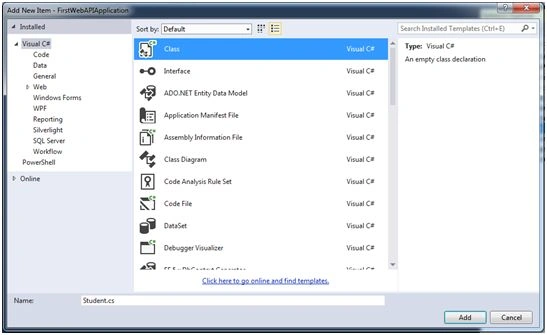
Write the following property in the Student class, as shown below:
- public class Student
- {
- public int Id { get; set; }
- public string Name { get; set; }
- public string FatherName { get; set; }
- }
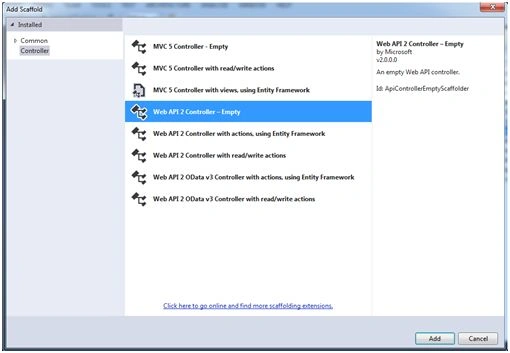
In Solution Explorer, right click in Controller folder -> Add -> Controller.
In the Add Scaffold dialog box, choose Web API 2 Controller – Empty and click Add button, as shown below:
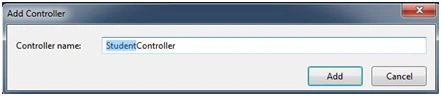
In the Add Controller dialog box, enter the name as StudentController and click Add button, as shown below:
Now, in the StudentController page, we are going to create an Action method for http GET request.
First, we will add the model class in the top of the page, as shown below:
- using FirstWebAPIApplication.Models;
- public class StudentController: ApiController
- {
- public Student GetStudentDetails()
- {
- Student student = new Student();
- student.Id = 001;
- student.Name = "student1";
- student.FatherName = "father1";
- return student;
- }
- }
For calling the Action, by default, we are using the following syntax.
“YourServiceURL/api/{controller}/{id}"
ID is optional but we can change it as per our requirement by using routing in Web API. If you want to know more details about routing in the web, please read my article on Routing in Web API.
I am using fiddler to show the result, given below:
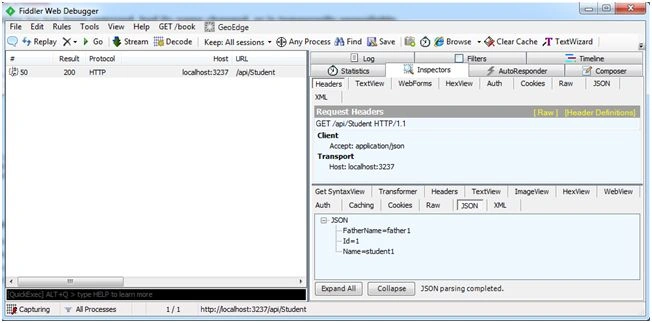
In this example, I showed the GET request only but with GET request we can also use POST, UPDATE and DELETE.
We are using action names starting with GET prefix for Get request. It’s also applicable for remaining verbs, as shown below:
PostActionName, PutActionName, DeleteActionName.
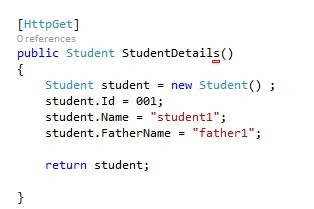
As per our requirement, we can change the name of the action and we can specify the Action verb type and we will use an attribute, just before the action name.
[HttpGet] [HttpPost] [HttpPut][HttpDelete]
In this easy way, we can use Web API for restful services.
Manav PandyaPosted Sep 18, 2016, 3:11 AM
Impressive sir ...
Santhakumar MunuswamyPosted Jun 25, 2016, 2:56 AM
Nice share
Humayun Kabir MamunPosted Jun 17, 2016, 11:47 AM
Nice...
Thiruppathi RPosted Jun 16, 2016, 8:28 AM
Nice..
Bhavik PatelPosted Jun 15, 2016, 10:21 PM
good one
Santosh Kumar AdidawarpuPosted Jun 15, 2016, 10:26 AM
Nice
Vignesh ManiPosted Jun 15, 2016, 8:46 AM
Nice
Thiruppathi RPosted Jun 15, 2016, 1:19 AM
Good Job..
Debasis SahaPosted Jun 15, 2016, 12:48 AM
Good share..
RajaPosted Jun 15, 2016, 12:19 AM
Nice Share...