

NodeJS Installation
The first prerequisite that we need to work with ReactJS is NodeJS. So, let us see how to install NodeJS environment.
- First, open the below link to go to NodeJS official download website from which we will download it.
https://nodejs.org/en/download/
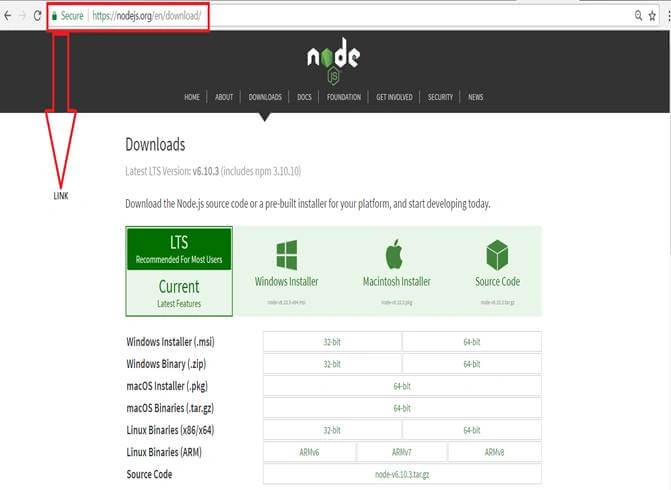
Above, you can see that we have different options for NodeJS according to your platform download correct version.
Global Packages Installation
Once you have downloaded NodeJS, open NodeJS command prompt and write a simple command as shown below.
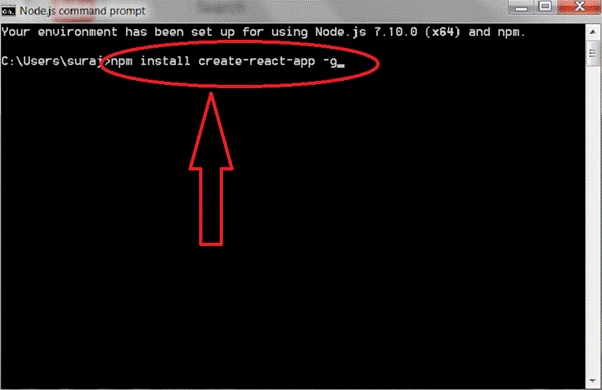
Once you run this command, ReactJS and its global package will install at your system. In this command, –g is used to make this package global so that we can run it from any location.
Create React App
For creating React App, we have to run a simple command.
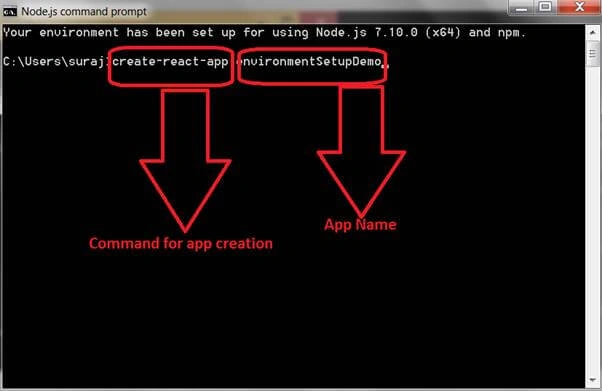
Once you run the above command, the below screen will appear on your system.
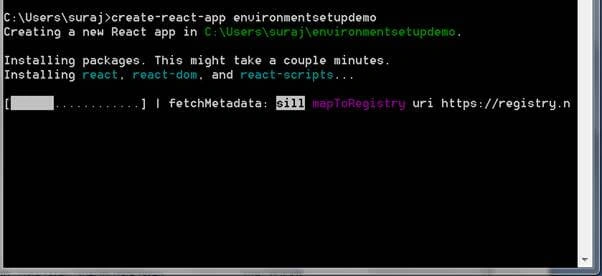
You can see in the above image, a process bar is running. Once all processes are completed, the app will be created as shown in the below image.
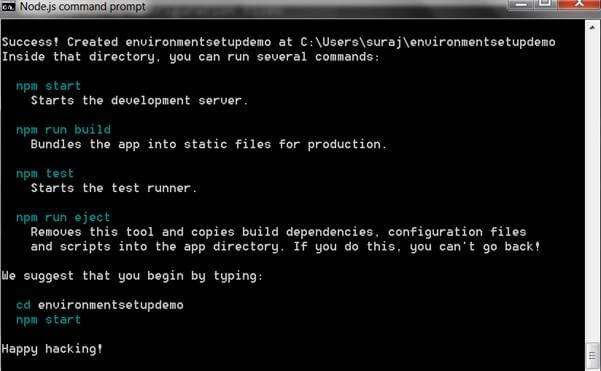
Start npm
The next step is to run npm, which can be done by simply using two commands
- cd environmentsetupdemo- Where environmentsetupdemo is app name.
- npm start
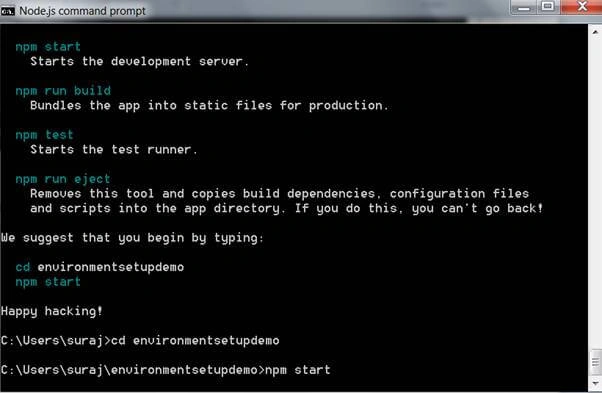
Once you enter this command, Node.js command prompt will give you the following screen.
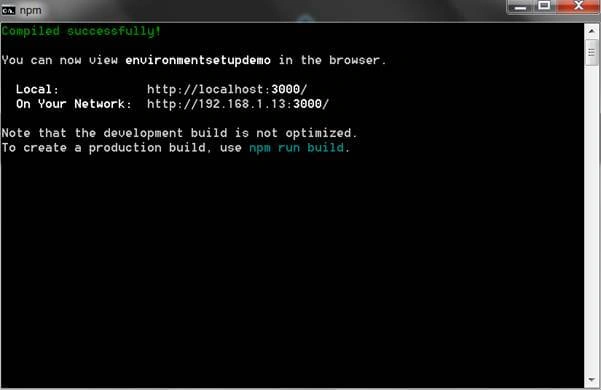
As soon as this window appears on the command prompt, one tab will be opened in web browser showing default React app page.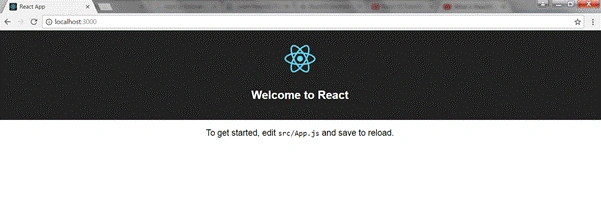
lok nadhPosted Jun 6, 2017, 10:15 PM
Hi Nitin Thanks for your post. I am getting error while running npm install create-react-app -g. I provided log details below:0 info it worked if it ends with ok1 verbose cli [ 'C:\\Program Files\\nodejs\\node.exe', 1 verbose cli 'C:\\Program Files\\nodejs\\node_modules\\npm\\bin\\npm-cli.js', 1 verbose cli 'install', 1 verbose cli 'create-react-app', 1 verbose cli '-g' ] 2 info using [email protected] 3 info using [email protected] 4 silly loadCurrentTree Starting 5 silly install loadCurrentTree 6 silly install readGlobalPackageData 7 silly fetchPackageMetaData create-react-app 8 silly fetchNamedPackageData create-react-app 9 silly mapToRegistry name create-react-app 10 silly mapToRegistry using default registry 11 silly mapToRegistry registry http://registry.npmjs.org/ 12 silly mapToRegistry data Result { 12 silly mapToRegistry raw: 'create-react-app', 12 silly mapToRegistry scope: null, 12 silly mapToRegistry escapedName: 'create-react-app', 12 silly mapToRegistry name: 'create-react-app', 12 silly mapToRegistry rawSpec: '', 12 silly mapToRegistry spec: 'latest', 12 silly mapToRegistry type: 'tag' } 13 silly mapToRegistry uri http://registry.npmjs.org/create-react-app 14 verbose request uri http://registry.npmjs.org/create-react-app 15 verbose request no auth needed 16 info attempt registry request try #1 at 4:48:02 PM 17 verbose request id 9946f022519cff04 18 http request GET http://registry.npmjs.org/create-react-app 19 info retry will retry, error on last attempt: Error: connect ETIMEDOUT 151.101.48.162:80 20 info attempt registry request try #2 at 4:48:33 PM 21 http request GET http://registry.npmjs.org/create-react-app 22 info retry will retry, error on last attempt: Error: connect ETIMEDOUT 151.101.48.162:80 23 info attempt registry request try #3 at 4:49:54 PM 24 http request GET http://registry.npmjs.org/create-react-app 25 silly fetchPackageMetaData Error: connect ETIMEDOUT 151.101.48.162:80 25 silly fetchPackageMetaData at Object.exports._errnoException (util.js:1018:11) 25 silly fetchPackageMetaData at exports._exceptionWithHostPort (util.js:1041:20) 25 silly fetchPackageMetaData at TCPConnectWrap.afterConnect [as oncomplete] (net.js:1086:14) 25 silly fetchPackageMetaData error for create-react-app { Error: connect ETIMEDOUT 151.101.48.162:80 25 silly fetchPackageMetaData at Object.exports._errnoException (util.js:1018:11) 25 silly fetchPackageMetaData at exports._exceptionWithHostPort (util.js:1041:20) 25 silly fetchPackageMetaData at TCPConnectWrap.afterConnect [as oncomplete] (net.js:1086:14) 25 silly fetchPackageMetaData code: 'ETIMEDOUT', 25 silly fetchPackageMetaData errno: 'ETIMEDOUT', 25 silly fetchPackageMetaData syscall: 'connect', 25 silly fetchPackageMetaData address: '151.101.48.162', 25 silly fetchPackageMetaData port: 80 } 26 silly rollbackFailedOptional Starting 27 silly rollbackFailedOptional Finishing 28 silly runTopLevelLifecycles Finishing 29 silly install printInstalled 30 verbose stack Error: connect ETIMEDOUT 151.101.48.162:80 30 verbose stack at Object.exports._errnoException (util.js:1018:11) 30 verbose stack at exports._exceptionWithHostPort (util.js:1041:20) 30 verbose stack at TCPConnectWrap.afterConnect [as oncomplete] (net.js:1086:14) 31 verbose cwd C:\ReactJSApp 32 error Windows_NT 6.1.7601 33 error argv "C:\\Program Files\\nodejs\\node.exe" "C:\\Program Files\\nodejs\\node_modules\\npm\\bin\\npm-cli.js" "install" "create-react-app" "-g" 34 error node v6.10.3 35 error npm v3.10.10 36 error code ETIMEDOUT 37 error errno ETIMEDOUT 38 error syscall connect 39 error network connect ETIMEDOUT 151.101.48.162:80 40 error network This is most likely not a problem with npm itself 40 error network and is related to network connectivity. 40 error network In most cases you are behind a proxy or have bad network settings. 40 error network 40 error network If you are behind a proxy, please make sure that the 40 error network 'proxy' config is set properly. See: 'npm help config' 41 verbose exit [ 1, true ]
Manav PandyaPosted Jun 5, 2017, 1:09 AM
Thanks for sharing Nitin Pandit sir ......
RameshPosted Jun 1, 2017, 10:59 AM
Hi, Thanks for the article.I am gettting the below when do "npm start" --------------------------------------------------------- Failed to compile. ./src/index.css Module build failed: Error: Cannot find module 'cssesc' -------------------------------------------------------------