

In this article, we will learn how to create and implement methods in Objective C. If you are a beginner, please go through my previous article Getting Started With Objective C - Creating Class, Object And Accessors to understand some basic concepts in Objective C.
In the last article, I explained about creating classes, objects, and accessors in Objective C. In this article, we will be learning about creating and implementing methods.
So let's learn and understand by creating a simple project.
Prerequisites
- MacOS
- XCode
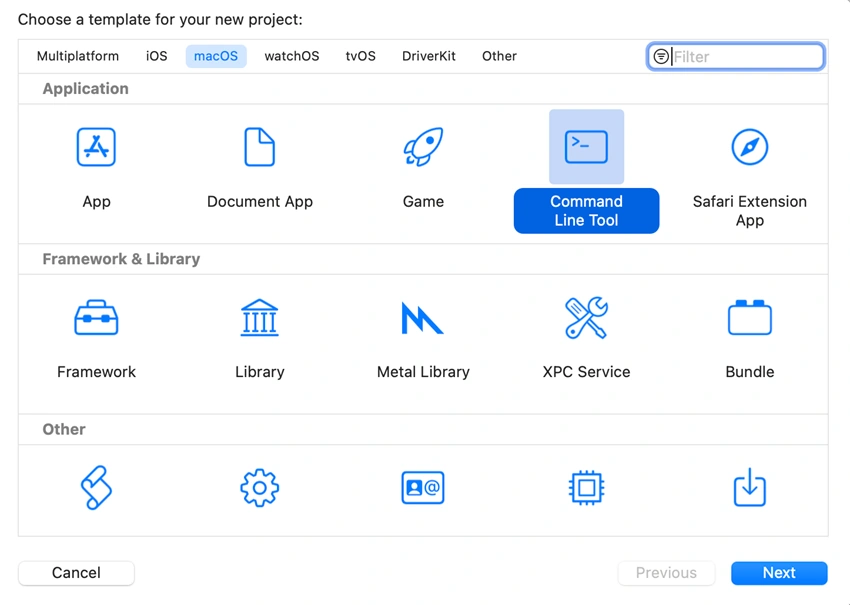
Open XCode and create a new project by selecting macOS -> Command Line Terminal as shown in the below image. We will be displaying the output in the Xcode console.
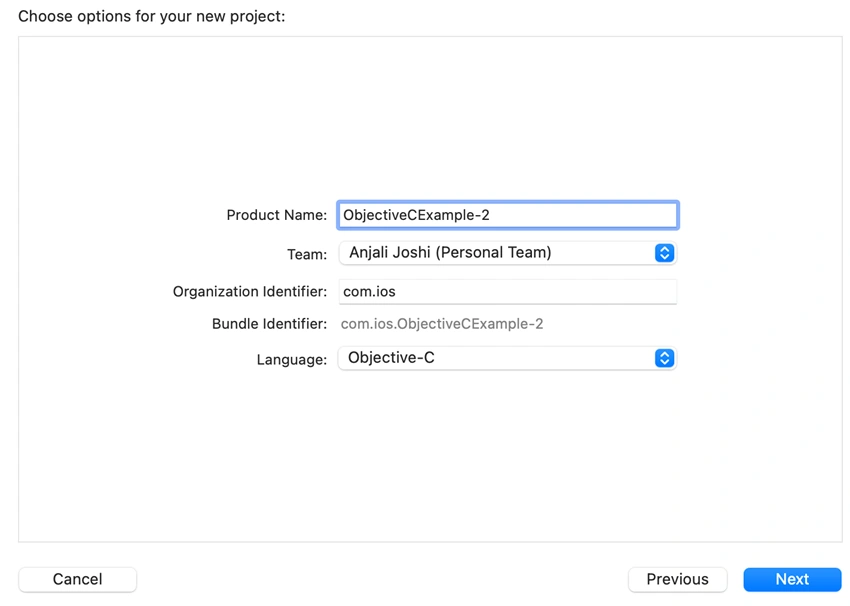
Click on Next. Name your project and select the language as Objective C.
- Select the desired location and save your project.
- In Objective C, for creating properties and methods, we need two files: the Header File (.h) and the Implementation File (.m)
- XCode has a single file called 'Cocoa Class' which creates both the files for you.
- To create a Cocoa Class, right-click on your project in the Project Navigator and select 'New File'.
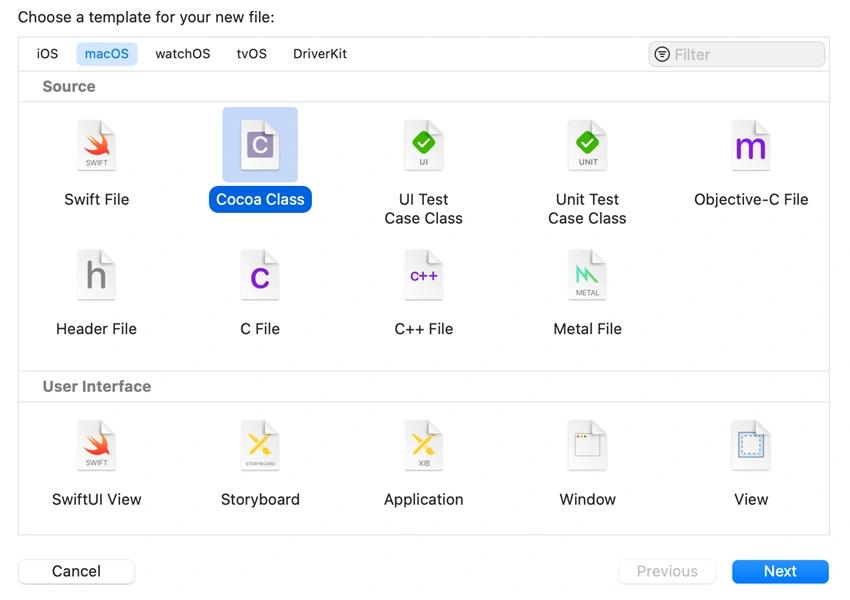
- Select macOS -> Cocoa Class and click on Next.
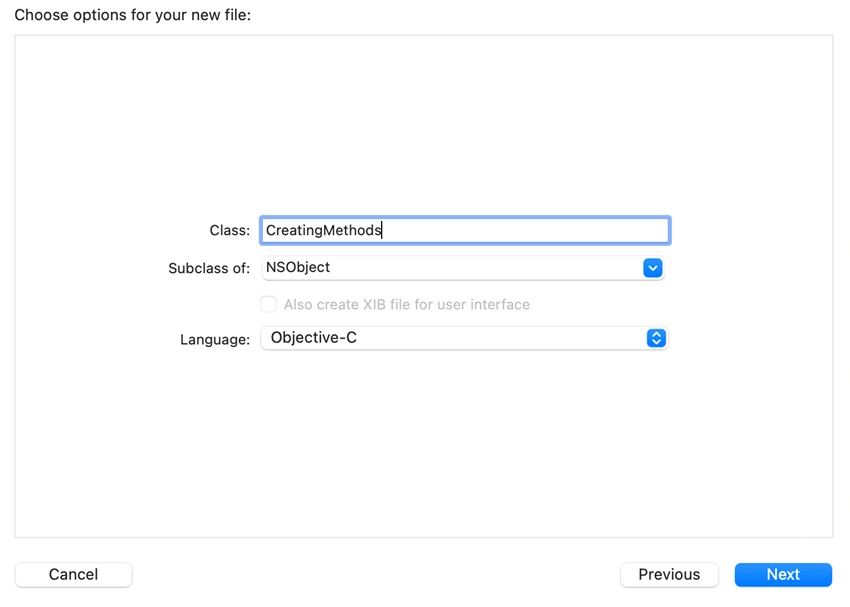
Name your file. Select 'Subclass of: ' as NSObject and Language as Objective-C. Click on Next. Finally, click on Create.
- Once you create this file, you can see two files added to your Project Navigator.
- Now, let's start creating methods. Go to your .h file. In my case, it is 'CreatingMethods.h'
- In this article, I have explained different types of methods i.e Void method(no argument passed), Method with single argument/parameter passed, method with multiple arguments/parameters passed.
So let's start with creating a void method.
@interface CreatingMethods : NSObject

//Void Method
- (void)greetUser;

@end
Methods are denoted as follows: - (return type)methodName:(argument/parameter type)argumentName/parameterName OR + (return type)methodName:(argument/parameter type)argumentName/parameterName
- Instance methods are denoted with '-' whereas static methods are denoted with '+'.
- The difference between instance method and static method is that we need to create an instance/object of the class before calling the method whereas for static method we don't need to create instance/object. For static method, we can directly call it by calling its class name.
- In the above snippet, I have created a simple method that does not contain any arguments, and also this method won't return back anything to the function. When the function is not expected to return back anything, its return type will be declared as 'void'.
- Add the above line in the .h file.
- In the .h file, we have declared the method. Now, we will provide definition of the method in the .m file.
Open .m file and paste the below code. Also make sure, you import the header file in the .m file as shown in the below code:
#import "CreatingMethods.h"

@implementation CreatingMethods
- (void)greetUser
{
    NSLog(@"\nHello User!");
}

@end
Now go to 'main' file where we will create an instance of the class and call the void method.
#import <Foundation/Foundation.h>
#import "CreatingMethods.h"

int main(int argc, const char * argv[]) {
    @autoreleasepool {
        //Calling a void method
        CreatingMethods *cm1 = [[CreatingMethods alloc]init];
        [cm1 greetUser];
    }
    return 0;
}
- NOTE: Import header file in the main file.
- In the above code, we have created an instance of the class. After that we have called the method greetUser.
- The format for calling instance method is: [instanceName methodName];
- Now, run the project and check the output on the console.
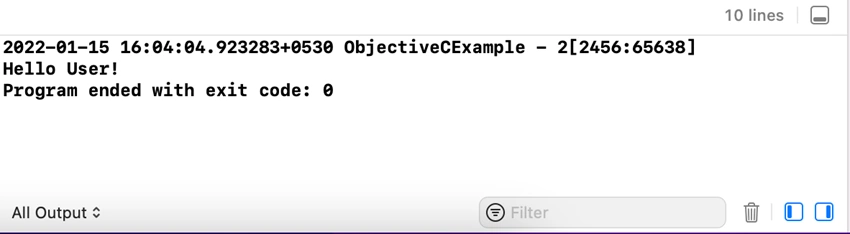
Now, let's create a method that contains one argument. Go to the .h file again and declare the below method:
//Method with one parameter
- (void)greetUsersName:(NSString*)username;
Here, username is the parameter that we will be passing to the function greetUserName.
Now, let's define this method in the .m file.
- (void)greetUsersName:(NSString*)username
{
     NSLog(@"\nHello %@",username);
}
Now, go to the main file and call the method.
//Calling method with one parameter passed to it
        [cm1 greetUsersName:@"Anjali"];
- I am calling the method using same instance. You can create a new instance too if you need.
- Run the project and check the output on console.
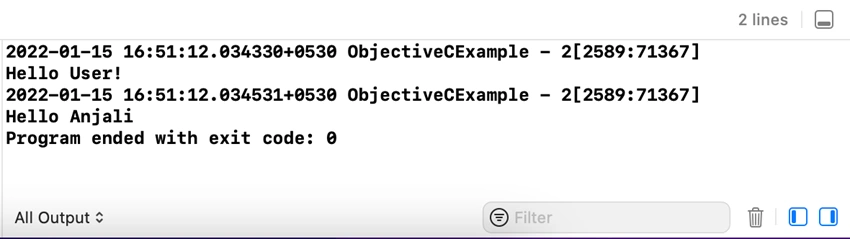
- Follow the same process to create methods with two or more parameters.
- Refer to the below snippets to understand creating methods with two or more parameters.
Method containing two parameters
In .h file,
//Method with two parameters
- (int)additionOfTwoNumbers:(int)num1 num2:(int)num2;
In .m file,
- (int)additionOfTwoNumbers:(int)num1 num2:(int)num2
{
    return num1 + num2;
}
In main file,
//Calling method with two parameters passed to it
        int result = [cm1 additionOfTwoNumbers:5 num2:7];
        NSLog(@"Addition of two numbers : %d",result);
The above code is an example of a method to add two numbers. The return type of the method is int as the function returns result of int type. 'num1' and 'num2' both are of int types as well as the result we get by adding the numbers is also of int type. Hence, we need to declare the return type of function as int.
Method containing multiple parameters
In .h file,
//Method with multiple parameters
- (NSString *)displayStudentData:(int)studentID andStudentName:(NSString *)name andStudentPercentage:(float)percentage andStudentGrade:(NSString *)grade;
In .m file,
- (NSString *)displayStudentData:(int)studentID andStudentName:(NSString *)name andStudentPercentage:(float)percentage andStudentGrade:(NSString *)grade
{
    return  [NSString stringWithFormat:@"\nStudent ID: %d,\nStudent Name: %@,\nPercentage: %f,\nGrade: %@",studentID,name,percentage,grade];
}
In main file,
//Calling method with multiple parameters passed
        NSString* data = [cm1 displayStudentData:101 andStudentName:@"Anna" andStudentPercentage:74.51 andStudentGrade:@"B"];
        NSLog(@"%@",data);
The above code is an example of method with multiple parameters. In the above code, we have created a method that contains multiple parameters of different types. As the final output we will receive will be in the form of NSString, we have declared the return type of method as NSString.
Run the project and check if you receive the below output,
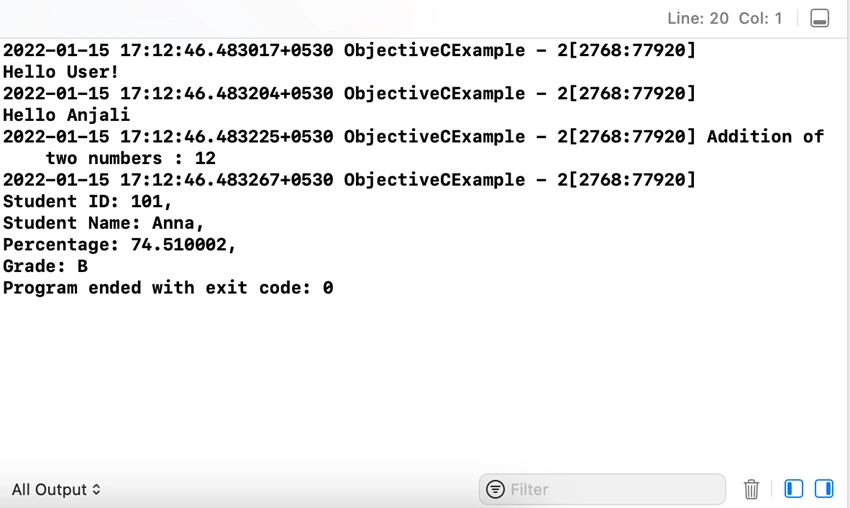
Static method
The above examples were all instance methods. Now let's see an example of static method. We created a method for adding two numbers in the above example. In similar way, let's create a method to subtract two numbers.
In .h file,
//Static method example
+ (int)subtractionOfTwoNumbers:(int)num1 num2:(int)num2;
In .m file,
+ (int)subtractionOfTwoNumbers:(int)num1 num2:(int)num2
{
    return  num1 - num2;
}
- As this method is a static method, we have denoted it with a '+' sign.
- Call this static method in the main file. For static method, we call it by using its class name.
In main file,
//Calling a static method
        int difference = [CreatingMethods subtractionOfTwoNumbers:30 num2:20];
        NSLog(@"\nSubtraction of two numbers: %d",difference);
Run the project and check the output.
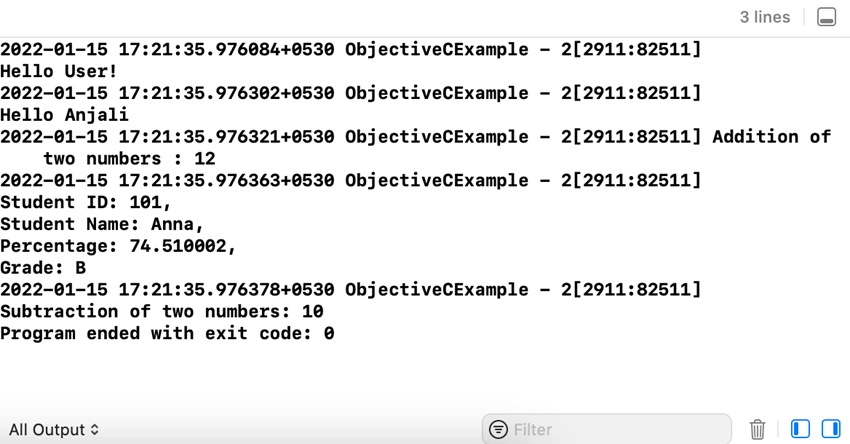
Below is the entire code for your reference:
//
//  CreatingMethods.h
//  ObjectiveCExample - 2
#import <Foundation/Foundation.h>
NS_ASSUME_NONNULL_BEGIN
@interface CreatingMethods : NSObject
//Void Method
- (void)greetUser;
//Method with one parameter
- (void)greetUsersName:(NSString*)username;
//Method with two parameters
- (int)additionOfTwoNumbers:(int)num1 num2:(int)num2;
//Method with multiple parameters
- (NSString *)displayStudentData:(int)studentID andStudentName:(NSString *)name andStudentPercentage:(float)percentage andStudentGrade:(NSString *)grade;
//Static method example
+ (int)subtractionOfTwoNumbers:(int)num1 num2:(int)num2;
@end
NS_ASSUME_NONNULL_END
//
//  CreatingMethods.m
//  ObjectiveCExample - 2
#import "CreatingMethods.h"
@implementation CreatingMethods - (void) greetUser {
    NSLog(@ "\nHello User!");
} - (void) greetUsersName: (NSString * ) username {
    NSLog(@ "\nHello %@", username);
} - (int) additionOfTwoNumbers: (int) num1 num2: (int) num2 {
    return num1 + num2;
} - (NSString * ) displayStudentData: (int) studentID andStudentName: (NSString * ) name andStudentPercentage: (float) percentage andStudentGrade: (NSString * ) grade {
    return [NSString stringWithFormat: @ "\nStudent ID: %d,\nStudent Name: %@,\nPercentage: %f,\nGrade: %@", studentID, name, percentage, grade];
} + (int) subtractionOfTwoNumbers: (int) num1 num2: (int) num2 {
    return num1 - num2;
}
@end
//
//  main.m
//  ObjectiveCExample - 2

#import <Foundation/Foundation.h>
#import "CreatingMethods.h"

int main(int argc, const char * argv[]) {
    @autoreleasepool {
        //Calling a void method
        CreatingMethods *cm1 = [[CreatingMethods alloc]init];
        [cm1 greetUser];

        //Calling method with one parameter passed to it
        [cm1 greetUsersName:@"Anjali"];

        //Calling method with two parameters passed to it
        int result = [cm1 additionOfTwoNumbers:5 num2:7];
        NSLog(@"Addition of two numbers : %d",result);

        //Calling method with multiple parameters passed
        NSString* data = [cm1 displayStudentData:101 andStudentName:@"Anna" andStudentPercentage:74.51 andStudentGrade:@"B"];
        NSLog(@"%@",data);

        //Calling a static method
        int difference = [CreatingMethods subtractionOfTwoNumbers:30 num2:20];
        NSLog(@"\nSubtraction of two numbers: %d",difference);
    }
    return 0;
}
I hope this article was helpful for you to understand how to create and implement methods in Objective C. Also, we will go through some more concepts in my next article.
Anjali JoshiPosted Jan 28, 2022, 2:20 PM
Thanks Kumar!
Kumar SanuPosted Jan 27, 2022, 12:59 PM
This article is useful for beginners.Thanks for sharing :)