

What is MuleSoft?
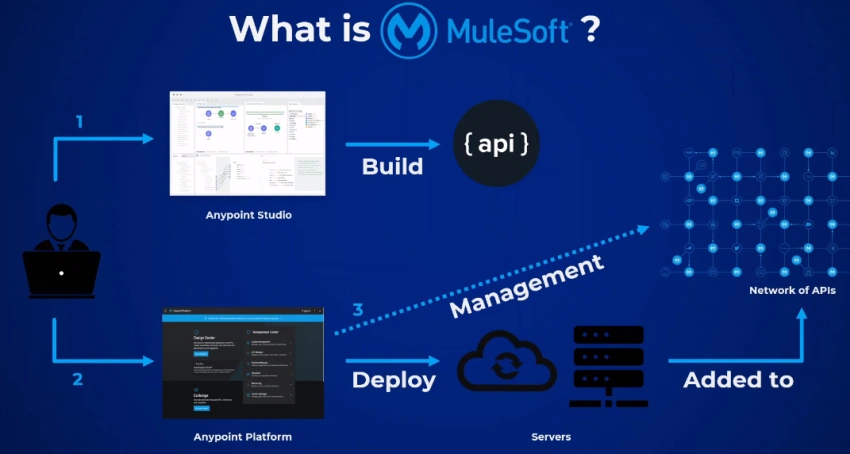
MuleSoft is a software company that provides tools to build, manage and deploy a network of applications, data, and devices connected via APIs that run both on-premises and in the cloud with an API-led connectivity approach.
MuleSoft is an integration platform for connecting enterprise and SaaS applications in the cloud and on-premises.
Advantage
Scalability
The main reason why MuleSoft is so popular is because of its integration capabilities. Even if you have a legacy system, you can connect it to SaaS products and system APIs using Mule integration. This allows you to scale your system without having to overhaul it completely.
API-driven connectivity also allows you to expand into new markets by unlocking your data and infrastructure to integrate the systems you need.
Performance
MuleSoft boosts the performance of individual developers as well as your entire organization. Development time is reduced because your teams can keep reusability in mind and use a unified platform for the entire API creation process.
As for your business, you'll be able to increase the pace of innovation because you'll be able to connect data in new ways rather than wasting time creating custom code to connect each system.
What is Mule ESB?
Mule ESB is an architecture developed for programmers. They can integrate a range of applications using the bus-like infrastructure. Mule ESB can be integrated with HTTP, web service, JMS, etc.
Mention the features of Mule ESB
The features of Mule ESB are:
- Offer SLA (Service Level Agreement) monitoring and API management facility.
- It has easy to use, and drag and drop graphical design.
- Mule ESB provides high scalability.
- It enables developers to deploy in one click cloud or on-premises deployments.
The basic principles of ESB integration are,
- Transportation: It negotiates between different formats like JDBC, HTTP, JMS, etc.
- Transformation: It deals with transporting data between data formats needed by the ESP connector.
- Non-functional consistency: It is how monitoring and security policies are applied and should be consistent.
- Mediation: It involves offering different interfaces to,
- Enables different channels to the same component implementation.
- Support various service versions for backward compatibility.
Getting Started,
- Open https://www.mulesoft.com/
- Sign up for a free trial if you don't have license https://anypoint.mulesoft.com/login/signup?apintent=generic
- Sign in.
Once logged in, you can have access to Any point Platform:
- Anypoint platform is a highly productive, hybrid integration platform that creates an application network of apps, data, and devices by producing and consuming reusable assets.
- It is a collection of Tools and Frameworks (building applications) and runtime for running applications.
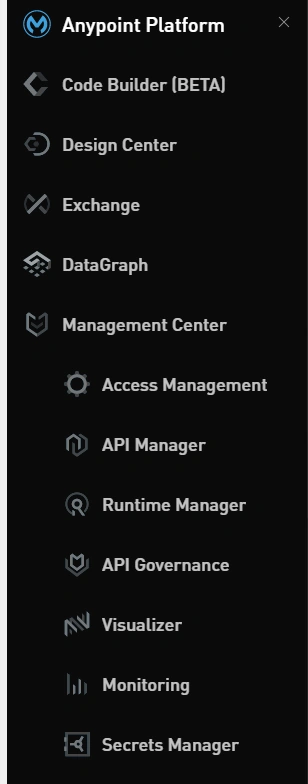
In this article, we will work with Anypoint Studio only. First, you need to download Anypoint Studio,
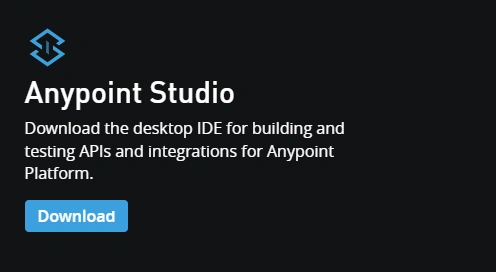
To install Anypoint studio, you can install 30 days trial if you don't have a license.
What is Anypoint Studio
- Anypoint Studio is an integration tool for designing and testing MuleSoft applications.
- Anypoint Studio is a user-friendly IDE (integrated development environment).
- It is an Eclipse-based IDE. We can easily drag Connectors from the Mule Palette. In other words, Anypoint Studio is an Eclipse-based IDE for the development of flow, etc.
Why Anypoint Studio?
- Get started quickly with hundreds of prebuilt connectors, templates, and examples.
- Scaffold APIs from OpenAPI and RAML specifications
- Normalize, join, filter, or map any data format with DataWeave
- Automate testing and improve code coverage with Munit
- Save time debugging with a built-in exception handling framework.
Steps to install Anypoint Studio
- Download the zip file after registering. This will take some time to download because the size is 2GB.
- Unzip the zip file.
- Run AnypointStudio.exe to start Anypoint Studio.
- You will see the layout like this.
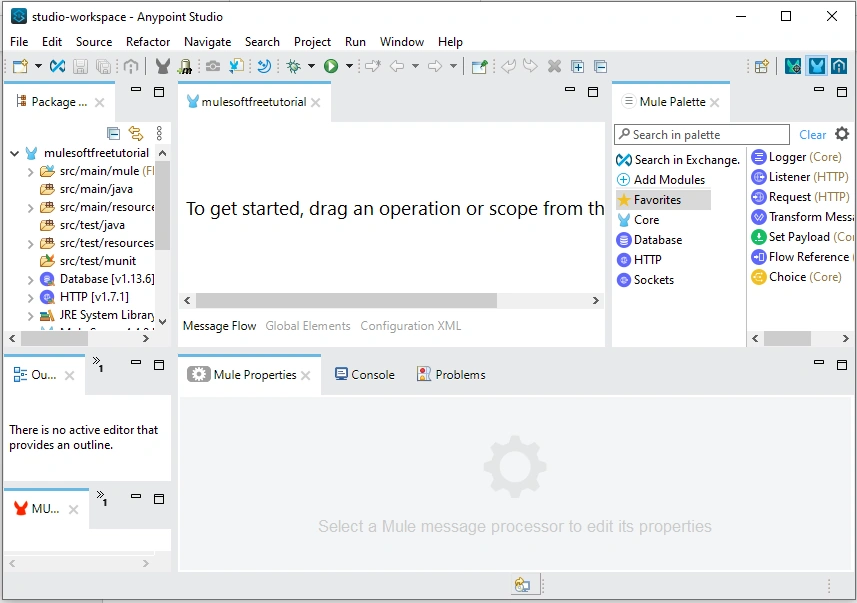
Let's discuss the Anypoint Studio workplace in detail.
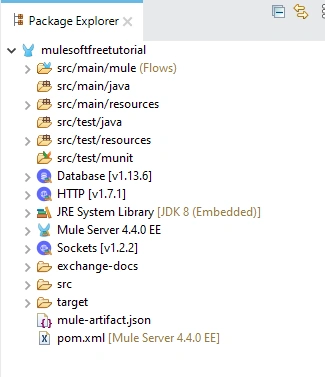
- Package Explorer - The Package Explorer view displays the project folders and files that comprise a Mule project.
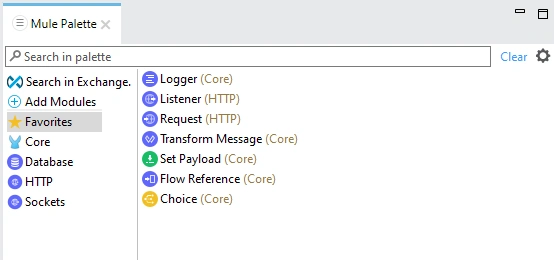
- Mule Palette - The Mule Palette view helps you manage the modules and connectors in your project. You can also add new elements from Exchange in this view.
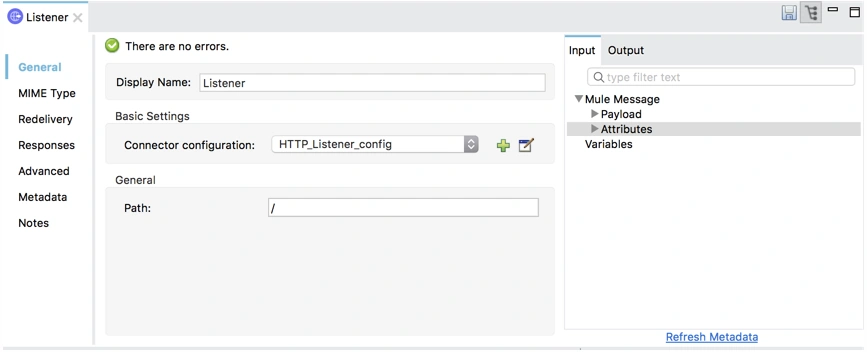
- Mule Properties - The Mule Properties view allows you to edit the module's properties currently selected in your canvas.
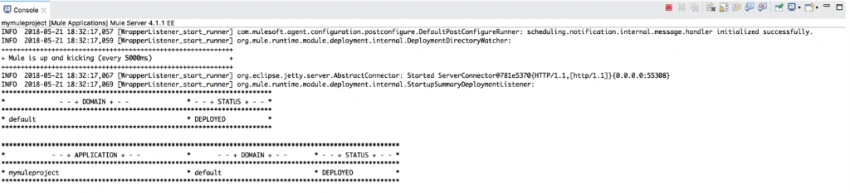
- Console - The Console view contains the console for the embedded Mule server, which displays a list of events and problems (if any) that Studio reports as you create or run your Mule application
- Problems - The Problems view displays a list of all issues encountered in your project

HelloWorld API
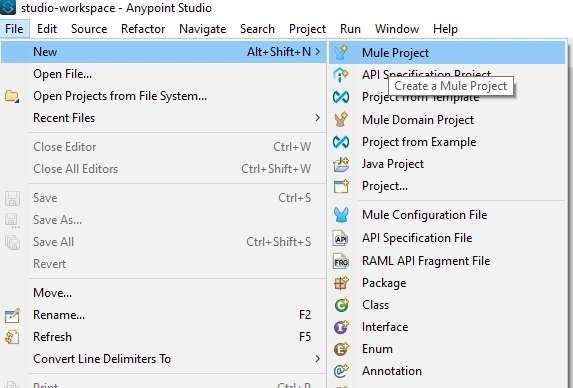
Right-click on File and click on New and select Mule Project.
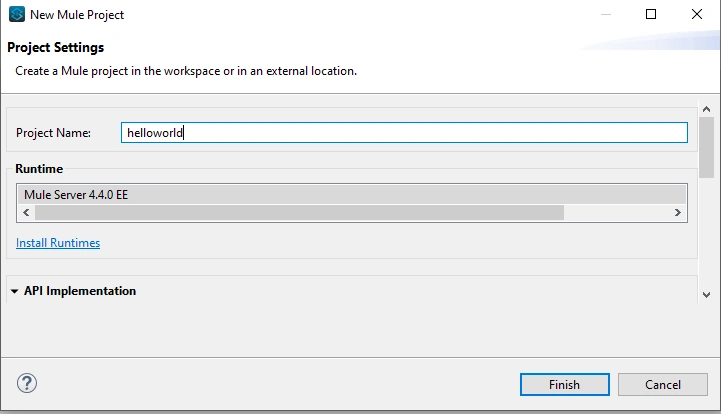
Provide the project name "helloworld" and click Finish.
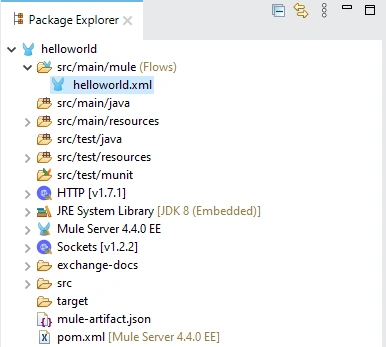
Here is what the package explorer looks like.
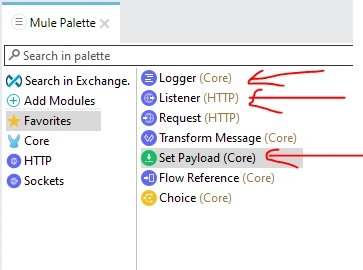
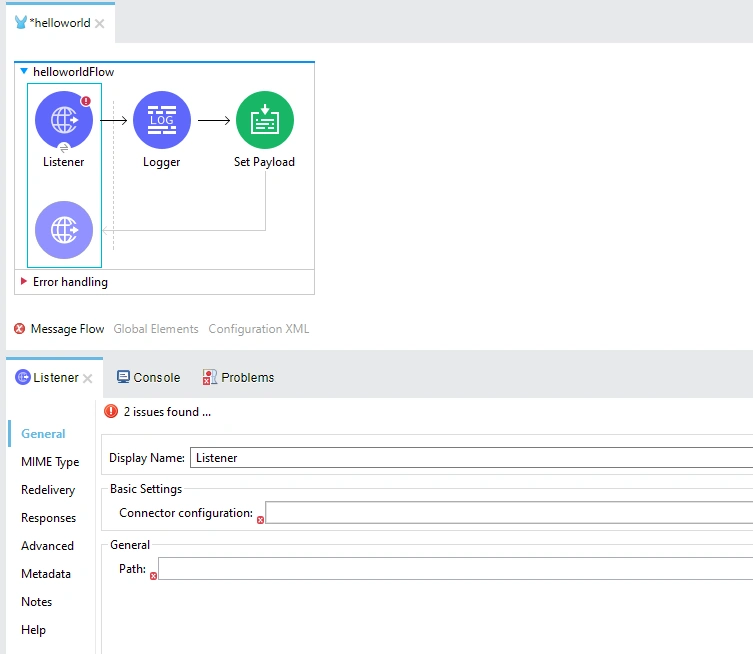
Now go to Mule Palette and drag and drop Listener (HTTP), Logger (Core), and Set Payload(Core) on the design area.
Click on Listener. As you can see Connection configuration and Path is required fields, provide both field's value,
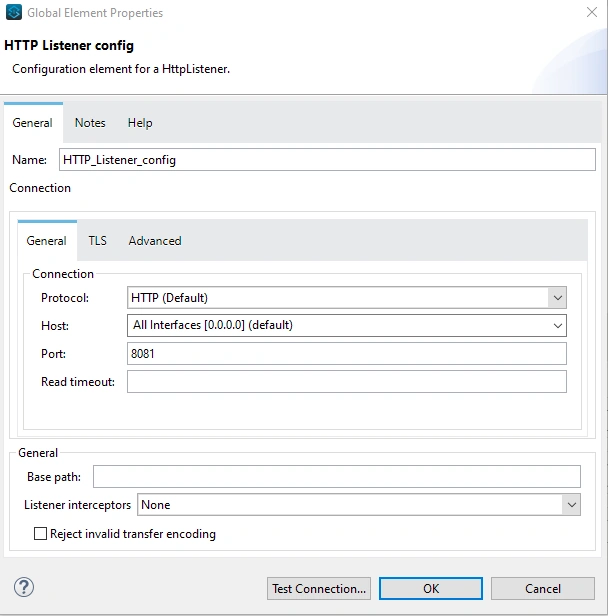
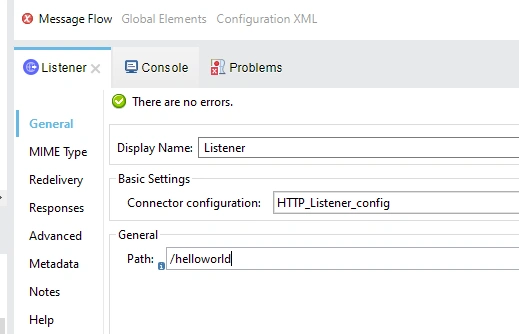
Keep the default connector configuration and click Test connection. Click OK. Also, provide the Path based.
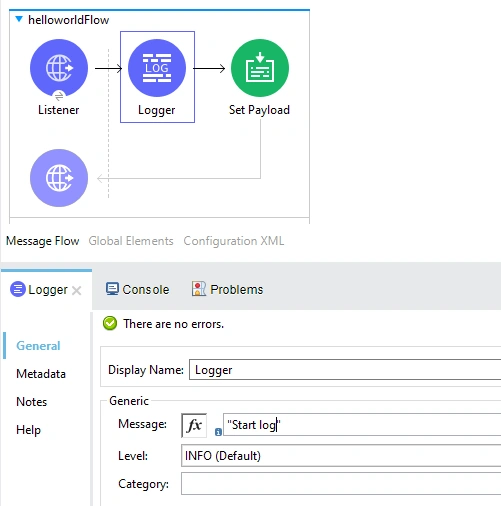
Click on the Logger and set the log message.
Now click on Set Payload and set the data to display.
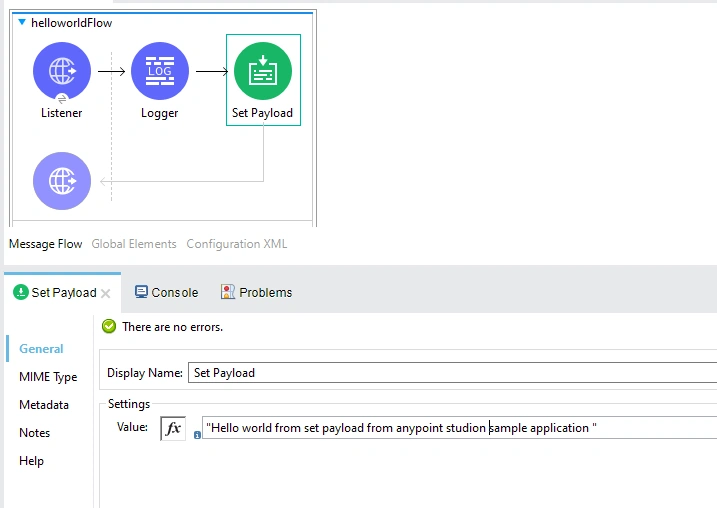
All good. Let's deploy the application now.
Right-click on the helloworld.xml file and click Run as Mule Application.
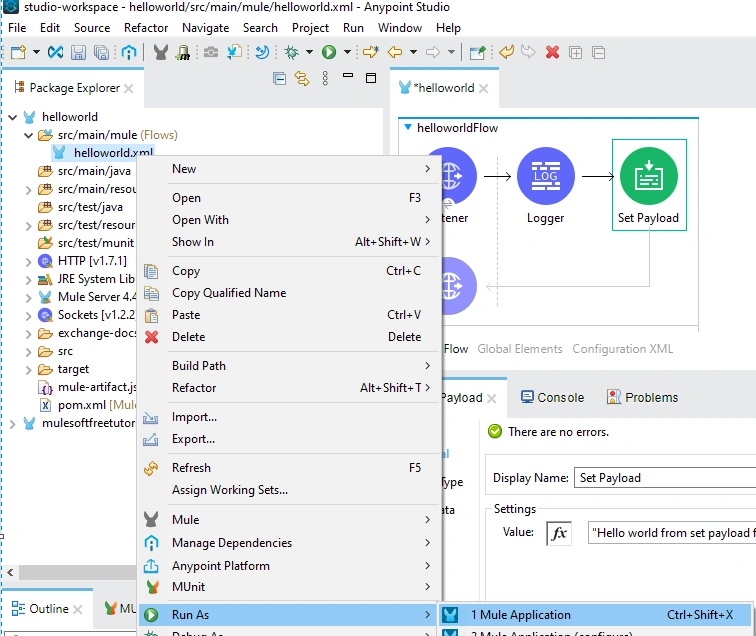
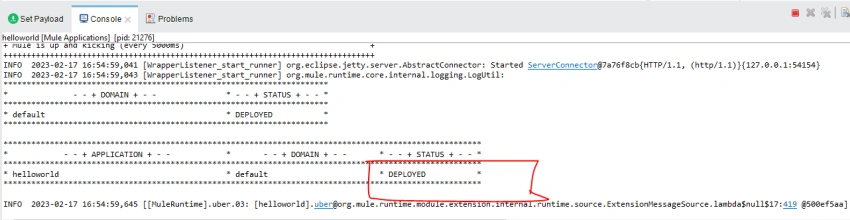
This will take some time to deploy. Once deployed, you will see a message like this in Console.
Let's open Postman to test the API.
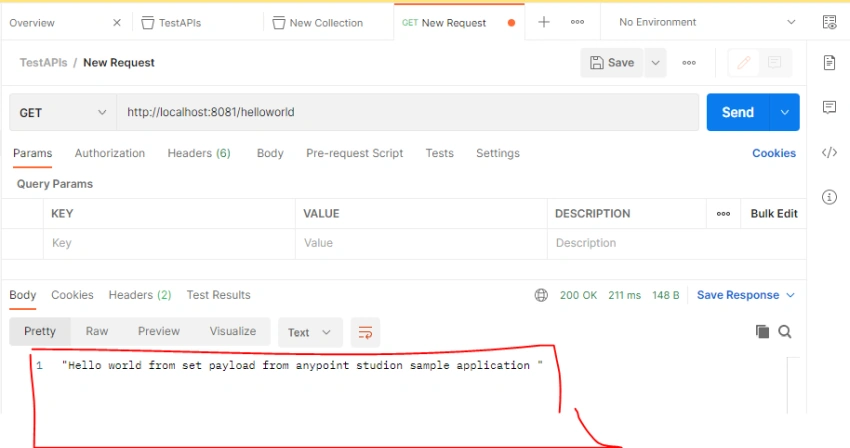
As you can see, API is working as expected, and data comes from Set Payload.
Conclusion
In this article, we have learned how to get started with MuleSoft, go through with some information, set up Anypoint Studio, build a sample API, and deploy and run that API in postman.
Join the conversation! Your thoughts help the community grow.