

Entity Framework
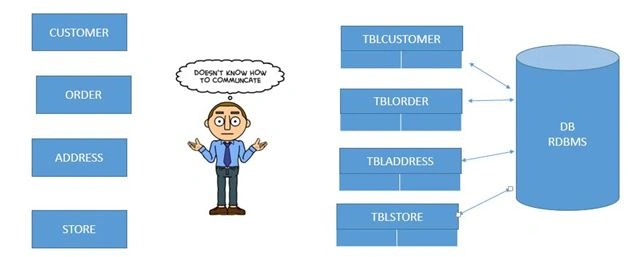
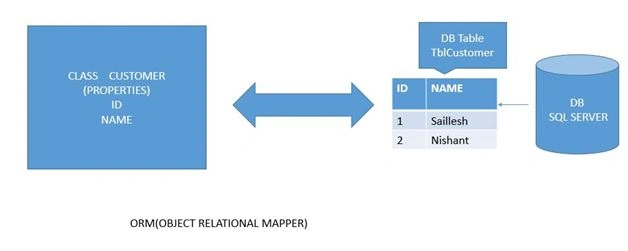
- Wizard approach
- POCO Classes (plain old CLR objects)
- Code first
I won’t be going to the details of wizard and poco classes. I will be unleashing the code at the first approach from scratch. So stay tuned.
Step 1: Create a new Project.
Step 2: Select Web.
Step 3: ASP.NET WEB Application.
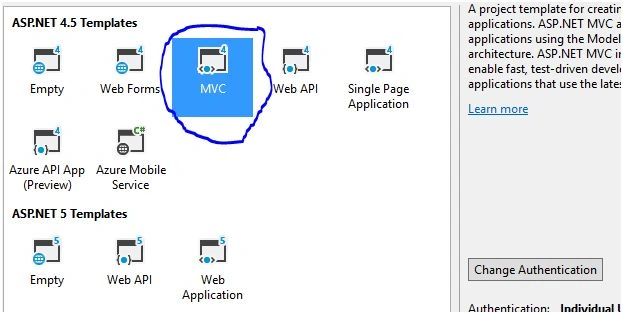
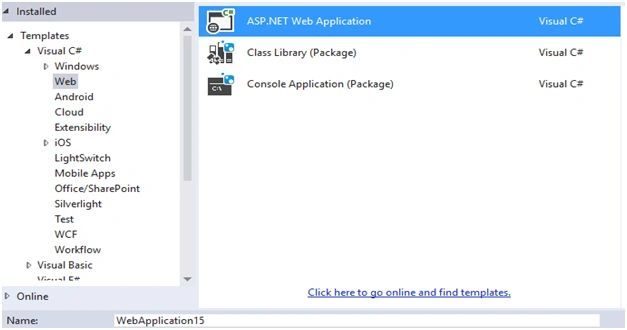 Step 4: MVC 4,
 So we are going to perform a CRUD operation. CRUD stands for Create, Read, Update, and Delete. So let's get started.
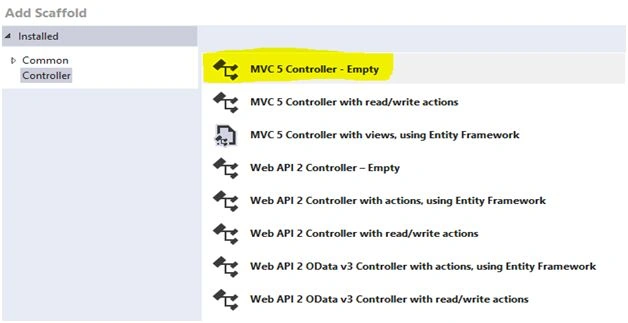
Create Controller.
So we are going to perform a CRUD operation. CRUD stands for Create, Read, Update, and Delete. So let's get started.
Create Controller.
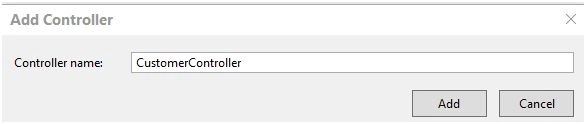
 Name it CustomerController because all the requests for Customer Class will be handled by the Customer Controller.
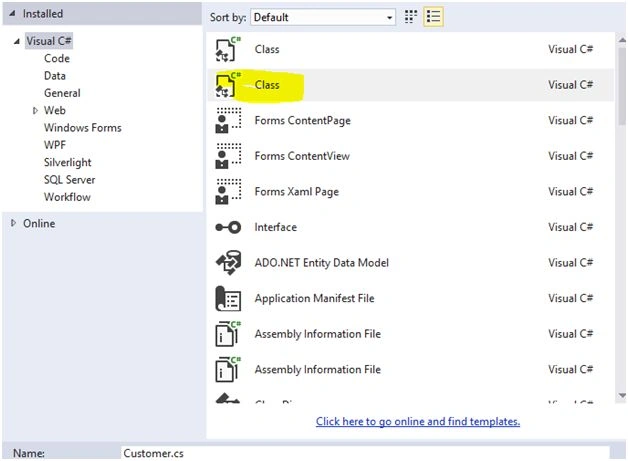
 Add a new class.
 Declaring Customer class Properties:
- using System.ComponentModel.DataAnnotations;
- namespace EntityF.Models
- {
- public class Customer
- {
- //Entity Framework Id is by default assumed as the primary key
- [Key]
- public int Id
- {
- get;
- set;
- }
- public string Name
- {
- get;
- set;
- }
- public string Address
- {
- get;
- set;
- }
- }
- }
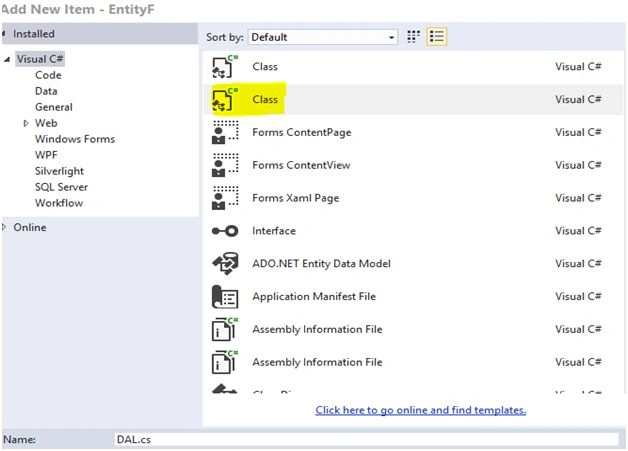
- using System.Data.Entity;
- namespace EntityF.Models
- {
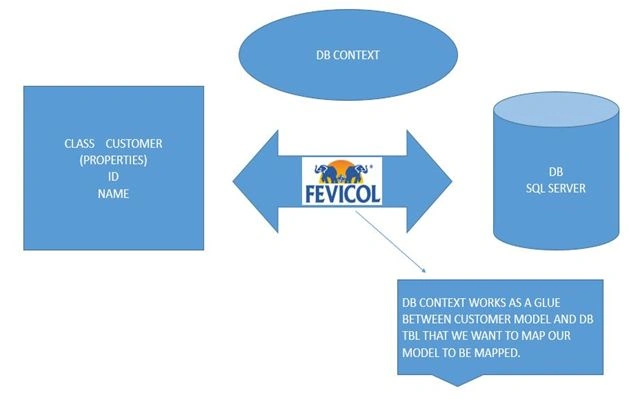
- public class DAL: DbContext
- {
- //glue code
- public DbSet < Customer > customer
- {
- get;
- set;
- }
- protected override void OnModelCreating(DbModelBuildermodelBuilder)
- {
- //mapping with the Customer Table
- modelBuilder.Entity < Customer > ().ToTable("Customer");
- }
- }
- }
- <connectionStrings>
- <add name="DAL"connectionString="Data Source=.;Initial Catalog=EnitySample;Integrated Security=True"providerName="System.Data.SqlClient" />
- </connectionStrings>
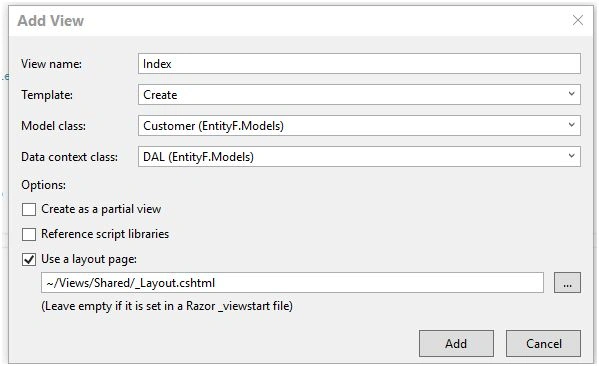
- @model EntityF.Models.Customer
- @{
- ViewBag.Title = "Index";
- Layout = "~/Views/Shared/_Layout.cshtml";
- }
- <h2>Index</h2>
- <script src="~/Scripts/bootstrap.min.js">
- </script>
- <form action="~/Customer/Create"method="post">
- <div class="form-group">
- <label for="exampleInputCustomerName">Customer Name
- </label>
- <input type="text"class="form-control"id="txtCustomer"name="Name"placeholder="Enter your Name">
- </div>
- <div class="form-group">
- <label for="exampleInputAddress">Customer Address
- </label>
- <input type="text"class="form-control"id="txtCustomer"name="Address"placeholder="Password">
- </div>
- <button type="submit"class="danger">Submit
- </button>
- </form>
- <div></div>
- @section Scripts {
- @Scripts.Render("~/bundles/jqueryval")
- }
- USE[EnitySample]
- GO
- /****** Object: Table [dbo].[Customer] Script Date: 2/7/2016 10:40:19 AM ******/
- SET ANSI_NULLSON
- GO
- SET QUOTED_IDENTIFIERON
- GO
- SET ANSI_PADDINGON
- GO
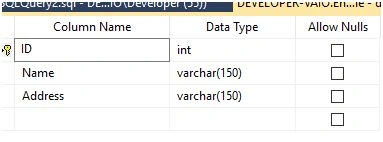
- CREATE TABLE[dbo].[Customer](
- [ID][int]IDENTITY(1,1)NOTNULL,
- [Name][varchar](150)NOTNULL,
- [Address][varchar](150)NOTNULL,
- CONSTRAINT[PK_Customer]PRIMARYKEYCLUSTERED
- (
- [ID]ASC
- )WITH(PAD_INDEX=OFF,STATISTICS_NORECOMPUTE=OFF,IGNORE_DUP_KEY=OFF,ALLOW_ROW_LOCKS=ON,ALLOW_PAGE_LOCKS=ON)ON[PRIMARY]
- )ON[PRIMARY]
- GO
- SET ANSI_PADDINGOFF
- GO
- private DAL _context;
- public CustomerController(DAL context)
- {
- _context = context;
- }
- Unity
- Unity MVC 4
Once you are done with installing packages, now we will create our Create Action Method in the Controller which will be responsible for inserting Customer Information into the db.
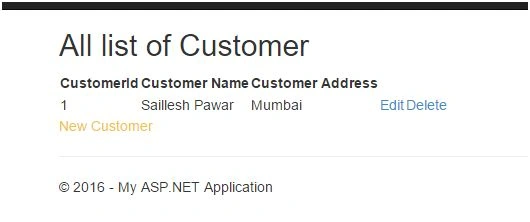
What we want to do ahead is once our data gets inserted into the database the inserted data should be shown into the view (Read) and we should give edit and delete functionality. So once the changes have been done to the db we will move to a different action called show which will show the inserted details.
- [HttpPost]
- public ActionResult Create(Customer customer)
- {
- _context.customer.Add(customer);
- _context.SaveChanges();
- return RedirectToAction("Show");
- }
- <div class="navbar-collapse collapse">
- <ul class="navnavbar-nav">
- <li>@Html.ActionLink("Home", "Index", "Home")</li>
- <li>@Html.ActionLink("About", "About", "Home")</li>
- <li>@Html.ActionLink("Contact", "Contact", "Home")</li>
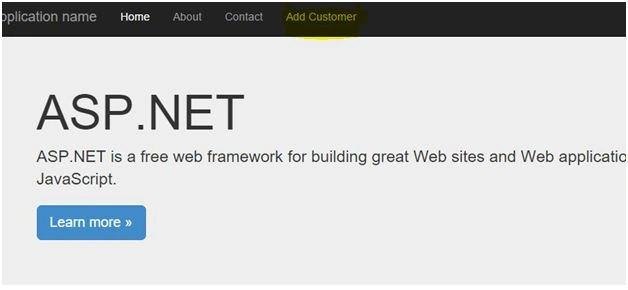
- <li>@Html.ActionLink("Add Customer", "Index", "Customer")</li>
- </ul>
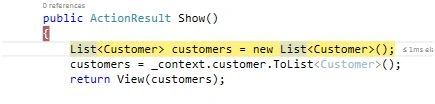
- //Show Action Result will responsible for extracting all the information to the User.
- public ActionResult Show()
- {
- List
- <Customer> customers = newList
- <Customer>();
- customers = _context.customer.ToList
- <Customer>();
- return View(customers);
- }
- @usingEntityF.Models;
- @model IEnumerable
- <Customer>
- @{
- ViewBag.Title = "Show";
- Layout = "~/Views/Shared/_Layout.cshtml";
- }
- <h2>All list of Customer</h2>
- <table>
- <tr>
- <th>
- CustomerId
- </th>
- <th>Customer Name</th>
- <th>Customer Address</th>
- </tr>
- @{
- foreach (Customercustin Model)
- {
- <tr>
- <td>
- @cust.Id
- </td>
- <td>
- @cust.Name
- </td>
- <td>@cust.Address</td>
- <td>
- @*Edit link for the User to edit the Customer Information*@
- @Html.ActionLink("Edit", "Edit", "Customer", new { id = cust.Id }, null)
- </td>
- <td>
- @*Delete link for the User to delete the Customer Information*@
- @Html.ActionLink("Delete", "Delete", "Customer", new { id = cust.Id }, null)
- </td>
- </tr>
- }
- }
- </table>
- <a href="@Url.Content("~/Customer/Index")"style="text-align:left;color:#F3C632; text-decoration:none">New Customer
- </a>
- </td>
- @model EntityF.Models.Customer
- @{
- ViewBag.Title = "Edit";
- Layout = "~/Views/Shared/_Layout.cshtml";
- }
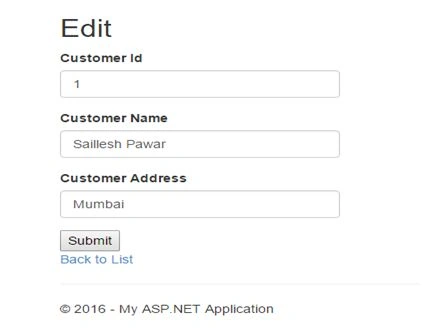
- <h2>Edit</h2>
- <script src="~/Scripts/bootstrap.min.js">
- </script>
- <form action="~/Customer/Save"method="post">
- <div class="form-group">
- <label for="exampleInputCustomerId">Customer Id
- </label>
- <input type="text"class="form-control"id="txtCustomer"value="@Model.Id"name="Id"placeholder="Enter your Name">
- </div>
- <div class="form-group">
- <label for="exampleInputCustomerName">Customer Name
- </label>
- <input type="text"class="form-control"id="txtCustomer"value="@Model.Name"name="Name"placeholder="Enter your Name">
- </div>
- <div class="form-group">
- <label for="exampleInputAddress">Customer Address
- </label>
- <input type="text"class="form-control"id="txtCustomer"value="@Model.Address"name="Address"placeholder="Password">
- </div>
- <button type="submit"class="danger">Submit
- </button>
- </form>
- <div></div>
- <div>
- @Html.ActionLink("Back to List", "Index")
- </div>
- @model EntityF.Models.Customer
- @{
- ViewBag.Title = "Delete";
- Layout = "~/Views/Shared/_Layout.cshtml";
- }
- <h2>Are you Sure do you want to delete this Customer</h2>
- <form action="~/Customer/Delete"method="post">
- <div class="form-group">
- <label for="exampleInputCustomerId">Customer Id
- </label>
- <input type="text"class="form-control"id="txtCustomer"value="@Model.Id"name="Id"placeholder="Enter your Name">
- </div>
- <div class="form-group">
- <label for="exampleInputCustomerName">Customer Name
- </label>
- <input type="text"class="form-control"id="txtCustomer"value="@Model.Name"name="Name"placeholder="Enter your Name">
- </div>
- <div class="form-group">
- <label for="exampleInputAddress">Customer Address
- </label>
- <input type="text"class="form-control"id="txtCustomer"value="@Model.Address"name="Address"placeholder="Password">
- </div>
- <button type="submit"class="danger">Delete
- </button>
- </form>
- <div>
- @Html.ActionLink("Back to List", "Index")
- </div>
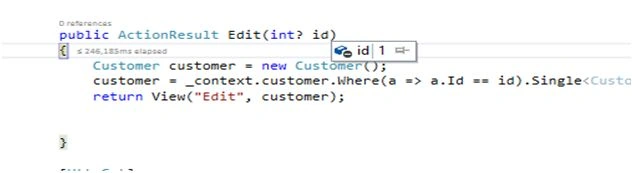
- public ActionResult Edit(int ? id)
- {
- Customer customer = newCustomer();
- customer = _context.customer.Where(a => a.Id == id).Single < Customer > ();
- return View("Edit", customer);
- }
- [HttpGet]
- public ActionResult Delete(int ? id)
- {
- Customer customer = newCustomer();
- customer = _context.customer.Where(a => a.Id == id).Single < Customer > ();
- return View("Delete", customer);
- }
- [HttpPost]
- public ActionResult Save(Customer customer)
- {
- Customer cust = _context.customer.Where(c => c.Id == customer.Id).Single < Customer > ();
- cust.Name = customer.Name;
- cust.Address = customer.Address;
- _context.SaveChanges();
- return RedirectToAction("Show");
- }
- [HttpPost]
- public ActionResult Delete(Customer customer)
- {
- Customer cust = newCustomer();
- cust = _context.customer.Where(c => c.Id == customer.Id).Single < Customer > ();
- _context.customer.Remove(cust);
- _context.SaveChanges();
- return RedirectToAction("Show");
- }
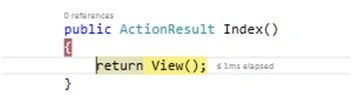
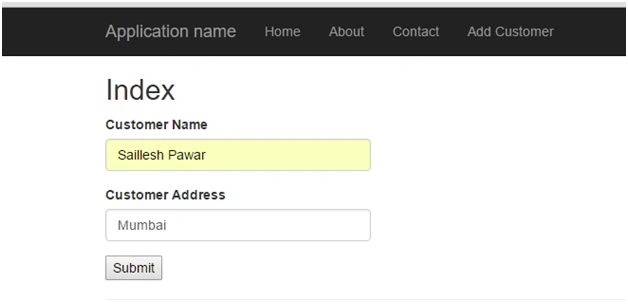
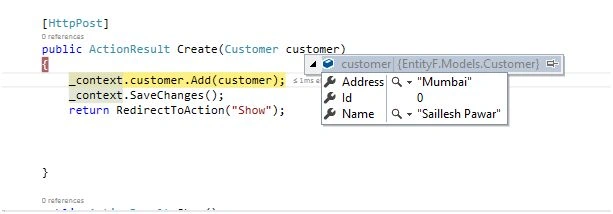
context.customer.Add(customer) will add the Customer object in memory once the _context.savechanges has been done then the data is saved in the database.
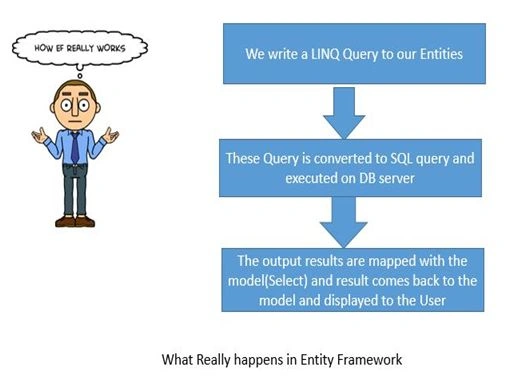
- Our Linq queries are fired against the database you can verify the same by using SQL profiler or other tools.
- Entity framework uses ADO.NET.
- Full ORM to map objects to Code.
- Async queries.
- Repeated data access code.

- customer = _context.customer.Where(a =>a.Id == id).Single<Customer>();
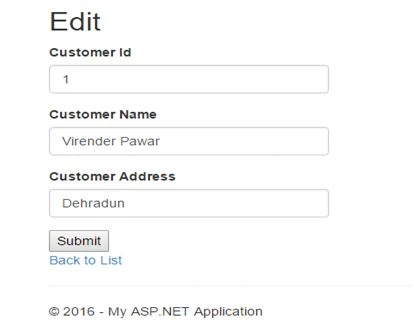
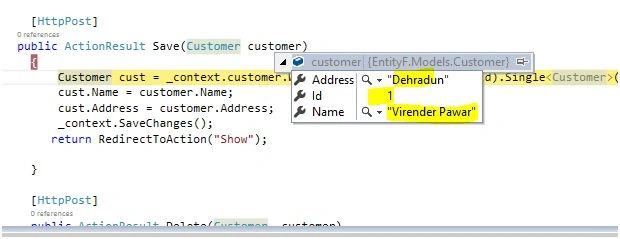
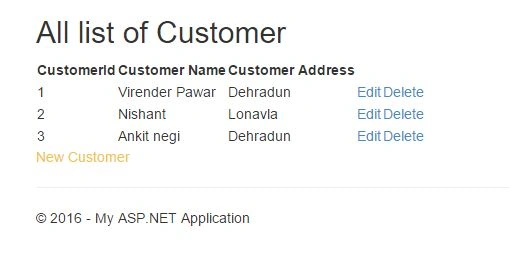
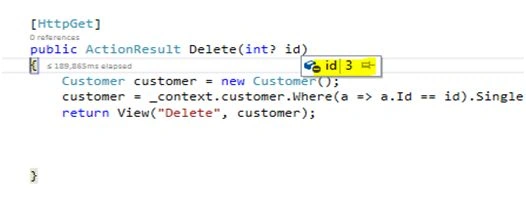
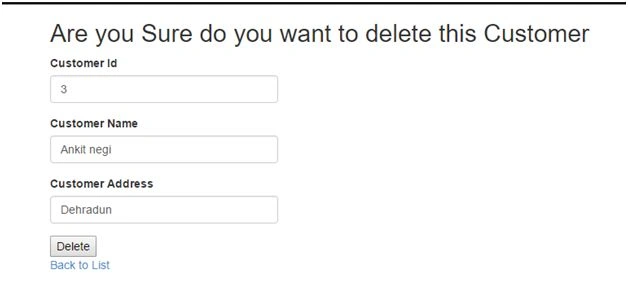
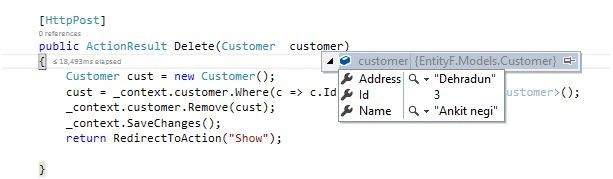
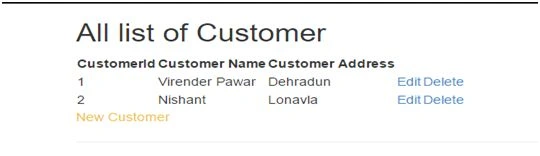
Now we can see above that we have successfully deleted the Customer details from the database. So we can see how easily we have performed our CRUD operations without writing a single SQL query by ourselves. We have strongly typed queries and if try to write a wrong LINQ query we will prompt with an error. I hope this article was helpful, I would be happy and will feel appreciated if you could comment and help me in doing better.
Read more articles on Entity Framework:
Mayooran NavamanyPosted Aug 17, 2022, 1:35 AM
Very nice thanks
Sanjay ShekhawatPosted Apr 10, 2019, 2:12 AM
Very well Explained.
Ramesh PalaniappanPosted Aug 9, 2016, 9:28 AM
Good Article :)
Bikesh SrivastavaPosted Aug 8, 2016, 5:28 AM
Good explanation
Imran BashirPosted Aug 8, 2016, 5:01 AM
Very nice thanks
Bhavik PatelPosted Aug 8, 2016, 3:06 AM
Nice
Anurag MalaniPosted Aug 8, 2016, 2:09 AM
Nice Explanation...
Humayun Kabir MamunPosted Aug 8, 2016, 12:50 AM
Thanks...
Vignesh ManiPosted Aug 7, 2016, 2:07 PM
Nice
Prasanna MuraliPosted Aug 7, 2016, 12:17 PM
Nice info...