

In this article, we will see how to get started with Azure Scheduler.
- Concept
- Implementation: Creating an Azure Scheduler on Azure Portal.
- Implementation: Running Azure Scheduler.
Concept About
- Azure Scheduler allows you to describe actions to run in the cloud. You can schedule and run the actions automatically. You can schedule the scheduler by using Rest API or Azure PowerShell.
- The scheduler creates, maintains, and invokes the scheduled work.
- It basically does not host any workloads or any code.
- The primary role of this scheduler is to invoke the code hosted anywhere like in Azure, on-premises, or with another provider.
- The major advantage of using it is that you can invoke it via HTTP, HTTPS, a storage queue, a service bus queue, or a service bus topic.
- It allows you to create, update, delete, view, and manage jobs or a job collection programmatically, by using scripts.
Implementation
Creating an Azure Scheduler on the Azure Portal
- Sign in to the Azure Management portal.
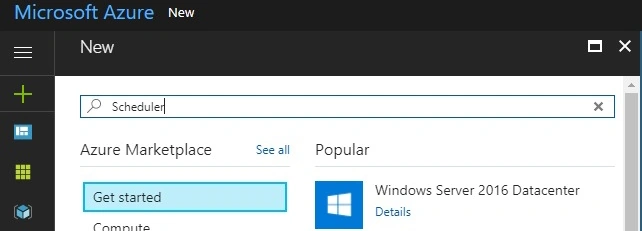
- Open the Azure portal and click on “+”.
- Type “Scheduler” in the Search box.
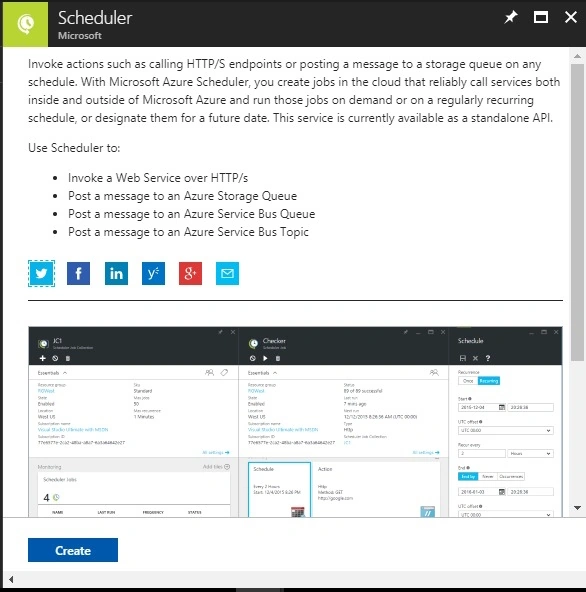
- Then, click on "Create".
- Fill in all the required details like Name, Job collection, or create a new job in that.
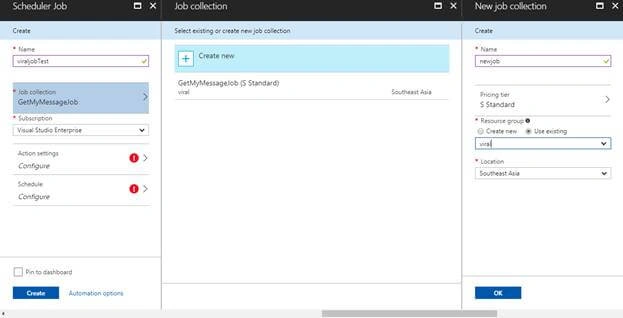
- After creating a Job collection, we need to set the action settings.
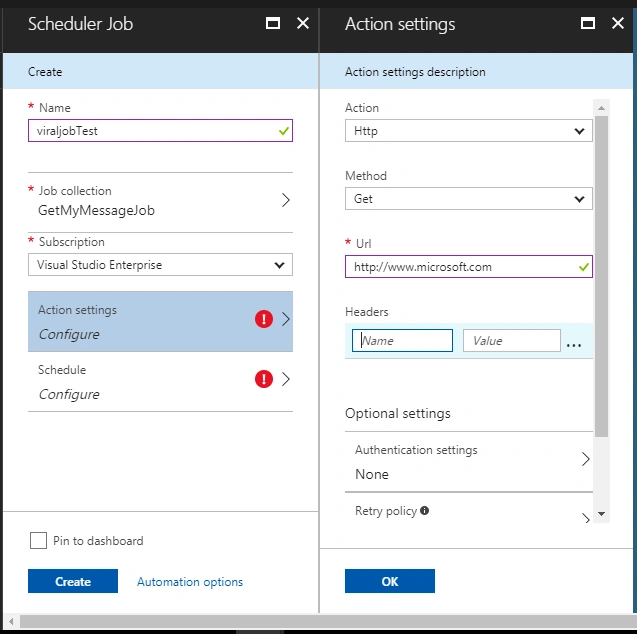
- Set Http or Https; set method Get, Post, Put, Delete; and set URL on which website or API you wish to schedule a job.
- You can also give the customized API that you have created in the URL.
- Name
- Subscription: Your Azure subscription
- Job Collection: Select an existing job collection, or click Create New > enter a name.
- Next, in Action Settings, define the following values.
- Action Type: HTTP
- Method: GET
- URL: http://www.microsoft.com
- Finally, let's define a schedule. The job could be defined as a one-time job, but let’s pick a recurrence schedule.
- Recurrence: Recurring
- Start: Today's date
- Recur every: 12 Hours
- End by: Two days from today's date
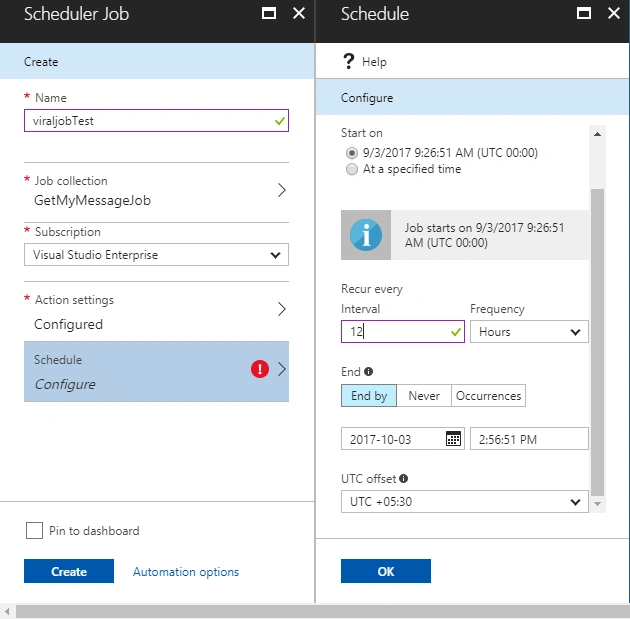
- Click "Create".
- Once a job is created, click on the job and a new window opens with the following tabs.
- Properties
- Action Settings
- Schedule
- History
- Users
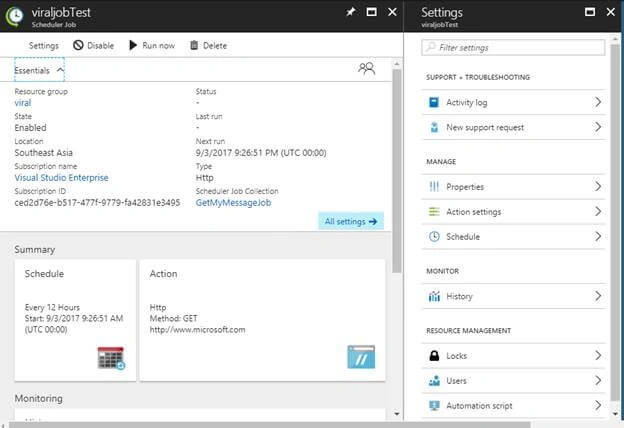
- These read-only properties describe the management metadata for the Scheduler job.
History
The history tab displays selected metrics for every job execution in the system for the selected job. These metrics provide real-time values regarding the health of your scheduler.
- Status
- Details
- Retry attempts
- Occurrence 1st,2nd,3rd
- Start time of execution.
- End time of execution.
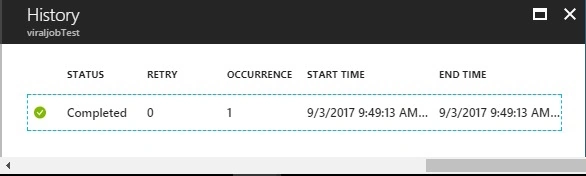
- You can also run your job manually by clicking on the “Run” button.
- You can click on run to view its history details, including the whole response for every execution.
This is how you can schedule the job by Azure Scheduler.
Join the conversation! Your thoughts help the community grow.