

In this article, we will briefly answer the below SharePoint Framework questions.
- What’s the SPFx?
- Why use the SPFx?
- Can we use the SPFx in SharePoint Server 2016 (On-Premises)?
- What’s the Feature Pack?
- Feature Pack Vs Service Pack?
- How to get started with SharePoint Framework in SharePoint Server 2016 (On-Premises)?
SPFx
The SharePoint Framework (SPFx) is,
- A new development (page and part) model for building SharePoint customizations.
- It enables client-side development for building SharePoint experiences.
- It facilitates easy integration with the SharePoint data and provides support for open source tooling development.
To start learning SPFx, check Welcome to the SharePoint Framework!
Why SPFx
SharePoint Framework (SPFx) lets you build responsive, engaging web parts using the latest developer frameworks and tools.
The SPFx is preferable because of,
- The controls are responsive and accessible by nature.
- The controls are rendered in the normal page DOM.
- You can use any browser framework that you like React, Handlebars, knockout, angular.
- Performance is key.
Read more at Why SPFx?
Can we use the SPFx in SharePoint Server 2016?
On 12 Sept 2017, Microsoft announced the availability of using SharePoint Framework web parts for SharePoint Server 2016 with Feature Pack 2 (September 2017 Public Update for SharePoint 2016 ).
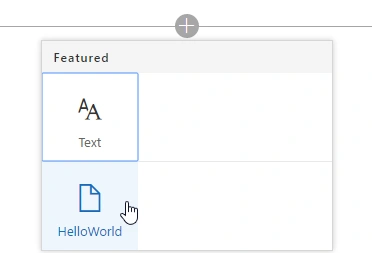
Once you have installed and upgraded the September 2017 Public Update for SharePoint 2016, you will be able to upload and deploy SharePoint Framework packages that contain web parts, via the SharePoint App Catalog just as you would with SharePoint Add-ins.
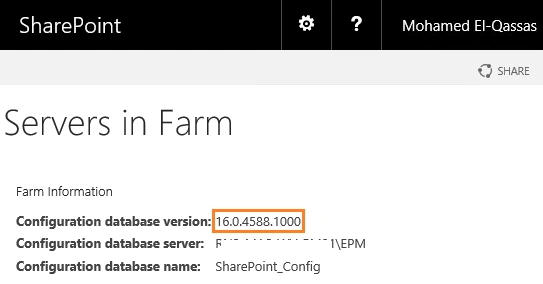
By the way, there is no Modern Team Site in SharePoint 2016 On-Prem yet! The release of ‘Feature Pack 2 for SharePoint Server 2016’ provides the functionality to only use and build the SharePoint Framework WEB PARTS hosted in the classic web part pages of SharePoint Server 2016.
Feature Pack
The Feature Pack is a group of new product features and functionality updates that were requested by customers. Feature Pack has been introduced in SharePoint 2016. It has two Feature Packs till now.
- Feature Pack 1 is delivered in November 2016 Public Update for SharePoint Server 2016 that contains the following features:
- Administrative Actions Logging
- MinRole enhancements
- SharePoint Custom Tiles
- Hybrid Auditing (preview)
- Hybrid Taxonomy (preview)
- OneDrive API for SharePoint on-premises
- OneDrive for Business modern experience (available to Software Assurance customers).
- Feature Pack 2 is delivered in September 2017 Public Update for SharePoint 2016 that contains the following features:
- The foundation of modern web part hosting and editing experiences, including core SPFx APIs, SPFx package deployment, and property panes.
- All the features previously included in Feature Pack 1 for SharePoint Server 2016.
Feature Pack Vs Service Pack
- The service pack is a tested, cumulative set of all hotfixes, security updates, critical updates, and updates. It mainly concentrating on solving the issue related to the performance, security, and stability of the service.
- The feature pack is mainly concentrating on the functionality, Design changes, and new features that were requested by the customer.
How to get started SPFx in SharePoint Server 2016?
An introduction to SharePoint Framework development in SharePoint 2016 using Feature Pack 2 is covered in
- SharePoint Framework development with SharePoint 2016 Feature Pack 2.
- Build your first SharePoint client-side web part (Hello World part 1).
Conclusion
In this article, we have explored the answers to SPFx related questions for SharePoint Server 2016 On-Premises.
Reference
See Also
- Overview of the SharePoint Framework.
- Why SPFx?
- SPFx tutorials.
- Now available: Deploy SharePoint Framework web parts to SharePoint Server 2016 with Feature Pack 2
- Enterprise Guidance for SharePoint Framework .
- Team-based development on the SharePoint Framework.
- SharePoint Framework development with SharePoint 2016 Feature Pack 2.
- September 2017 Public Update release notes.
Bulti DuttaPosted May 29, 2018, 6:29 AM
That's informative.
Humayun Kabir MamunPosted Oct 15, 2017, 3:41 PM
Thanks M.Qasssas for this nice information...