

Introduction
Features
- Directives
- Data Binding
- Filters
- Modules
- Routes
- Controllers
Let's discuss a few directives in this sample.
AngularJS Directives
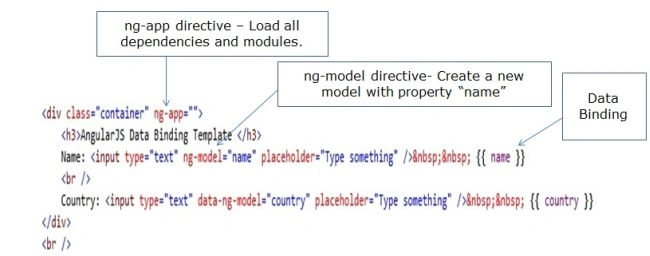
- ng-app: It will load the dependencies and the module.
- ng-bind: Automatically changes the text of an HTML element to the value of a given expression.
- ng-model: Similar to ng-bind, but allows two-way data binding between the view and the scope.
- ng-class: Allows class attributes to be dynamically loaded.
- ng-controller: Specifies a JavaScript controller class that evaluates HTML expressions.
- ng-repeat: Angular control structure act as for loop.
- ng-click: Angular on click event
Install: Open the website angularjs.
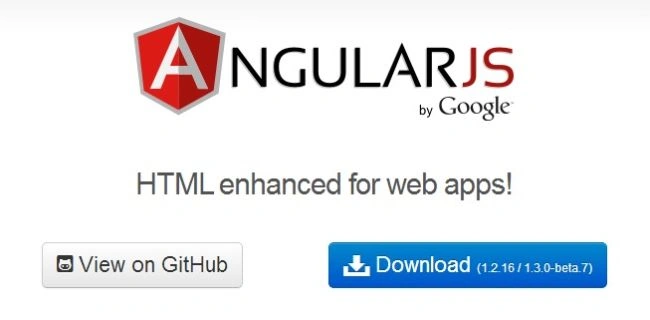
Click on the download button.
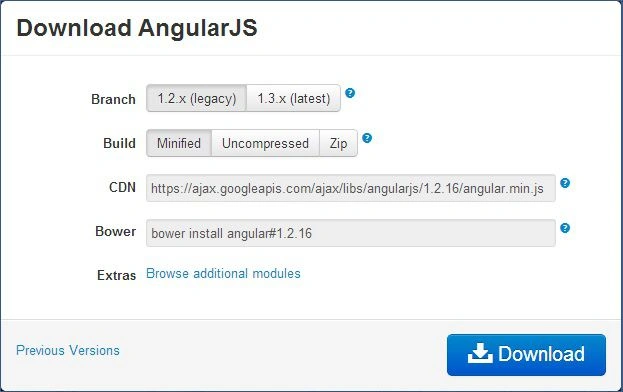
Now select Branch and build if you want to uncompress or Zip. And click Download.
Getting Started
- Start Visual Studio
- Create a new website
- Provide the name and location of website
- Click "Next"
Add angular.min.js to the scripts directory.
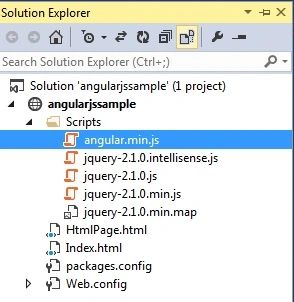
Now let's work on the view part.
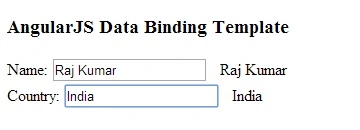
To begin let's see how to do data binding using AngularJS:
First of all add a new HTML page and provide a relevant name, now add a angularjs reference to the page.
<script src="Scripts/angular.min.js"></script>
Now add the ng-app directive on the top root of the page or in any div like this.
<html ng-app="">
<div class="container" ng-app="">
Let's
<div class="container" ng-app="">
<h3>AngularJS Data Binding Template </h3>
Name: <input type="text" ng-model="name" placeholder="Type something" /> {{ name }}
<br />
Country: <input type="text" data-ng-model="country" placeholder="Type something" /> {{ country }}
</div>
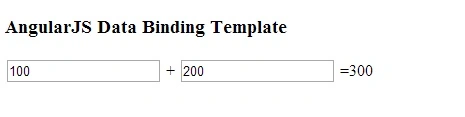
One more example that calculates 2 numbers:
<div>
<h3>AngularJS Data Binding Template</h3>
<input type="number" ng-model="FirstValue" value="0" placeholder="Enter First value here">
+
<input type="number" ng-model="SecondValue" placeholder="Enter Second value here">
={{FirstValue+SecondValue}}
</div>
<script src="Scripts/angular.min.js"></script>
Output
In the next article we'll learn Looping with ng-repeat with real-time examples.
kalu singh raoPosted Jul 16, 2016, 3:34 AM
Nice...
PrahaladPosted Aug 10, 2015, 12:37 PM
Hi Akhil, data-ng-model and ng-model are same as part of AngularJS. To go with much more standard, you can use data-ng-model
Akhil MittalPosted Jul 14, 2014, 2:30 AM
You wrote data-ng-model="country" in the first example.Please explain what is the diff between data-ng-model and ng-model.?
Balji ShuklaPosted Jun 18, 2014, 9:31 AM
very good start..
Pankaj BajajPosted May 13, 2014, 11:45 PM
good introduction..
Former memberPosted May 12, 2014, 9:54 AM
Nicely explained