

Introduction
In this article, we will learn to generate the AD access token by configuring the values in Postman.
Step 1. Open Postman.
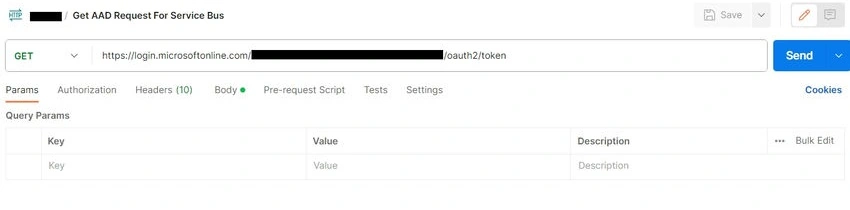
Step 2. Select GET Method and Enter https://login.microsoftonline.com/<TENANT ID>/oauth2/token
Replace <TENANT ID> with the tenant ID value from App Registration.
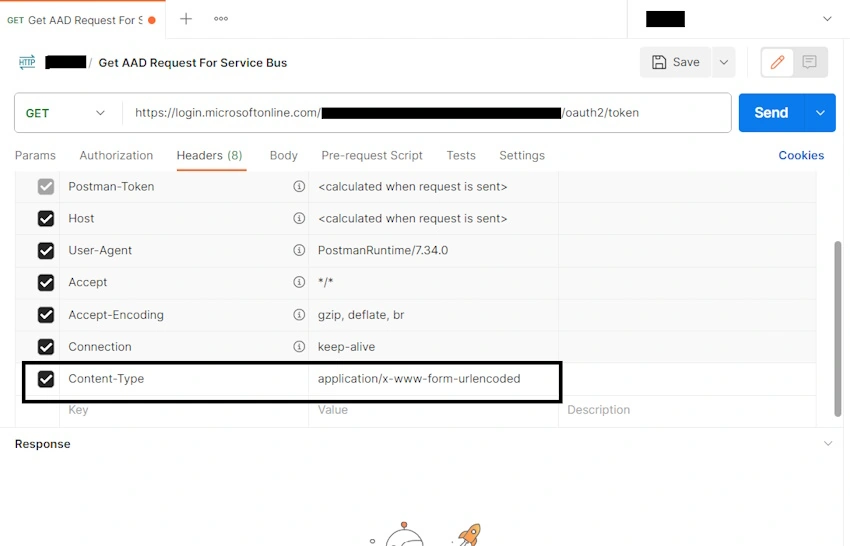
Add the Content-Type key and application/x-www-form-urlencoded for the value on the Headers tab.
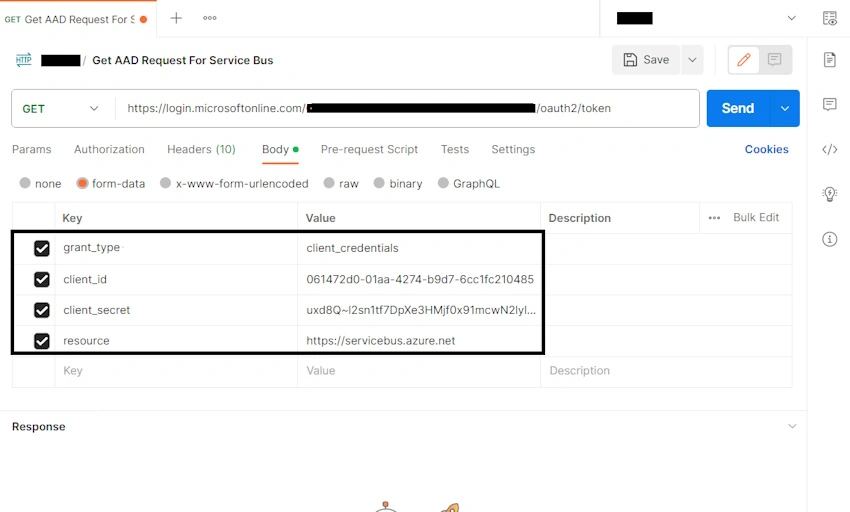
Step 3. On the Body Tab, Select from-data radio button, then add the below Key Values
- grant_type: client_credentials
- client_id: App registration APP ID<Client ID>
- client_secret: App registration Certificate & Secret <Client ID>
Resource: https://servicebus.azure.net
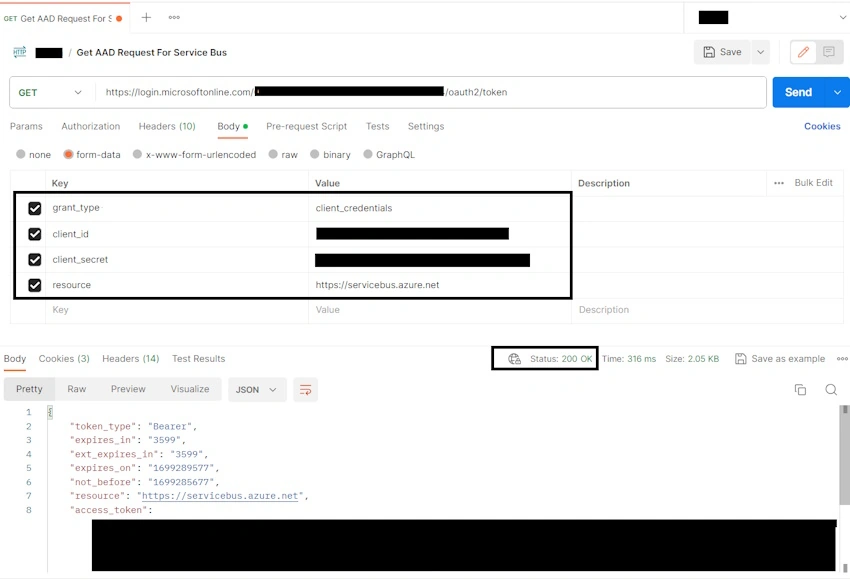
Step 4. Click on the send button to get the Access Token.
Join the conversation! Your thoughts help the community grow.