

Introduction
This article explains the GET method in Web API 2. A web uses this method when we want to get something from the Web API. Here we use the Get method for reading the student details from the controller by the JavaScript and jQuery.
Now let's see the examples of the GET HTTP method.
Step 1
- Start Visual Studio 2013.
- From the Start Window select "New Project".
- Select "Installed" -> "Templates" -> "Visual C#" -> "Web" and select "ASP.NET Web Application".
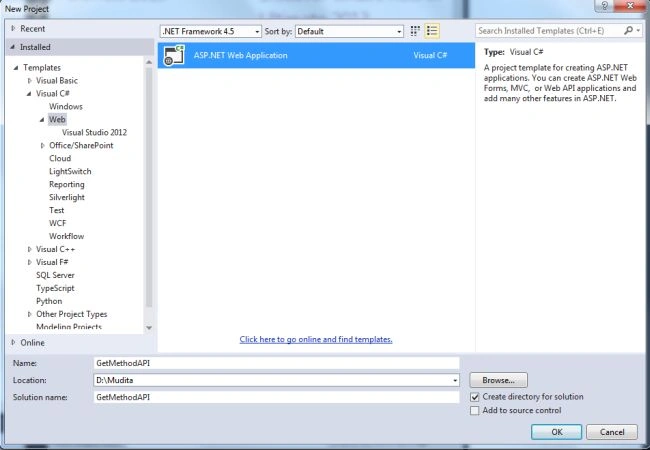
- Click on the "OK" button.
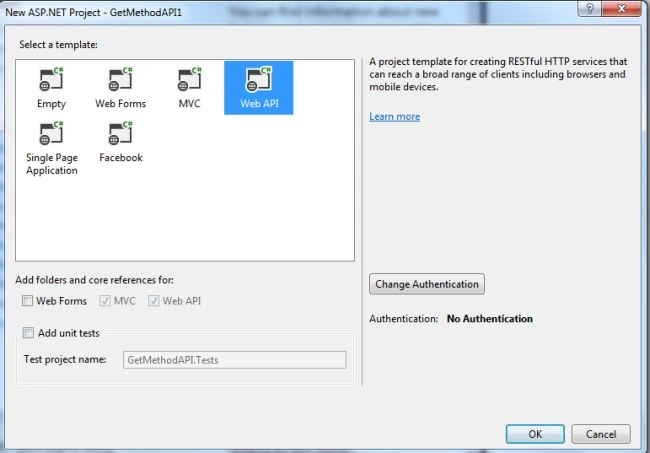
- From the ASP.Net project window select "Web API".
- Click on the "Create Project" button.
Step 2
Add a model class:
- In the "Solution Explorer".
- Right-click on the Model Folder.
- Select "Add" -> "Class".
- Select "Installed" -> "Visual C#" and select class.
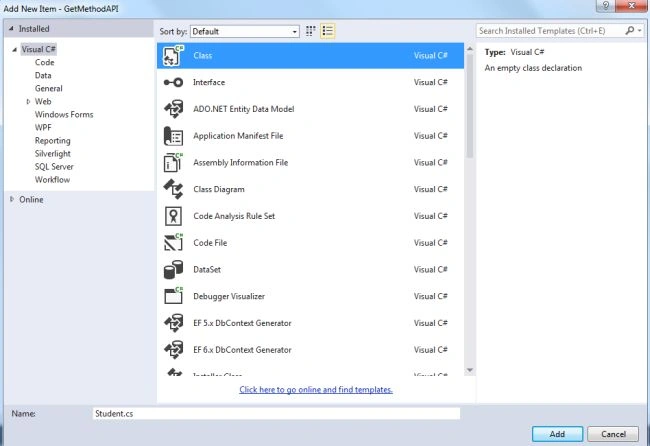
- Click on the "OK" button.
Add some code as in the following:
- using System;
- using System.Collections.Generic;
- using System.Linq;
- using System.Web;
- namespace GetMethodAPI.Models
- {
- public class Student
- {
- public int ID { get; set; }
- public string Name { get; set; }
- }
- }
Step 3
In the "Solution Explorer".
Right-click on the "Controller" folder.
- Select the "Controller" and from the controller window select "Common" -> "Web API".
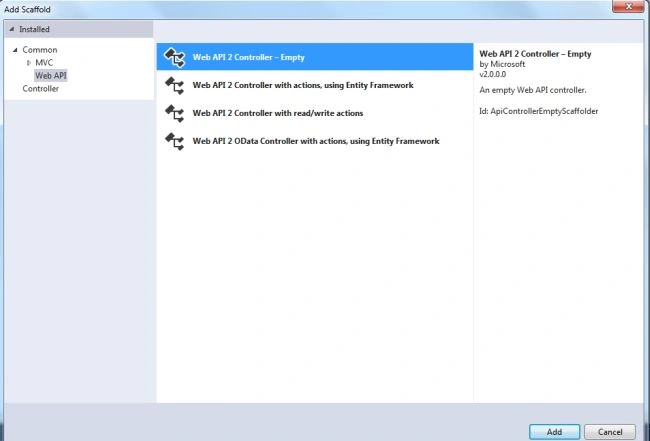
- Select the "Web API2 Empty Controller" and click on the "Add" button.
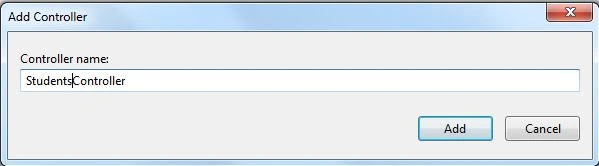
- Change the name and click on the "Add" button.
Add the following code:
- using GetMethodAPI.Models;
- using System;
- using System.Collections.Generic;
- using System.Linq;
- using System.Net;
- using System.Net.Http;
- using System.Web.Http;
- namespace GetMethodAPI.Controllers
- {
- public class StudentsController : ApiController
- {
- Student[] student = new Student[]
- {
- new Student{ID=1,Name="Student1"},
- new Student {ID=1,Name="Student2"},
- };
- // GET api/values
- public IEnumerable<Student> GetAllStudents()
- {
- return student;
- }
- }
- }
Step 4
Now add an HTML page to write the code of the JavaScript.
- In the "Solution Explorer".
- Right-click on the "Project".
- Select "Add" -> "New Item".
- From the Installed window select "Visual C#" -> "Web".
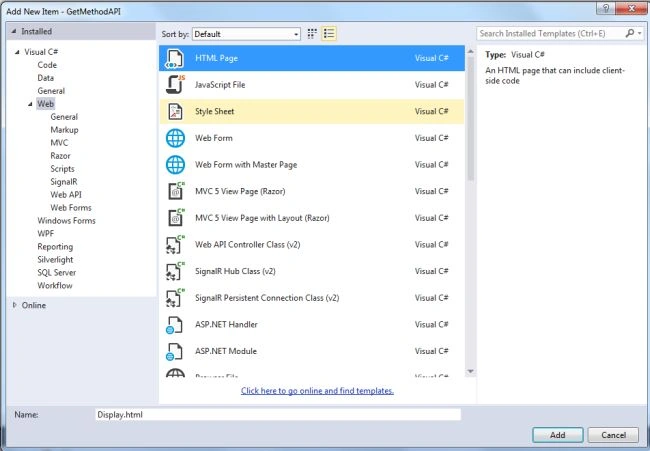
- Then select "HTML" page and click on the "OK" button.
Add the following code:
- <!DOCTYPE html>
- <html xmlns="http://www.w3.org/1999/xhtml">
- <head>
- <title></title>
- </head>
- <body>
- <div>
- <h2>All Students</h2>
- <ul id="students" />
- </div>
- <script src="Scripts/jquery-1.10.2.min.js"></script>
- <script>
- var uri = 'api/students';
- $(document).ready(function () {
- $.getJSON(uri)
- .done(function (data) {
- $.each(data, function (key, prds) {
- $('<li>', { text: formatItem(prds) }).appendTo('#students');});
- });
- });
- function formatItem(prds) {
- return prds.Name;
- }
- </script>
- </body>
- </html>
Step 5
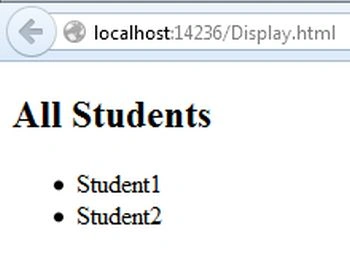
Execute the application:
Join the conversation! Your thoughts help the community grow.