

Introduction
You must have seen the feature of estimated time to read on many websites and blogs, such as Medium. In this article, we will learn how we can get a reading time estimation on our website. This is possible with a simple node.js package; i.e., reading-time.
What is reading-time?
reading-time is a simple Node.js package which helps us to get the estimated time to read the content. This package not only works perfectly with plain-text but also, we can use this package for HTML and Markdown content.
Installation
We can use the following command to install this package in the node project.
- npm install --save reading-time
How to use reading-time?
There are two ways to use the reading-time package.
Classic
- const readingTime = require('reading-time');//Importing reading-time package
- const result = readingTime('Any text will be here');// Getting result
- console.log(result);
- const readingTime = require('reading-time/stream');//Importing reading-time package
- fs.createReadStream('<filename>')
- .pipe(readingTime)
- .on('data', result => {
- console.log(result)
- });
Example
- const readingTime = require('reading-time');
- const fs=require('fs');
- var filename = './article.txt';
- fs.readFile(filename,function(err,data) {
- if(err){
- console.log("Error while reading file")
- }
- var result=readingTime(data.toString())
- console.log(result)
- })
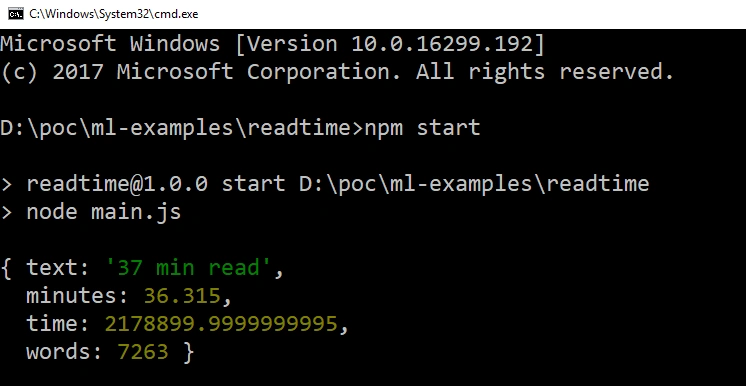
Output
Join the conversation! Your thoughts help the community grow.