

To get the payload data from SharePoint Online, a developer needs to use either Postman or Custom Scripts. Usually, it’s a part of the solution or API. However, in some scenarios, developers need to use a payload outside the custom solution. Then, it’s not feasible to write a custom code or use Postman using the Client ID and Client Secret to get the payload or JSON response.
MS Flow is one of the easiest and quickest alternatives to get the JSON response from a SharePoint Online request. JSON response, i.e., the payload, can be used to identify the structure format, which helps to parse the data accordingly.
We can create a 3-step (trigger + action) flow that allows us to send an email quite securely (no need to handle the password separately).
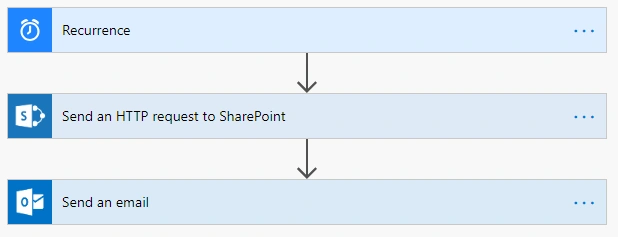
Let’s explore how MS Flow is the quickest and easiest turnaround.
Step 1
Step 2
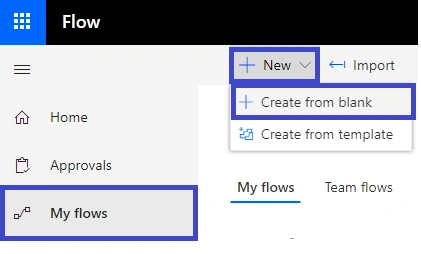
Step 3
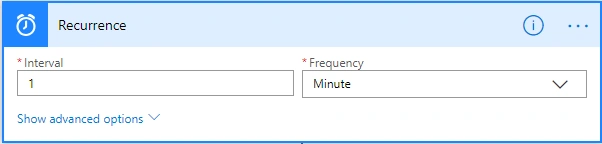
Frequency can be set as per the requirement; I set it to 1 minute for demo purposes.
Step 4
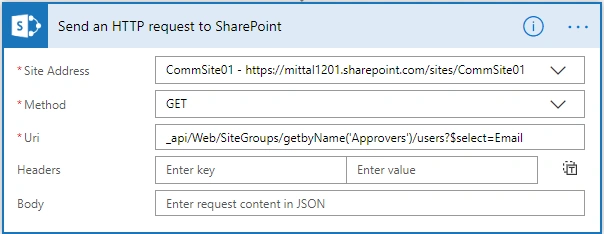
Step 5
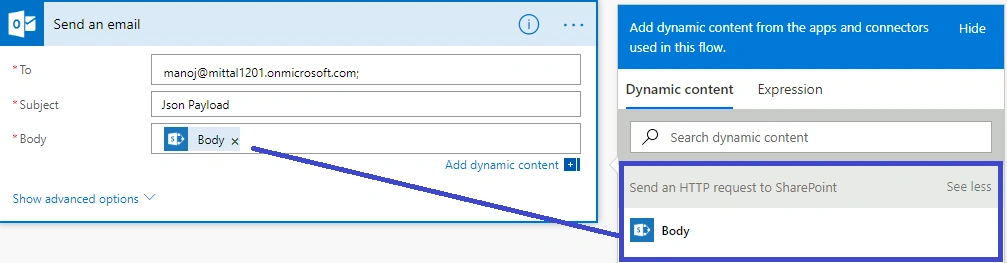
Step 6
Check your email account. You must have received a JSON payload with the data on the defined email address.
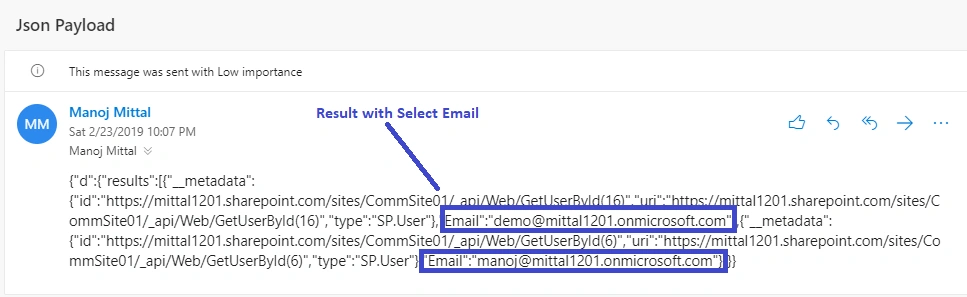
- {
- "d": {
- "results": [{
- "__metadata": {
- "id": "https://mittal1201.sharepoint.com/sites/CommSite01/_api/Web/GetUserById(16)",
- "uri": "https://mittal1201.sharepoint.com/sites/CommSite01/_api/Web/GetUserById(16)",
- "type": "SP.User"
- },
- "Email": "[email protected]"
- }, {
- "__metadata": {
- "id": "https://mittal1201.sharepoint.com/sites/CommSite01/_api/Web/GetUserById(6)",
- "uri": "https://mittal1201.sharepoint.com/sites/CommSite01/_api/Web/GetUserById(6)",
- "type": "SP.User"
- },
- "Email": "[email protected]"
- }]
- }
- }
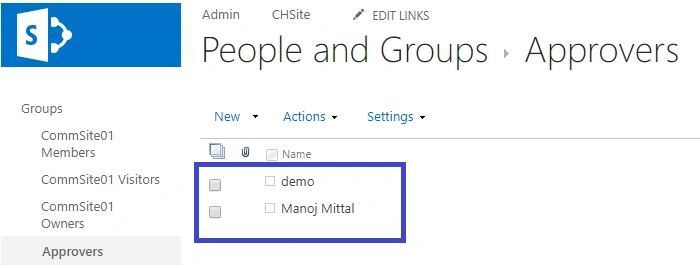
To verify the result, I have SP Group with two users. I have got the same in the above email.
Join the conversation! Your thoughts help the community grow.