

In this article, users will find the steps to generate an HTML Report Using Jenkins.
Pre-Requisite
Jenkins should be installed on your computer.
1. Download & Installation of HTML Publisher Plugin.
To Generate HTML reports in Jenkins, first, we have to Install HTML Publisher Plugin. To Install HTML Publisher Plugin, follow mentioned steps below.
-
Goto Manage Jenkins
-
Click/Go to the Manage Plugin section
-
Search for an HTML Publisher plugin
-
Install the Plugin and restart Jenkins
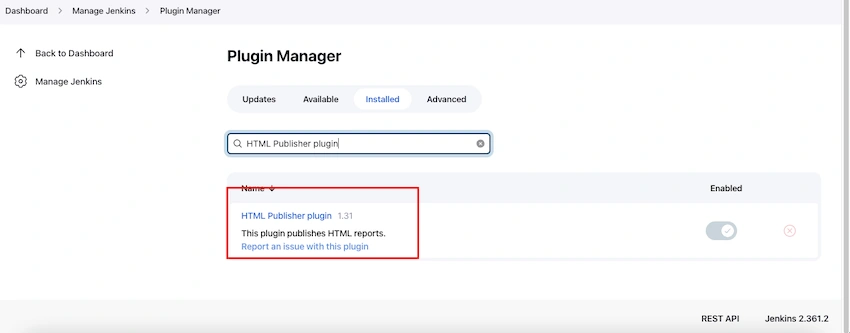
2. Generate HTML report In Jenkins.
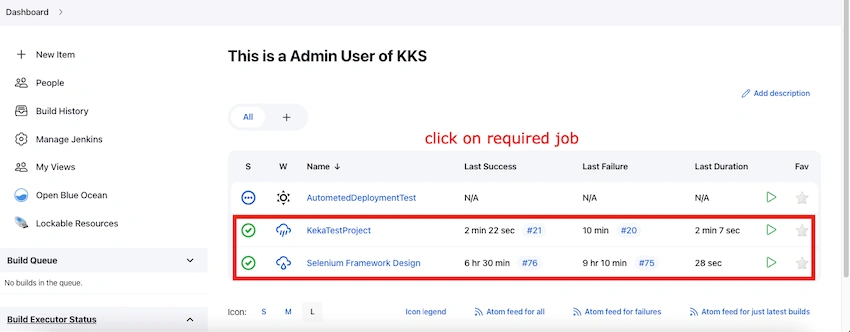
Once HTML Publisher Plugin is installed, then go to the Respective Job section and Verify HTML report is available.
-
Click on the required Created/Available Job from the Job List.
-
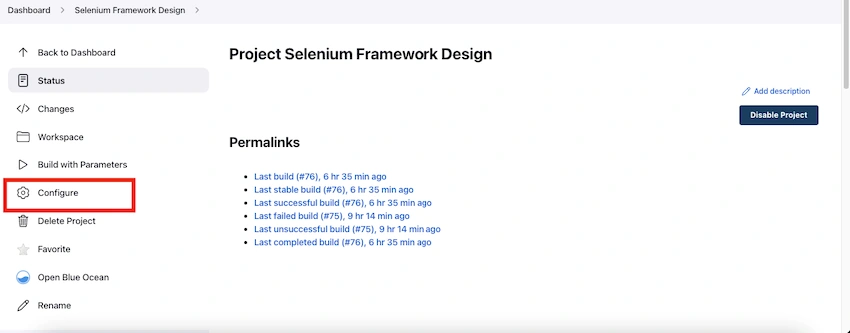
Click on Configure Option and Go to the Job Configuration Job Page.
-
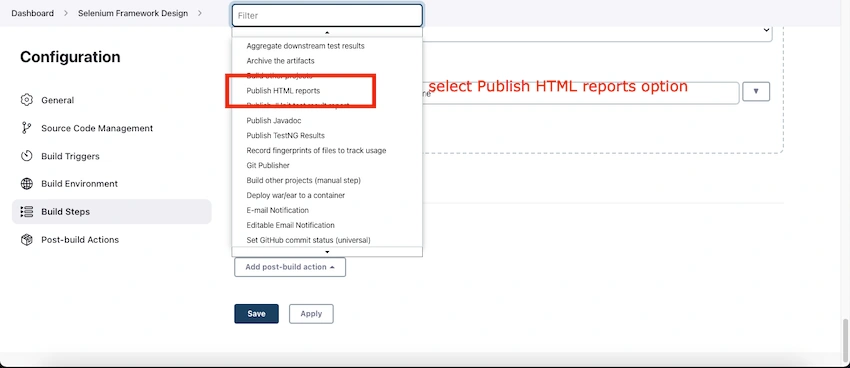
Scroll down and click on the "Post-build Actions" section
-
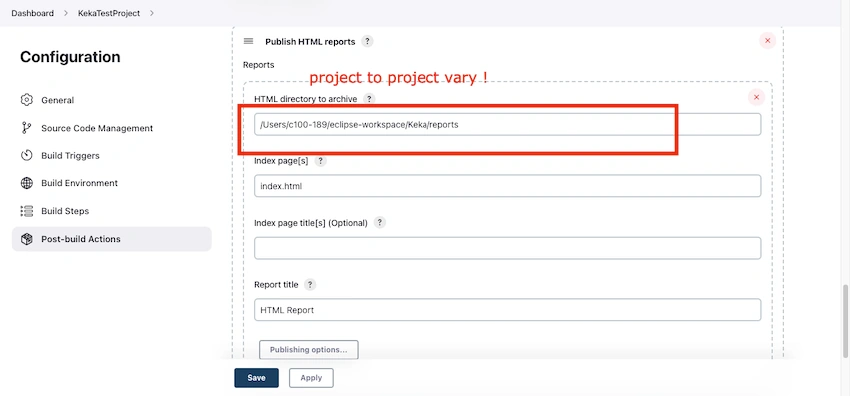
Select Publish HTML Reports option from the drop-down.
-
Provide HTML directory to archive from respective project where index.html extent report is created in "Publish HTML reports" section.
-
Click on Apply and Save Button.
-
After Saving Job Configuration details, Perform the Run Build action for the respective Job.
-
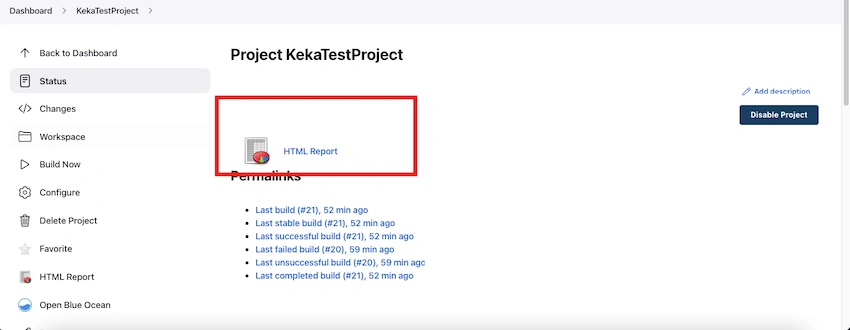
Go to Job Build Console Page, and there "HTML Reports" option with the icon Logo will be Activated.
-
Click on HTML Reports Options to Verify the Results
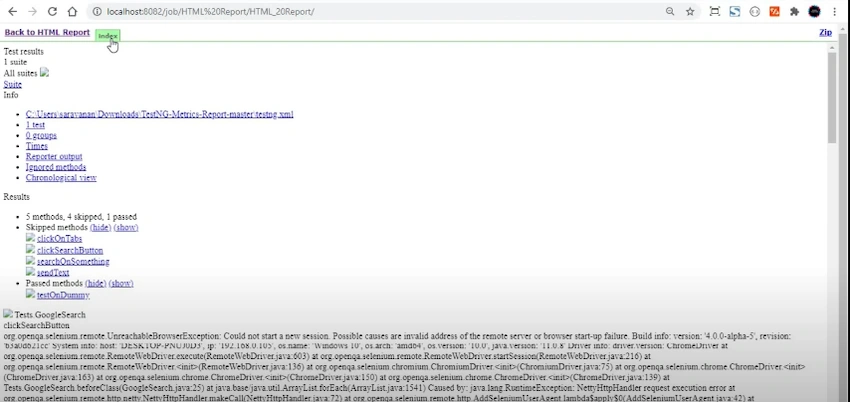
NOTE:- If You are Facing these Issues in the HTML report Page. We have to Perform Jenkins CSS Object Security Settings.
3. SCRIPT CONSOLE SETTINGS
If the Report does not support in HTML Format view, then Navigate to the Script Console page, provide mentioned Command, and re-run the job build.
-
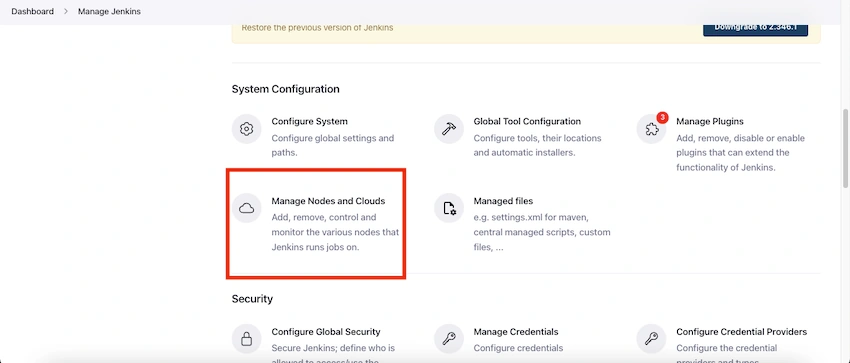
Go to Manage Jenkins Page
-
Click on the Manage Nodes and Clouds option.
-
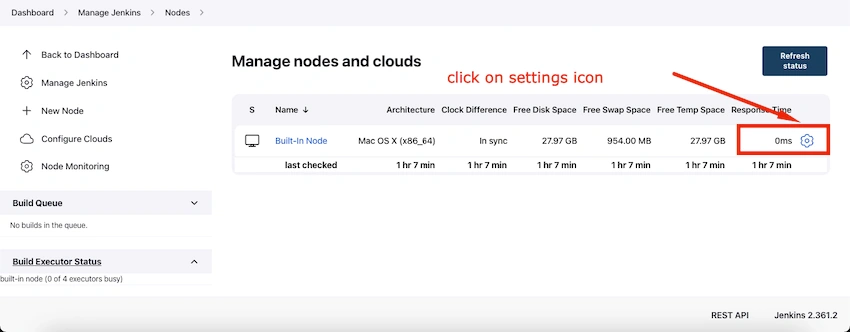
From Manage Nodes and Clouds, Page click on the Nodes setting icon.
-
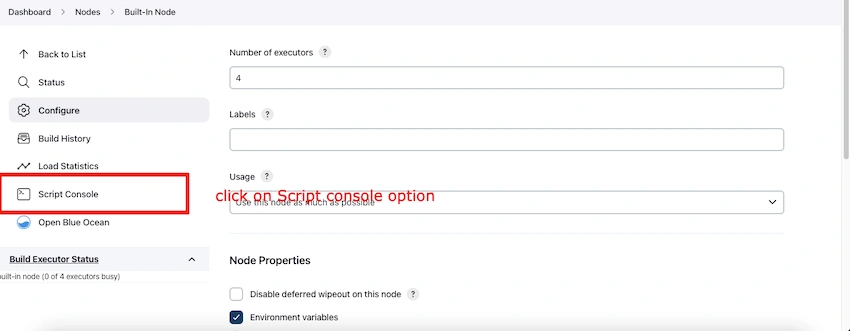
Click on Script Console Option from the Menu section and Go to Script Console Page.
-
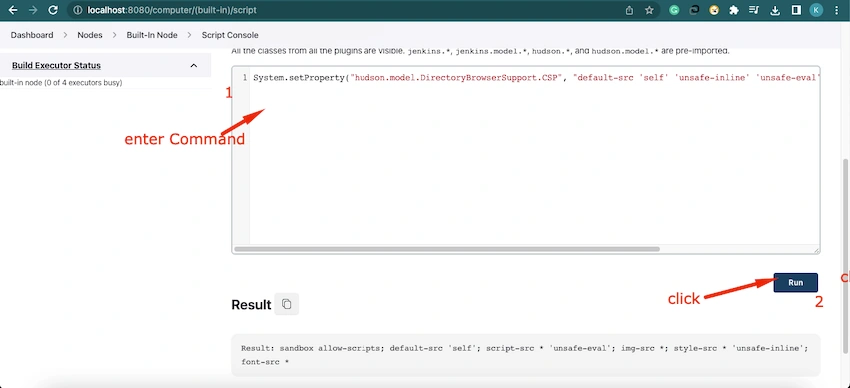
Provide the Following command in the Script Console text execution Box.
Command to execute-> System.setProperty("Hudson.model.DirectoryBrowserSupport.CSP", "default-src 'self' 'unsafe-inline' 'unsafe-eval'; img-src 'self' 'unsafe-inline' data:;")
Note: If still facing an error with the above command, then try with below mentioned command
System.setProperty("hudson.model.DirectoryBrowserSupport.CSP", "") -
Click on the Run button once the command is provided. After clicking on the Run button, and result will be activated and displayed in the Bottom
4. Re-Run Builds and Verify HTML REPORTS.
Once Script Console Setting is done, go to Job and Run Build.
-
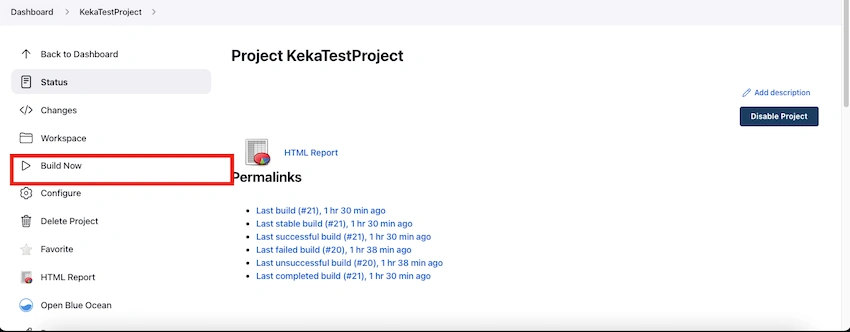
Go to Job and click on the Build Now option.
-
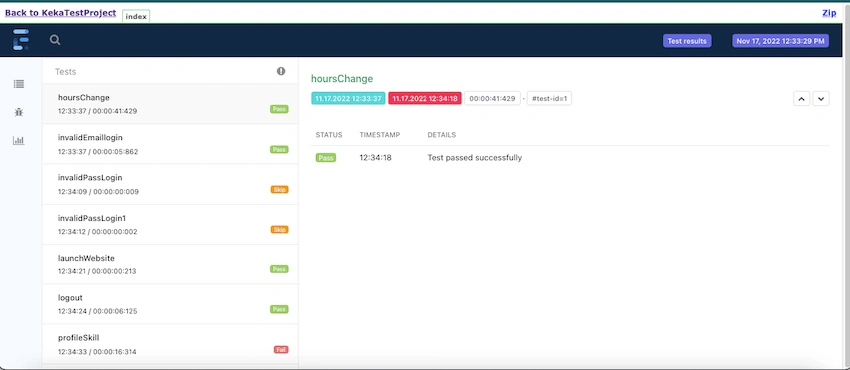
Once the Build run is completed, click on the HTML Reports option and Verify the result report.
NOTE: Job Builds HTML Reports will display in a well-Managed format.
Summary
The HTML Publisher plugin helps publish the reports your build generates to the job and build pages.
It is designed to work with both Freestyle projects and is used in a Jenkins Pipeline.
I hope this article will be helpful.
Happy Learning! Happy Testing!
Shaishav DesaiPosted Feb 8, 2024, 7:08 AM
@spanish - For a proper HTML Report, you can follow the Jenkins official documentation at below link, https://wiki.jenkins.io/JENKINS/HTML-Publisher-Plugin.html
spanishPosted Sep 23, 2023, 12:19 PM
I don't get that report logo, just a black and white textpad logo, do you know where that one you've got above is coming from to see if I can replace it?